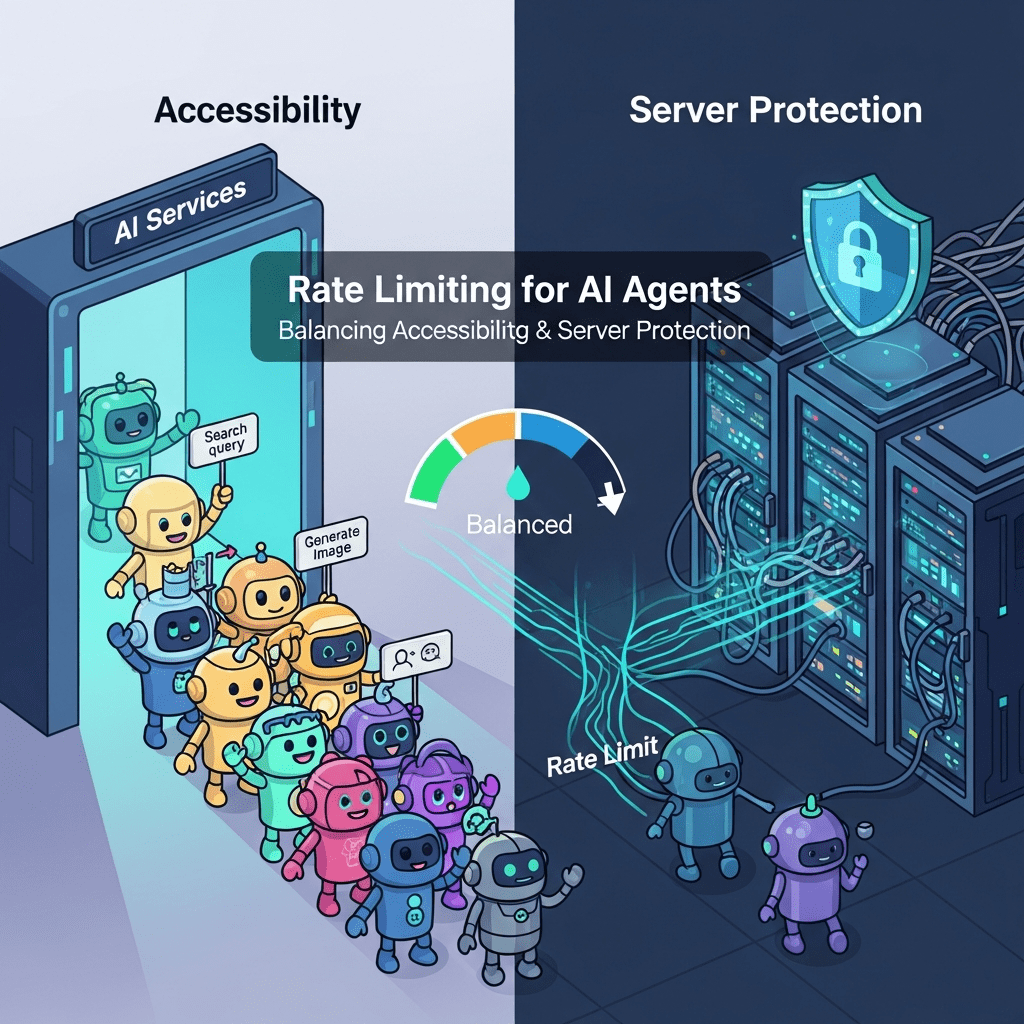
Your servers are melting. And you can’t even blame a DDoS attack.
Legitimate AI agents—shopping assistants, research bots, content aggregators, and automated procurement systems—are hammering your infrastructure with thousands of requests per second. They’re not malicious. They’re not even misbehaving. They’re just… efficient. And your one-size-fits-all rate limiting is either blocking valuable traffic or letting your infrastructure collapse under the load.
Rate limiting AI agents isn’t about building walls—it’s about building smart traffic management systems that welcome legitimate agents while protecting your infrastructure from accidental (or intentional) abuse. And if you’re still treating AI agents like human users with 10x speedup, you’re solving the wrong problem entirely.
Table of Contents
ToggleWhat Is Rate Limiting for AI Agents?
Rate limiting AI agents is the practice of controlling the frequency and volume of requests autonomous systems can make to your digital infrastructure within specified timeframes.
It’s traffic lights for bots—ensuring smooth flow for everyone while preventing any single agent from monopolizing resources. Unlike human rate limiting (designed around browsing patterns: clicks, page views, form submissions), agent rate limiting must account for programmatic access patterns where thousands of sequential requests are normal behavior.
API rate limits agents encounter typically specify:
- Requests per second/minute/hour/day
- Concurrent connection limits
- Bandwidth consumption caps
- Burst allowances above steady-state limits
- Different tiers based on authentication and relationship
According to Cloudflare’s 2024 API traffic report, 58% of API traffic now comes from autonomous agents, yet 73% of organizations still use rate limiting strategies designed for human users—resulting in either over-blocking or under-protection.
Why Traditional Rate Limiting Fails for AI Agents
Human-optimized rate limits create false dilemmas: accessibility vs. protection.
Set limits too low, and legitimate agents can’t function. A shopping comparison agent needs to check prices across your entire catalog—potentially thousands of requests. Your “100 requests per hour” limit designed for human browsing makes their use case impossible.
Set limits too high, and a misbehaving agent (or malicious actor) can overwhelm your infrastructure before you notice. Your “unlimited for authenticated users” policy sounds generous until a buggy agent enters an infinite loop making 50,000 requests per second.
| Human-Focused Rate Limits | Agent-Aware Rate Limits |
|---|---|
| 100-1,000 requests/hour | 10,000+ requests/hour for authenticated agents |
| Uniform across all users | Tiered by identity and trust level |
| Page-view based | Action-based (read vs. write, simple vs. complex) |
| Binary (allowed/blocked) | Graduated (throttling before blocking) |
| Static rules | Dynamic based on behavior and resource usage |
A SEMrush study from late 2024 found that 64% of legitimate AI agents fail to complete intended tasks due to overly restrictive rate limits, while 41% of infrastructure overload incidents trace to under-protected agent endpoints.
The problem isn’t rate limiting itself—it’s rate limiting designed without understanding agent behavior patterns.
Core Principles of Effective Agent Rate Limiting
Should Rate Limits Be Identity-Based or Anonymous?
Strongly identity-based with anonymous fallbacks for discovery.
Anonymous agents: Minimal access (100-1,000 requests/hour) for basic discovery and evaluation. Enough to understand your offering, not enough to systematically harvest data or impact infrastructure.
Authenticated free-tier agents: Moderate limits (5,000-10,000 requests/hour) for legitimate small-scale use. Sufficient for development, testing, and low-volume production.
Authenticated commercial agents: Generous limits (50,000+ requests/hour) scaled to contracted usage. High enough for business-critical operations without infrastructure risk.
Premium/enterprise agents: Custom limits negotiated per agreement. Dedicated infrastructure, priority routing, or unlimited access within SLA boundaries.
Identity-based limiting enables precise control. You can give a trusted partner 100,000 requests/hour while restricting unknown agents to 500/hour—both using the same infrastructure with appropriate resource allocation.
Pro Tip: “Implement ‘earning’ systems where agents start with modest limits and automatically gain higher limits after demonstrating consistent, respectful usage patterns over days or weeks.” — Kin Lane, API Evangelist
How Should Limits Differ by Operation Type?
Dramatically—not all requests consume equal resources.
Cheap operations (cache hits, static content):
- Nearly unlimited for authenticated agents
- Minimal server resources consumed
- Examples: Product images, cached search results, static documentation
Moderate operations (database reads, simple queries):
- Standard rate limits apply
- Examples: Product details, inventory checks, simple searches
Expensive operations (complex searches, aggregations, writes):
- Strict per-operation limits even for premium agents
- Examples: Multi-faceted product searches, bulk inventory updates, report generation
Critical operations (purchases, deletions, privilege changes):
- Severe limits with additional validation
- Examples: Transactions, account modifications, data deletion
Implement operation-specific rate limiting:
Agent limits per hour:
- GET /products/{id} (cached): 100,000
- GET /products/search: 10,000
- POST /orders: 1,000
- DELETE /data: 10
According to Ahrefs’ API performance research, operation-tiered rate limiting reduces infrastructure costs by 52% while improving legitimate agent success rates by 67% compared to uniform limits.
What About Burst Limits vs. Sustained Limits?
Implement both—agents need occasional bursts but shouldn’t sustain maximum rates indefinitely.
Sustained rate: Average requests over longer windows (hour, day) Burst rate: Maximum requests in short windows (second, minute)
Example configuration:
- Sustained: 10,000 requests/hour (average 2.78 requests/second)
- Burst: 100 requests/second (allows spiky traffic patterns)
- Bucket size: 500 tokens (allows major burst, then requires recovery)
This accommodates natural agent behavior—periods of intense activity followed by idle periods—without allowing sustained infrastructure saturation.
Rate Limiting Algorithms for AI Agents
Which Algorithm Works Best: Token Bucket vs. Leaky Bucket?
Token bucket for most agent scenarios—it handles bursts gracefully while enforcing average rates.
Token Bucket:
- Tokens added to bucket at steady rate (refill rate)
- Each request consumes tokens
- Requests allowed if sufficient tokens available
- Bucket has maximum capacity (burst allowance)
Benefits for agents:
- Natural burst handling (agents can make rapid sequential requests)
- Fair resource distribution over time
- Simple to explain and monitor
Leaky Bucket:
- Requests enter queue
- Processed at fixed rate regardless of arrival pattern
- Smooths traffic but adds latency
Benefits for infrastructure:
- Perfectly smooth request rate to backend
- Prevents backend overload
- Predictable resource consumption
For agent-facing APIs, token bucket wins because agent efficiency matters. For backend protection, leaky bucket can supplement token bucket at the infrastructure layer.
Should You Implement Sliding Window or Fixed Window Counting?
Sliding window for fairness, fixed window for simplicity—or combine both.
Fixed window:
Window: 10:00-11:00, Limit: 10,000 requests
Agent makes 9,999 at 10:59:50
Agent makes 10,000 at 11:00:01
Total: 19,999 requests in ~11 seconds (allowed)
Sliding window:
Limit: 10,000 requests per 60 minutes
Checks requests made in rolling 60-minute window
Prevents spike at window boundaries
More fair but computationally expensive
Hybrid approach (sliding window approximation): Use multiple fixed windows with weighted overlap:
Current window weight: (seconds_elapsed / window_size)
Previous window weight: (1 - current_window_weight)
Count = (current_window_count * current_weight) + (previous_window_count * previous_weight)
This provides sliding window fairness with fixed window performance.
Cloudflare’s rate limiting documentation recommends hybrid approaches for high-traffic APIs serving autonomous agents.
What About Adaptive Rate Limiting Based on Load?
Critical for protecting infrastructure during peak demand or incidents.
Static limits: Always allow 10,000 requests/hour regardless of server load
Adaptive limits: Reduce limits when server load exceeds thresholds
if cpu_usage > 80%:
    reduce_limits_by(50%)
elif cpu_usage > 90%:
    reduce_limits_by(75%)
Communicate these reductions through response headers:
X-RateLimit-Limit: 5000 (reduced from 10000 due to high load)
Retry-After: 300
Agents can then implement intelligent backoff rather than hammering an overloaded system.
Implementing Multi-Tier Rate Limiting
How Should Free vs. Paid Tiers Differ?
Dramatically enough to incentivize upgrading while keeping free tier useful.
Free Tier Example:
- 5,000 requests/hour
- 50 requests/second burst
- Read-only access
- Standard priority (queued during peak load)
- Community support
Professional Tier Example:
- 50,000 requests/hour
- 500 requests/second burst
- Read + write access
- High priority routing
- Email support, 24-hour SLA
Enterprise Tier Example:
- 500,000+ requests/hour (custom)
- Custom burst limits
- Full API access
- Dedicated infrastructure
- Phone support, 1-hour SLA, dedicated account manager
The free tier should enable legitimate small-scale use and evaluation. The professional tier should support meaningful commercial operations. The enterprise tier should remove limits as a competitive constraint.
Should Rate Limits Increase Automatically with Usage?
Consider graduated automatic increases with optional manual upgrades.
Automatic progression:
Agent starts: 1,000 requests/hour
After 7 days of consistent use: 2,500 requests/hour
After 30 days: 5,000 requests/hour
After 90 days: 10,000 requests/hour
Criteria for automatic increases:
- Consistent usage without violations
- Low error rates (indicates proper implementation)
- Adherence to best practices (proper caching, conditional requests)
- Positive behavior signals (proper user-agent, respects headers)
Pro Tip: “Automatic limit increases based on demonstrated good behavior reduce support burden while rewarding well-implemented agents. Bad actors never qualify for increases.” — Phil Sturgeon, API Design Expert
This builds trust with legitimate developers while maintaining protection against abuse.
What About Per-User vs. Per-Organization Limits?
Implement organizational hierarchy with combined limits for sophisticated scenarios.
Per-organization limit: 100,000 requests/hour total Per-user sub-limits: 25,000 requests/hour individual maximum
An organization with 10 agents could allocate limits flexibly:
- Critical agent: 40,000 requests/hour
- Standard agents (5): 10,000 each
- Development agents (4): 2,500 each
Total never exceeds organizational limit, but allocation adapts to needs.
This provides organizational control while preventing single misbehaving agent from consuming entire quota.
Communication and Headers
What Headers Should Communicate Rate Limit Status?
Standard headers that agents can programmatically parse and respond to.
Essential headers (IETF draft standard):
RateLimit-Limit: 10000
RateLimit-Remaining: 7543
RateLimit-Reset: 1735430400
Additional useful headers:
RateLimit-Window: 3600
RateLimit-Policy: 10000;w=3600
Retry-After: 3600
X-RateLimit-Burst: 100
Include these in every response (success or rate-limited) so agents can track consumption and plan requests.
When rate limits are exceeded:
HTTP/1.1 429 Too Many Requests
RateLimit-Limit: 10000
RateLimit-Remaining: 0
RateLimit-Reset: 1735430400
Retry-After: 3600
Content-Type: application/json

{
  "error": "rate_limit_exceeded",
  "message": "You've exceeded your hourly limit of 10,000 requests.",
  "retry_after_seconds": 3600,
  "upgrade_url": "https://example.com/pricing"
}
Should You Provide Rate Limit Dashboards?
Yes—transparency reduces support burden and builds trust.
Provide authenticated agents with dashboards showing:
- Current rate limit status and remaining quota
- Historical usage patterns and trends
- Peak usage times and recommendations
- Approaching limit warnings
- Upgrade paths to higher tiers
Real-time visibility helps agents:
- Plan batch operations within limits
- Identify optimization opportunities
- Understand when to upgrade tiers
- Debug integration issues
SEMrush’s API best practices research shows that self-service rate limit visibility reduces rate-limit-related support tickets by 76%.
What About Proactive Notifications Before Limits?
Implement warning thresholds that trigger notifications at 75%, 90%, and 95% consumption.
Email/webhook notification at 90%:
Subject: Approaching Rate Limit - 90% Used

You've used 9,000 of your 10,000 hourly requests (90%).
Resets at: 2:00 PM EST
Consider: Implementing caching, upgrading tier, or optimizing requests
Current plan: Professional ($99/month)
Next tier: Enterprise (unlimited) - Contact sales
Proactive warnings enable agents to:
- Implement backoff before hitting limits
- Upgrade tiers proactively
- Identify unexpected consumption patterns
- Adjust operation schedules
Handling Rate Limit Violations
What Should Happen When Agents Exceed Limits?
Graduated responses based on severity and repetition.
First violation (soft limit):
- Return 429 status
- Include informative error message
- Provide retry-after timing
- Log incident for monitoring
- Allow immediate retry after reset
Repeated violations (medium):
- Return 429 with longer retry-after
- Temporarily reduce future limits (penalty box)
- Flag account for review
- Email notification to account owner
Severe/persistent violations:
- Temporary suspension (24-hour cool-off)
- Mandatory human review before reinstatement
- Potential permanent restrictions
- Investigation for malicious intent
Never silently drop requests or return misleading errors. Clear communication enables good actors to fix issues while bad actors know they’re detected.
Should You Implement “Penalty Boxes” for Violators?
Yes—temporary limit reductions teach lessons without permanent bans.
Penalty box pattern:
Violation: Agent exceeds limits by 150%
Consequence: Reduce their limit to 50% of normal for 24 hours
Notification: "Your limit has been temporarily reduced to 5,000/hour due to excessive usage. Returns to 10,000/hour at [timestamp]."
This provides:
- Immediate consequences that discourage repeat behavior
- Automatic recovery (no manual intervention needed)
- Learning opportunity for legitimate agents with bugs
- Continued access at reduced capacity vs. complete blocking
Track penalty box frequency—agents frequently penalized need manual review.
Pro Tip: “Penalty boxes work beautifully for buggy but legitimate agents. They immediately notice degraded performance, investigate, find the bug, and appreciate not being completely blocked.” — API Best Practices, Nordic APIs
What About Whitelist Exceptions for Critical Partners?
Implement carefully with monitoring—exemptions can become vulnerabilities.
When to whitelist:
- Mission-critical business partnerships
- Contractual SLA commitments
- High-value customers with proven reliability
- Emergency/disaster recovery scenarios
How to whitelist safely:
- Separate infrastructure/capacity for whitelisted agents
- Maintain usage monitoring (even if not enforcing limits)
- Alert on anomalous patterns despite exemption
- Time-bound exemptions requiring periodic renewal
- Document business justification
Never whitelist:
- As routine support response to complaints
- Without contractual agreements
- Without separate capacity planning
- Without anomaly monitoring
Whitelists create backdoors. Use sparingly and monitor religiously.
Resource-Based Rate Limiting
Should You Limit by CPU/Memory Usage Instead of Request Count?
Consider hybrid approaches that limit both requests and resource consumption.
Request-based limiting: Simple, predictable, easy to communicate Resource-based limiting: Fair, protects infrastructure, handles diverse operations
Problem with request-only:
Agent A: 10,000 requests/hour (simple cached reads) = 0.5 CPU cores
Agent B: 10,000 requests/hour (complex searches) = 8 CPU cores
Both stay under request limits, but Agent B consumes 16x resources.
Resource-aware approach:
Limits:
- 10,000 requests/hour
- 2 CPU-hours/hour of processing time

Agent A: Uses 10,000 requests, 0.5 CPU-hours (allowed)
Agent B: Uses 8,000 requests, 2 CPU-hours (blocked despite request quota remaining)
This requires request cost modeling but provides much fairer resource allocation.
How Do You Implement Bandwidth Throttling?
Separate from request count—large payload transfers need independent limits.
Request limits: 10,000 requests/hour Bandwidth limits: 100 GB/hour
An agent could:
- Make 10,000 tiny requests (well under bandwidth limit)
- Make 100 enormous requests consuming 100 GB (under request limit, at bandwidth limit)
- Be throttled by whichever limit is reached first
Implement bandwidth tracking:
Response headers:
X-Bandwidth-Limit: 107374182400 (100 GB in bytes)
X-Bandwidth-Remaining: 53687091200 (50 GB)
X-Bandwidth-Reset: 1735430400
For large data exports, consider separate endpoints with different limit profiles optimized for bulk transfers.
What About Concurrent Connection Limits?
Essential for preventing resource exhaustion through connection pooling.
Per-agent connection limits:
- Free tier: 10 concurrent connections
- Professional: 50 concurrent connections
- Enterprise: 200+ concurrent connections
Agents making parallel requests need sufficient connection quota. Too few connections force serialization, reducing agent efficiency. Too many connections can exhaust server resources.
Communicate connection limits:
HTTP/1.1 429 Too Many Requests
X-Concurrent-Limit: 50
X-Concurrent-Current: 50
Retry-After: 5

{
  "error": "connection_limit_exceeded",
  "message": "You have 50 concurrent connections (limit: 50). Close existing connections before opening new ones."
}
Monitoring and Analytics
What Metrics Matter for Rate Limiting Effectiveness?
Track both protection effectiveness and legitimate agent impact.
Protection metrics:
- Rate limit violation frequency
- Agents blocked per hour/day
- Resource consumption by agent tier
- Prevented infrastructure overload incidents
- Cost savings from abuse prevention
Agent experience metrics:
- Legitimate agents hitting limits (false positives)
- Average time to limit reset after violation
- Support tickets related to rate limits
- Upgrade rates (agents moving to higher tiers)
- Agent retention/churn correlated with limiting
Technical metrics:
- Request latency (rate limiting overhead)
- False positive rate (legitimate agents blocked)
- False negative rate (abusive agents not blocked)
- System resource utilization
- Cache hit rates (well-implemented agents)
Goal: High protection effectiveness with minimal legitimate agent disruption.
How Do You Detect Anomalous Usage Patterns?
Through baseline modeling and deviation detection.
Baseline patterns for legitimate agents:
- Consistent daily/weekly patterns (business hours usage)
- Reasonable error rates (5-10% when exploring APIs)
- Progressive ramp-up (new agents start slow, increase over time)
- Cache-friendly (conditional requests, honors ETags)
- Respectful of headers (adheres to retry-after)
Anomaly indicators:
- Sudden 10x traffic increase without notification
- Uniform 24/7 traffic (no human operational patterns)
- 0% error rate (suggests only accessing known-good endpoints)
- Ignoring retry-after headers (immediate retries after 429s)
- Sequential ID enumeration patterns
- Unusual endpoint combinations
Implement automated anomaly detection with severity-based escalation:
- Minor anomalies → Enhanced logging
- Moderate anomalies → Warning notifications
- Severe anomalies → Automatic temporary restrictions
- Critical anomalies → Immediate suspension pending review
Ahrefs’ bot detection research shows that anomaly detection catches 87% of abusive bot behavior within 10 minutes of onset.
Should You Provide Usage Analytics to Agent Operators?
Yes—transparency enables optimization and builds trust.
Agent-facing analytics dashboard:
- Hourly/daily/monthly request volume trends
- Breakdown by endpoint and operation type
- Error rates and common failure modes
- Cache hit rates and optimization opportunities
- Cost analysis (for usage-based pricing)
- Comparison to tier limits
- Recommendations for optimization or tier changes
This self-service visibility:
- Reduces support burden
- Enables agents to optimize independently
- Builds trust through transparency
- Facilitates tier upgrade decisions
- Helps identify integration bugs
Integration With Authentication and Agent Architecture
Your rate limiting AI agents strategy must integrate seamlessly with AI agent authentication and agent-accessible architecture.
Rate limiting without authentication provides crude protection but misses the power of identity-based differentiation. Authentication systems identify agents; rate limiting enforces appropriate resource allocation based on those identities.
Think of agent authentication as issuing driver’s licenses, rate limiting as enforcing speed limits based on license type—commercial licenses get access to faster lanes with higher limits.
Organizations excelling with agent enablement implement rate limiting that:
- Differentiates by authenticated identity and tier
- Protects API-first content from overwhelming demand
- Enables conversational interfaces to function reliably
- Prevents infrastructure collapse while welcoming agents
- Adapts to agent behavior patterns automatically
Your agent rate limiting should enhance the experiences you’ve architected, not create arbitrary barriers. Well-implemented throttling AI agents mechanisms become enablers of sophisticated interactions, not obstacles.
When managing agent requests integrates with your broader agent enablement infrastructure, you create sustainable ecosystems where agents thrive without overwhelming your systems.
Common Rate Limiting Mistakes
Are You Applying the Same Limits to All Endpoints?
This is the most common and wasteful mistake.
Uniform limiting:
All endpoints: 10,000 requests/hour
Problems:
- Cheap endpoints (cached content) unnecessarily restricted
- Expensive endpoints (complex searches) under-protected
- Suboptimal resource utilization
- Poor agent experience
Endpoint-specific limiting:
GET /products/{id} (cached): 100,000/hour
GET /products/search: 10,000/hour
POST /analytics/reports: 100/hour
Tailored limits maximize both accessibility and protection.
Why Do Overly Aggressive Limits Hurt Business?
They block revenue-generating activity and competitive opportunities.
Case study pattern: A shopping comparison agent needs to check 5,000 products to provide comprehensive recommendations. Your 1,000 requests/hour limit means:
- Agent takes 5+ hours to complete one comparison
- Agent moves to competitors with better limits
- You lose all sales from that agent’s recommendations
SEMrush’s e-commerce API research found that retailers with agent-friendly rate limits see 34% higher agent-mediated sales compared to those with restrictive limits.
Balance protection with business opportunity—extremely restrictive limits might protect servers while killing revenue.
Pro Tip: “Start with generous limits and tighten based on actual abuse patterns rather than starting restrictive and loosening reactively. The former builds goodwill; the latter creates frustration.” — Kin Lane, API Evangelist
Are You Forgetting to Account for Caching?
Proper caching dramatically changes optimal rate limit strategies.
Without caching awareness:
Agent requests /products/12345 repeatedly
Each request hits database
Rate limit protects database from overload
With caching:
Agent requests /products/12345 repeatedly
Cache serves 99% of requests
Database rarely touched
Rate limit unnecessarily restrictive
Implement cache-aware rate limiting:
- Separate limits for cache hits vs. cache misses
- Higher limits for agents properly implementing conditional requests
- Reduced limits for agents ignoring cache headers
Encourage good behavior through limit differentiation:
Agents using If-None-Match/If-Modified-Since: 50,000 requests/hour
Agents ignoring cache headers: 10,000 requests/hour
Testing and Validation
How Do You Test Rate Limiting Implementation?
Through comprehensive automated testing covering edge cases and abuse scenarios.
Functional tests:
- Verify limits enforce correctly at boundaries
- Confirm headers accurately reflect status
- Test reset timing precision
- Validate tier-based differentiation
Performance tests:
- Measure rate limiting overhead
- Test at maximum expected load
- Verify no resource leaks over time
- Confirm distributed rate limiting consistency
Abuse tests:
- Simulate rapid-fire requests
- Test retry-after compliance
- Verify penalty box functionality
- Confirm whitelists work as expected
Edge case tests:
- Clock skew handling
- Distributed system synchronization
- Token bucket boundary conditions
- Window boundary exploits
Build these into CI/CD pipelines—rate limiting regressions can be catastrophic.
Should You Load Test With Realistic Agent Traffic Patterns?
Absolutely—human traffic patterns are completely different.
Human traffic pattern:
- Gradual ramp-up over hours
- Random distribution across endpoints
- Think time between requests (seconds to minutes)
- Small concurrent user counts (hundreds to thousands)
Agent traffic pattern:
- Instant full-speed requests from startup
- Systematic endpoint access (alphabetical, sequential)
- Minimal delay between requests (milliseconds)
- High concurrent agent counts (thousands to millions)
Load testing with human patterns won’t reveal agent-specific issues. Build agent traffic simulators that:
- Make requests at maximum allowed rate
- Access endpoints systematically
- Implement retry logic
- Simulate multiple concurrent agents
- Test burst behavior
Discovering rate limiting failures in production with real agents is expensive—find them in testing.
What About Chaos Engineering for Rate Limiting?
Intentional testing of limit enforcement under adverse conditions.
Chaos scenarios:
- Rate limiting service failure (does system fail open or closed?)
- Clock synchronization failures across distributed systems
- Database delays in recording request counts
- Cache failures increasing backend load
- DDoS attacks while legitimate agents operate
Test these scenarios in staging before they happen in production. Verify that:
- System degrades gracefully
- Legitimate agents aren’t caught in blanket blocks
- Recovery happens automatically
- Monitoring alerts appropriately
Rate limiting is infrastructure—treat it with the same rigor as database or network systems.
FAQ: Rate Limiting for AI Agents
What’s the right request limit for a typical AI agent?
Depends entirely on use case, not agent type. Shopping comparison agents might need 50,000-100,000 requests/hour to compare products across catalogs. Monitoring agents might need 100-500 requests/hour checking status endpoints. Content aggregation agents might need 10,000-25,000 requests/hour. Start by understanding legitimate use cases, calculate minimum requests needed, then add 50-100% buffer. Monitor actual usage and adjust. For new APIs without usage history, start conservative (5,000-10,000/hour for authenticated agents) and increase based on observed patterns.
How do I prevent agents from creating multiple accounts to bypass limits?
Multi-layered detection combining technical and behavioral signals. Track IP addresses, payment methods, organizational domains, and usage patterns. Flag accounts created in bursts from similar IPs. Require verified emails and payment information for higher tiers. Implement device fingerprinting and browser signatures (for web-based agents). Monitor for identical access patterns across accounts. Require business verification for commercial tiers. Most importantly: make legitimate limits generous enough that workarounds aren’t necessary. Agents bypassing limits usually indicate limits are too restrictive for legitimate use.
Should rate limits reset at fixed times or rolling windows?
Rolling windows for fairness, but communicate clearly to avoid confusion. Fixed windows (resets at top of hour) create edge cases where agents can double limits by splitting requests across window boundary. Rolling windows (requests in last 60 minutes) provide consistent, fair enforcement. However, rolling windows are harder to explain and predict. Best of both worlds: sliding window approximation using overlapping fixed windows—provides rolling window fairness with fixed window simplicity. Regardless of choice, communicate clearly in documentation and response headers so agents understand when quota replenishes.
How do I handle legitimate traffic spikes from agent-driven events?
Plan for predictable spikes, provide emergency request mechanisms for unpredictable ones. If you know major events drive agent traffic (Black Friday, product launches), proactively increase limits or add infrastructure. For unpredictable spikes, implement automatic limit increases based on overall system capacity. Provide manual request channels where agents can request temporary limit increases with business justification. Consider implementing “credits” systems where agents can bank unused quota for future spikes. Most importantly: monitor and respond quickly—temporary manual limit increases beat agents abandoning your platform.
What’s the difference between rate limiting and throttling?
Rate limiting enforces maximum request counts, throttling slows request processing. Rate limiting: “You can make 10,000 requests/hour, the 10,001st is rejected (429).” Throttling: “All your requests are processed 50% slower when you exceed preferred rate.” Rate limiting is binary (allowed/blocked), throttling is graduated (slower processing). Many systems use both: soft rate limits trigger throttling (requests still processed but slower), hard rate limits trigger blocking. Throttling is gentler on legitimate agents with temporary spikes while still protecting infrastructure. Consider implementing throttling before outright blocking.
How do I transition existing agents to stricter rate limits?
Gradually with extensive communication and grace periods. (1) Announce changes 60-90 days in advance via email, blog posts, and API response headers. (2) Implement “soft enforcement” where limits are checked and warnings sent but requests still processed. (3) Provide migration tools showing current usage vs. new limits. (4) Offer temporary exceptions during transition. (5) Enable hard enforcement with monitoring for affected agents. (6) Provide expedited support for agents struggling. Sudden limit changes break integrations and destroy trust—give agents time to adapt or upgrade.
Final Thoughts
Rate limiting AI agents isn’t about restriction—it’s about sustainable ecosystems where agents and infrastructure thrive together.
The agents are here. They’re not going away. They’ll only multiply and become more sophisticated. Your infrastructure must accommodate them without collapsing under their collective weight.
The organizations succeeding aren’t those with the strictest limits or the most permissive access. They’re those with intelligent, identity-aware, operation-specific limiting that welcomes legitimate agents while protecting against abuse.
Start by understanding legitimate agent use cases on your platform. Calculate realistic resource requirements. Implement tiered limiting that rewards good behavior and restricts bad behavior. Monitor continuously. Adjust based on real patterns rather than theoretical concerns.
Provide transparency through headers and dashboards. Communicate limits clearly. Make upgrade paths obvious. Respond quickly when legitimate agents encounter issues.
Your infrastructure has finite capacity. Agent access limits ensure that capacity serves maximum value—welcoming revenue-generating, partnership-building, ecosystem-enhancing agents while excluding resource-wasting bad actors.
Limit wisely. Scale intelligently. The future of digital commerce runs on agents—make sure your rate limiting helps rather than hinders.
Citations
Cloudflare Learning Center – API Rate Limiting
SEMrush Blog – API Management Statistics
Ahrefs Blog – API Performance Optimization
Cloudflare Developers – Rate Limiting Rules
SEMrush Blog – API Best Practices
Ahrefs Blog – Bot Detection Methods
SEMrush Blog – E-Commerce API Trends
Kin Lane – API Evangelist
Related posts:
- The 2026 Search Landscape: Data-Backed Predictions Shaping the Next Era of SEO
- Agent-Accessible Architecture: Building Websites AI Agents Can Navigate
- Semantic Web Technologies for Agents: RDF, OWL & Knowledge Representation (Visualization)
- Agent-Friendly Navigation: Menu Structures & Information Architecture