


On 10 November 2026, Google’s Chrome team released Modern Web Guidance 1.0, a free set of skills that tells AI coding agents which modern web features to use [1]. It leaves the preview that began at Google I/O in May. It adds a scan for existing code, and Firefox, Edge and MDN now back the project [1] [2]. Google’s tests show agents passing more checks with it, and those tests have limits. This page sets out what shipped, the figures, the limits and what to do next. For site speed basics, see our site speed and Core Web Vitals guide.
Key takeaways
- Google's Chrome team released Modern Web Guidance 1.0 on 10 November 2026, after a preview announced at Google I/O in May.
- Version 1.0 adds a code scan, 203 guides covering 250 web platform features and public evaluations.
- Firefox, Edge and MDN now back the project, alongside Chrome.
- In Google's tests, guided agents passed 86% to 98% of checks, against 50% to 60% unguided.
- The tests are Google's own, and a limited accessibility check. Keep human review.
Table of Contents
ToggleWhat Google released on 10 November 2026
Philip Walton announced the stable release on the Chrome for Developers blog [1]. Search Engine Journal describes him as a senior staff developer relations engineer at Google [3]. The announcement and the GitHub release notes together list what is in version 1.0:
- A modernization workflow. It scans your existing HTML, CSS, JavaScript and package.json for chances to upgrade safely, then guides your agent through the changes [1]. The command is legacy-scan. It statically detects legacy patterns and maps each to a guide. It covers the roughly 20% of guides that have deterministic legacy rules today [2].
- A larger guide library. 203 use-case guides cover 250 web platform features [2]. The Chrome docs page we read still says over 100 use cases [4].
- More human review. Every guide got deeper review, including sign-off from content area tech leads and a dedicated accessibility review of user-facing guides [1].
- Public evaluations. Per-agent and per-guide results are on a public eval dashboard [2].
- A cross-browser project. It is now stewarded by the Chrome, Microsoft Edge, Mozilla Firefox and MDN teams with the web development community [2]. Google’s post says Firefox and Edge are joining to support the project and improve cross-browser compatibility [1].
Expert quote
"speed is no longer a competitive advantage" — Philip Walton, Chrome for Developers, 10 November 2026, on code written with AI agents [1]
What Modern Web Guidance 1.0 teaches an agent
The premise, in the Chrome docs, is that AI coding agents default to older solutions, often using JavaScript where modern CSS and HTML would do. They can also lack current feature knowledge or ignore the browser support a project needs [4]. Google’s post names four areas where its evaluations show frontier models still fall short [1]:
- Accessibility. Keyboard focus and inert management, reduced-motion support and accessible form validation.
- User experience. Swipe and touch gestures, dialog and popover transitions, and light and dark themes.
- Performance. Main-thread task scheduling, offscreen rendering isolation and layout shift prevention.
- Security. Safe HTML sanitisation, strict Content Security Policies and passkey credential management.
The guides also lean on Baseline, the shared definition of which web features work across major browsers. If you set no Baseline target, the guidance defaults to Baseline Widely available [4]. Where a feature is not yet widely available, the guides include fallback instructions, usually as progressive enhancement, and tell agents to load any polyfill only where needed [4].
Version 1.0 also changed how the tool runs. Search now uses a zero-dependency embedding model plus BM25 and stays fully offline, and the npm download falls from 23.5 MB to 8.8 MB [2]. Guides for single-engine features that shipped in the last three months, or are still stabilising, stay searchable but need an explicit opt-in to retrieve [2].
The numbers: what Google’s tests show
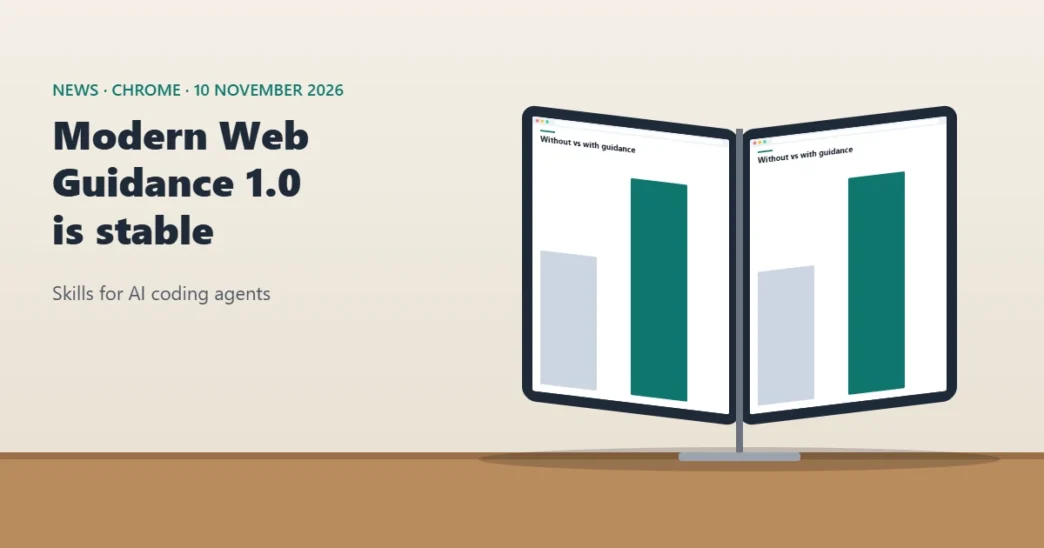
Read the bars as text
- antigravity_cli (gemini-4-argon): 60% without the guidance, 98% with it, a rise of 38 percentage points.
- codex_cli (gpt-6.1-sol): 50% without, 86% with, a rise of 36 percentage points.
- claude_code (claude-opus-5-5): 58% without, 94% with, a rise of 35 percentage points as the release notes state it.
The release notes give three results, each from Google’s evaluation of one agent and model: 215 to 221 tasks per agent, and 1,673 to 1,801 assertions [2]. Search Engine Journal read the dashboard’s nightly runs completed on 8 November: guided runs passed 88% of automated checks and unguided runs 56%, with 199 to 215 tasks per agent [3]. The Chrome docs put the average improvement in early results at 37 percentage points, and add that results may vary by project, model, prompts and tools [4].
Google’s post adds customer figures. note inc., a Japanese creator platform, ran 180 evaluation runs on its production code. Modern Web Guidance raised pass rates on modern web checks from 61% to 94%, by steering agents to native HTML and CSS instead of custom JavaScript for scroll animations, tooltips and accordions. It also raised proper LCP image prioritisation by 28% across 431 merged pull requests [1]. MetaMask runs it as a review bot on pull requests. In five weeks the bot reviewed roughly 480 pull requests and commented on 64, and engineers fixed 43 findings, mostly accessibility, HTML semantics and forms issues, with a median 15 minutes from comment to fix [1]. These are Google’s published case figures, not independent measurements.
Worth knowing
Google quotes different figures for different tests: an average 37 percentage point improvement in its docs, 35 to 38 points per agent in the release notes, and 56% against 88% in the nightly runs Search Engine Journal read [4] [2] [3]. They measure different runs, so do not compare them directly.
Quick check
Our arithmetic: 94 minus 58 is 36 points, but the release notes list +35 for claude_code [2]. The notes probably round from unrounded results. The other two rows add up exactly.
Where the evidence is thin
Search Engine Journal’s report adds the caveats the announcement leaves out [3]:
- Limited accessibility check. The dashboard’s accessibility review covers keyboard use, focus and form labels. It says it is not a full WCAG audit.
- Unprompted tasks. Task prompts do not mention the guidance, so each agent has to decide when a guide applies.
- Speed and cost. In most of the recent suites listed, guided runs ran slower and used more tokens.
- An independent test of the preview. Accessibility consultant Adrian Roselli tested the preview in May by giving Antigravity an animated accordion prompt from the documentation. According to Search Engine Journal, he found the output did not comply with WCAG, the animation did not work in Firefox, and there was no assurance agents would follow the guidelines. That was the preview, not version 1.0.
Watch out
These are Google's own evaluations. Search Engine Journal notes the dashboard's accessibility review is limited and not a full WCAG audit, and that in most of the recent suites the guided runs were slower and used more tokens [3].
Why Google pairs it with DevTools
Google’s post is open that guidance alone is not enough. It recommends using Modern Web Guidance with Chrome DevTools for agents, which gives an agent runtime visibility [1].
| Modern Web Guidance | Chrome DevTools for agents | |
|---|---|---|
| Job | Gives the agent web platform expertise before it writes code | Gives the agent runtime visibility to verify and debug the code |
| Example in Google's post | How to break up long JavaScript tasks that block the main thread | Run a performance trace on a simulated low-end CPU and check the result |
| Another example | How to animate dialogs and popovers properly | Record the animation and check prefers-reduced-motion is honoured |
The post’s examples show the split. The guidance can teach an agent to break up long-running JavaScript tasks. DevTools can run a trace on a simulated low-end CPU to check, and the agent can iterate until no task blocks the main thread for more than 50 milliseconds, so it does not add to poor INP [1]. That 50 millisecond figure is Google’s example target.
Our analysis: a guardrail, not a verdict
Our analysis: for site owners and SEO teams, the interesting part is the target, not the tool. Performance, accessibility and security are the quality traits that decide whether a site loads quickly and works for everyone. An agent that writes older patterns can quietly work against them. A guide library that pushes the agent toward native features is a reasonable guardrail.
The evidence supports that modestly. The gains are large in Google’s own tests. The one independent test we found, of the preview, reported accessibility and Firefox problems. Both can be true: a guardrail can help an agent without making it safe to skip review. We would adopt it on a branch, measure, and keep a human accessibility check. We would not treat a pass-rate figure as a promise about your site.
It also matters for agent-readable sites. Our guide to agent-accessible architecture covers the site side of the same shift.
What to do now
- Try it on a branch. Install with Google’s command, or preview guides first with the search command [4].
- Scan a copy of an existing project. Run legacy-scan and read the findings before any agent edits code [2].
- Set your browser support target. Add a Baseline line to AGENTS.md or CLAUDE.md, or accept Widely available [4].
- Keep a human accessibility review. Google’s own dashboard says it is not a full WCAG audit [3].
- Measure before and after. Compare LCP and INP on the pages the agent changed. Google’s example uses a 50 millisecond long-task limit [1].
Pick a task. You get the command from Google's pages, and what to know. Everything comes from pages we opened on 11 November 2026.
What to run: npx modern-web-guidance@latest install
What to know: This is Google's recommended route and it enables automatic updates. For Chrome extension work, Google suggests adding --choose to run an interactive wizard.
Source: Chrome docs, Get started
What to run: npx modern-web-guidance@latest update
What to know: Google gives this command for anyone who installed an earlier version and wants 1.0.
Source: Chrome for Developers blog, 10 November 2026
What to run: npx modern-web-guidance@latest legacy-scan [path]
What to know: It statically detects legacy web platform patterns and maps each finding to a guide. It covers the roughly 20% of guides that have deterministic legacy rules today.
Source: GitHub release notes v1.0.0
What to run: npx modern-web-guidance@latest search "animate a dialog modal backdrop" and then retrieve with a guide id
What to know: Search returns matching guide ids. Retrieve prints the guide for an id, so you can read it before you install.
Source: Chrome docs, Get started
What to run: Add a line such as: This project's Baseline target is Baseline 2024. to your AGENTS.md or CLAUDE.md file.
What to know: If you do not set a target, the guidance defaults to Baseline Widely available.
Source: Chrome docs, Get started
What to run: npx modern-web-guidance@latest set-allow-volatile-features, and set-allow-origin-trials
What to know: Volatile features ship in only one engine and may change. Origin trial features are hidden from your agent by default. Both need an explicit opt-in.
Source: Chrome docs and GitHub release notes
What we do not know yet
- Independent results on 1.0. We found no independent test of version 1.0 in the pages we opened.
- Cost. Search Engine Journal says guided runs used more tokens in most recent suites [3]. We found no figure for the cost in money or time.
- Your stack. Google says results may vary by project, model, prompts and tools [4].
- How much Firefox, Edge and MDN will change the guides. The announcement says they are joining to support the project [1]. It gives no examples of their changes.
Frequently asked questions
What is Modern Web Guidance?
A set of skills from Google’s Chrome team that gives AI coding agents web platform expertise, best practices and browser compatibility data. Version 1.0 was released on 10 November 2026.
How do I install or update it?
Run npx modern-web-guidance@latest install to install, or npx modern-web-guidance@latest update if you already have an earlier version. Google says it is also in most popular agent plugin marketplaces.
What does the new scan do?
The legacy-scan command statically detects legacy web platform patterns in your code and maps each to a guide with the modern replacement. It covers about 20% of guides, those with deterministic rules.
Does it replace accessibility testing?
No. Google’s dashboard says its accessibility review is not a full WCAG audit, and an independent consultant found problems in the May preview’s output.
Which agents does it support?
Google’s post lists plugin marketplaces including Claude Code, Codex, Cursor, Antigravity, Copilot, WebStorm, Kimi Code and Grok Build, and its docs list further install routes.
Try Modern Web Guidance on a branch, then measure
Install it on a branch, scan a copy of an existing project and measure the pages that change. Keep your human review for accessibility. Our site speed and Core Web Vitals guide covers the metrics to track.
Sources
- Chrome for Developers blog, "Modern Web Guidance 1.0: The web platform expertise your coding agent is missing", Philip Walton, 10 November 2026. Read on 11 November 2026.
- GitHub, GoogleChrome/modern-web-guidance, Release v1.0.0 (release notes). Read on 11 November 2026.
- Search Engine Journal, "Google Releases Modern Web Guidance 1.0 For AI Coding Agents", Matt G. Southern, 10 November 2026. Read on 11 November 2026.
- Chrome for Developers docs, Get started with Modern Web Guidance. Read on 11 November 2026.