
Last updated: April 2026 | Sources reviewed: 7
Most beginners pick their first keywords the same way. They think of the biggest, most obvious term in their niche. They type it into a tool. They see 50,000 monthly searches. They write a post targeting it. Nothing ranks.
The problem is not effort. The problem is that high-volume keywords are dominated by sites with years of authority behind them. A new site cannot outrank them on day one — no matter how good the content is.
Keyword research for beginners is not about finding the most popular terms. It is about finding the terms a new site can actually rank for — specific, lower-competition phrases that real people search and that your content can genuinely answer.
Quick Answer
Keyword research is the process of finding the words and phrases your target audience types into Google, then choosing which ones to write about based on three factors: search volume (how many people search monthly), keyword difficulty (how competitive the term is), and search intent (what the user actually wants). Beginners should target keywords with 100–1,000 monthly searches and a keyword difficulty score below 30. This range is achievable for new sites. A keyword with 200 monthly searches and low competition will produce rankings in weeks. A keyword with 50,000 searches and high competition will produce nothing for months — or years.
Table of Contents
ToggleWhy Do Beginners Always Start with the Wrong Keywords?
The instinct is logical. Go big. Target the terms with the most traffic. It fails every time for new sites.
High-volume keywords — “SEO,” “keyword research,” “running shoes” — sit at difficulty scores of 70, 80, 90 out of 100. Established sites with thousands of backlinks and years of authority own those positions. A new site targeting them is not competing — it is invisible.
The counterintuitive truth: Starting small is not a compromise. It is the fastest route to actual traffic. A new site that ranks positions 1–5 for twenty low-competition keywords will outperform a site stuck at position 94 for one high-volume term — every week, every month, permanently.
In practice: The recommended sweet spot for any site with a new domain is 100–1,000 monthly searches and keyword difficulty below 30. (Source: HubSpot, 2025) These targets produce rankings. They build the domain authority that makes harder keywords achievable later.
Pro Tip: Think of keyword difficulty like a weight class in boxing. A new site at difficulty 30 is a fair fight. Difficulty 80 is a new fighter against a champion. Choose your weight class first, then improve.
What Is a Seed Keyword and How Do You Find One?
Every keyword list starts with a seed keyword. It is the single broad term that describes your topic, product, or niche.
Seed keywords are not what you target directly. They are the starting point that generates the specific, rankable phrases you actually use.
Finding your seeds:
- Write down every word or phrase that describes what your site covers
- Think about what a person who needs your product or information would type — not what you would call it, but what they would call it
- Aim for 5–10 seeds to start; you will generate dozens of keyword ideas from each one
Example seeds for a baking blog: sourdough bread, cake recipes, baking for beginners, bread machine, gluten free baking.
Common mistake + fix: Beginners write seeds using industry jargon. A chiropractor writes “musculoskeletal therapy” when their customers type “back pain treatment.” Always use the language your audience uses — not the language your profession uses. The fastest way to find that language: read the exact words used in forum threads, Reddit posts, and customer reviews in your niche.
How Do You Turn Seed Keywords into a Real Keyword List?
A seed keyword enters a tool. Hundreds of keyword ideas come out. The process filters that list down to the terms actually worth targeting.
Step 1: Use Google Autocomplete — free, fast, and underrated
Type your seed keyword into Google’s search bar. Do not press enter. Read the suggestions that appear. Every suggestion is a real phrase that real users search frequently. Write them down.
Then try the alphabet method: type your seed keyword plus the letter “a” — read suggestions. Then “b.” Then “c.” This surfaces dozens of long-tail variations in minutes. (Source: Futuristic Marketing Services, 2026)
Step 2: Check People Also Ask
Search your seed keyword. Read every question in the “People Also Ask” box. Each one is a keyword opportunity with a visible user need — and most have low competition because they are specific.
Step 3: Use a free keyword tool for volume and difficulty data
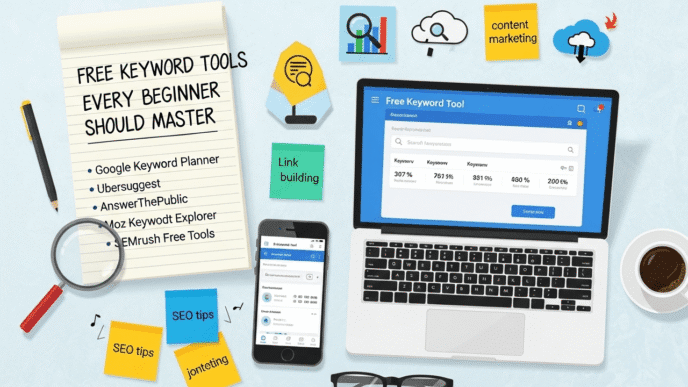
Google Keyword Planner shows volume ranges for free. Ubersuggest allows three daily searches on the free plan. Google Search Console — if your site is already live — shows real queries generating impressions.
None of these require a paid subscription to start.
| Free tool | What it gives you | Limit |
|---|---|---|
| Google Autocomplete | Real search phrases, no data | Unlimited |
| Google Keyword Planner | Volume ranges, competition | Requires Google Ads account (free) |
| Ubersuggest | Volume, KD, content ideas | 3 searches/day free |
| Google Search Console | Actual queries your site ranks for | Requires your own site |
| Answer The Public | Question-based keyword lists | Limited daily free searches |
| Keywords Everywhere | Volume data in browser on any search | Free Chrome extension, limited credits |
Step 4: Export and filter
Export your keyword list. Keep only keywords with search volume above 50 and keyword difficulty below 30 for a new site. Everything above KD 30 goes into a separate “future targets” list — not deleted, but deferred.
What Are Long-Tail Keywords and Why Do Beginners Need Them Most?
A long-tail keyword is a specific phrase — usually three or more words — that targets a narrow topic with a clear user need.
“Running shoes” is a head keyword: high volume, high competition, broad intent. “Women’s running shoes for flat feet” is a long-tail keyword: lower volume, low competition, precise intent.
Long-tail keywords are where new sites win rankings. The specificity that makes them lower-volume also makes them lower-competition — and the users searching them know exactly what they want.
In practice: A new baking blog will not rank for “sourdough bread.” It can rank for “sourdough bread without Dutch oven for beginners” — a specific question with low competition and a clear user in search mode. One ranking position for that term brings targeted traffic. Multiply it by twenty similar posts and the site accumulates real monthly visitors. (Source: Backlinko, 2025)
The trade-off: Long-tail keywords bring less total traffic per page. This is not a weakness — it is the point. Less traffic per page means less competition per page. More pages targeting specific long-tail terms adds up to more total traffic than one page targeting an impossible head term.
Pro Tip: For every head keyword on your seed list, ask: “What would someone type if they already knew the basics and needed a specific answer?” That answer is usually a long-tail keyword with realistic competition for a new site.
How Do You Read the Three Key Metrics That Matter?
Every keyword tool shows the same three numbers. Beginners ignore two of them and fixate on one. That is the mistake.
Search Volume
Search volume is the average number of monthly searches for a keyword. It shows potential traffic — not guaranteed traffic.
A keyword with 500 monthly searches that your site ranks at position 1 for will deliver roughly 135 clicks per month based on average click-through rates. A keyword with 500 monthly searches where you rank position 8 will deliver roughly 15 clicks. The volume number is the ceiling, not the floor.
Keyword Difficulty
Keyword difficulty (KD) is a score from 0–100 that estimates how hard it is to rank in the top ten results. Each tool calculates it differently, but the principle is the same: higher score means more established competition.
For new sites, target KD 0–30. For sites with some existing content and a small backlink profile, KD 30–50 becomes achievable. Difficulty above 50 requires significant authority. (Source: Futuristic Marketing Services, 2026)
Search Intent
Search intent is the goal behind the query. It determines what type of content you need to produce — not just what keyword to include.
The fastest way to check intent: search the keyword and read what Google is ranking. If the top results are blog posts and guides, publish a blog post. If they are product pages, publish a product page. The format matters as much as the keyword.
| Metric | What beginners focus on | What they should focus on |
|---|---|---|
| Search volume | Highest possible | 100–1,000 for new sites |
| Keyword difficulty | Often ignored | Below 30 for new sites |
| Search intent | Often ignored | Must match content format |
| Business relevance | Often ignored | Would this traffic convert? |
| SERP format | Almost never checked | Defines what content to create |
| Long-tail vs head | Usually choose head | Long-tail wins faster |
What Most Articles Get Wrong About Keyword Research for Beginners
Most beginner guides tell you to aim for “a balance of volume and difficulty.” That framing is correct but too vague to act on.
The specific rule beginners need: start with KD under 20, not under 30.
A KD of 29 on Ahrefs might represent the same competitive landscape as a KD of 50 on another tool. Calibrating to the lower end of the difficulty range gives a new site real margin. Ranking positions 1–5 at KD 15 builds domain authority. That authority is what makes KD 30 achievable next quarter and KD 50 achievable next year.
The second error: treating keyword research as a one-time task. Search behaviour changes. New competitors publish content. Trending topics shift. A keyword list built in January 2026 needs a review in April 2026 — not because it was wrong, but because the landscape moves. Quarterly keyword reviews are a maintenance task, not a sign the original research failed. (Source: HubSpot, 2025)
Frequently Asked Questions
How many keywords should a beginner target to start?
Start with ten to twenty keywords for your first content plan. This number is manageable to research thoroughly and create content for without becoming overwhelming. Each keyword should represent a distinct topic — not variations of the same phrase. One keyword per page is the correct starting ratio. Publishing ten focused posts targeting ten distinct low-competition keywords will outperform publishing two posts trying to cover five keywords each. Once those posts are live and indexed, use their performance data to inform the next batch of ten.
Can I do keyword research without paying for any tools?
Yes. Google Autocomplete, People Also Ask, Google Keyword Planner (free with a Google Ads account), and Google Search Console (free for your own site) cover the fundamentals for a beginner. Ubersuggest’s free plan allows three keyword searches per day, which is enough for starting research in a focused session. The limitation of free tools is the absence of precise volume data and keyword difficulty scores — you get ranges rather than exact numbers. For a beginner building their first content plan, this is sufficient to identify clearly low-competition versus clearly high-competition terms.
What keyword difficulty score is realistic for a brand new website?
Target keyword difficulty 0–20 for a site with no existing backlinks and minimal published content. At this range, ranking is achievable on content quality alone within six to twelve weeks. KD 20–30 is the upper boundary for a genuinely new site — achievable but slower. Avoid KD above 30 until your site has at least twenty published posts and some backlinks from other sites. The scoring varies slightly between tools — Ahrefs, SEMrush, and Mangools each calculate KD differently — so check where your target keyword ranks in the SERP before committing, regardless of the number shown.
How do I know if a keyword is worth writing about?
Apply three checks before adding any keyword to your content plan. First: does it have real search volume — at least 50 monthly searches? Second: is the difficulty within range for your site’s current authority? Third: if your site ranked first for this keyword, would the visitors be potential customers, readers, or leads? A keyword that passes all three checks belongs on your list. A keyword that passes only one or two does not — either the traffic potential is too low, the competition is too high, or the audience is wrong. Business relevance is the filter most beginners skip, and it is the one that determines whether rankings translate into results.
How does AI search affect keyword research for beginners in 2026?
AI search tools like Google AI Overviews now synthesise answers for informational queries, which means some informational keywords drive fewer direct clicks even when a page ranks well. For beginners, this makes two content strategies more important: first, targeting keywords with commercial or transactional intent — where AI Overviews appear less frequently — and second, structuring informational content so it earns AI Overview citations rather than just standard rankings. The citation structure requires a direct answer in the first paragraph and FAQ schema on the page. Pages cited in AI Overviews receive increased brand visibility even on lower-click queries.
Should I prioritise search volume or keyword difficulty when I can only pick one?
Prioritise keyword difficulty. A low-volume, low-difficulty keyword that ranks at position one produces steady, reliable traffic. A high-volume, high-difficulty keyword that ranks at position 60 produces nothing. The ranking position matters more than the volume ceiling. For new sites, achievable rankings at low competition build the domain authority that makes higher-volume targets accessible over time. Chasing volume before authority is the single most common reason beginner content produces no results — not the content quality, not the writing, not the topic choice. The difficulty threshold is the gate.
Conclusion
Keyword research starts with one decision: choose terms your site can actually rank for, not terms your site wishes it could rank for.
That means seeds become long-tail phrases, volume targets stay realistic, and difficulty scores stay below 30 until authority builds. The process is repeatable — ten keywords this month, ten next month, and within six months a site with twenty to thirty ranking pages has a foundation that compounds.
Specific next step: This week, pick one seed keyword for your niche. Type it into Google Autocomplete and write down every suggestion. Take those suggestions into Google Keyword Planner and filter for volume above 50. Remove anything with obvious high competition based on the SERP — sites with thousands of backlinks in every top position. Keep the three most specific phrases that remain. Brief one piece of content for each. Publish the first one before the end of April 2026.
Citations
[1]. HubSpot — Keyword Research for SEO: The Beginner’s Guide 2025. https://blog.hubspot.com/marketing/how-to-do-keyword-research-ht
[2]. Futuristic Marketing Services — Keyword Research for Beginners: Step-by-Step Guide. https://futuristicmarketingservices.com/Blogs/seo/keyword-research-for-beginners/
[3]. Backlinko — Free Keyword Research Tool and Guide. https://backlinko.com/tools/keyword
[4]. Semrush — The Ultimate Keyword Research Checklist. https://www.semrush.com/blog/keyword-research-checklist/
[5]. Mangools — Keyword Research for SEO: The Beginner’s Guide 2025. https://mangools.com/blog/keyword-research/
[6]. Zapier — The 4 Best Free Keyword Research Tools. https://zapier.com/blog/best-keyword-research-tool/
[7]. Shopify — The Beginner’s Guide to Keyword Research for Ecommerce. https://www.shopify.com/blog/14207073-the-beginners-guide-to-keyword-research-for-ecommerce
Keyword Research for Beginners
Interactive reference — KD zones, volume targets, free tools, intent matching, and a step-by-step process.
New sites can rank on content quality alone
Achievable with some backlinks & authority
Requires established domain & strong content
Dominated by high-authority sites
Target zone for beginners: KD 0–20. Source: HubSpot Keyword Research Guide, 2025; Futuristic Marketing Services, 2026.
Source: Amra and Elma — Top Search Intent Statistics, 2025. Figures represent share of total Google search volume by intent category.
Illustrative SERP representations based on observed Google SERP patterns. KD and volume indicative of tool averages (Ahrefs/SEMrush), April 2026.
| Tool | Gives Volume | Gives KD | Free Limit | Best for |
|---|---|---|---|---|
| Google Autocomplete | ✗ | ✗ | Unlimited | Discovering real search phrases |
| Google Keyword Planner | ✓ (ranges) | ✗ | Free with Ads account | Volume estimates, PPC data |
| Google Search Console | ✓ (your site) | ✗ | Free — your site only | Queries already getting impressions |
| Ubersuggest | ✓ | ✓ | 3 searches/day | Quick KD + volume checks |
| Answer The Public | ✗ | ✗ | Limited daily | Question-based keyword ideas |
| Keywords Everywhere | ✓ | ✗ | Free Chrome extension (limited credits) | Volume on any Google search |
| Ahrefs Webmaster Tools | ✓ | ✓ | Free — your site only | Own site keyword data + GSC integration |
Sources: Zapier — Best Free Keyword Research Tools, 2025; Futuristic Marketing Services, 2026.