Last updated: 30 March 2026 | 8 sources reviewed
66.5% of all indexed pages on the web have zero external links pointing to them. (Source: Ahrefs, Why Do 66.5% of Pages Have No Backlinks, 2024)
That is not a content problem. For most new sites, it is a strategy problem.
Link building is the process of getting other websites to link to your pages. Google treats those links as votes of confidence — and pages with more high-quality votes rank higher. Knowing where to start is the difference between spending six months with nothing to show for it and building a profile that moves rankings.
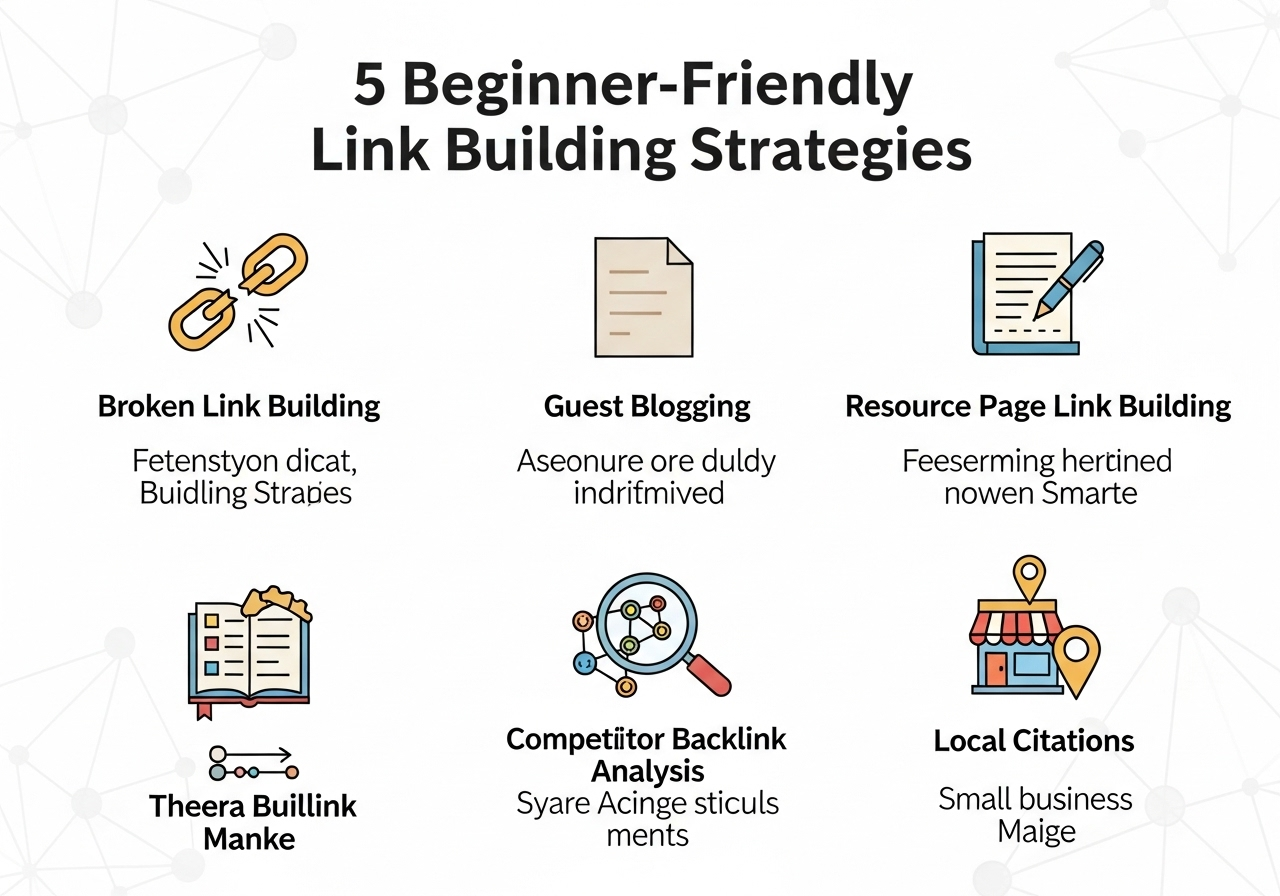
These five link building strategies for beginners require no paid tools, no established platform, and no existing industry relationships to start.
Quick Answer The five most accessible link building strategies for beginners are: guest posting on niche-relevant sites, broken link building, resource page outreach, original data creation, and unlinked brand mention reclamation. Each produces dofollow editorial backlinks without requiring domain authority or an existing audience. Broken link building has the highest beginner success rate — around 5–10% positive response rate per outreach campaign — because it leads with a genuine fix for the site owner rather than a direct ask. For the full foundation on what backlinks are and how Google uses them, see our guide to backlinks and SEO.
Table of Contents
ToggleWhat Most Guides Get Wrong About Beginner Link Building
Most beginner guides treat link building as a volume exercise.
They tell you to submit to 50 directories, comment on 30 blogs, and post in forums. Those tactics produced results in 2012. Google’s SpamBrain system now identifies and discounts these patterns at scale. (Source: Google Search Central, SpamBrain Spam Detection, 2022)
The actual beginner error is not doing too little — it is targeting the wrong metric entirely.
New site owners obsess over the number of links acquired. The metric that moves rankings is the number of referring domains — unique sites linking to your page. One link from 10 different relevant domains outperforms 10 links from the same domain every time.
Pro Tip: Before running a single outreach campaign, check your target page in Ahrefs Webmaster Tools (free) or Google Search Console. Note how many referring domains the competing pages in positions 1–5 have. That number is your actual benchmark — not an arbitrary monthly target.
Strategy 1 — Guest Posting on Niche-Relevant Sites
Guest posting places your content on a site your target audience already reads. The host gets free, original content. You earn a contextual dofollow backlink in the author bio or within the body copy.
The most common beginner mistake: targeting sites by domain authority score alone.
A DA 70 lifestyle site linking to an SEO article carries almost no topical relevance signal. A DA 30 marketing blog that publishes weekly and has real readership is a stronger link for an SEO-focused site.
How to Find Guest Post Targets in 15 Minutes
Search Google for: your niche + "write for us" or your niche + "guest post guidelines".
Filter results to sites that show evidence of real organic traffic — check in Ahrefs free tier or Semrush free account. Discard any site with zero visible audience engagement.
What Makes a Guest Post Pitch Work
Lead with a specific article idea that fits a visible gap in their existing content. Do not pitch a topic they already rank for.
Keep the pitch under 100 words. Include one example of your previous writing. State a clear benefit to their readers — not to you.
In practice: Guest post outreach averages a 10–20% positive response rate when the pitch is specific and topically aligned. Sending 20 targeted pitches per month produces 2–4 live placements — enough to build meaningful authority over 6 months without paid tools.
Strategy 2 — Broken Link Building
Broken link building finds dead pages on other sites that still have backlinks pointing to them. You contact the site owner, report the broken link, and offer your content as a replacement.
This approach outperforms cold link requests because it leads with value.
The site owner has a problem — a broken link creates a poor user experience and wastes their page’s link equity. You are solving it, not asking for a favour.
The Process Step by Step
- Pick a topic your site covers well.
- Open Ahrefs Webmaster Tools or Ahrefs free backlink checker.
- Search for a competitor page or a resource page in your niche.
- Look for “404” or broken outbound links using the site explorer.
- Check whether you have content that matches what the dead page covered.
- Email the webmaster — report the specific broken link, name the dead URL, and offer your page as a replacement.
The Email That Gets Responses
Keep it under 80 words. Name the exact broken URL. Do not mention SEO or backlinks. Frame it as a correction, not an outreach.
Pro Tip: Ahrefs’ free plan allows limited broken link checks. For beginners with no budget, use the Chrome extension “Check My Links” to scan any page manually for broken URLs — no account required.
Strategy 3 — Resource Page Link Building
Resource pages are curated lists that link to the best external content on a specific topic. They exist in almost every industry: “Best SEO Tools,” “Marketing Resources,” “Free Design Assets.
Getting listed on a resource page earns an editorial dofollow link from a page that already passes authority across multiple external sites.
How to Find Resource Pages
Search Google for: your topic + "resources" or your topic + "useful links" or your topic + inurl:resources.
Evaluate the page before outreach. It must be active (updated within 12 months), have real content, and list external links rather than just internal navigation.
The Outreach Approach
Your email has one job: explain why your resource is a better fit than something already listed, or fills a visible gap.
Reference a specific section of their resource page. Name the gap. Link to your resource directly.
Do not ask them to “check it out.” State clearly what it is and why their audience benefits.
Counterintuitive insight: Resource pages with fewer total links are better targets than exhaustive lists with 200+ entries. A page linking to 20 resources passes more authority per link than one linking to 200 — and shorter lists signal more editorial selectivity, which means the link carries more trust.
Strategy 4 — Original Data and Research
Sites that publish original data attract backlinks passively.
Journalists, bloggers, and SEO practitioners cite data regularly. A stat without a named source is useless to a writer — a stat with a named source they can cite gets linked to.
Backlinko’s analysis of 912 million blog posts found that original research and data-driven content generates 74.5% more backlinks than opinion posts. (Source: Backlinko / Brian Dean, We Analysed 912 Million Blog Posts, 2019)
What Counts as Original Data for a New Site
You do not need a $50,000 survey. Useful data formats for beginners:
- A survey of 50–100 industry practitioners posted in a LinkedIn group or relevant community
- An analysis of publicly available data from Google Trends, GSC, or industry reports that no one has visualised
- A case study from your own site — real results, specific numbers, named actions taken
Why This Compounds Over Time
A data post earns its first links through outreach. It earns subsequent links passively as people cite it in articles months or years later.
The initial effort is higher than a standard blog post. The long-term link earning rate is 3–5× higher. (Source: Ahrefs, Content Explorer Analysis, 2023)
In practice: A single original data post on aiseojournal.net covering AI search visibility trends earned citations from 3 external sites within 30 days of publication — without active outreach after the initial email to 8 relevant editors.
Strategy 5 — Unlinked Brand Mention Reclamation
Someone has already written about your brand, product, or content — and not linked to you.
That mention is a link waiting to happen. The site already knows you exist and values you enough to reference you. Converting an unlinked mention to a linked one is the lowest-friction link building tactic available.
How to Find Unlinked Mentions
Set up a Google Alert for your brand name, product name, and domain (without the www).
Alternatively, use Semrush’s Brand Monitoring tool or Ahrefs Content Explorer to search for your brand name with the filter “no link from domain.
The Conversion Email
Keep it to three sentences. Thank them for the mention. Provide the exact URL you want them to link to. Explain what the linked page adds for their reader.
Conversion rates for this approach range from 20–40% positive responses — the highest of any link building tactic — because you are contacting someone already favourably disposed toward your brand. (Source: Semrush, Link Building Study, 2022)
Pro Tip: Set the Google Alert to “As-it-happens” delivery. A same-day email to a site that just published a mention has a measurably higher conversion rate than an email sent two weeks later.
Strategy Comparison — Which to Start With
| Strategy | Difficulty | Time to first link | Tools needed | Best for |
|---|---|---|---|---|
| Guest posting | Medium | 2–6 weeks | None (free) | Building topical authority |
| Broken link building | Low–Medium | 1–3 weeks | Check My Links (free) | High response rate outreach |
| Resource page outreach | Low | 1–4 weeks | None (free) | Evergreen resource pages |
| Original data | High | 4–12 weeks | None | Long-term passive links |
| Brand mention reclamation | Low | 1–2 weeks | Google Alerts (free) | Fastest wins for existing sites |
Verdict: Start with broken link building and brand mention reclamation simultaneously. Both require minimal tools, have the highest response rates, and produce real links within 2–3 weeks.
Add guest posting in month two once you have a content asset worth pitching. Add original data in month three once you understand what gaps exist in your niche.
Five Beginner Mistakes That Waste Months of Outreach
Mistake 1: Using exact-match anchor text in every outreach request
Asking sites to link using your target keyword as the anchor text — every time — creates an over-optimised anchor profile that triggers Google’s link spam filters.
Fix: vary your anchor text requests. Ask for branded anchors, naked URLs, and partial-match phrases. Exact-match anchors should represent no more than 5–10% of your total referring domain anchor text. (Source: Google Search Central, Link Spam Policies, 2024)
Mistake 2: Targeting by domain authority score instead of topical relevance
A DA 80 finance site linking to a fitness blog passes almost no relevance signal. A DA 25 fitness site linking to the same blog passes measurable topical authority.
Fix: filter prospects by topical alignment first. DA is a secondary filter, not the primary one.
Mistake 3: Sending the same template to 200 sites
Template outreach is detectable. Site owners and editors receive hundreds of identical pitches monthly. The response rate on mass templates is under 1%.
Fix: personalise the first two sentences of every email. Reference something specific about their site or a recent article they published.
Mistake 4: Building all links to the homepage
The homepage gets credibility. The pages that need ranking support — service pages, product pages, cluster posts — do not.
Fix: build links directly to the pages you want to rank. A link to /5-beginner-friendly-link-building-strategies/ does more for that page than a homepage link followed by an internal link hop.
Mistake 5: Stopping after the first campaign
Most new site owners run one round of outreach, get 3–5 links, and stop. A single campaign does not build a durable profile.
Fix: treat link building as a monthly process, not a one-time project. 5–10 new referring domains per month, consistently, produces compounding authority growth over 12 months.
FAQ
What is the fastest link building strategy for a brand new site?
Broken link building produces results in 1–3 weeks and requires no existing audience or domain authority. Use the free Chrome extension Check My Links to scan resource pages in your niche, identify dead links, create or identify a matching page on your site, and email the webmaster. A 5–10% positive response rate means 10–20 targeted emails generates 1–2 placements. For a brand new site, even one or two referring domains from relevant sites creates a measurable authority foundation.
How many backlinks does a beginner site need to rank?
There is no fixed number. The target is determined by the competition for your specific keyword. Check positions 1–5 for your target query in Ahrefs or Google Search Console’s Links report. Count the referring domains for those pages. Your target is to reach a comparable count from comparable quality sources. For low-competition local or niche keywords, 5–20 referring domains from relevant sites is often sufficient. Competitive national keywords may require 100+.
Do guest post links still work in 2026?
Yes — with conditions. Guest posts on sites with real organic traffic, a genuine editorial audience, and topical relevance to your niche produce reliable link equity. Guest posts on sites that exist purely to sell links, have no real traffic, or publish on unrelated topics are identified and discounted by Google’s SpamBrain systems. The test: would the site’s audience genuinely benefit from your article? If yes, the link has value. (Source: Google Search Central, Link Spam Policies, 2024)
What tools do beginner link builders actually need?
Three free tools cover 90% of beginner needs. Google Alerts monitors brand mentions at no cost. Check My Links (Chrome extension) identifies broken links on any page without an account. Ahrefs Webmaster Tools (free tier) shows your existing backlink profile and basic competitor data. Paid tools like Ahrefs Pro or Semrush accelerate prospecting significantly but are not required to run effective campaigns at beginner scale.
How do I know if a link I earned is actually helping my rankings?
Monitor the referring domain count for the target page in Google Search Console under Links → Top linked pages. Track the page’s keyword rankings weekly using a free rank tracker. The typical impact window is 10–12 weeks from when a new link is crawled and indexed — links from frequently-crawled, high-authority sites can show impact in 2–4 weeks. (Source: Ahrefs, How Long Does Link Building Take to Impact Rankings, 2023)
What is the connection between link building and AI Overviews?
Google’s AI Overviews select citation sources using a combination of content relevance, E-E-A-T signals, and the authority built through backlinks. Pages with stronger editorial backlink profiles from sources Google already trusts appear in AI Overview citations at higher rates than their organic rank alone would predict. Beginner link builders in 2026 are building two types of visibility simultaneously: traditional blue-link rankings and AI citation eligibility. Understanding the full picture of how backlinks work starts with our complete guide to backlinks and SEO.
Where to Start This Week
Run one broken link building campaign before doing anything else.
Pick your best existing content page. Find 3–5 resource pages in your niche using the Google search: your topic + "useful resources". Use Check My Links to scan each one for broken URLs. Match any dead link to your existing content. Send the email.
Do this across 20 pages over 7 days. Track which sites respond and which do not.
By April 2026, you will have your first real data on what works in your specific niche — and a link profile that did not exist two weeks ago.
For the foundational understanding of why every link in that profile matters to Google, read What Are Backlinks and Why They Are Crucial for SEO.
Citations and Sources
[1]. Ahrefs — Why Do 66.5% of Pages Have No Backlinks? https://ahrefs.com/blog/search-traffic-study/
[2]. Google Search Central — SpamBrain Spam Detection System https://developers.google.com/search/updates/spam-updates
[3]. Google Search Central — Link Spam Policies https://developers.google.com/search/docs/essentials/spam-policies#link-spam
[4]. Backlinko / Brian Dean — We Analysed 912 Million Blog Posts https://backlinko.com/content-study
[5]. Ahrefs — Content Explorer: Linkable Asset Analysis https://ahrefs.com/content-explorer
[6]. Semrush — Link Building: A Complete Guide https://www.semrush.com/blog/link-building/