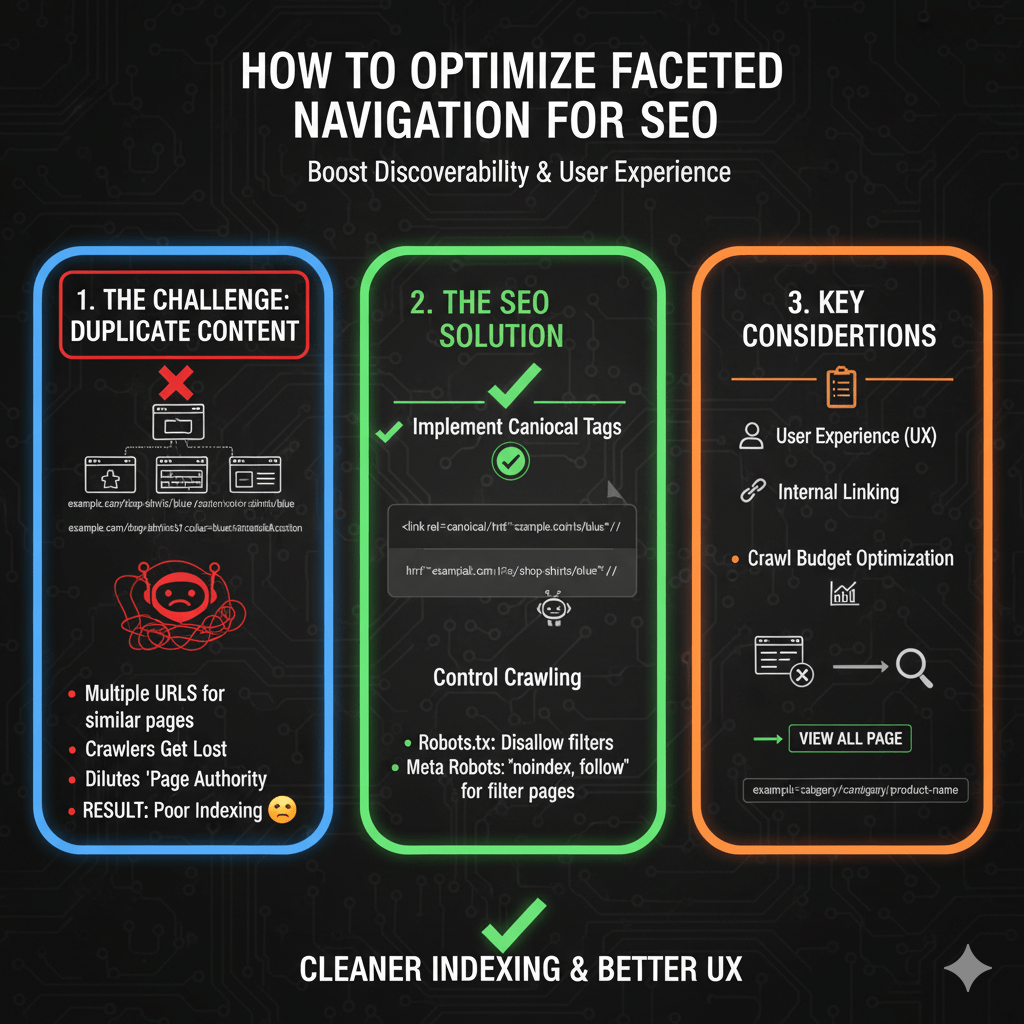
Your filters created 47,000 URLs. Google indexed 3,200 of them. Rankings? Plummeting.
Faceted navigation SEO represents e-commerce’s most dangerous technical trap—essential for user experience, catastrophic for search engines when mishandled. Those convenient color, size, price, and brand filters customers love? They’re generating exponential URL combinations that fragment authority, waste crawl budget, and trigger duplicate content penalties faster than you can say “parameter explosion.
The math is brutal. A category with 5 filter types and 10 options each creates 100,000 potential URL combinations. Add pagination and you’re looking at millions. According to Botify’s 2024 crawl budget analysis, e-commerce sites with uncontrolled faceted navigation waste 60-80% of their crawl budget on filter combinations that will never rank or drive traffic.
Here’s what’s happening: Google crawls /shoes?color=blue, then /shoes?size=10, then /shoes?color=blue&size=10, then /shoes?color=blue&size=10&brand=nike, then /shoes?color=blue&size=10&brand=nike&sort=price-low. Each combination looks like a unique page. Your server dutifully serves content. Googlebot keeps crawling. Your crawl budget evaporates. Important product pages never get crawled because Google’s stuck in your filter maze.
Meanwhile, SEMrush’s technical SEO research reveals that 73% of e-commerce sites have at least one critical faceted navigation error harming rankings. These aren’t minor issues—they’re architectural disasters creating duplicate content at scale while simultaneously preventing genuine product pages from getting discovered.
The solution isn’t eliminating filters. Users need them. The solution is implementing faceted navigation in ways that serve users perfectly while protecting your site from search engine chaos. This guide delivers battle-tested strategies that eliminate index bloat without sacrificing UX.
Table of Contents
ToggleUnderstanding Faceted Navigation
Faceted navigation allows users to filter product listings through multiple attributes simultaneously—color, size, price, brand, material, rating, and more. It transforms browsing large catalogs from overwhelming to manageable.
The SEO problem emerges from implementation. Each filter selection typically modifies the URL:
Base: example.com/shoes
Color filter: example.com/shoes?color=blue
Size filter: example.com/shoes?size=10
Both: example.com/shoes?color=blue&size=10
Add brand: example.com/shoes?color=blue&size=10&brand=nike
Each URL combination becomes a separate page in search engine eyes. With dozens of filter options across multiple facets, the combinatorial explosion creates thousands or millions of near-duplicate pages competing with each other for rankings and consuming crawl budget exponentially.
Your technical SEO fundamentals must address faceted navigation deliberately during platform selection and implementation—fixing it retroactively costs dramatically more than building it correctly from the start.
The Index Bloat Problem
Combinatorial Explosion Mathematics
Consider a typical fashion e-commerce category:
- 5 colors × 8 sizes × 6 brands × 4 price ranges × 3 materials = 2,880 combinations
- Add pagination (10 pages average) = 28,800 URLs
- Multiply across 20 categories = 576,000 indexed URLs
Most of these pages contain nearly identical content—same category description, same header/footer, slightly different product subsets. Search engines see massive duplication. Authority fragments across thousands of URLs. None rank well because authority is diluted to nothing.
Crawl Budget Devastation
Googlebot allocates limited crawl budget per site based on authority, server performance, and historical crawl data. Wasting budget on filter combinations means genuinely valuable pages—individual products, blog posts, key categories—don’t get crawled.
According to Google’s crawl budget documentation, sites with millions of low-value URLs suffer reduced crawl rates on important pages. Your product updates don’t get discovered. New inventory doesn’t index. Sales end but old prices remain cached in search results.
Duplicate Content Signals
Filter combinations create pages with 90%+ identical content. Different products appear, but titles, descriptions, navigation, and layout duplicate across variations. Search engines must decide which version deserves rankings—and often choose none, assuming all are low-quality duplicates.
This triggers ranking suppression across your entire site. Google’s duplicate content algorithms don’t just affect filtered pages—they can reduce trust in your domain overall, harming even your best content.
Strategic Approaches to Faceted Navigation SEO
Strategy 1: Hash Fragment Filters (Recommended)
Hash fragments (#) keep filter states in URLs for user experience without creating separate pages for search engines:
All these URLs are the same page to search engines:
example.com/shoes
example.com/shoes#color=blue
example.com/shoes#color=blue&size=10
example.com/shoes#color=blue&size=10&brand=nike
Search engines ignore content after #, treating all variations as identical pages. JavaScript updates the page content client-side based on hash parameters. Users can bookmark filtered views, share links, and use browser back/forward buttons—but search engines only index the base URL.
Implementation:
// Update URL hash when filters change
function applyFilters(filters) {
  const hash = new URLSearchParams(filters).toString();
  window.location.hash = hash;

  // Fetch and display filtered results
  fetchFilteredProducts(filters);
}

// Parse hash on page load
window.addEventListener('DOMContentLoaded', () => {
  const params = new URLSearchParams(window.location.hash.substring(1));
  const filters = Object.fromEntries(params);
  applyFilters(filters);
});
This completely eliminates index bloat—only base category URLs exist for search engines while users get full filtering functionality.
Limitations: Filtered pages can’t rank individually. If someone searches “blue nike running shoes size 10,” they’ll find your main “running shoes” category, not a pre-filtered page matching their query exactly. For most sites, this trade-off strongly favors hash fragments.
Strategy 2: Canonical Tags to Base URL
Serve filtered URLs normally but canonical all filter combinations to the base category URL:
<!-- On example.com/shoes?color=blue&size=10 -->
<link rel="canonical" href="https://example.com/shoes">
This tells search engines “this filtered page duplicates the main category—index only the canonical version.” Filter pages remain crawlable for product discovery, but they don’t compete in search results.
Pros:
- Googlebot can discover products through filter pages
- Maintains crawlability without indexation
- Consolidates authority to base URLs
Cons:
- Still wastes some crawl budget (pages must be crawled to see canonicals)
- Requires server-side canonical generation
- Doesn’t prevent all combinatorial URLs from existing
Implementation considerations: Ensure canonical tags appear on every filtered URL variation. Missing canonicals on any combination creates index bloat for those pages.
Strategy 3: Robots Meta Noindex
Add noindex meta tags to filtered pages:
<!-- On filtered pages -->
<meta name="robots" content="noindex, follow">
The “follow” portion remains critical—Googlebot should still follow links to products on filtered pages. Noindex removes filter pages from results while preserving link equity flow to products.
When to use this:
- Filter pages are already server-rendered with URL parameters
- Retroactive fix for existing parameter problems
- Combined with canonical approach for defense-in-depth
Implementation:
// WordPress example
if (isset($_GET['color']) || isset($_GET['size'])) {
  echo '<meta name="robots" content="noindex, follow">';
}
This prevents indexation while maintaining product discoverability through filter page links.
Strategy 4: Robots.txt Parameter Blocking
Block filter parameters in robots.txt:
User-agent: *
Disallow: /*?color=
Disallow: /*?size=
Disallow: /*?brand=
Disallow: /*?price=
This prevents crawling of filtered URLs entirely. Search engines never see filter pages, eliminating both indexation and crawl budget waste.
Critical warning: Blocking crawling means Googlebot can’t discover products linked only from filtered pages. Every product must be accessible through non-filtered paths—category pages, sitemaps, internal search, or direct links.
This approach is nuclear—effective but risky. Use only if products have guaranteed alternate discovery paths.
Strategy 5: Selective Filter Indexation
Some filter combinations have genuine search value. “Blue running shoes” gets searched; “blue size 10 Nike Pegasus running shoes under $100” doesn’t.
Implement logic allowing valuable single-filter pages to index while noindexing multi-filter combinations:
// Server-side logic
const filters = parseUrlParams(url);
const filterCount = Object.keys(filters).length;

if (filterCount === 0) {
  // Base category - index normally
  return { canonical: selfUrl, robots: 'index, follow' };
} else if (filterCount === 1 && isValuableFilter(filters)) {
  // Single valuable filter - index separately
  return { canonical: selfUrl, robots: 'index, follow' };
} else {
  // Multiple filters - noindex, canonical to parent
  return { canonical: baseUrl, robots: 'noindex, follow' };
}
“Valuable filters” typically include color, primary category attributes, and high-search-volume refinements. Size, price ranges, and multi-filter combinations rarely justify individual indexation.
Your technical SEO strategy should explicitly define which filters merit indexation based on search volume data and business priorities.
URL Parameter Handling Best Practices
URL Parameter Structure
When using URL parameters for filters, implement clean, semantic structures:
Good: example.com/shoes?color=blue&size=10
Bad: example.com/shoes?f[0]=c:2&f[1]=s:5
Human-readable parameters improve usability and debugging. They’re also easier to manage in Search Console’s URL Parameters tool.
Parameter Order Normalization
Filter parameters in different orders create duplicate URLs:
example.com/shoes?color=blue&size=10
example.com/shoes?size=10&color=blue
These are identical pages but different URLs. Implement server-side parameter ordering to canonical-normalize:
// Normalize parameter order
function normalizeUrl(url) {
  const urlObj = new URL(url);
  const params = Array.from(urlObj.searchParams.entries())
    .sort((a, b) => a[0].localeCompare(b[0]));

  urlObj.search = new URLSearchParams(params).toString();
  return urlObj.toString();
}
Always serve the normalized version and redirect variants to it. This prevents parameter-order-based duplication.
Google Search Console URL Parameters Tool
Configure Search Console’s URL Parameters tool telling Google how to handle filter parameters:
- Paginate: For pagination parameters
- Narrows: For filters that narrow results
- Sorts: For sorting parameters
- Specifies: For parameters that select specific items
This helps Google understand parameter purposes and crawl more efficiently. However, it’s guidance, not a directive—Google may still crawl however it chooses.
Crawl Budget Optimization
Strategic robots.txt Usage
Block known problematic parameter combinations:
User-agent: *
# Block multi-parameter combinations
Disallow: /*?*&*&

# Allow single parameters
Allow: /*?color=
Allow: /*?size=
Allow: /*?brand=
This regex approach blocks URLs with multiple parameters while allowing single-filter pages. Adjust based on your specific parameter structure.
Pagination with Filters
Filter + pagination combinations multiply index bloat:
example.com/shoes?color=blue&page=2
example.com/shoes?color=blue&page=3
Solutions:
- Canonical filtered pagination to page 1 of that filter
- Noindex filtered pagination pages entirely
- Use hash fragments for pagination within filtered views
Most sites should noindex all filtered pagination beyond page 1—these pages rarely provide unique value and consume disproportionate crawl budget.
XML Sitemap Exclusions
Exclude filtered URLs from XML sitemaps:
<!-- Include only base category URLs -->
<url>
  <loc>https://example.com/shoes</loc>
</url>

<!-- Exclude filtered variations -->
<!-- Don't include: https://example.com/shoes?color=blue -->
Sitemaps signal priority to search engines. Excluding filter URLs focuses crawling on valuable content.
Implementing Filter SEO on Major Platforms
Shopify Faceted Navigation
Shopify’s native filtering uses URL parameters that create index bloat by default. Third-party apps like Boost Commerce or SearchSpring offer filter implementations with SEO controls:
- Hash fragment filtering
- Canonical tag automation
- Noindex meta tag insertion
- Ajax-based filtering without URL changes
For Shopify, hash fragment filtering typically provides the best balance of UX and SEO protection.
WooCommerce Filter Configuration
WooCommerce with filter plugins (WooCommerce Product Filters, YITH WooCommerce Ajax Product Filter) requires explicit SEO configuration:
// Add noindex to filtered pages
add_action('wp_head', function() {
  if (!empty($_GET['filter_color']) || !empty($_GET['filter_size'])) {
    echo '<meta name="robots" content="noindex, follow" />';
  }
});
Configure plugins to avoid URL changes when possible, using Ajax filtering with hash fragments or POST requests instead of GET parameters.
Magento Faceted Search
Magento 2’s Elasticsearch-powered layered navigation creates filtered URLs by default. Configure through admin:
- Enable “Use in Layered Navigation: Filterable (with results)”
- Set “Layered Navigation: URL Rewrite” to “No”
- Implement canonical tags via layout XML
Magento’s complexity demands careful configuration—default settings create massive index bloat across even medium-sized catalogs.
Custom Platform Implementation
Building faceted navigation from scratch? Follow this implementation checklist:
- Default to hash fragments unless specific filters need indexation
- Implement canonical tags on any indexed filter pages
- Add noindex meta tags to multi-filter combinations
- Normalize parameter order server-side
- Create alternate product discovery paths (categories, sitemaps, search)
- Monitor crawl patterns and adjust based on actual Googlebot behavior
Test thoroughly before launch. Fixing faceted navigation retroactively on a live site with hundreds of thousands of indexed filter pages is exponentially harder than building it correctly initially.
Filter URL Architecture Decisions
Hash Fragments vs Parameters
Hash Fragments (#):
Pros:
- Zero index bloat
- No crawl budget waste
- Bookmarkable for users
- Simple to implement

Cons:
- Filtered pages can't rank individually
- No server-side rendering without extra work
- Analytics tracking requires JavaScript events
URL Parameters (?&):
Pros:
- Filtered pages can rank individually
- Server-side rendering straightforward
- Standard analytics tracking

Cons:
- Requires extensive SEO configuration
- Crawl budget management necessary
- Index bloat risk without canonicals
Recommendation: Hash fragments for 90% of use cases. Only use parameters if specific filter combinations have proven search demand justifying individual indexation.
Filter Value in URLs
Decide whether to include filter values in URLs or use generic parameters:
Descriptive: example.com/shoes?color=blue
Generic: example.com/shoes?f=27 (where 27 = blue in database)
Descriptive parameters improve usability and debugging but expose your taxonomy structure. Generic parameters obscure implementation but complicate troubleshooting.
Recommendation: Descriptive parameters for user-facing filters. The debugging and usability benefits outweigh exposure concerns.
SEO-Friendly Filter URLs
If indexing specific filter combinations, create semantic URL structures:
Instead of: example.com/shoes?color=blue
Use: example.com/shoes/blue

Instead of: example.com/shoes?brand=nike&color=blue
Use: example.com/shoes/nike/blue
Path-based filter URLs look cleaner and communicate hierarchy better. However, they require more complex routing logic and URL rewriting.
Only invest in this approach if filter pages genuinely need to rank—otherwise hash fragments are simpler and equally effective.
Content Strategy for Filtered Pages
Unique Content on Filter Pages
Indexed filter pages need unique content justifying their existence:
<!-- On /shoes/running/blue -->
<h1>Blue Running Shoes</h1>
<p>Discover our selection of blue running shoes featuring
performance materials and stylish designs. Blue running shoes
offer visibility during early morning or evening runs while
delivering the comfort and support you need...</p>

<!-- Product grid follows -->
Generic template content duplicated across filters doesn’t justify indexation. Write unique descriptions for indexed filter combinations, or don’t index them.
Title Tag Differentiation
Every indexed filter page needs a unique title:
<!-- Base category -->
<title>Running Shoes | Brand Name</title>

<!-- Filtered page -->
<title>Blue Running Shoes | Brand Name</title>

<!-- Multi-filter page -->
<title>Blue Nike Running Shoes | Brand Name</title>
Title duplication across filter variations triggers duplicate content signals. If you can’t write unique titles, you probably shouldn’t index the pages.
Meta Description Uniqueness
Similarly, unique meta descriptions prevent duplication:
<!-- Base category -->
<meta name="description" content="Shop our complete collection of running shoes...">

<!-- Filtered page -->
<meta name="description" content="Browse blue running shoes in all sizes and styles...">
Automated description generation from filter attributes works if done intelligently. Generic templates don’t justify indexation.
Monitoring and Maintenance
Search Console Coverage Report
Monitor indexed pages through Search Console’s Coverage report. Filter by URL patterns to track filter page indexation:
site:example.com/shoes?color=
Unexpected indexation patterns indicate configuration problems. Thousands of filtered pages indexed when you implemented canonicals? Something’s wrong.
Crawl Stats Analysis
Search Console’s crawl stats show how Googlebot spends resources. Look for:
- High percentage of crawls on filtered URLs
- Crawl depth wasting on filter combinations
- Individual filter pages getting repeated crawls
Adjust your filtering strategy if crawl patterns show excessive waste on filter combinations.
Index Bloat Auditing
Regularly audit indexed pages:
site:example.com inurl:?
This searches for pages with URL parameters. The result count indicates potential index bloat scope. Compare against your intended indexation strategy.
Use Screaming Frog to crawl your site identifying filter URLs and their indexation directives (canonicals, noindex, etc.). Export reports showing configuration consistency.
Advanced Faceted Navigation Techniques
Smart Filter Hiding
Hide filters that produce zero results:
// Only show filters with available options
function updateFilters(availableProducts) {
  filters.forEach(filter => {
    const options = getFilterOptions(filter, availableProducts);

    if (options.length === 0) {
      hideFilter(filter);
    } else {
      showFilter(filter, options);
    }
  });
}
This prevents users from clicking filters that lead to “no results” pages—improving UX while reducing crawlable URL combinations.
Breadcrumb Navigation for Filters
Implement breadcrumbs showing applied filters:
<nav aria-label="Breadcrumb">
  <a href="/">Home</a> >
  <a href="/shoes">Shoes</a> >
  <a href="/shoes/running">Running</a> >
  <span>Blue</span>
</nav>
Breadcrumbs help users understand filter state and provide internal linking structure. They’re especially valuable if some filter combinations do index.
Ajax Filtering Without URL Changes
Implement filtering via Ajax POST requests that update content without changing URLs:
async function applyFilters(filters) {
  const response = await fetch('/filter-products', {
    method: 'POST',
    body: JSON.stringify(filters)
  });

  const products = await response.json();
  updateProductGrid(products);

  // Don't change URL - no indexation issues
}
This completely eliminates URL-based filtering. However, users can’t bookmark filtered views or share filtered results—UX trade-off for SEO protection.
Common Faceted Navigation Mistakes
Indexing All Filter Combinations
Allowing every filter combination to index creates catastrophic index bloat:
Indexed: 47,000 filter combination URLs
Ranking: Maybe 10 of them
Result: Authority dilution, crawl budget waste, duplicate content
Be selective. Most filter combinations shouldn’t index. Only pages with genuine search demand and unique content justify indexation.
Missing Canonical Tags
Serving filtered pages without canonical tags or self-referencing canonicals:
<!-- WRONG - creates duplicate content -->
<!-- No canonical tag on filtered pages -->
Every filtered page needs either a canonical to the base URL (consolidation approach) or self-referencing canonical (independent indexation approach). Absence creates ambiguity.
Blocking All Filter Parameters
Overly aggressive robots.txt blocks:
User-agent: *
Disallow: /*?
This blocks ALL URL parameters including pagination, tracking, and potentially important functionality. Be surgical, not comprehensive, with parameter blocking.
Inconsistent Implementation
Different filter types handled differently:
Color filters: Hash fragments
Size filters: URL parameters with canonicals
Brand filters: URL parameters without canonicals
Inconsistency confuses both search engines and developers. Choose one approach and implement uniformly across all filter types.
Ignoring Mobile Filtering
Mobile faceted navigation requires special consideration:
- Touch-friendly filter controls
- Dropdown menus vs side filters
- Filter drawer/modal implementations
- “Apply Filters” button vs instant filtering
Test filtering thoroughly on mobile devices. Desktop solutions often fail mobile usability, harming mobile search visibility.
Real-World Faceted Navigation Recovery
An outdoor equipment retailer had 380,000 pages indexed—for a catalog of 8,000 products. Investigation revealed uncontrolled faceted navigation across 15 filter types with zero SEO safeguards.
Filter combinations like /camping-gear?activity=hiking&season=summer&price=50-100&brand=rei&rating=4&sort=popular&page=3 proliferated exponentially. Google’s crawl budget evaporated on filter combinations. New products weren’t getting discovered because Googlebot was stuck crawling filter permutations.
We implemented comprehensive faceted navigation overhaul:
- Migrated to hash fragment filtering for all combinations
- Implemented canonical tags pointing existing indexed filters to base categories
- Blocked multi-parameter combinations in robots.txt as safety net
- Created XML sitemaps including only product pages and base categories
- Monitored deindexation progress over 12 weeks
Results after 16 weeks:
- Indexed pages decreased from 380,000 to 12,000 (actual valuable content)
- Crawl rate on product pages increased 340%
- New product indexation improved from 3-4 weeks to 3-5 days
- Organic traffic increased 52% as authority consolidated
- Rankings improved across all major category keywords
The fix required significant development time migrating filter implementations, but results justified investment. Authority that had been diluted across hundreds of thousands of near-duplicate pages concentrated onto genuinely valuable content.
Lesson: Faceted navigation SEO isn’t optional configuration—it’s fundamental architecture determining whether your e-commerce site thrives or suffocates under its own URL weight.
FAQ: Faceted Navigation SEO
Should I use hash fragments or URL parameters for filters?
Hash fragments for most sites—they eliminate index bloat completely while preserving full UX functionality. Only use URL parameters if specific filter combinations have proven search demand justifying individual indexation. Hash fragments prevent crawling and indexation of filter combinations while users still get bookmarkable, shareable filtered URLs.
Do I need canonical tags if using hash fragments?
No, hash fragments prevent separate URLs from existing for search engines. Canonicals become unnecessary—there’s only one URL (the base category) from search engine perspective. Focus canonical strategy on parameter-based filtering approaches where multiple indexable URLs actually exist.
How do I know which filters deserve indexation?
Research search volume for filter combinations using keyword tools. “Blue running shoes” might get 5,000 monthly searches justifying indexation. “Blue size 10 Nike Pegasus running shoes under $100” gets zero searches—don’t index it. Generally, single-attribute filters (color, primary category attribute) sometimes merit indexation; multi-attribute combinations rarely do.
Will blocking filter parameters in robots.txt hurt my SEO?
Only if products are exclusively accessible through filtered pages. Ensure every product has alternate discovery paths—base category listings, XML sitemaps, internal search, or direct navigation. If products exist outside filter combinations, blocking filter crawling simply saves crawl budget without harming product discoverability.
How long does it take to recover from index bloat?
Deindexing hundreds of thousands of filter pages takes 8-16 weeks typically. Google must recrawl pages to see new canonicals or noindex tags, then process those directives. Request URL removal for urgent cases, but bulk deindexation requires patience. Monitor progress through Search Console’s Coverage report.
Final Verdict: Filters Serve Users, Not Search Engines
Faceted navigation SEO success requires accepting that filters exist for user benefit, not search visibility. The vast majority of filter combinations shouldn’t rank, shouldn’t index, and shouldn’t consume crawl budget. Your job is implementing filtering that serves users perfectly while protecting your site from index bloat.
Your implementation checklist: default to hash fragment filtering eliminating index bloat, canonical any indexed filter pages to base URLs, noindex multi-filter combinations always, ensure products have alternate discovery paths, and monitor crawl patterns adjusting strategy based on actual Googlebot behavior.
Test filtering implementation thoroughly before launch. Use URL Inspection tool verifying Google sees what you intend. Monitor Index Coverage religiously for unexpected filter page indexation. Track crawl stats ensuring budget focuses on valuable content.
Your competitors either ignore faceted navigation SEO entirely (suffering massive index bloat) or block filtering so aggressively they harm product discoverability. The middle path—strategic filtering that serves users while protecting from index chaos—creates sustainable competitive advantages.
Stop letting filters generate infinite URL variations. Stop wasting crawl budget on parameter combinations. Start implementing faceted navigation through comprehensive technical SEO fundamentals that eliminate bloat while preserving the filtering functionality users actually need.
Faceted navigation isn’t inherently an SEO problem—it’s site architecture requiring intelligent implementation. Build it right, and you’ll serve users perfectly while protecting your search visibility completely.