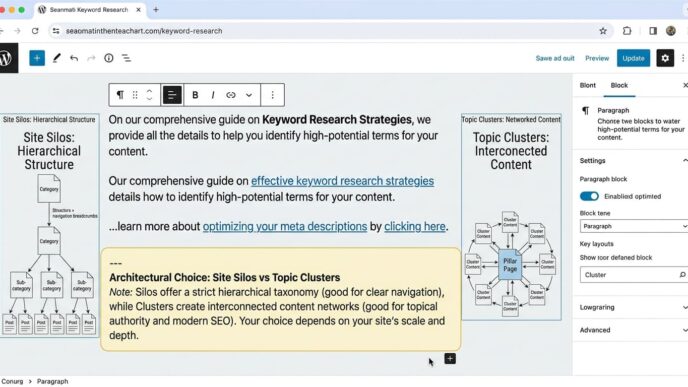


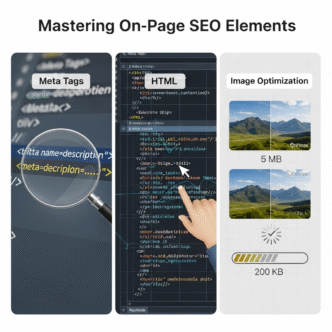
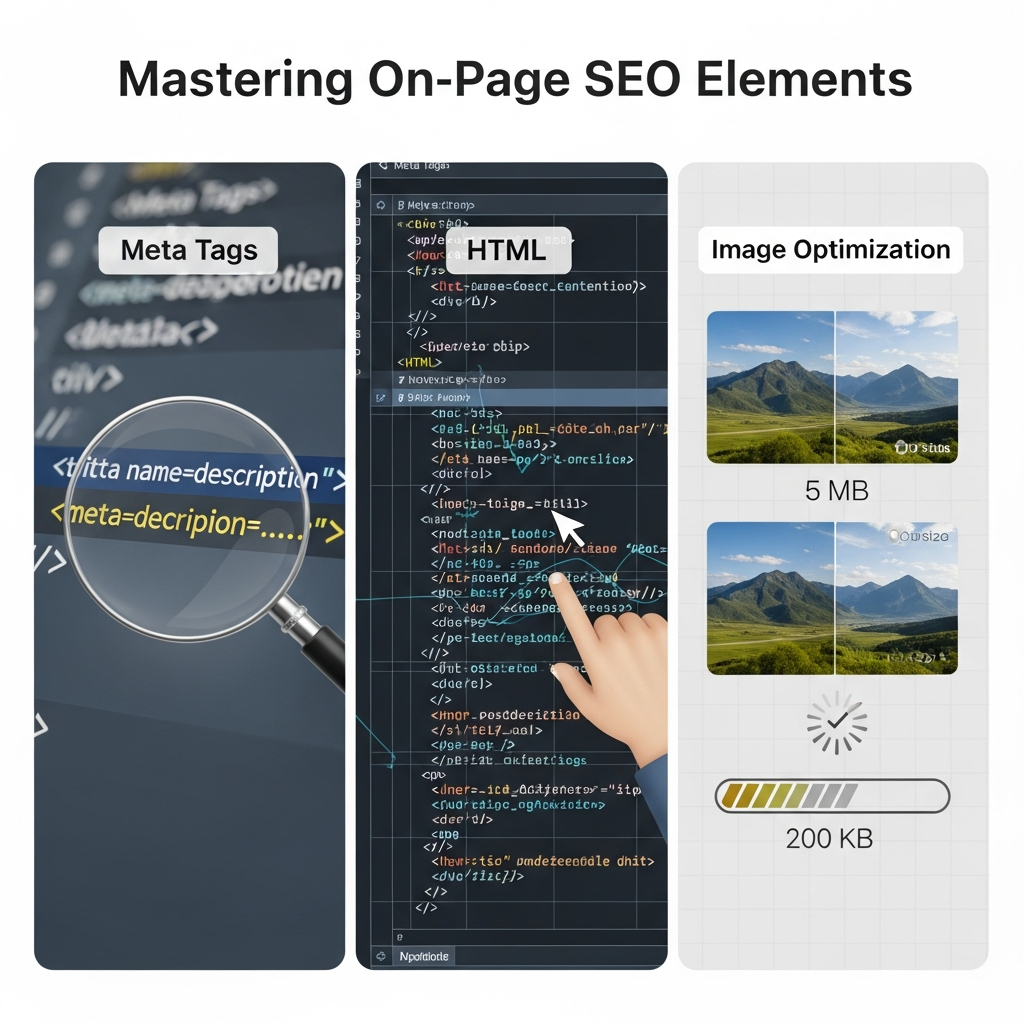
On-page SEO is still described as a row of boxes: add a keyword, shorten a title, write alt text and wait for rankings. That framing makes tidy audit reports, but it produces pages whose parts can disagree with one another.
Defined precisely, on-page SEO elements are the visible content, HTML labels, media signals and internal relationships that help people and search systems interpret a URL. Their job isn’t to repeat one phrase everywhere; it is to make the page’s subject, purpose, hierarchy and supporting evidence consistent.
This visual guide judges every element twice: by what it communicates to crawlers and retrieval systems, and by what it helps a reader understand or do.
It covers search intent, content quality, URLs, title elements, meta descriptions, headings, semantic HTML, links, structured data, images and page experience. Specialist tasks such as writing alt text at scale or diagnosing title-link rewrites belong in the cluster articles listed later.
The timing matters. Google states that its core SEO guidance also applies to AI Overviews and AI Mode; there is no separate markup or secret optimisation layer for inclusion. Pages must be indexed and eligible to appear with a snippet before they can be supporting links in those features (Source: Google Search Central, 2025).
Post Summary
On-page SEO elements work best when the title, visible heading, body, links and images communicate one page meaning.
A title element suggests a preferred search title; Google can generate a different title link from headings, prominent text and link signals.
A meta description is a candidate source for a snippet, not a fixed advert that Google must display.
Heading levels describe document hierarchy; font size alone doesn’t.
Useful alt text depends on the image’s purpose, while decorative images need an empty alt attribute.
Good Core Web Vitals targets are LCP within 2.5 seconds, INP at 200 milliseconds or less and CLS at 0.1 or less, assessed at the 75th percentile.
The CLEAR On-Page Model checks Context, Labels, Elements, Assets and Review as one connected system.
Specialist topics map to cluster posts in the On-Page SEO Hub.
Table of Contents
ToggleOn-Page SEO: Complete Workflow
From search intent to meta tags, semantic HTML, image optimisation, page experience, publication and monitoring.
Sources: Google title links, snippets, image SEO, AI features, web.dev Core Web Vitals and W3C alt guidance.
What on-page SEO elements do in 2026
On-page SEO elements make a URL understandable, usable and eligible for relevant search presentation. They don’t all perform the same job: some describe the page, some organise its information, some aid discovery, and some affect whether the page is pleasant to use.
Google’s current documentation makes a useful distinction. A page can provide title text and a meta description, yet Google’s systems still generate the displayed title link and snippet automatically. The supplied fields are inputs, not commands (Source: Google Search Central, 2025; Google Search Central, 2026).
How crawlers, search interfaces and people read the same page differently
A crawler reads links, elements, attributes and rendered text to discover and interpret resources. A search interface turns selected signals into a result, while a person scans the visible page, judges credibility and decides whether the answer fits the task.
Those views overlap without becoming identical. An <h2> can help a screen-reader user move between sections, give a crawler structural context and let a hurried reader find the right passage. A carefully compressed diagram can explain a process while supporting page speed and image discovery.
| Page layer | Search crawler asks | Search result or AI interface asks | Human reader asks |
|---|---|---|---|
| Title and description | What is this URL about? | Which label and preview fit the query? | Is this result worth opening? |
| Headings and body | How is the subject organised? | Which passage answers the question? | Can I scan and understand it? |
| Links | What related resources exist? | Which destination adds context? | Where can I go deeper? |
| Images | What does this asset depict or explain? | Is it relevant and suitable to surface? | Does it clarify the subject? |
| Performance | Can the resource be fetched and rendered? | Is the page eligible and usable? | Does it load, respond and remain stable? |
Which elements influence ranking, appearance or usability?
The safest classification is functional, not promotional. Page content and link context can contribute to relevance. Title elements, descriptions and image metadata can affect search appearance, although Google may choose other sources. Heading hierarchy, alt text and responsive images serve readers as well as machines.
Accessibility shouldn’t be sold as a confirmed direct ranking boost. It improves access and document quality; any search gain depends on the concrete change, such as clearer structure or better image context. The same caution applies to bounce rate and dwell time: they shouldn’t be presented as universal Google ranking inputs without direct evidence.
Use the element’s documented job as the test. If a claim assigns three unrelated SEO powers to one tag, the claim is probably doing more work than the tag.
The CLEAR On-Page Model: five checks for one page meaning
The CLEAR On-Page Model is a five-part editorial review: Context, Labels, Elements, Assets and Review. It prevents a team from polishing individual fields while missing contradictions across the rendered page.
Context → Labels → Elements → Assets → Review
Each stage depends on the one before it. A polished title can’t repair a page that answers the wrong intent, and image compression can’t repair a diagram that adds no information.
Context: match the search need
Context defines the primary question, intended reader, useful depth and page type. A query seeking a definition needs a direct explanation; a comparison needs decision criteria; a task query needs followable steps and a way to verify the outcome.
Write a one-sentence page promise before editing tags. If the draft can’t fulfil that promise, the problem sits in the content plan rather than the metadata.
Labels: align titles, descriptions and headings
Labels include the HTML title element, visible main heading, section headings and snippet candidate. They don’t need to be identical, but they should describe the same subject and set compatible expectations.
Google draws title-link candidates from the title element, main visual title, headings, prominent text, og:title, link text and other page signals. Alignment reduces ambiguity; duplication isn’t the goal (Source: Google Search Central, 2025).
Elements: give the document readable structure
Elements turn visual design into a document. Headings create hierarchy, paragraphs carry claims, lists express sequences or sets, tables organise comparisons, and anchor elements create crawlable connections.
W3C guidance recommends nesting headings by rank and avoiding skipped levels where possible because heading structure supports navigation for assistive technology (Source: W3C Web Accessibility Initiative, 2017).
Assets: make images useful, discoverable and fast
Assets include photographs, charts, diagrams, icons and their surrounding text. Google says it finds images through standard HTML image elements and doesn’t index CSS background images as search images (Source: Google Search Central, 2026).
The role of an image decides its treatment. An explanatory chart needs an accessible text equivalent; a decorative divider needs an empty alt attribute; a linked icon needs text describing the action or destination.
Review: test what was rendered
Review the page that users and crawlers receive, not only the fields stored in WordPress. Templates, Elementor widgets, caching and JavaScript can change heading order, hide text, duplicate titles or delay images after an editor saves the draft.
Run the CLEAR review from left to right. A failure in Context sends the page back to planning; a failure in Review sends it back to the stage that produced the rendered fault.
Search intent and content quality come before HTML optimisation
Search intent decides what a satisfactory page must accomplish. HTML can label a strong answer, but it cannot turn an irrelevant or derivative draft into the right result.
Google’s people-first guidance asks whether content provides original information, substantial value and a satisfying experience for the intended audience. It also warns against producing pages mainly to attract search visits or summarising other sources without adding value (Source: Google Search Central, 2025).
How do you turn a broad query into a page promise?
A page promise states who the page serves, what question it resolves and what the reader can do afterwards. For “on-page SEO elements”, a suitable promise is: help practitioners understand the function of each element, implement it and verify the rendered result.
That promise is narrower than “cover everything about SEO” and broader than “write a title tag”. It gives every section a reason to exist.
What people-first content changes on the page
People-first work changes the evidence and structure, not only the tone. Definitions arrive before specialist detail. Examples solve recognisable problems. Claims are linked to named sources. Related tasks are separated into cluster pages rather than squeezed into one oversized section.
Keyword placement becomes a consequence of accurate coverage. The primary phrase will appear where it names the topic naturally; related terms appear as the explanation reaches URLs, snippets, headings, internal links, structured data and image delivery.
Use this sequence before editing HTML:
Write the primary question in the reader’s language.
Define the page promise in one sentence.
List the evidence, examples and decisions needed to fulfil it.
Remove sections that serve a neighbouring intent better than the main one.
Map specialist tasks to cluster posts, then write the core explanation.
How should title tags and meta descriptions be optimised?
Optimise title elements and meta descriptions as accurate, distinct page labels. Avoid fixed character-count guarantees: Google truncates title links and snippets as needed to fit the device, and it can select different snippet text for different queries (Source: Google Search Central, 2025; Google Search Central, 2026).
Title elements, H1s and Google title links are related but different
The title element lives in the document head and supplies a preferred page label. The H1 is the main visible content heading. A Google title link is the clickable label generated for a search result.
These three labels can differ for a sound reason. A concise title element may include the brand, while the H1 uses a reader-friendly phrase. The risk begins when they imply different topics, dates or offers.
Google recommends distinct, descriptive and concise title text. It also warns against keyword stuffing, boilerplate and unclear main headings. There is no published maximum length for the title element, though the displayed title link can be truncated to fit the device (Source: Google Search Central, 2025).
❌ Bad — On-Page SEO, On Page SEO Tips, SEO Elements, SEO Checklist | AI SEO Journal
✅ Better — On-Page SEO Elements: Meta Tags, HTML and Images | AI SEO Journal
The better version identifies the topic and scope without repeating variants. The visible H1 can be longer because it must orient a reader already on the page.
Meta descriptions influence the preview, not the final snippet
A meta description supplies a short page summary that Google can use when it describes the page better than a passage from the content. Google primarily builds snippets from page content and can show different text for different queries (Source: Google Search Central, 2026).
Write the description as a truthful preview. Mention the task, distinguishing coverage and expected value; don’t promise a result the page doesn’t deliver.
❌ Bad — On-page SEO guide with the best SEO tips, meta tags, HTML SEO and image SEO tips for better SEO rankings.
✅ Better — Learn how title tags, headings, semantic HTML, internal links and images work together, with visual checks for WordPress pages.
No universal “perfect length” exists in Google’s guidance. A practical editorial limit can keep a CMS field disciplined, but it must be treated as a house rule rather than a search-engine guarantee.
Apply this five-step label check:
Confirm that the title element names the page’s real subject.
Compare it with the H1 for topic, date and intent consistency.
Remove repeated keywords and template text that adds no distinction.
Write a page-specific description that previews the answer.
Inspect the live search result after recrawling; diagnose a rewrite rather than forcing more keywords into the field.
Pro Tip: In Google Search Console, open Performance → Search results, select Pages, filter the URL and compare queries with its title and snippet. Rewrite the labels when the page attracts a materially different intent from the one it answers; don’t change them because one low-volume query has a weak click-through rate.
HTML structure turns page design into machine-readable meaning
HTML structure identifies the relationships that visual styling only implies. A large bold sentence can look like a heading, but a heading element supplies a navigable rank and a structural boundary.
Heading order should describe the argument
Use an H1 for the main content heading, H2s for major sections and H3s for true subsections. W3C notes that heading levels communicate page organisation and support in-page navigation; it recommends avoiding skipped ranks where possible (Source: W3C Web Accessibility Initiative, 2017).
This isn’t a licence to make “exactly one H1” a universal ranking rule. Google recommends making the main title clear and prominent, giving the first visible H1 as one example. The practical goal is an unambiguous main heading, not a mystical tag count (Source: Google Search Central, 2025).
❌ Bad — an H1 for the article, another H1 for “Popular Posts”, then H4s used because their font size looks right.
✅ Better — one visually dominant article H1, H2s for article sections and a separately labelled supporting region whose heading level fits the page structure.
Semantic HTML separates the main article from supporting regions
Semantic HTML uses elements according to their meaning. The main content belongs in a main region; a self-contained post can use article; navigation belongs in nav; related but secondary material can use aside.
These regions help assistive technologies and developers understand the page layout. They also reduce the gap between the structure an editor sees and the structure software receives. A generic container is still useful for styling, but it shouldn’t replace a meaningful element when one fits.
Internal links connect related ideas and discovery paths
Internal links help people continue a task and help Google discover pages. Google says crawlable links normally use an anchor element with an href, while descriptive anchor text gives readers and Google context about the destination (Source: Google Search Central, 2025).
❌ Bad — Read more repeated below six cards with JavaScript-only click handlers.
✅ Better — a crawlable link labelled how to write image alt text inside the paragraph that introduces the specialist task.
Context matters around the anchor. A natural sentence explains why the linked resource is relevant; a row of keyword-heavy links looks like an inventory rather than guidance.
Structured data labels visible facts without replacing the page
Structured data is a standard format that identifies facts and content types for machines. Google uses supported markup to understand a page and determine eligibility for certain rich results, but the marked-up information should also be visible to users (Source: Google Search Central, 2025).
Treat it as a label on a well-built document. It doesn’t repair thin copy, contradictory authorship, missing images or inaccessible instructions. AI SEO Journal handles the final schema separately, so the published article and its verified author, image and date fields should be settled before markup is produced.
Check the HTML layer in this order:
Identify one clear main content heading.
Read only the headings and confirm they form a useful outline.
Check that article, navigation and supporting content occupy suitable regions.
Confirm every editorial link has a crawlable destination and descriptive anchor.
Compare visible facts with the structured data prepared in the separate schema workflow.
Image optimisation joins context, accessibility and speed
Image optimisation should preserve meaning while controlling delivery cost. Compression alone is incomplete; the page must also expose the image, describe its purpose and reserve the correct layout space.
Google supports BMP, GIF, JPEG, PNG, WebP, SVG and AVIF images referenced through an image element’s src. Responsive variants can use srcset or picture, with a src fallback recommended for compatibility (Source: Google Search Central, 2026).
Alt text should describe the image’s purpose in context
Alt text is the text alternative supplied for an image. Good alt text communicates the information or function that the image contributes on that page; it isn’t a storage box for keywords.
The W3C decision tree separates four common cases. Informative images get a brief contextual description. Functional images describe the action or destination. Complex charts need their information elsewhere on the page. Decorative or redundant images get an empty alt attribute so assistive technology can ignore them (Source: W3C Web Accessibility Initiative, 2024).
❌ Bad — alt="on page SEO image optimisation SEO visual guide meta tags"
✅ Better — alt="CLEAR on-page review moving from context to labels, HTML elements, images and validation"
The better text describes what this specific process diagram communicates. If the caption already gives an equivalent description, an empty alt attribute can prevent repetition; the decision depends on context.
Image files, placement and responsive delivery affect discovery
Google uses alt text, page content and computer vision to understand an image. It also recommends placing images near relevant text and using short, descriptive filenames because filenames provide a light clue about subject matter (Source: Google Search Central, 2026).
An image hidden only as a CSS background won’t be indexed as a Google Search image. Keep decorative backgrounds in CSS, but publish informative diagrams through standard image markup with accessible treatment.
Responsive delivery sends an appropriately sized file for the display conditions. A 2400-pixel source doesn’t need to be downloaded into a 360-pixel mobile slot when suitable variants exist.
Lazy loading and dimensions solve different performance problems
Lazy loading delays off-screen images until they approach the viewport. It can reduce initial network work, but the main above-the-fold image shouldn’t be delayed when it is the Largest Contentful Paint candidate.
Width and height attributes, or an equivalent CSS aspect ratio, reserve space before an image loads. That reservation reduces unexpected movement and supports a lower Cumulative Layout Shift score.
Current good Core Web Vitals thresholds are LCP within 2.5 seconds, INP at 200 milliseconds or less and CLS at 0.1 or less. Google recommends assessing each at the 75th percentile, split between mobile and desktop (Source: web.dev, 2024).
Optimise one image through this sequence:
Decide whether the asset is informative, functional, complex or decorative.
Export a suitable format and dimensions for its display role.
Add responsive variants and keep a working
srcfallback.Write contextual alt text, or use an empty value when the image adds no distinct meaning.
Reserve layout space with dimensions or aspect ratio.
Lazy-load below-the-fold assets, but load the likely LCP image promptly.
Run PageSpeed Insights, test the live URL and pass only when field data meets all three Core Web Vitals thresholds at the 75th percentile; use lab findings to diagnose faults when field data is unavailable.
Pro Tip: Open PageSpeed Insights → enter the live URL → Analyse, then inspect the identified LCP element. If the hero image is the LCP element and LCP exceeds 2.5 seconds at the 75th percentile, check image bytes, responsive selection, server delivery and accidental lazy loading before changing unrelated scripts.
On-page SEO elements diagnostic table and visual workflow
A page-level review needs evidence of alignment, not a plugin’s total score. The matrix below records what each element should communicate and the failure that deserves attention.
The CLEAR On-Page Model: five checks for one page meaning
The CLEAR On-Page Model is a five-part editorial review: Context, Labels, Elements, Assets and Review. It prevents a team from polishing individual fields while missing contradictions across the rendered page.
Context → Labels → Elements → Assets → Review
Each stage depends on the one before it. A polished title can’t repair a page that answers the wrong intent, and image compression can’t repair a diagram that adds no information.
Context: match the search need
Context defines the primary question, intended reader, useful depth and page type. A query seeking a definition needs a direct explanation; a comparison needs decision criteria; a task query needs followable steps and a way to verify the outcome.
Write a one-sentence page promise before editing tags. If the draft can’t fulfil that promise, the problem sits in the content plan rather than the metadata.
Labels: align titles, descriptions and headings
Labels include the HTML title element, visible main heading, section headings and snippet candidate. They don’t need to be identical, but they should describe the same subject and set compatible expectations.
Google draws title-link candidates from the title element, main visual title, headings, prominent text, og:title, link text and other page signals. Alignment reduces ambiguity; duplication isn’t the goal (Source: Google Search Central, 2025).
Elements: give the document readable structure
Elements turn visual design into a document. Headings create hierarchy, paragraphs carry claims, lists express sequences or sets, tables organise comparisons, and anchor elements create crawlable connections.
W3C guidance recommends nesting headings by rank and avoiding skipped levels where possible because heading structure supports navigation for assistive technology (Source: W3C Web Accessibility Initiative, 2017).
Assets: make images useful, discoverable and fast
Assets include photographs, charts, diagrams, icons and their surrounding text. Google says it finds images through standard HTML image elements and doesn’t index CSS background images as search images (Source: Google Search Central, 2026).
The role of an image decides its treatment. An explanatory chart needs an accessible text equivalent; a decorative divider needs an empty alt attribute; a linked icon needs text describing the action or destination.
Review: test what was rendered
Review the page that users and crawlers receive, not only the fields stored in WordPress. Templates, Elementor widgets, caching and JavaScript can change heading order, hide text, duplicate titles or delay images after an editor saves the draft.
Run the CLEAR review from left to right. A failure in Context sends the page back to planning; a failure in Review sends it back to the stage that produced the rendered fault.
Search intent and content quality come before HTML optimisation
Search intent decides what a satisfactory page must accomplish. HTML can label a strong answer, but it cannot turn an irrelevant or derivative draft into the right result.
Google’s people-first guidance asks whether content provides original information, substantial value and a satisfying experience for the intended audience. It also warns against producing pages mainly to attract search visits or summarising other sources without adding value (Source: Google Search Central, 2025).
How do you turn a broad query into a page promise?
A page promise states who the page serves, what question it resolves and what the reader can do afterwards. For “on-page SEO elements”, a suitable promise is: help practitioners understand the function of each element, implement it and verify the rendered result.
That promise is narrower than “cover everything about SEO” and broader than “write a title tag”. It gives every section a reason to exist.
What people-first content changes on the page
People-first work changes the evidence and structure, not only the tone. Definitions arrive before specialist detail. Examples solve recognisable problems. Claims are linked to named sources. Related tasks are separated into cluster pages rather than squeezed into one oversized section.
Keyword placement becomes a consequence of accurate coverage. The primary phrase will appear where it names the topic naturally; related terms appear as the explanation reaches URLs, snippets, headings, internal links, structured data and image delivery.
Use this sequence before editing HTML:
Write the primary question in the reader’s language.
Define the page promise in one sentence.
List the evidence, examples and decisions needed to fulfil it.
Remove sections that serve a neighbouring intent better than the main one.
Map specialist tasks to cluster posts, then write the core explanation.
How should title tags and meta descriptions be optimised?
Optimise title elements and meta descriptions as accurate, distinct page labels. Avoid fixed character-count guarantees: Google truncates title links and snippets as needed to fit the device, and it can select different snippet text for different queries (Source: Google Search Central, 2025; Google Search Central, 2026).
Title elements, H1s and Google title links are related but different
The title element lives in the document head and supplies a preferred page label. The H1 is the main visible content heading. A Google title link is the clickable label generated for a search result.
These three labels can differ for a sound reason. A concise title element may include the brand, while the H1 uses a reader-friendly phrase. The risk begins when they imply different topics, dates or offers.
Google recommends distinct, descriptive and concise title text. It also warns against keyword stuffing, boilerplate and unclear main headings. There is no published maximum length for the title element, though the displayed title link can be truncated to fit the device (Source: Google Search Central, 2025).
❌ Bad — On-Page SEO, On Page SEO Tips, SEO Elements, SEO Checklist | AI SEO Journal
✅ Better — On-Page SEO Elements: Meta Tags, HTML and Images | AI SEO Journal
The better version identifies the topic and scope without repeating variants. The visible H1 can be longer because it must orient a reader already on the page.
Meta descriptions influence the preview, not the final snippet
A meta description supplies a short page summary that Google can use when it describes the page better than a passage from the content. Google primarily builds snippets from page content and can show different text for different queries (Source: Google Search Central, 2026).
Write the description as a truthful preview. Mention the task, distinguishing coverage and expected value; don’t promise a result the page doesn’t deliver.
❌ Bad — On-page SEO guide with the best SEO tips, meta tags, HTML SEO and image SEO tips for better SEO rankings.
✅ Better — Learn how title tags, headings, semantic HTML, internal links and images work together, with visual checks for WordPress pages.
No universal “perfect length” exists in Google’s guidance. A practical editorial limit can keep a CMS field disciplined, but it must be treated as a house rule rather than a search-engine guarantee.
Apply this five-step label check:
Confirm that the title element names the page’s real subject.
Compare it with the H1 for topic, date and intent consistency.
Remove repeated keywords and template text that adds no distinction.
Write a page-specific description that previews the answer.
Inspect the live search result after recrawling; diagnose a rewrite rather than forcing more keywords into the field.
Pro Tip: In Google Search Console, open Performance → Search results, select Pages, filter the URL and compare queries with its title and snippet. Rewrite the labels when the page attracts a materially different intent from the one it answers; don’t change them because one low-volume query has a weak click-through rate.
HTML structure turns page design into machine-readable meaning
HTML structure identifies the relationships that visual styling only implies. A large bold sentence can look like a heading, but a heading element supplies a navigable rank and a structural boundary.
Heading order should describe the argument
Use an H1 for the main content heading, H2s for major sections and H3s for true subsections. W3C notes that heading levels communicate page organisation and support in-page navigation; it recommends avoiding skipped ranks where possible (Source: W3C Web Accessibility Initiative, 2017).
This isn’t a licence to make “exactly one H1” a universal ranking rule. Google recommends making the main title clear and prominent, giving the first visible H1 as one example. The practical goal is an unambiguous main heading, not a mystical tag count (Source: Google Search Central, 2025).
❌ Bad — an H1 for the article, another H1 for “Popular Posts”, then H4s used because their font size looks right.
✅ Better — one visually dominant article H1, H2s for article sections and a separately labelled supporting region whose heading level fits the page structure.
Semantic HTML separates the main article from supporting regions
Semantic HTML uses elements according to their meaning. The main content belongs in a main region; a self-contained post can use article; navigation belongs in nav; related but secondary material can use aside.
These regions help assistive technologies and developers understand the page layout. They also reduce the gap between the structure an editor sees and the structure software receives. A generic container is still useful for styling, but it shouldn’t replace a meaningful element when one fits.
Internal links connect related ideas and discovery paths
Internal links help people continue a task and help Google discover pages. Google says crawlable links normally use an anchor element with an href, while descriptive anchor text gives readers and Google context about the destination (Source: Google Search Central, 2025).
❌ Bad — Read more repeated below six cards with JavaScript-only click handlers.
✅ Better — a crawlable link labelled how to write image alt text inside the paragraph that introduces the specialist task.
Context matters around the anchor. A natural sentence explains why the linked resource is relevant; a row of keyword-heavy links looks like an inventory rather than guidance.
Structured data labels visible facts without replacing the page
Structured data is a standard format that identifies facts and content types for machines. Google uses supported markup to understand a page and determine eligibility for certain rich results, but the marked-up information should also be visible to users (Source: Google Search Central, 2025).
Treat it as a label on a well-built document. It doesn’t repair thin copy, contradictory authorship, missing images or inaccessible instructions. AI SEO Journal handles the final schema separately, so the published article and its verified author, image and date fields should be settled before markup is produced.
Check the HTML layer in this order:
Identify one clear main content heading.
Read only the headings and confirm they form a useful outline.
Check that article, navigation and supporting content occupy suitable regions.
Confirm every editorial link has a crawlable destination and descriptive anchor.
Compare visible facts with the structured data prepared in the separate schema workflow.
Image optimisation joins context, accessibility and speed
Image optimisation should preserve meaning while controlling delivery cost. Compression alone is incomplete; the page must also expose the image, describe its purpose and reserve the correct layout space.
Google supports BMP, GIF, JPEG, PNG, WebP, SVG and AVIF images referenced through an image element’s src. Responsive variants can use srcset or picture, with a src fallback recommended for compatibility (Source: Google Search Central, 2026).
Alt text should describe the image’s purpose in context
Alt text is the text alternative supplied for an image. Good alt text communicates the information or function that the image contributes on that page; it isn’t a storage box for keywords.
The W3C decision tree separates four common cases. Informative images get a brief contextual description. Functional images describe the action or destination. Complex charts need their information elsewhere on the page. Decorative or redundant images get an empty alt attribute so assistive technology can ignore them (Source: W3C Web Accessibility Initiative, 2024).
❌ Bad — alt="on page SEO image optimisation SEO visual guide meta tags"
✅ Better — alt="CLEAR on-page review moving from context to labels, HTML elements, images and validation"
The better text describes what this specific process diagram communicates. If the caption already gives an equivalent description, an empty alt attribute can prevent repetition; the decision depends on context.
Image files, placement and responsive delivery affect discovery
Google uses alt text, page content and computer vision to understand an image. It also recommends placing images near relevant text and using short, descriptive filenames because filenames provide a light clue about subject matter (Source: Google Search Central, 2026).
An image hidden only as a CSS background won’t be indexed as a Google Search image. Keep decorative backgrounds in CSS, but publish informative diagrams through standard image markup with accessible treatment.
Responsive delivery sends an appropriately sized file for the display conditions. A 2400-pixel source doesn’t need to be downloaded into a 360-pixel mobile slot when suitable variants exist.
Lazy loading and dimensions solve different performance problems
Lazy loading delays off-screen images until they approach the viewport. It can reduce initial network work, but the main above-the-fold image shouldn’t be delayed when it is the Largest Contentful Paint candidate.
Width and height attributes, or an equivalent CSS aspect ratio, reserve space before an image loads. That reservation reduces unexpected movement and supports a lower Cumulative Layout Shift score.
Current good Core Web Vitals thresholds are LCP within 2.5 seconds, INP at 200 milliseconds or less and CLS at 0.1 or less. Google recommends assessing each at the 75th percentile, split between mobile and desktop (Source: web.dev, 2024).
Optimise one image through this sequence:
Decide whether the asset is informative, functional, complex or decorative.
Export a suitable format and dimensions for its display role.
Add responsive variants and keep a working
srcfallback.Write contextual alt text, or use an empty value when the image adds no distinct meaning.
Reserve layout space with dimensions or aspect ratio.
Lazy-load below-the-fold assets, but load the likely LCP image promptly.
Run PageSpeed Insights, test the live URL and pass only when field data meets all three Core Web Vitals thresholds at the 75th percentile; use lab findings to diagnose faults when field data is unavailable.
Pro Tip: Open PageSpeed Insights → enter the live URL → Analyse, then inspect the identified LCP element. If the hero image is the LCP element and LCP exceeds 2.5 seconds at the 75th percentile, check image bytes, responsive selection, server delivery and accidental lazy loading before changing unrelated scripts.
On-page SEO elements diagnostic table and visual workflow
A page-level review needs evidence of alignment, not a plugin’s total score. The matrix below records what each element should communicate and the failure that deserves attention.
| On-page element | Primary job | Passing evidence | Common failure | Verification method |
|---|---|---|---|---|
| Search intent | Define the task the page resolves | Opening answer and section plan fulfil one page promise | Draft serves several incompatible intents | Compare target query, introduction and section outcomes |
| URL | Give a stable, readable address | Short, descriptive path that remains suitable after minor edits | Date, filler folders or unstable parameters create avoidable variants | Inspect canonical live URL before publication |
| Title element | Supply a preferred page label | Distinct, descriptive title aligned with H1 | Boilerplate, repetition or stale year | Compare source title, H1 and displayed title link |
| Meta description | Supply a snippet candidate | Accurate page-specific preview | Keyword list or duplicated template | Compare stored description with live snippets across leading queries |
| H1–H3 | Express content hierarchy | Headings form a coherent outline | Styling replaces rank or levels skip without reason | Inspect rendered heading order |
| Main content | Satisfy the page promise | Direct answer, evidence, examples and useful actions | Generic synthesis adds no distinct value | Review each section against reader decisions |
| Internal links | Support discovery and continuation | Crawlable anchors with descriptive text and context | Empty, generic or script-only links | Inspect rendered anchor and destination |
| Structured data | Label visible entities and facts | Valid markup matches visible page content | Markup claims absent or conflicting facts | Validate after article fields are final |
| Images | Explain or illustrate the subject | Relevant asset, contextual treatment and responsive source | Decorative treatment hides informative content | Inspect markup, alt decision and nearby text |
| Page experience | Keep loading, response and layout usable | LCP ≤2.5s, INP ≤200ms and CLS ≤0.1 at p75 | Heavy hero, blocked main thread or unreserved image space | Review field data in PageSpeed Insights |
On-Page SEO Elements Visual Guide
See how meta tags, HTML structure, images, page experience and AI-search eligibility work as one connected page system.
One page, six connected layers
Each layer has a distinct job. A strong page keeps their signals aligned rather than repeating the same keyword everywhere.
Search intent
Defines the question, reader and useful outcome before any tag is edited.
Titles & snippets
Provide preferred labels. Google can generate different title links and query-specific snippets.
HTML structure
Headings, regions, lists and tables turn visual design into a navigable document.
Internal links
Crawlable anchors connect related resources and set a clear expectation for the destination.
Images
Context, alt decisions, responsive sources and file delivery support access and discovery.
Page experience
LCP, INP and CLS measure loading, response and layout stability using field data.
The CLEAR On-Page Model
Select a stage to see its purpose and practical test. Work from left to right because later polish cannot repair an incorrect page intent.
State who the page serves, the primary question it resolves and what the reader can do afterwards. If the draft cannot fulfil that promise, fix the plan before its metadata.
Rendered-page audit
Tick only what you verified on the live page. The percentage shows review completion, not a ranking score.
Core Web Vitals threshold tester
Enter 75th-percentile field values. A page passes the Core Web Vitals assessment only when all three metrics are in the “Good” range.
Recent standards and guidance timeline
These dated milestones explain why a 2026 on-page review differs from an older checklist.
Primary sources and evidence dates
- Google title links — updated 10 Dec 2025
- Google snippets — updated 20 Apr 2026
- Google image SEO — updated 2 Mar 2026
- Google AI features — updated 10 Dec 2025
- Web Vitals thresholds — updated 31 Oct 2024
- W3C alt decision tree — updated 13 May 2024
The six-step WordPress and Elementor review
Brief → Editor → Rendered HTML → Search eligibility → Search appearance → Performance evidence
The loop catches failures introduced between the editorial field and the visitor’s browser. That gap is common on visual builders because a template can add headings, hide mobile content or apply background images without the article editor noticing.
Brief: record the primary query, reader, page promise and cluster boundary.
Editor: set the title, description, slug, H1–H3 structure, links and image alternatives.
Rendered HTML: view the published output and confirm the expected text, headings, anchors and image sources exist.
Search eligibility: confirm the URL is crawlable, indexable and eligible for a snippet.
Search appearance: compare title links and snippets with the intended topic after Google has reprocessed the page.
Performance evidence: review mobile and desktop field data; fix the identified element rather than chasing a score in isolation.
Repeat the loop after a template, theme, caching or major content change. A saved green indicator inside an SEO plugin is an input check, not proof of correct output.
Common on-page SEO failures and their specific fixes
Most failures come from local optimisation without page-level consistency. The field looks acceptable alone but conflicts with the content, template or delivery layer.
Keyword placement without information gain
Repeating a phrase in the title, opening, every heading and every image description doesn’t create depth. It makes labels less natural and can blur the distinction between sections.
Fix the missing information first: add a decision, example, method, evidence point or limitation. Use the primary phrase where it accurately names the page; use specific language elsewhere.
Conflicting labels and duplicate templates
A current H1 paired with last year’s title element can trigger a rewritten title link. Reused descriptions across many URLs prevent each result from presenting its distinct value.
Fix the source of the mismatch. Update the page-specific field, remove stale dynamic variables and make the main visual title unambiguous. Google can take days or weeks to recrawl and reprocess updated title sources, so judge the result after reprocessing rather than after saving (Source: Google Search Central, 2025).
Decorative images carrying essential meaning
An infographic published as a CSS background can look correct while withholding its information from image indexing and non-visual access. Keyword-filled alt text doesn’t restore the missing explanation.
Publish informative visuals as image elements, add a contextual text alternative and place complex chart data in nearby prose or a table. Keep CSS backgrounds for decoration.
Passing a plugin score while the rendered page fails
SEO plugins can verify whether fields contain text, yet they can’t prove that a template renders one clear main title or that JavaScript exposes a working link. A high score can coexist with duplicate headings, hidden copy and slow image delivery.
Use the plugin as an editor assistant. Treat rendered HTML, search eligibility, live appearance and field performance as the acceptance evidence.
Recover a failing page through this sequence:
Name the symptom: wrong query, rewritten title, weak snippet, missing image, poor CWV or crawl fault.
Trace it to Context, Labels, Elements, Assets or Review.
Change one causal element rather than rewriting every field.
Publish and confirm the rendered output.
Allow recrawling or enough field-data collection time for the relevant measure.
Compare the result with the original symptom and record what changed.
The On-Page SEO Elements cluster: where each specialist guide goes deeper
This pillar establishes the shared model. The following cluster topics should handle specialist implementation without duplicating the full argument.
Title tags and Google title-link rewrites
This cluster should cover title patterns, boilerplate control, rewrite diagnosis and query-level review. It should separate the HTML title element from the displayed title link with real Search Console examples once publishable evidence exists.
Meta descriptions and snippet control
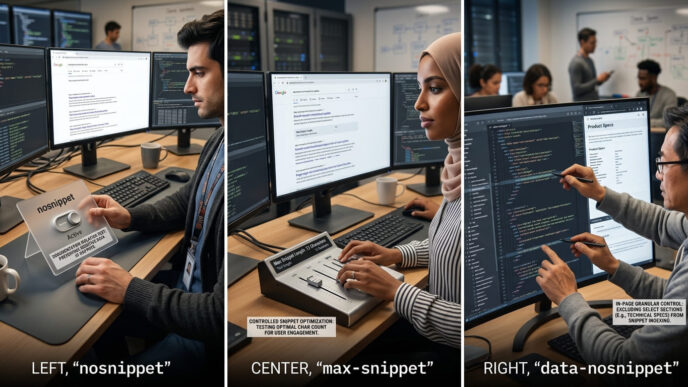
This guide should examine page-specific descriptions, programmatic templates, query-dependent snippets, nosnippet, max-snippet and data-nosnippet. Its scope is control and preview quality, not ranking claims.
HTML heading structure for SEO and accessibility
This cluster should show how H1–H3 levels map an article, how templates create accidental headings and when skipped ranks cause confusion. It should test rendered Elementor pages rather than relying on editor appearance.
Semantic HTML for content-led websites
This specialist post should explain main, article, nav, aside, lists, tables and meaningful controls in plain English. Its practical focus is the document received by browsers and assistive technologies.
Internal linking and descriptive anchor text
This cluster should cover discovery, contextual relevance, crawlable anchor markup, orphan-page checks and anchor variation. It should connect editorial decisions with rendered-link validation.
Image SEO and visual search discovery
This post should cover image elements, image sitemaps, filenames, nearby text, preferred previews and responsive sources. Google Images, text-result images and Discover need separate examples because their presentation differs.
Alt text for informative, functional and decorative images
This accessibility-led cluster should apply the W3C decision tree across photographs, diagrams, linked icons and redundant visuals. It should include editorial examples without turning alt text into a keyword quota.
Image compression, formats and responsive delivery
This guide should compare JPEG, PNG, WebP, AVIF, SVG and GIF by asset type and browser delivery needs. It should explain srcset, sizing, quality and file-weight trade-offs with tested examples.
Lazy loading, LCP and layout stability
This performance cluster should show why off-screen images and hero images need different loading treatment. It should connect loading priority, dimensions, aspect ratio, LCP and CLS through field and lab evidence.
Structured data for articles and visual assets
This cluster should explain supported types, visible-content consistency, image fields and validation. AI SEO Journal’s separate schema workflow should remain the publishing authority for generated markup.
Browse the On-Page SEO Hub as these cluster posts go live.
Questions practitioners ask about on-page optimisation
What are the most important on-page SEO elements?
Start with the page’s answer, title, main heading, section structure, internal links and useful images. Metadata and markup support that visible document; they can’t replace a page that fails to satisfy the search need.
Is a meta description a Google ranking factor?
Google documents the meta description as a possible source for search snippets, not as a direct ranking input. Its practical value is an accurate preview that can help the right searcher choose the page.
How many H1 tags should a page have?
Use one clear, visually dominant H1 for the main article as a dependable editorial standard. Don’t claim that a second H1 causes an automatic ranking penalty; diagnose whether multiple main-looking headings make the page structure ambiguous.
Should every image include keywords in its alt text?
No. Alt text should communicate the image’s contextual meaning or function; decorative and redundant images can use an empty alt attribute, while complex visuals need an equivalent explanation in the page content.
Which image format is best for SEO?
Choose by asset and delivery needs: photographs, transparent graphics, vector artwork and animation have different requirements. Google supports BMP, GIF, JPEG, PNG, WebP, SVG and AVIF in image src references, so quality, file size and compatibility decide the practical choice.
Does structured data guarantee a rich result or AI citation?
No. Valid structured data can make a page eligible for supported rich results, but display isn’t guaranteed; Google says AI features have no separate technical markup requirement beyond normal Search eligibility.
How often should an on-page SEO audit be run?
Run a focused review after a new publication, a substantial content update or a theme, template, caching or script change. Schedule broader audits according to publishing volume and risk rather than inventing a universal monthly rule.
On-page SEO elements: what to build next
Strong on-page work produces agreement. The query, page promise, title, visible hierarchy, links, images and performance evidence all point towards the same subject and task.
That agreement serves several readers at once. A person can scan the answer. Assistive technology can navigate the structure. A crawler can discover resources and interpret relationships. Search interfaces have accurate candidates for titles, snippets, passages and images.
The CLEAR On-Page Model keeps the work in the right order: Context before Labels, Labels before Elements, Elements before Assets, then Review of the published result. It also makes diagnosis smaller. A rewritten title is a label problem until evidence points elsewhere; a slow hero image belongs to assets and review, not a wholesale content rewrite.
AI search doesn’t change that foundation. Google’s current guidance says AI Overviews and AI Mode use established SEO requirements, while query fan-out can search across related subtopics and sources. Clear sections and connected cluster coverage help a site answer those narrower questions, but no format can guarantee selection (Source: Google Search Central, 2025).
Build the pillar and clusters as one editorial architecture. The pillar defines the shared system; each cluster proves a specialist task with examples, checks and evidence. Use the On-Page SEO Hub to connect them as they are published.
Consistency is the practical advantage.
This week, open the published page in PageSpeed Insights and Google Search Console, complete one CLEAR review from Context through Review, and fix the first contradiction you can verify before publishing its next cluster post.
References
Google Search Central. “Influencing Your Title Links in Search Results.” Google for Developers, 2025.
https://developers.google.com/search/docs/appearance/title-link
Supports: Google generates title links from several page and link sources and recommends distinct, descriptive title text.Google Search Central. “Control Your Snippets in Search Results.” Google for Developers, 2026.
https://developers.google.com/search/docs/appearance/snippet
Supports: Snippets are query-dependent and usually drawn from page content, with meta descriptions used when suitable.Google Search Central. “Google Image SEO Best Practices.” Google for Developers, 2026.
https://developers.google.com/search/docs/appearance/google-images
Supports: Image discovery, supported formats, standard image elements, responsive sources, filenames, context and alt-text guidance.Google Search Central. “AI Features and Your Website.” Google for Developers, 2025.
https://developers.google.com/search/docs/appearance/ai-features
Supports: AI Overviews and AI Mode use established SEO guidance, require Search eligibility and can use query fan-out.Google Search Central. “Link Best Practices for Google.” Google for Developers, 2025.
https://developers.google.com/search/docs/crawling-indexing/links-crawlable
Supports: Crawlable anchor markup and descriptive, contextual link text.Google Search Central. “Introduction to Structured Data Markup in Google Search.” Google for Developers, 2025.
https://developers.google.com/search/docs/appearance/structured-data/intro-structured-data
Supports: Structured data labels page information and can enable eligibility for supported rich results.Google Search Central. “Creating Helpful, Reliable, People-First Content.” Google for Developers, 2025.
https://developers.google.com/search/docs/fundamentals/creating-helpful-content
Supports: Original value, intended-audience usefulness and warnings against search-first content production.Google Search Central. “URL Structure Best Practices for Google Search.” Google for Developers, 2025.
https://developers.google.com/search/docs/crawling-indexing/url-structure
Supports: Readable URL construction and management of avoidable URL variants.Google Search Central. “Meta Tags and Attributes That Google Supports.” Google for Developers, 2025.
https://developers.google.com/search/docs/crawling-indexing/special-tags
Supports: The functions of supported page-level meta tags and snippet controls.web.dev. “Web Vitals.” Google, 2024.
https://web.dev/articles/vitals
Supports: Current LCP, INP and CLS thresholds and 75th-percentile assessment.W3C Web Accessibility Initiative. “An Alt Decision Tree.” W3C, 2024.
https://www.w3.org/WAI/tutorials/images/decision-tree/
Supports: Context-dependent alternatives for informative, functional, complex, redundant and decorative images.W3C Web Accessibility Initiative. “Headings.” W3C, 2017.
https://www.w3.org/WAI/tutorials/page-structure/headings/
Supports: Heading hierarchy, navigation value and guidance on skipped ranks.