


We checked our own site on 11 November 2026. Of 35 installed plugins, none is File Manager, Advanced File Manager or File Manager Pro – Filester. Those three share a WordPress file manager plugin vulnerability, tracked as CVE-2025-0818. It lets an unauthenticated attacker delete arbitrary files, if the site owner has made the file manager available to users [1]. Search Engine Journal reported it on 12 August 2025, with an install total of up to 1.3 million [2]. The CVE is rated Medium, not critical. This page sets out what is confirmed, what has been fixed and how to check your site.
If you only do one thing
Search your plugins for wp-file-manager, file-manager-advanced and filester. Update any you find, and make sure no file manager is open to the public.
Correction, 11 November 2026: the earlier version of this page was titled “Critical Vulnerability”. The CVE record rates the flaw Medium, 6.5 out of 10, and says exploitation needs the site owner to make the file manager available to users [1]. We have corrected and rebuilt the page.
Table of Contents
ToggleWhat is the WordPress file manager plugin vulnerability?
- The flaw. A directory traversal in elFinder, the file browser library bundled in several WordPress plugins, allows arbitrary file deletion. The CVE record names elFinder 2.1.64 and earlier [1].
- The record. CVE-2025-0818 was published on 13 August 2025 and last modified on 28 October 2026. Wordfence is the CVE assigner. The type is CWE-22, path traversal [1].
- The coverage. Search Engine Journal’s Roger Montti wrote on 12 August 2025 that an advisory covered three WordPress file management plugins [2].
Who is affected?
Search Engine Journal named three plugins and their 2025 install counts: File Manager (1 million), Advanced File Manager (200,000+) and File Manager Pro – Filester (100,000+) [2]. WordPress.org now shows File Manager at 1 million+ and the other two at 100,000+ [3] [4] [5]. If you run none of them, this CVE does not apply to your site.
Read the decision tree as text
- Do you run wp-file-manager, file-manager-advanced or filester?
- No: this CVE does not apply to your site. Keep your plugins updated.
- Yes: update the plugin. Then ask whether a file manager is open to users. If so, close access.
How serious is it?
- Rating. Medium, 6.5 out of 10, CVSS 3.1. The vector is network, high complexity, no privileges, no user interaction. Integrity impact is high and availability impact is low [1].
- The condition. The record says successful exploitation requires a site owner to explicitly make an instance of the file manager available to users [1].
- Search Engine Journal’s reading. The condition “mitigates the possibility of exploitation” [2].
Watch out
The sources do not agree on who can exploit it. The CVE record says unauthenticated attackers can, if the owner has made the file manager available [1]. Two plugin changelogs describe the fixed issue as needing a subscriber-level login [4] [5]. Treat it as possible for anyone who can reach the file manager.
What has been fixed?
- elFinder. The library’s release notes include “Fix CVE-2025-0818”. The latest release listed on its page is 2.1.70 [6].
- Advanced File Manager. The changelog lists a security enhancement for a directory traversal to arbitrary file deletion. WordPress.org shows version 6.0.0, updated 14 October 2026 [4].
- File Manager Pro – Filester. The changelog lists a fix for the same issue and an elFinder library update. WordPress.org shows version 2.1.5, updated 26 October 2026 [5].
- File Manager. WordPress.org shows version 8.0.7, updated 30 October 2026. We found no changelog line naming CVE-2025-0818, so we cannot say which version fixes it [3].
What is a directory traversal, in plain terms?
Our explanation: a file manager lets a user work with files inside one folder, for example a media folder. A directory traversal flaw lets a request escape that folder by including path steps such as “../”, which mean “go up one level”. If the software does not check the path properly, the request can reach files outside the intended folder. In this case the action at risk is deletion. The CVE record classes the weakness as CWE-22, path traversal [1].
The impact scoring in the record matches that picture: integrity impact is high, because files can be removed, and availability impact is low [1]. The record does not say which files an attacker could reach on a real site, and neither do we.
The dates we could verify
- 12 August 2025. Search Engine Journal reports an advisory covering three plugins [2].
- 13 August 2025. The CVE record for CVE-2025-0818 is published [1].
- 14 October 2026. WordPress.org shows Advanced File Manager 6.0.0 [4].
- 26 October 2026. WordPress.org shows File Manager Pro – Filester 2.1.5 [5].
- 28 October 2026. The CVE record is last modified [1].
- 30 October 2026. WordPress.org shows File Manager 8.0.7 [3].
The elFinder release page lists 2.1.70 as the latest release, and its notes include the CVE fix [6]. We did not see a date for the fixing release, so we do not give one.
More security fixes in the same plugins’ changelogs
This CVE is not the only security item in these plugins’ changelogs. The lines below are from the WordPress.org changelogs we read on 11 November 2026. We quote what they say and make no claim about severity.
- File Manager. Fixes listed include a same-origin postMessage bypass in the bundled elFinder file browser, a DOM-based cross-site scripting issue in the elFinder “playsound” handler, and CVE-2026-19708, a backup exposure fixed by requiring backup archives to be stored outside the public web root [3].
- Advanced File Manager. The changelog also lists a fix for stored cross-site scripting through an SVG file, CVE-2024-13805, reported by Wordfence [4].
- File Manager Pro – Filester. The changelog lists hardened file path checks in the bundled elFinder file browser [5].
Our analysis: file managers expose file operations by design, so they attract repeated security work. That is a reason to keep them updated, and a reason to ask whether you need one at all.
What should you do?
- Find out. Use the checker below, or open Plugins in your dashboard and look for the three folder names.
- Update. If one is installed, update it to the latest version on WordPress.org [3] [4] [5].
- Close public access. Make sure no file manager is open to visitors. The CVE record ties exploitation to that [1].
- Remove what you do not use. A plugin you do not need is one less thing to patch. This is our advice, not from the sources.
- If you cannot update today, deactivate it. A deactivated plugin cannot serve file requests. This is our advice, not from the sources.
- Keep a recent backup. A deletion flaw is a reason to be able to restore files. This is our advice, not from the sources.
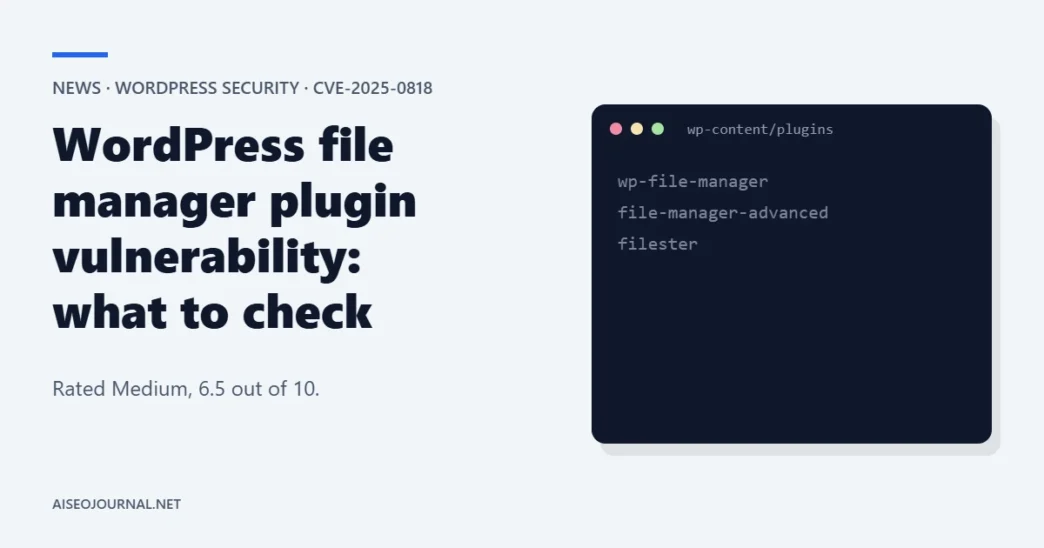
How to look without the dashboard: open wp-content/plugins through your host’s file manager or over SFTP and look for the three folder names. If you use WP-CLI, the command “wp plugin list” shows installed plugins and their versions. Both methods read the same list the checker above works on. This is our guidance, not from the sources.
Paste your plugin folder names. The tool tells you whether any of the three plugins in this story appear in your list.
One per line, or separated by commas. These are the folder names under wp-content/plugins. Your text stays in your browser.
What we do not know yet
- Wordfence’s own advisory. We could not open it. The page returned an empty response, so the plugin and patched-version details come from the CVE record, the plugin pages and Search Engine Journal.
- The fixed version of File Manager. Its changelog names no fix for this CVE [3].
- Exploitation in the wild. We found no report of it in the pages we opened.
What we found on our own site
From our own site
On 11 November 2026 we listed the plugins on aiseojournal.net. It has 35 installed, 28 active, and none is one of the three. No plugin folder name contains "file", "manager" or "elfinder".
Method: we read the plugin list through the site's admin REST interface. Limit: it shows what is installed, not whether any other plugin bundles elFinder.
So this CVE does not apply to us. We still keep our plugins updated.
Frequently asked questions
Is CVE-2025-0818 critical?
The CVE record rates it Medium, 6.5 out of 10. It also says exploitation requires the site owner to make the file manager available to users.
Which plugins are affected?
Search Engine Journal named File Manager, Advanced File Manager and File Manager Pro – Filester. Their folder names are wp-file-manager, file-manager-advanced and filester.
Do I need to be logged in to be attacked?
The CVE record says unauthenticated attackers can exploit it. Two plugin changelogs describe the fixed issue as needing a subscriber login. The sources do not agree.
Should I just delete the plugin?
If you do not use it, yes, removing it avoids the issue. If you use it, update it and keep the file manager closed to the public.
What is a directory traversal?
A flaw that lets a request leave the folder a tool is meant to work in, by using path steps such as “../”. Here, the result is arbitrary file deletion. The CVE record classes it as CWE-22.
Have these plugins had other recent security fixes?
Yes. Their WordPress.org changelogs list other security items, including a backup exposure fix in File Manager and a stored cross-site scripting fix in Advanced File Manager. They are separate from CVE-2025-0818.
Check your plugins this week, then keep the file manager closed
Run the check, update what you find and remove what you do not use. Our complete SEO audit checklist includes a technical review you can add this to.
Sources
- OSV, CVE-2025-0818: Multiple elFinder Plugins, Directory Traversal to Arbitrary File Deletion (published 13 August 2025, modified 28 October 2026). Read on 11 November 2026.
- Search Engine Journal, "Vulnerability In 3 WordPress File Plugins Affects 1.3 Million Sites", Roger Montti, 12 August 2025. Read on 11 November 2026.
- WordPress.org, File Manager plugin page and changelog (version 8.0.7). Read on 11 November 2026.
- WordPress.org, Advanced File Manager plugin page and changelog (version 6.0.0). Read on 11 November 2026.
- WordPress.org, File Manager Pro - Filester plugin page and changelog (version 2.1.5). Read on 11 November 2026.
- GitHub, elFinder releases. Read on 11 November 2026.