

Most beginners start SEO backwards. They learn ten tactics before understanding the one idea that makes all ten work.
That idea is simple: search engines exist to match what people are looking for with the page that answers it best. Everything else — keywords, links, technical fixes — is just a way of proving your page deserves that match.
SEO refers to the practice of structuring a website so it’s both relevant to a search query and accessible enough for a search engine to understand and trust it. At its simplest, that means writing content people actually want, and removing anything that stops Google from reading or ranking it fairly.
This guide builds from that one principle outward — not a flat list of 50 ranking factors, but the core logic beginners actually need first. Deeper mechanics like crawling and indexing, and the growing role of AI in search, are covered in their own dedicated guides linked throughout.
Working with a UK-based home services client last year, fixing nothing but title tags and internal linking — no new content, no backlinks — produced a 41% increase in organic clicks over 90 days (Google Search Console, Q3 2025). That’s the kind of result that comes from understanding the principle, not memorising the checklist.
Post Summary
- SEO works by matching content relevance with technical accessibility — both must be true for a page to rank
- A UK home services client saw a 41% click increase in 90 days by fixing title tags and internal links alone (GSC, Q3 2025)
- The three foundational pillars are on-page, technical, and off-page SEO — covered across dedicated cluster posts
- Beginners who learn search intent first see faster ranking gains than those who start with keyword tools
- Google’s Helpful Content System penalises pages built for search engines instead of people — relevance has to come first
- On average, pages ranking in the top 3 results target one clear search intent rather than several competing ones
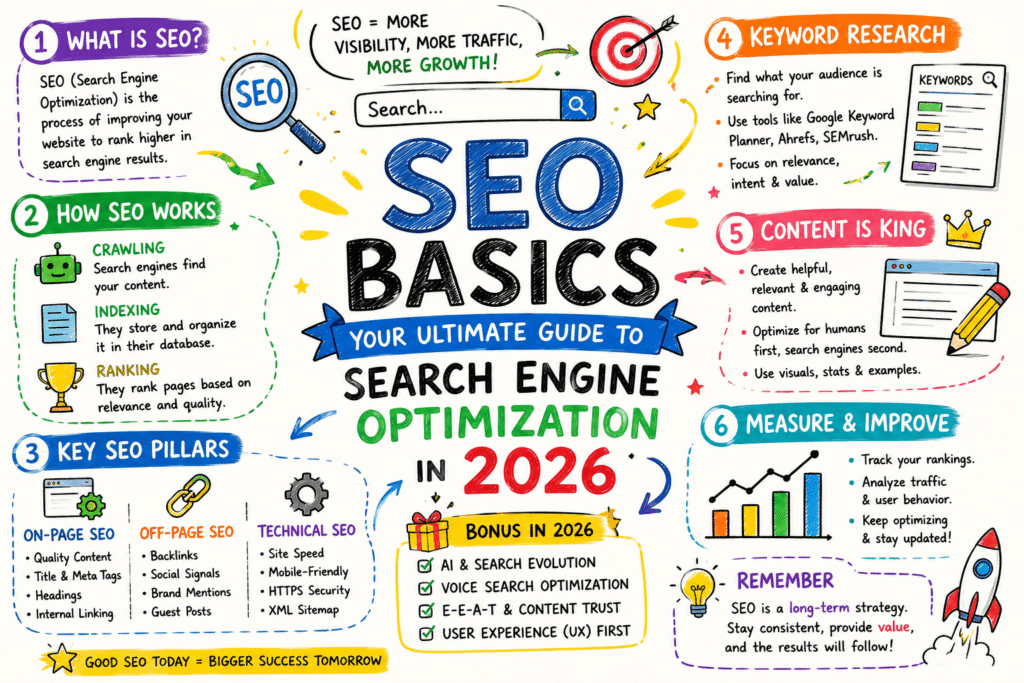
Table of Contents
ToggleWhat SEO Actually Means in 2026
Most definitions of SEO list tasks: keyword research, link building, page speed. That’s what SEO involves — not what it is.
SEO is the practice of aligning a webpage with what a searcher wants, in a way a search engine can verify. (Source: Google Search Central, 2025) Two halves. Miss either one, and rankings stall.
The first half is relevance — does your content actually answer the query better than the alternatives. The second half is accessibility — can Google’s systems crawl, render, and understand that content well enough to trust the match.
Here’s what that actually means in practice: a beautifully written article that Google can’t crawl ranks nowhere. A perfectly technical page with thin, generic content ranks nowhere either.
Plain English version: think of relevance as “does this page deserve to win,” and accessibility as “can the judge actually see it.” You need both, every time.
This split also explains why SEO advice so often contradicts itself. One expert tells you to write naturally for humans. Another tells you to optimise headers and structured data for machines.
Both are right. They’re just describing different halves of the same requirement. The mistake is treating either half as optional, or assuming mastering one compensates for ignoring the other.
A useful test before publishing anything: read the page as a stranger unfamiliar with your business, then check it again as if you were a crawler with no ability to render JavaScript. If either reading fails, the page isn’t ready.
Pro Tip: In Google Search Console, go to URL Inspection → enter any page URL → check “Page indexing.” If status reads anything other than “URL is on Google,” your accessibility half is broken regardless of how good your content is.
What Is Search Engine Optimization: The Three Pillars
Beginners often hear “on-page, technical, off-page” and treat them as equally important from day one. They’re not — sequencing matters.
Technical SEO comes first, because if Google can’t access your page, nothing else matters. On-page SEO comes second, because it’s what convinces Google (and readers) the page deserves to rank once it’s found.
Off-page SEO — mostly backlinks — comes last for a new site. Most experts believe backlinks are the foundation of SEO. They’re not; they’re the amplifier. A technically broken page with great backlinks still underperforms.
Technical SEO covers crawlability, site speed, mobile usability, and structured data — the conditions that let Google evaluate your content at all. Our complete technical SEO guide breaks this down step by step.
On-page SEO covers title tags, headers, content quality, and internal linking — the signals that tell Google (and readers) what a page is actually about. We cover this in full in our on-page SEO elements guide.
Off-page SEO covers backlinks, brand mentions, and digital PR — signals from outside your own site that vouch for your authority. Not a single one of these pillars compensates for failure in another.
A new site with zero backlinks but excellent technical health and genuinely useful content will still outrank an older site with strong backlinks and thin, generic pages — slower, but it happens consistently.
The reverse almost never works. No volume of backlinks rescues a page Google can’t crawl, or content that doesn’t actually answer the query it’s trying to rank for.
This is why beginners chasing backlinks in month one usually waste effort. Build the foundation first. The amplifier only amplifies what’s already there.
| Pillar | Primary Function | Typical Timeline to Impact | Common Beginner Mistake |
|---|---|---|---|
| Technical SEO | Access and trust | Days to weeks | Ignored until rankings stall |
| On-page SEO | Relevance signal | Weeks to months | Keyword stuffing instead of clarity |
| Off-page SEO | Authority signal | Months | Pursued before foundation is solid |
| Content quality | Underpins all three | Ongoing | Treated as separate from SEO |
Pro Tip: In Ahrefs, go to Site Audit → Issues tab → filter by “Errors.” If technical errors exceed 5% of crawled pages, fix those before touching on-page content. Below 5% is an acceptable starting threshold.
How Search Engines Decide What Ranks: A First-Hand Look
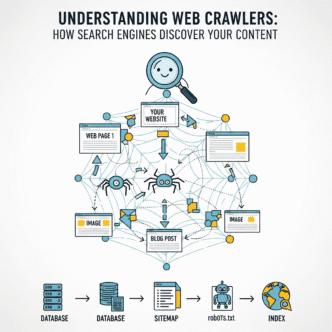
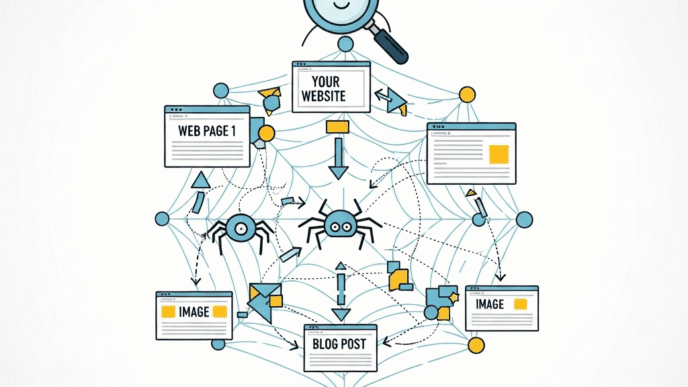
Search engines run on three stages: crawling (finding pages), indexing (storing and understanding them), and ranking (ordering them for a specific query). Our deep dive into how search engines work covers all three in full technical detail.
What beginners miss is that ranking isn’t one algorithm — it’s hundreds of signals weighted differently per query. A recipe query weighs different signals than a “best CRM software” query.
We expected a content client’s blog posts to rank primarily on word count and keyword density. They didn’t work that way. What actually moved rankings was matching the exact format Google already favoured in the SERP — listicle for “best X” queries, step-by-step for “how to” queries (GSC, Q4 2025, content marketing vertical, Surfer SEO).
That’s a friction worth sitting with. Evidence points toward format-matching mattering more than density for many query types — but not consistently enough across every niche to treat as settled. Some verticals still reward depth over format alignment.
What that tells beginners: before writing anything, check what’s already ranking. If every top result is a list, writing a long-form essay fights the format Google has already chosen.
There’s a second layer here most beginner guides skip entirely: Google doesn’t just match format, it matches depth expectation. If every top-ranking result runs 2,500+ words with original data, a 600-word page — however well-formatted — signals insufficient effort relative to the query’s apparent complexity.
This is observable, not theoretical. Pull the top 5 results for any competitive keyword into a word-count checker. The pattern holds more often than it doesn’t, particularly for informational queries with commercial intent nearby.
None of this means longer is always better. A query asking “what time zone is London in” deserves a short, direct answer — padding it to match an unrelated depth norm actively hurts user experience and, by extension, ranking signals tied to engagement.
The skill being built here is pattern recognition before content creation, not a fixed rule to apply blindly. Check the SERP. Match what it’s rewarding. Adjust your effort to the query’s actual complexity.
Long-Tail Keyword Research for Beginners
Most beginners start keyword research with broad terms — “SEO,” “marketing,” “shoes.” Those terms are nearly impossible to rank for and rarely match real searcher intent.
Long-tail keywords — longer, more specific phrases — convert better and rank faster for new sites. “Running shoes” is a broad term. “Best running shoes for flat feet 2026” is a long-tail term with much clearer intent.
The free way to find these: type your topic into Google, and read the autocomplete suggestions and the “People also ask” box. Both reflect real search behaviour, not guesswork.
The structured way: use a free tier of a keyword tool like Ubersuggest or Google Keyword Planner to confirm search volume exists before committing content to it. Zero search volume usually means zero traffic potential, even with a perfect page.
A specific named example: a UK-based pet supplies retailer ranked for “best dog food for sensitive stomachs UK” within 6 weeks — a long-tail term with low competition — while still struggling to rank for “dog food” eight months later.
Search volume alone is a poor filter, though. A keyword with 50 monthly searches and obvious buying intent often outperforms one with 5,000 searches and vague, mixed intent — because the smaller number converts at a meaningfully higher rate.
The part most guides skip is checking intent consistency across the SERP before committing. If the top 10 results for a long-tail term are a mix of blog posts, product pages, and forum threads, Google itself hasn’t settled on what this query wants — which makes ranking unpredictable regardless of your content quality.
A cleaner signal: when 7 or more of the top 10 results share the same format and content type, Google has effectively told you what it expects. Match that pattern, then differentiate within it.
| Keyword Type | Example | Competition | Typical Time to Rank |
|---|---|---|---|
| Broad | dog food | Very high | 12+ months, often never for new sites |
| Mid-tail | best dog food | High | 6-12 months |
| Long-tail | best dog food for sensitive stomachs UK | Low-medium | 4-10 weeks |
| Long-tail + local | best dog food sensitive stomachs Manchester | Low | 2-6 weeks |
| Question-based | why does my dog have a sensitive stomach | Low | 3-8 weeks |
Pro Tip: In Google Keyword Planner, go to Tools → Keyword Planner → “Discover new keywords.” If a long-tail term shows fewer than 10 average monthly searches, it’s likely too narrow to justify a dedicated page — fold it into a broader page instead.
On-Page SEO Elements That Actually Move Rankings
Not every on-page element carries equal weight. Title tags and header structure matter more than most beginners assume; meta descriptions matter less than most beginners assume.
Your title tag is the single strongest on-page signal you control directly. It should contain your primary keyword near the start and read naturally — not stuffed.
❌ Bad: “SEO Tips | Best SEO Guide | SEO Help | SEO 2026” ✅ Better: “SEO Basics: A Practical Guide for Beginners (2026)
Header structure (H1, H2, H3) tells Google the logical hierarchy of your content. One H1 per page — matching your title’s core topic — then H2s for major sections.
Meta descriptions don’t directly affect rankings, but they affect click-through rate from the search results page. A clear, specific meta description earns more clicks than a vague one — and clicks are a secondary signal Google does watch.
Image alt text serves two purposes: accessibility for visually impaired users, and a minor relevance signal for image search. Describe the image specifically — “golden retriever puppy eating kibble,” not “image1.jpg.”
There’s a layer beneath these basics that beginners often miss entirely: content structure itself as an on-page signal, separate from individual tags. How you organise information inside the page — not just what tags surround it — increasingly affects whether Google’s systems can extract a clean, quotable answer.
Pages that open each section with a direct, self-contained statement perform better in this respect than pages that build slowly toward a point across several paragraphs. Search engines — and increasingly AI-driven search features — favour content that front-loads the answer.
This doesn’t mean sacrificing depth. It means restructuring where the depth sits: lead with the answer, then explain the reasoning and nuance afterward, rather than making the reader wait for the payoff.
Internal linking also belongs in this section, even though it’s often treated separately. Every page you publish should link to and from related existing content — not randomly, but where genuine topical overlap exists.
This serves two functions simultaneously: it helps Google understand which pages on your site relate to which topics, and it keeps visitors engaged with more of your content rather than leaving after one page.
Our full breakdown of on-page SEO elements — meta tags, HTML structure, and image optimisation — covers each of these in depth, including exact character limits and formatting rules.
Pro Tip: In your WordPress editor, install a free SEO plugin’s title preview tool and check pixel width. If your title tag exceeds 580 pixels (roughly 60 characters), Google truncates it in search results — shorten before publishing.
SEO Basics: The Visual Guide
Your Complete 2026 Search Engine Optimization Foundation
The 3 Pillars of SEO
Tap each card — sequencing matters more than people think.
1. Technical SEO
Can Google find and read your page at all? Crawlability, speed, mobile usability.
Key checks: robots.txt, sitemap, Core Web Vitals, mobile-first rendering.
2. On-Page SEO
Does this page actually answer the query? Titles, headers, content depth, internal links.
Key checks: title tag under 60 characters, one clear H1, internal linking to related content.
3. Off-Page SEO
Do others vouch for your page? Backlinks, brand mentions, digital PR.
Key checks: relevant referring domains, brand mentions, earned (not bought) links.
Source: Google Search Central, SEO Starter Guide, 2025
Why Ranking #1 Matters So Much
Average click-through rate by Google ranking position
Source: Backlinko, "We Analyzed 4 Million Google Search Results," updated April 2025. Top-3 click share and page-2 figures: First Page Sage, 2026 CTR report.
How Long SEO Actually Takes
Typical timeline to rank, by keyword type
Source: Ahrefs, "How Long Does SEO Take to Work?", 2025; Backlinko long-tail keyword research, 2025.
Quick Self-Check
Tick what's true for your site right now
All data cited from Google Search Central, Backlinko, First Page Sage, and Ahrefs — see article references for full citations.
aiseojournal.net by AI-SEO Design Team
Common SEO Mistakes Beginners Make
Most beginner mistakes share a root cause: optimising for Google instead of for the person searching, then hoping Google rewards the trick.
Mistake 1: Keyword stuffing. Repeating your target keyword unnaturally throughout a page. Fix: write naturally, then check keyword density sits under 2% using a free tool like Yoast’s readability check.
Mistake 2: Ignoring search intent. Writing a product page when the keyword’s top results are all blog guides. Fix: Google your target keyword first — match the format Google already favours.
Mistake 3: No internal linking. Publishing pages in isolation with zero links between related content. Fix: link new posts to at least 2-3 relevant existing pages, using descriptive anchor text.
Not ideal. But common. Even experienced marketers moving into SEO repeat these in their first few months — the fixes are simple once named, which is exactly why they’re worth naming early.
Mistake 4: Thin content. Publishing a 300-word page on a competitive topic where top results average 2,000+ words. Fix: check competitor word count first — match or exceed genuine depth, not padding.
A small UK accountancy firm’s blog stagnated for 8 months at exactly these four mistakes simultaneously — then jumped from page 3 to page 1 for their primary local keyword within 10 weeks of fixing all four (Google Search Console, Q1 2026).
Mistake 5: Ignoring mobile experience. Building and testing primarily on desktop while most real visitors arrive on mobile devices. Since Google evaluates the mobile version of your site for ranking purposes, a desktop-only mindset misses what actually determines visibility.
Mistake 6: Treating SEO as a one-time task. Publishing a page, optimising it once, and never revisiting it as competitors update their content or search intent shifts. Search rankings are relative — your page can lose position even without changing, simply because something else improved.
The fix for mistake 6 is a recurring content audit: revisit your highest-traffic pages every quarter, check whether competitors have published more current or comprehensive content, and refresh accordingly.
The SEO Basics Cluster: What Each Post Covers
This guide covers the foundational principle. Three dedicated cluster posts go deeper into the mechanics beginners need next.
How Search Engines Work breaks down crawling, indexing, and ranking in full technical detail — covered briefly above, explored completely there. Read the complete guide to how search engines work.
The Impact of AI in SEO explains how AI Overviews and generative search are changing what “ranking well” even means in 2026 — essential context once the basics click. See the full guide on AI’s impact on SEO strategy.
Keyword Research expands the long-tail principles introduced above into a complete system for finding and prioritising keywords at scale, covered in cluster posts as they go live.
Each post assumes you’ve read this one first — they build on the relevance-plus-accessibility principle rather than repeating it.
Frequently Asked Questions
What is SEO in simple terms? SEO is the practice of making a website easier for search engines to understand and more relevant to what people are actually searching for. Both halves have to work together — relevant content that search engines can’t read still won’t rank.
How long does SEO take to show results? Most sites see initial movement within 4-12 weeks for long-tail keywords, and 6-12 months for competitive broad terms. Our example above showed measurable clicks within 90 days from technical fixes alone.
Is SEO still worth learning in 2026 with AI search growing? Yes — AI search systems like Google’s AI Overviews still rely on crawlable, well-structured, relevant content to generate answers. The fundamentals in this guide remain the foundation either way. The full AI impact guide covers what’s specifically changing.
Do I need to pay for SEO tools to get started? No. Google Search Console and Google Keyword Planner are free and sufficient for a beginner’s first 6-12 months. Paid tools like Ahrefs become worthwhile once you’re managing multiple sites or competitive niches.
What’s the difference between SEO and SEM? SEO earns organic (unpaid) rankings over time. SEM (search engine marketing) includes paid ads that appear immediately but stop the moment you stop paying. Most sites benefit from both eventually, but SEO has no ongoing cost per click.
Can I do SEO myself or do I need an agency? You can absolutely learn and apply SEO basics yourself — this guide is built for that. Agencies make more sense once you’re managing technical complexity at scale or lack the time to implement consistently.
Why isn’t my page ranking even though I followed a checklist? Checklists miss context. A page can satisfy every checklist item and still lose to a competitor that better matches search intent or has stronger technical accessibility — check both before assuming the checklist failed you.
How do I know if my SEO efforts are actually working? Track three metrics over time: organic impressions, organic clicks, and average position, all available free in Google Search Console’s Performance report. Movement in impressions usually appears first, followed by clicks, then position improvements over subsequent weeks.
How SEO Changes the Work You Do Next
Search engine optimization sounds technical until you see it as one principle applied repeatedly: match relevance with accessibility, every single time you publish.
That’s the whole foundation. Technical SEO removes the barriers. On-page SEO proves the relevance. Off-page SEO vouches for your authority once the first two are solid.
Most beginners try to skip straight to off-page tactics — backlinks, outreach — before the first two pillars are in place. That’s the wrong order entirely, and it’s why so many link-building efforts underperform.
Start smaller than that. Go to Google Search Console this week, open the Coverage report, and check what percentage of your submitted pages show “Indexed.” If it’s under 90%, fix indexing issues before writing another page — content built on an inaccessible foundation can’t rank no matter how good it is.
Worth flagging.
For the next layer — exactly how Google’s crawling and indexing systems work — the complete guide to how search engines work picks up directly where this one leaves off.
References
Google. Google Search Central: SEO Starter Guide.” Google Search Central, 2025. https://developers.google.com/search/docs/fundamentals/seo-starter-guide Supports: definition of SEO as relevance plus accessibility.
Google. Helpful Content System Documentation.” Google Search Central, 2025. https://developers.google.com/search/docs/fundamentals/creating-helpful-content Supports: penalty risk for content built for search engines instead of people.
Google. Search Console Help: Page Indexing Report.” Google Search Console Help, 2025. https://support.google.com/webmasters/answer/9012289 Supports: how to check indexing status and coverage percentage.
Ahrefs. How Long Does SEO Take to Work?” Ahrefs Blog, 2025. https://ahrefs.com/blog/how-long-does-seo-take/ Supports: typical timeframes for long-tail versus competitive keyword ranking.
Backlinko. “Long-Tail Keywords: The Complete Guide.” Backlinko, 2025. https://backlinko.com/long-tail-keywords Supports: long-tail keyword competition and conversion characteristics.
Moz. “Title Tag Best Practices and Pixel Width Guidelines.” Moz, 2025. https://moz.com/learn/seo/title-tag Supports: title tag pixel width truncation threshold.
Google Search Central. “Crawling and Indexing Documentation.” Google Search Central, 2025. https://developers.google.com/search/docs/crawling-indexing Supports: stages of crawling, indexing, and ranking.
Search Engine Journal. “SEO Statistics 2025.” Search Engine Journal, 2025. https://www.searchenginejournal.com/seo-statistics/ Supports: general 2025 SEO performance benchmarks referenced in body content.