

The most common mistake with crawled – currently not indexed is clicking Validate fix before anything has changed. Google’s help says validation stops as soon as it finds a single URL that still has the issue [1]. We made that mistake ourselves. A validation run on our listed pages started on 10 October 2026 and failed on 13 October. Validation typically takes up to about two weeks [1], so a failed run costs time and teaches nothing.
This guide shows how to fix crawled – currently not indexed in the right order. Sort the list, rule out technical blocks, then improve, merge or retire each page. It builds on our technical SEO fundamentals guide.
Key takeaways
- Do not click Validate fix until you have changed something. Validation stops at the first page that still has the issue.
- Sort the list first. Archives, feeds and parameter URLs often belong out of the index.
- Rule out technical blocks with URL Inspection and the Test live URL screenshot.
- If nothing technical is wrong, decide: improve, merge or retire the page.
- Request indexing once per page, then validate once. Give it about two weeks.
Table of Contents
ToggleWhat does crawled – currently not indexed mean?
It means Google visited the page and chose not to add it to its index. Google’s help calls it a common message that does not always need attention. Google does not index every page it finds [1]. It is not the same as “Discovered – currently not indexed”. That status means Google found the URL but has not crawled it yet [1].
So the question is not “how do I force this in?” It is “which pages deserve a place?” And then: “what is stopping them?” Google reworded its help for this status in November 2026. Our report on the new help text covers the change.
How to fix crawled – currently not indexed: the order at a glance
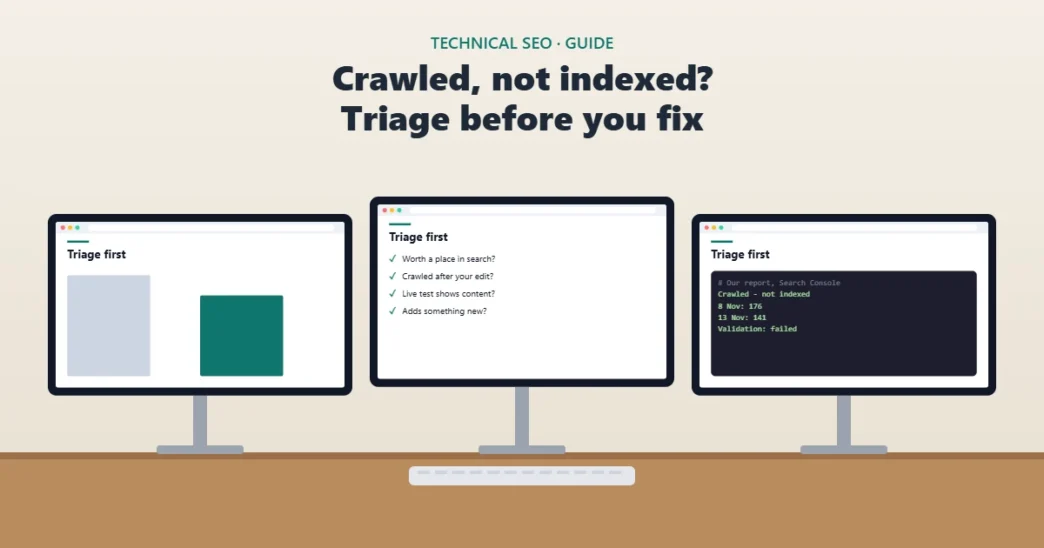
Read the decision tree as text
- Is the page worth a place in search? If not, noindex it, redirect it or remove it.
- Was it crawled after your last edit? If not, wait, or request indexing once.
- Does the live test show your content? If not, fix the block first: robots.txt, noindex, a bot check or an error page.
- Did Google pick another URL as canonical? If so, merge the pages or make this one clearly different.
- Otherwise, improve the page, request indexing, then click Validate fix once.
The order matters because each step can make the next one pointless. There is no point improving a page that Google cannot render. And there is no point rendering a page you would rather retire.
Step 1: sort the list before you fix anything
Export the examples from the Page indexing report and group them by type. Posts and pages are what matter. Tag archives, category pages, feeds and URLs with parameters often belong out of the index anyway. Google’s help says you should not expect every URL on your site to be indexed, only the canonical pages [1].
Professional tip
Filter the report to "All submitted pages" before you start. Google's help lets you limit the list to URLs in your sitemaps [1]. That hides most of the archive and feed noise in one click.
From our own site
On 8 November 2026 our report listed 176 URLs under this status. When we sorted them, 32 were tag archives that already had a noindex tag, 2 were feeds and 1 was a category page. That left 141 posts to judge one by one. By the report of 13 November, 64 URLs had left the list, but only 5 were newly indexed posts. Details are in our report on Google's new help text.
Then mark each remaining page as keep, merge or retire. Be strict. A page that earns no visits, has no links and repeats another page is a candidate to retire, not to fix.
Step 2: rule out technical causes
Technical causes are quick to confirm and quick to fix, so check them next. Use URL Inspection on each page you plan to keep. Remember that its first screen is Google’s indexed view, not a live test [2]. If you edited the page after the last crawl, the report is describing the old version.
| Check | Where | A problem looks like | Fix |
|---|---|---|---|
| When Google last crawled it | URL Inspection, indexed view | Last crawl before your edit | Request indexing once, then wait [2] |
| Crawl allowed? | URL Inspection, Page indexing | No | Remove the robots.txt rule [2] |
| Indexing allowed? | URL Inspection, Page indexing | No | Remove the noindex tag or header [2] |
| What Google renders | Test live URL, View tested page, Screenshot | A bot check, an error or a blank page | Fix the page or the CDN rule [2] [4] |
| Which URL Google chose | Google-selected canonical (indexed view only) | A different URL | Merge, or make the page clearly different [2] |
| What logged-out visitors get | Your browser, signed out | A 404 or a login page | Fix the URL or redirect it |
The screenshot matters more than it looks. Google’s podcast notes warn about security layers and CDNs. They can show Googlebot an “Are you a bot?” page with a 200 success code [4]. That page looks fine to a status-code checker. Only the rendered screenshot shows the problem. A page that returns an error message with a 200 code fails in the same quiet way. Our guide to HTTP status codes for SEO covers soft 404s and redirects.
Two more traps. The live test follows redirects without saying so, so test the final URL [2]. And if the page leans on JavaScript, check that the screenshot shows the text, not an empty shell. Our JavaScript SEO guide shows how to test rendering.
Watch out
Check pages while logged out. When we checked our list as an admin, a retired draft looked like a live page. Signed out, it returned a 404. Google always sees the signed-out version.
Step 3: decide whether the page deserves a place
If the page passes every technical check, the cause is almost always the page itself, or the site around it. Google’s help is blunt about this. A valid live test does not mean the page will be indexed. The page must not be a duplicate, and its quality must be high enough to warrant indexing [2].
Duplicates: merge or make them different
Look at the Google-selected canonical in the indexed view. Only the indexed data shows it; the live test cannot predict it [2]. If Google picked another URL, you have two pages doing one job. Merge them into the stronger page and redirect the other. If they really serve different needs, make that difference obvious in the content.
Thin or ordinary pages: improve or retire
Google’s self-assessment questions are a useful test [3]. Does the page give original information or analysis? Does it add substantial value beyond the sources it draws on? Would readers need to search again for a better answer? An honest “no”, “no” and “yes” means the page needs real work, not a resubmission.
Mueller also explained the bigger pattern. When Google has strong concerns about a site’s overall quality, it crawls less and indexes less [5]. Many pages then land in this status. In that case, fixing pages one at a time is not enough. You need to step back and look at the site as a whole.
An AI assistant can speed up the comparison, as long as you check what it says. Use a prompt like this one, and paste the real text yourself.
You are reviewing one web page that Google crawled but did not index.
Page URL: [paste]
Page text: [paste]
Top 3 results for the main query: [paste their headings and key points]

1. List what the top results cover that this page does not.
2. List anything this page has that they lack: data, first-hand experience, a tool.
3. Say plainly whether this page should be improved, merged into another page, or retired, and why.
Do not invent statistics, sources or examples. If you are not sure, say so.
Check one page now
Answer five questions about one page in the report. You get one next step, in the order Google's help suggests. Your answers stay in your browser.
Step 4: improve, then ask Google once
Make the change that matters first. That might be adding your own data, a worked example or a tool. Do not just change the date: Google lists refreshing dates without real changes as a warning sign [3]. Google also says it has no preferred word count [3], so do not pad.
Then use Request indexing once for that page. Google says indexing usually takes a day or so but can take much longer. A request does not guarantee indexing, and there is a daily limit [2]. For many updated pages, submit a sitemap with lastmod dates instead [2]. When the batch is done, click Validate fix once.
From our own site
One post on our list, about Google's structured data cuts, got new sources and a rebuild on 11 November. We requested indexing the same day, once. The 13 November report lists it as indexed, last crawled on 11 November. One page proves little, but it followed the order in this guide.
What if nothing changes?
Give validation its two weeks before you judge it [1]. Then look at what moved. If the pages you improved went in and the others stayed out, the method is working. Keep going in batches.
If many good pages stay out with no technical cause, the problem is probably site-wide quality, as Mueller described [5]. That calls for a wider content review, not more requests. Google’s help says to use the indexing issue form only if you suspect a complete, site-wide indexing bug [1].
You may also meet a puzzling result. We inspected five of our posts that had dropped off the list. All five showed “URL is unknown to Google”, with no last crawl date, although all five are in our sitemap. Google’s help says unknown means Google has not seen the URL before, and suggests requesting indexing [2]. We are improving those posts first, so we have not requested indexing for them yet.
Tools: what each one can and cannot tell you
| Tool | Use it for | It cannot tell you |
|---|---|---|
| Page indexing report | The list, its trend, the validation state and examples [1] | Why each single page was left out |
| URL Inspection (indexed view) | Last crawl, crawl and indexing allowed, Google's canonical [2] | What the page looks like now: it is not a live test [2] |
| Test live URL | Whether Google can fetch and render the page today, with a screenshot [2] | Whether Google will index it, or whether it is a duplicate [2] |
| Request indexing | Asking for a recrawl of one URL [2] | A promise: Google says it does not guarantee indexing [2] |
| Sitemap with lastmod | Telling Google about many updated pages at once [2] | Anything about quality |
None of these tools can tell you why Google judged one particular page not worth indexing. That judgement is yours to make, page by page. Our guide to robots.txt rules for crawlers helps if a rule turns out to be the blocker.
Professional tip
Keep a dated log of every page you change and when you asked Google to look again. When the report updates, you can match each change to its result instead of guessing.
Frequently asked questions
What happens if a page is crawled but not indexed?
Google has read the page but will not show it in search results. Google says this is common and does not always mean something is wrong. Check the pages that matter with URL Inspection.
How do I fix crawled – currently not indexed?
Sort the list first. Rule out technical blocks with URL Inspection and Test live URL. Then improve, merge or retire each page, request indexing once, and click Validate fix once.
Should I request indexing for every page in the report?
No. There is a daily limit, and Google says a request does not guarantee indexing. Fix the pages first. For many updated pages, a sitemap with lastmod dates is the better route.
How long does it take to fix?
Google says indexing after a request usually takes a day or so, and validation typically takes up to about two weeks. Quality problems across a site take longer to resolve.
Is it the same as discovered – currently not indexed?
No. Discovered means Google found the URL but has not crawled it yet. Crawled means Google visited the page and chose not to index it.
Start with five pages that matter
Pick the five pages in the report that would earn you the most if they were indexed. Run each through the checks above, fix what you find, and ask Google once. For a wider review of your site, use our SEO audit checklist.
How we wrote this: on 16 November 2026 we read Google’s Page indexing and URL Inspection help pages. We also read Google’s guidance on helpful content and the Search Off the Record episode page. Our figures come from our own Search Console reports of 8 and 13 November 2026 and URL Inspection checks on 16 November. The Mueller quote comes from Search Engine Roundtable’s transcript; we could not open Google’s PDF transcript.
Sources
- Google Search Console Help, Page indexing report. Read on 16 November 2026.
- Google Search Console Help, URL Inspection tool. Read on 16 November 2026.
- Google Search Central, Creating helpful, reliable, people-first content. Read on 16 November 2026.
- Google Search Central, Search Off the Record, "How to read the Indexing Report", Martin Splitt and John Mueller, 16 July 2026. Read on 16 November 2026.
- Search Engine Roundtable, "Google: Discovered vs Crawled Not Indexed Quality Issues & AI-Generated Content", Barry Schwartz, 16 July 2026 (transcript of the podcast segment). Read on 16 November 2026.