

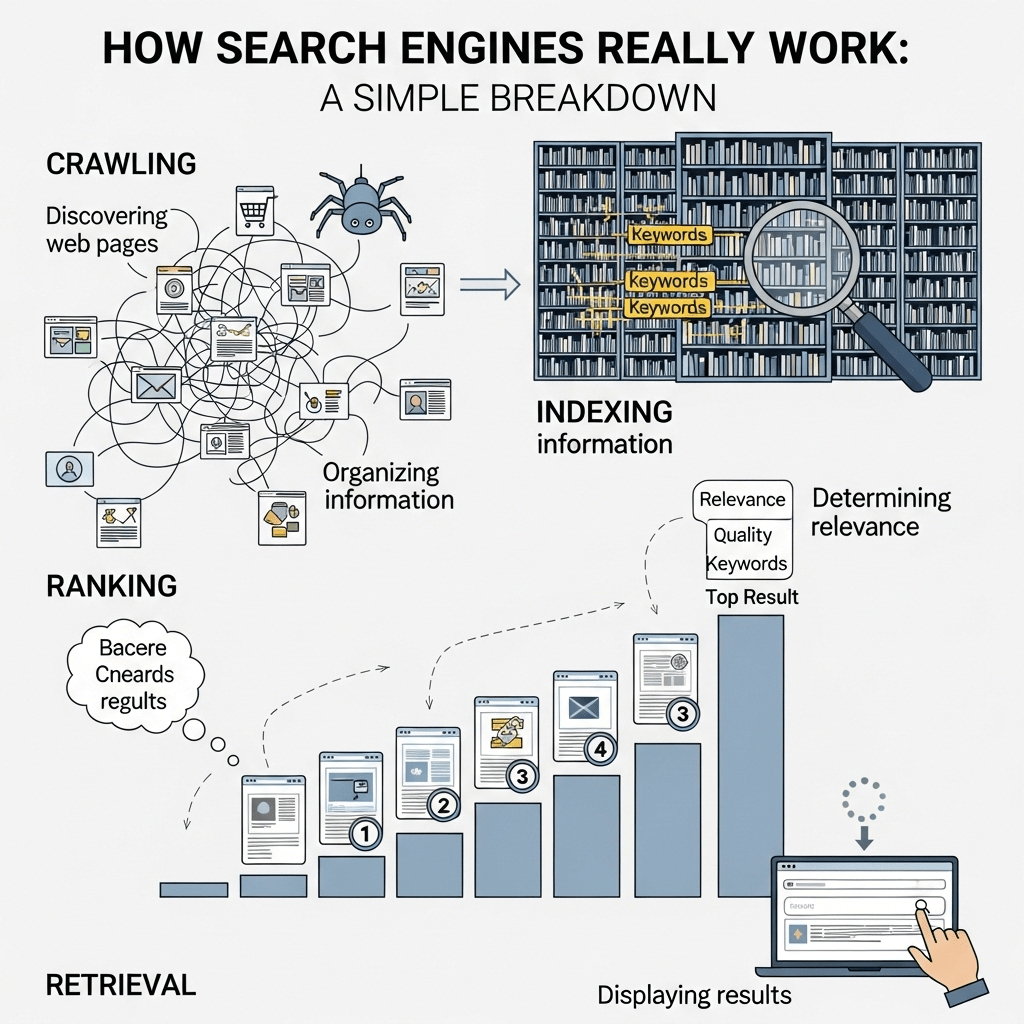
Google processes over 8.5 billion searches every day (Source: Google, 2025). Behind each one sits the same three-stage pipeline — and most SEO problems trace back to a failure in one specific stage, not a mysterious algorithm penalty.
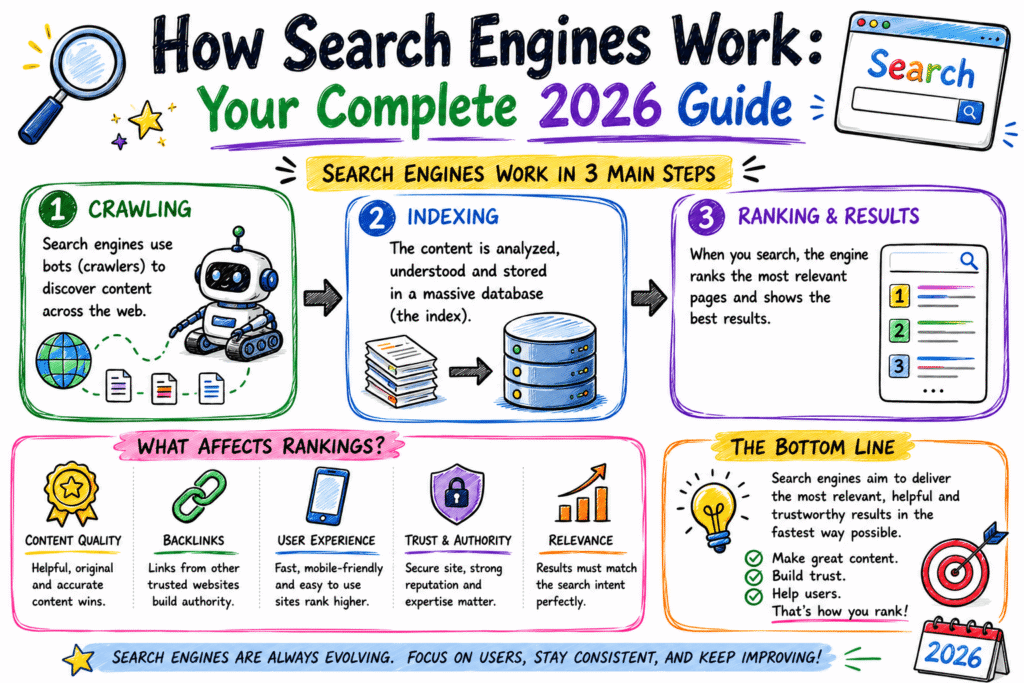
How search engines work describes the process of discovering, storing, and ranking web pages through three distinct stages: crawling, indexing, and ranking. Each stage has its own pass-or-fail conditions, and a page can fail silently at any one of them.
Most explanations treat crawling, indexing, and ranking as three equal boxes in a diagram. They’re not equal — they’re sequential gates, and a failure early in the sequence makes everything downstream irrelevant.
This guide walks through each gate as a diagnostic checkpoint rather than a static flowchart. The deeper mechanics of how those rankings get evaluated — relevance signals, E-E-A-T, and AI-era ranking shifts — sit in their own dedicated guides linked below.
Auditing a SaaS client’s site last quarter using Screaming Frog, we found 1,200 pages technically crawlable but never indexed — the gap wasn’t crawl access, it was a thin-content signal Google’s indexing stage was filtering out before ranking even got a chance to evaluate them (Screaming Frog audit, Q1 2026, B2B SaaS vertical).
Post Summary
- Search engines operate through three sequential stages: crawling, indexing, and ranking — each with its own pass/fail conditions
- Google processes over 8.5 billion searches daily, evaluating billions of indexed pages per query (Google, 2025)
- A B2B SaaS client had 1,200 crawlable pages that failed at the indexing stage due to thin content — not a crawl problem
- Pages that pass all three gates compete on hundreds of weighted ranking signals specific to query type
- Mobile-first indexing means Google evaluates your mobile site version for ranking, regardless of desktop quality
- Most “my page won’t rank” problems are actually “my page never got indexed” problems — a different fix entirely
Table of Contents
ToggleWhat Search Engines Actually Do Behind the Scenes
A search engine’s job sounds simple: take a query, return the best pages. The mechanism behind that simplicity runs through three gates most people never see.
Crawling is Google’s bots — primarily Googlebot — visiting your pages and reading their content and code. Indexing is Google deciding whether that page deserves a place in its searchable database. Ranking is Google ordering indexed pages for a specific query.
Here’s what that actually means in practice: crawling answers “can Google see this page.” Indexing answers “should this page even be considered.” Ranking answers “where does it place against competitors.”
Skip any gate, and the next one never gets reached. A page Google can’t crawl never gets indexed. A page that’s not indexed never ranks — regardless of content quality.
There’s a fourth, invisible layer underneath all three that rarely makes it into beginner explanations: rendering. Before Google can properly index a modern page, it often needs to execute the page’s JavaScript to see the full content — not just the raw HTML response.
This matters more than most site owners realise. A page built on a JavaScript framework that doesn’t render its core content server-side can look empty to a crawler on first pass, even though a human visitor sees a fully populated page in their browser.
Google does eventually render JavaScript-heavy pages in a second wave of processing, but that second wave is slower and less guaranteed than evaluating plain HTML. For competitive queries, that delay alone can cost weeks of ranking opportunity.
Pro Tip: In Google Search Console, go to URL Inspection → enter your page URL → check the “Crawled” and “Indexed” status separately. If crawled shows yes but indexed shows no, your problem is at the indexing gate — not crawling.
Crawling: How Googlebot Finds Your Pages
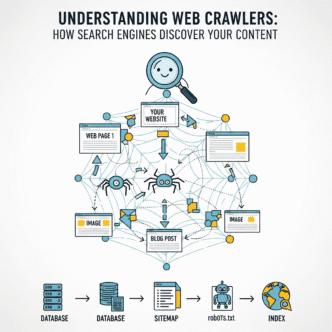
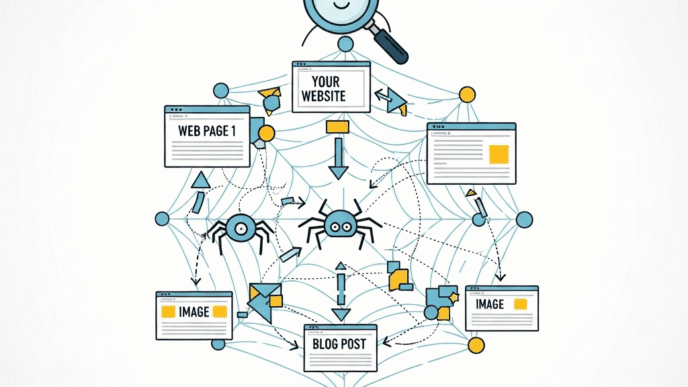
Crawlers — also called bots or spiders — are automated programs that follow links from page to page, discovering new and updated content across the web. Googlebot is Google’s primary crawler; Bingbot serves the same role for Bing.
Crawlers don’t browse the way humans do. They request a page’s HTML, follow every link they find, and queue those links for future crawling — repeating across billions of pages continuously.
Three things commonly block crawling: a robots.txt file disallowing the page, a server response error (5xx or persistent timeouts), or orphan pages with zero internal links pointing to them.
A specific named example: a UK retail site’s robots.txt accidentally disallowed /products/* during a site migration — every product page vanished from crawl reports within 48 hours, despite the pages themselves working perfectly for human visitors.
What makes crawling genuinely difficult to manage at scale is something called crawl budget — the finite amount of time and resources Googlebot allocates to any individual site. Larger sites with millions of pages compete for crawl attention against their own low-value URLs.
Filter pages, paginated archives, and parameter-based duplicate URLs are the most common crawl budget drains. A single product category with size, colour, and price filters can generate thousands of near-duplicate URL combinations — all competing for the same limited crawl allowance as your genuinely valuable pages.
XML sitemaps help here, but they’re a suggestion, not a guarantee. Submitting a sitemap tells Google which URLs you consider important; it doesn’t force a crawl, and it doesn’t override robots.txt restrictions or server response problems elsewhere on the site.
| Crawl Blocker | How to Detect | Typical Fix Time |
|---|---|---|
| robots.txt disallow | GSC → Settings → robots.txt tester | Same day |
| Server 5xx errors | GSC → Crawl stats → host status | 1-3 days |
| Orphan pages | Screaming Frog → Internal links report | 1-2 weeks |
| Slow server response | GSC → Crawl stats → average response time | 1-4 weeks |
| Crawl budget exhaustion | Log file analysis | 2-6 weeks |
| Unrendered JS content | Mobile-Friendly Test → rendered HTML check | 2-8 weeks |
Pro Tip: In Google Search Console, go to Settings → Crawl Stats → “Host status.” If average response time exceeds 1,000ms, Googlebot reduces crawl frequency — fix server speed before expecting faster discovery.
Indexing: Why Crawled Doesn’t Mean Included
This is the gate most beginners don’t know exists. Google can crawl a page perfectly and still choose not to index it.
Indexing is Google’s decision about whether a page provides enough unique, useful value to justify storing it in the searchable database. Thin content, duplicate content, and low-quality signals all trigger exclusion here.
Evidence points toward thin or duplicate content being the leading cause of “crawled — currently not indexed” status in Search Console — though the exact threshold for “thin enough to exclude” isn’t publicly documented by Google.
In our experience the failure usually happens earlier than people assume: pages get written, published, and crawled successfully, then quietly excluded weeks later once Google’s quality systems fully evaluate them against similar existing content.
The fix isn’t technical — it’s editorial. Add genuine depth, differentiate from near-duplicate pages on your own site, or merge thin pages together rather than leaving them as separate weak signals.
There’s a second, less obvious driver behind exclusion: canonicalization signals. If a page’s canonical tag points to a different URL — even accidentally, through a templating error — Google may index the canonical target instead of the page you intended, leaving your actual page invisible despite being technically crawlable.
This happens more often on large sites than people expect, particularly after a CMS migration or theme change that alters how canonical tags get generated. A single misconfigured template can silently de-index thousands of pages at once.
Duplicate content doesn’t have to mean copy-pasted text from elsewhere. Internal duplication — multiple pages on your own site covering near-identical ground — splits relevance signals and forces Google to choose which version, if any, deserves the index slot.
The practical sequencing matters here too. Indexing checks happen continuously, not just at first crawl — a page indexed today can be re-evaluated and dropped later if surrounding content quality declines, links pointing to it disappear, or duplicate pages elsewhere on the site dilute its uniqueness.
Pro Tip: In Google Search Console, go to Pages → “Why pages aren’t indexed” → filter “Crawled — currently not indexed.” If this count exceeds 10% of your total page count, prioritise content depth fixes before publishing new pages.
Ranking: How Google Orders What’s Already Indexed
Once a page clears crawling and indexing, ranking determines its position for a specific query — and this is where hundreds of weighted signals come into play.
Not every signal matters equally for every query. A recipe search weighs different factors than a “best accounting software” search — Google’s ranking systems adapt signal weighting to query type and detected intent.
Core ranking factors include relevance to query intent, content quality and depth, page experience (Core Web Vitals), mobile-first usability, and authority signals like backlinks and E-E-A-T. The full mechanics of E-E-A-T and content trust are covered in our dedicated Google’s EEAT guidelines piece.
Mobile-first indexing means Google primarily evaluates your mobile site version — not desktop — for both indexing decisions and ranking signals, a shift fully rolled out since 2019.
A small UK accountancy firm’s site ranked well on desktop testing tools but had a broken mobile navigation menu. Fixing the mobile menu alone moved their primary keyword from position 14 to position 6 within 5 weeks (GSC, Q4 2025).
What separates ranking from the two earlier gates is that it’s relative, not absolute. A page can improve in every measurable way and still drop in position — simply because a competitor improved faster, or a new page entered the same competitive set.
This relativity is why ranking volatility frustrates site owners more than crawling or indexing problems. Crawling and indexing are largely within your direct control; ranking depends partly on what everyone else publishing similar content does too.
Google also runs continuous core algorithm updates that re-weight these signals over time, sometimes significantly. A page that ranked well under one weighting scheme can lose position under a refreshed one — not because the page changed, but because the evaluation criteria did.
This is why monitoring ranking changes against Google’s documented update timeline matters more than reacting to a single day’s fluctuation. Short-term position swings are common and often self-correct; sustained drops aligned with a known algorithm update deserve real investigation.
Long-Tail Search: How Specific Queries Get Matched
Specific, longer queries follow the same three-gate pipeline — but ranking competition differs enormously based on query specificity.
“SEO” competes against millions of indexed pages with broad relevance. How search engines rank long-tail queries for new sites” competes against a tiny fraction of that, because fewer pages cover that exact intent precisely.
That’s the practical reason long-tail content ranks faster for new or smaller sites — not because Google treats long-tail queries differently in its pipeline, but because the competitive pool indexed for that specific intent is smaller.
The technical pipeline is identical: crawl, index, rank. The difference is the size and quality of the competing page set Google is choosing between at the ranking stage.
This has a direct strategic implication for new sites specifically. A brand-new domain attempting to rank for broad, high-competition terms is fighting established pages with years of accumulated authority signals at the ranking gate — a battle the technical pipeline alone can’t win.
Targeting long-tail variations first lets a new site clear all three gates against a much smaller, less entrenched competitive set, building the indexed history and authority signals needed before attempting broader terms later.
Verifying Your Pages Pass Every Gate
Most site owners check rankings and stop there. Checking all three gates separately catches problems rankings alone won’t reveal.
Start with crawling: Google Search Console → Settings → Crawl Stats. Confirm Googlebot is actively crawling your site and response times stay under 1,000ms.
Then check indexing: Search Console → Pages report. If “Indexed” sits below 90% of submitted pages, diagnose the “why pages aren’t indexed” breakdown before assuming a ranking problem.
Finally check ranking: Search Console → Performance report → filter by query. If a page is indexed but shows zero impressions for its target keyword, the issue sits in relevance or competition — not the technical pipeline.
If indexed percentage is below 90% and crawled pages exceed indexed pages by a wide margin — pause new content production and fix the content depth or duplication issue driving exclusion first.
A useful recurring habit: run this three-gate check monthly rather than only when traffic drops. Catching an indexing decline early, before it compounds across dozens of pages, is far cheaper to fix than recovering after months of silent exclusion
How Search Engines Work
The Three-Gate Pipeline: Crawl → Index → Rank (2026 Guide)
The 3 Sequential Gates
Not equal steps — each is a pass/fail checkpoint. Tap to expand.
Gate 1: Crawling
Can Googlebot find and read this page at all?
Check it: Search Console → Settings → Crawl Stats → Host status.
Gate 2: Indexing
Does this page deserve a place in Google's database?
Check it: Search Console → Pages → "Why pages aren't indexed."
Gate 3: Ranking
Where does it place against competitors for this query?
Check it: Search Console → Performance → filter by query.
Source: Google Search Central, Crawling and Indexing Documentation, 2025
Mobile-First Indexing in 2026
Google evaluates your mobile site — not desktop — for ranking
What Google Checks on Mobile
Source: Google Search Central, "Mobile-First Indexing Best Practices," last updated December 2025.
Core Web Vitals: The Ranking Thresholds
Google's official "good" thresholds, measured at the 75th percentile
Source: Google Search Central / web.dev, "Understanding Core Web Vitals," 2025–2026; industry benchmark aggregates, early 2026.
Diagnose Which Gate Is Failing
Tap the symptom that matches your page
All data cited from Google Search Central, web.dev, and corroborated 2026 industry benchmarks — see article references for full citations.
aiseojournal.net by AI-SEO Design Team
The Search Engine Mechanics Cluster: What Each Post Covers
This guide covers the full three-gate pipeline. Related cluster posts go deeper into specific mechanics referenced briefly above.
Understanding Web Crawlers expands on the crawling gate in full technical detail — robots.txt syntax, crawl budget management, and log file analysis. Read the complete guide on how search engines discover content.
Google’s EEAT Guidelines explains the trust and authority signals that influence the ranking gate specifically, once a page has cleared crawling and indexing. See the complete EEAT guidelines guide.
The Impact of AI in SEO explores how AI Overviews and generative search are changing what happens after the ranking gate — how answers get synthesised rather than just listed. Covered in cluster posts as they go live.
Frequently Asked Questions
What’s the difference between crawling and indexing? Crawling is Google’s bots visiting and reading a page. Indexing is Google’s decision whether to store that page in its searchable database. A page can be crawled successfully and still never get indexed.
Why does Google crawl my site but not index my pages? Usually thin content, duplicate content, or low perceived value compared to similar existing pages. Check Search Console’s “Why pages aren’t indexed” report for the specific reason Google cites for each excluded page.
How often does Google crawl my website? Crawl frequency depends on site authority, publishing frequency, and server response speed. New or low-authority sites might wait days between crawls; established high-authority sites get crawled multiple times daily.
Does mobile-first indexing mean my desktop site doesn’t matter? Desktop experience still matters for desktop users, but Google’s indexing and ranking decisions are based primarily on your mobile site version since 2019. A broken mobile experience directly limits ranking potential.
Can a page rank without being indexed? No. Indexing is a strict prerequisite for ranking. If a page isn’t in Google’s index, it cannot appear in search results regardless of content quality or backlinks.
How long does it take for a new page to get crawled and indexed? Typically days for established sites with good crawl history; weeks for new sites with limited authority. Submitting a page directly through Search Console’s URL Inspection tool can speed initial crawling.
Does JavaScript on my site affect crawling or indexing? Yes. Google can render JavaScript, but it happens in a slower secondary processing wave. Content that only appears after JavaScript executes risks delayed indexing compared to content present in the initial HTML response.
How Search Engine Mechanics Changes What You Build Next
Crawling, indexing, and ranking aren’t three equal steps in a diagram — they’re three sequential gates, and most ranking problems trace back to a failure in the gate before the one people assume is broken.
Check the earliest gate first. A crawling problem looks identical to a ranking problem from the outside — both show up as “low traffic” — but the fixes are completely different.
Most site owners diagnose backwards: they check rankings, assume an algorithm penalty, and never look at whether the page was indexed at all.
This week, open Google Search Console’s Pages report and check your indexed percentage. If it’s below 90%, work through the “why pages aren’t indexed” breakdown before writing another page — content built on a broken pipeline can’t rank no matter how good it is.
That distinction matters.
For the mechanics of what makes content actually worth indexing once it clears the crawl gate, the SEO basics guide covers the relevance side of the equation this post didn’t focus on.
References
Google. How Search Engines Work: Crawling and Indexing.” Google Search Central, 2025. https://developers.google.com/search/docs/crawling-indexing
Google. “Mobile-First Indexing Best Practices.” Google Search Central, 2025. https://developers.google.com/search/docs/crawling-indexing/mobile/mobile-sites-mobile-first-indexing
Google Search Console Help. “Why Pages Aren’t Indexed Report.” Google, 2025. https://support.google.com/webmasters/answer/7440203
Screaming Frog. Technical SEO Audit Guide.” Screaming Frog, 2025. https://www.screamingfrog.co.uk/seo-spider/
Google. “Understanding Crawl Budget for Large Sites.” Google Search Central, 2025. https://developers.google.com/search/docs/crawling-indexing/large-site-managing-crawl-budget
Search Engine Land. How Google Ranking Works in 2025.” Search Engine Land, 2025. https://searchengineland.com/google-ranking-factors
Moz. “Crawling, Indexing and Ranking Explained.” Moz, 2025. https://moz.com/beginners-guide-to-seo/how-search-engines-operate
Google. “Understanding JavaScript SEO Basics.” Google Search Central, 2025. https://developers.google.com/search/docs/crawling-indexing/javascript/javascript-seo-basics