

If you run a healthcare website in the US, accessibility is not a nice extra. The Department of Justice says the ADA covers websites of businesses open to the public. HHS has set a technical standard for many healthcare organisations [1] [2]. The good news: most of the fixes also make your pages clearer for search engines and for patients.
This guide explains what the rules say, how to check your site, and what to fix first. It is general information, not legal advice. Ask a lawyer about your own situation.
In short
HHS requires web content and mobile apps of covered organisations to meet WCAG 2.1 Level AA. In May 2026 it moved the deadlines. They are now 11 May 2027 for organisations with 15 or more employees and 10 May 2028 for smaller ones [2]. Start with an audit, fix the patient-facing paths first, and test with real assistive technology.
Table of Contents
ToggleWhat do the rules say?
| Source | What it says |
|---|---|
| US Department of Justice (ADA web guidance) | The ADA applies to state and local governments (Title II) and to businesses open to the public (Title III). Their services, programs and goods offered on the web must be accessible. DOJ names no single required standard for Title III, and points to WCAG and Section 508 as helpful guidance [1] |
| HHS Section 504 rule (2024), as changed in May 2026 | Web content and mobile apps must conform to WCAG 2.1 Level AA. Compliance dates: 11 May 2027 for recipients with 15 or more employees; 10 May 2028 for those with fewer than 15 [2] |
| W3C | WCAG has three conformance levels: A, AA and AAA. WCAG 2.2 is the latest version, published in October 2023 [3] |
HHS delayed the dates by one year with an interim final rule published on 11 May 2026. It is open for comments, so the text could change. The rule says the delay does not relieve recipients of their other Section 504 obligations [2]. Many older articles still show the original 2026 date, so check the date on anything you read.
Watch out: The HHS rule applies to recipients of HHS funding. Whether it covers your practice depends on facts only you and your lawyer know. The ADA can apply separately. Public hospitals and other state or local government providers fall under ADA Title II. DOJ’s page says its guidance does not reflect the Title II web rule published in the Federal Register on 24 April 2024 [1]. Ask a lawyer how that rule applies to you.
How do you audit your healthcare website?
Read the workflow as text
- Know the rules first. HHS Section 504 asks for WCAG 2.1 Level AA. The deadlines are 11 May 2027 for 15 or more employees and 10 May 2028 for fewer.
- List the patient paths. Booking, forms, the patient portal, billing, telehealth login and contact pages.
- Run an automated check. It finds some problems fast. A clean report does not guarantee accessibility, so add a manual review.
- Test by hand. Use only the keyboard, zoom to 200% and try a screen reader on your booking form.
- Add a way to report problems. Put a clear contact method in the footer.
- Record what you fix. Keep dates and test results.
- Fix first: forms, images, headings, colour and contrast, video and audio, PDFs and third-party tools.
- List the patient paths. Booking, forms, the patient portal, billing, telehealth login, and contact pages.
- Run an automated check. It finds some problems fast. DOJ warns that a clean report does not guarantee accessibility. A report with errors does not prove a barrier exists. It recommends pairing automated checks with manual review [1].
- Test by hand. Use only the keyboard. Zoom to 200%. Try a screen reader on your booking form.
- Give people a way to report problems. DOJ suggests it [1]. Put a clear contact method in the footer.
- Record what you fix. Keep dates and test results.
What to test with. You don’t need a big budget to start.
- An automated scanner. W3C keeps a list of evaluation tools. It showed 119 when we checked on 9 November 2026, and W3C does not endorse any of them [13]. You can filter the list by WCAG version.
- Your keyboard. Put the mouse away and press Tab. Can you reach and use every control? [9]
- A screen reader. NVDA is a free, open-source option [14]. Most phones and computers also include a built-in one. Check your device settings.
What should you fix first?
- Forms: every field needs a visible label, clear error messages, and keyboard access.
- Images: write alt text that says what the image shows. Mark purely decorative images so screen readers skip them.
- Headings and structure: one H1, then a logical order of H2 and H3. This also helps search engines read the page.
- Colour and contrast: do not use colour alone to show meaning.
- Video and audio: add captions and transcripts.
- PDFs: make forms and brochures accessible, or offer an accessible version.
- Third-party tools: check your booking and portal vendors. Ask for their conformance report.
Tick what you have done. The tool counts your ticks and lists what is left. It does not scan your website, give legal advice or store anything: nothing leaves this page.
What do the common fixes look like?
Each fix below names the WCAG success criterion it meets. The names come from W3C’s Understanding pages. HHS names WCAG 2.1 Level AA, so check each criterion in the 2.1 text before you quote it in a policy.
If an AI coding agent writes or edits your pages, check its output against these criteria too. Google’s Modern Web Guidance 1.0 steers agents towards patterns such as keyboard focus and accessible form validation, but its accessibility review is not a full WCAG audit.
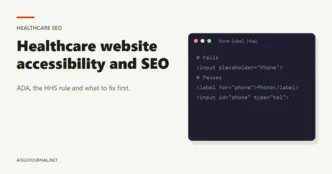
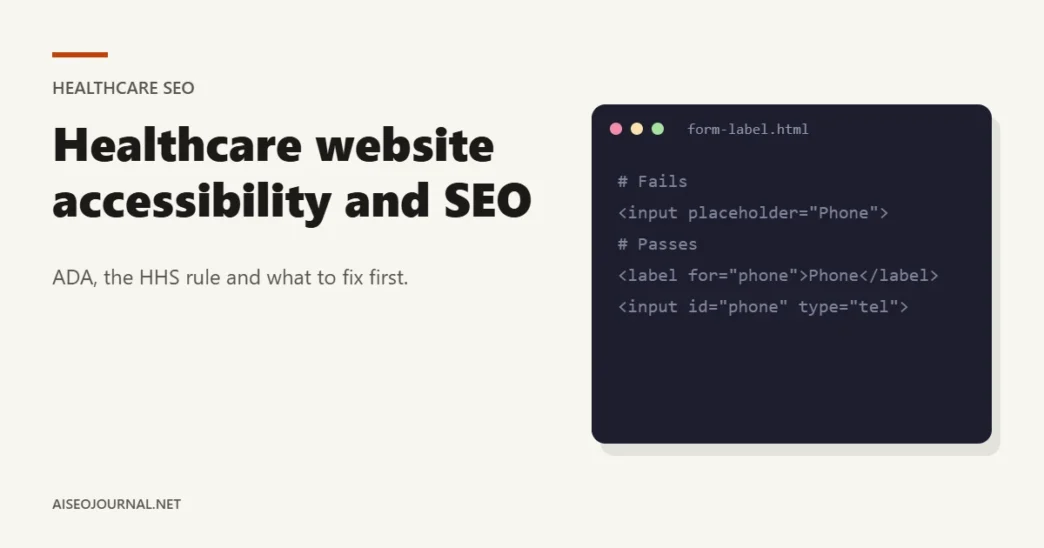
Form labels (WCAG 3.3.2 and 1.3.1)
Every field needs a label or instructions [5]. Tie the label to its field in the code, so assistive technology can read it out. W3C lists label markup among its techniques for this [6].
Fails: no label. A placeholder vanishes as soon as someone types.
<input type="email" name="email" placeholder="Email">Passes: a real label, linked by for and id.
<label for="email">Email address</label>
<input id="email" type="email" name="email" autocomplete="email">
Images and alt text (WCAG 1.1.1)
An image that carries information needs a text alternative that does the same job [4]. A purely decorative image should be coded so assistive technology skips it, which means an empty alt [4]. Charts and diagrams need a short alt plus a longer description [4].
Alt text also matters for search. Google says it is the most important attribute for image metadata, and it warns against keyword stuffing [11].
Fails: no alt, or an alt that tells the reader nothing.
<img src="IMG00023.jpg">
<img src="IMG00024.jpg" alt="image">
Passes: an example of informative and decorative images.
<img src="clinic-entrance.jpg" alt="Main entrance of the clinic with a step-free ramp">
<img src="divider.svg" alt="">
Text contrast (WCAG 1.4.3)
Normal text needs a contrast ratio of at least 4.5:1 against its background. Large text needs 3:1. W3C counts large text as 18 point, or 14 point bold, which is about 24 and 18.5 pixels [7]. Do not round up: 4.499:1 fails [7].
Light grey (#999999) on white works out at about 2.85:1, so it fails. Mid grey (#767676) on white is about 4.54:1, so it passes at normal size. Those two figures are our own calculation using W3C’s contrast formula.
Fails, then passes.
.note { color: #999999; background: #ffffff; } /* about 2.85:1 */
.note { color: #767676; background: #ffffff; } /* about 4.54:1 */
Keyboard access and skip links (WCAG 2.1.1 and 2.4.1)
Everything you can do with a mouse must work from a keyboard [9]. A skip link lets keyboard users jump past the repeated menu. W3C names it as a technique for bypassing repeated blocks. It also says you may not need one if the browser already offers a shortcut [8]. Treat it as a good option, not the only one.
Fails: a div that only responds to a click.
<div onclick="openBooking()">Book now</div>Passes: a real button, plus a skip link.
<a class="skip-link" href="#main">Skip to main content</a>
...
<main id="main">...</main>
<button type="button" onclick="openBooking()">Book now</button>
Video captions (WCAG 1.2.2)
Prerecorded video with speech needs captions [10]. In HTML, the track element is one named technique [10]. Add a transcript as well. It helps people who cannot play video.
Passes: captions attached with a track element.
<video controls src="welcome.mp4">
  <track kind="captions" src="welcome-en.vtt" srclang="en" label="English">
</video>
What if your audit finds a long list of problems?
Don’t try to fix everything at once. Work in this order.
- Fix the shared template first. One change to a header, footer or form component fixes every page that uses it. Our own check below shows why.
- Then take one patient path at a time. Start with booking.
- Fix what blocks a task before what only annoys. An unlabelled field can stop a screen reader user booking. A slightly pale caption is a lower priority, though it still needs fixing.
- Ask vendors for fixes. Request their conformance report and note the date you asked.
- Retest and record. Retest after every site change. Keep dates and results.
This is general information, not legal advice. Your lawyer can tell you how fast you need to move.
Audit log template. Copy this into a spreadsheet. One row per barrier.
| Date found | Page or path | What fails | WCAG criterion | Fix | Retested on | Who |
|---|---|---|---|---|---|---|
| [date] | /booking/ | Phone field has no label | 3.3.2 | Add a label linked by for and id | [date] | [name] |
| [date] | /contact/ | Hero image has no alt | 1.1.1 | Write alt text that says what it shows | [date] | [name] |
The two rows are examples. Replace them with your own findings.
Does accessibility help SEO?
Some fixes overlap with good SEO: clear headings, descriptive link text, alt text and a fast, stable page. We do not claim that accessibility is a ranking factor. Google has not said so. The honest case is simpler: the same work makes the page easier for people and for crawlers to understand.
For the trust side of healthcare search, read our healthcare SEO guide. For tracking and privacy rules, see HIPAA, analytics and SEO.
Where accessibility fixes and search overlap
| Fix | Why it helps people | What Google says |
|---|---|---|
| Alt text | Screen reader users hear what an image shows [4] | Google uses alt text, with other signals, to understand images [11] |
| Descriptive link text | Visitors can tell where a link goes without reading around it | Anchor text tells people and Google what the linked page is about. “Click here” is too generic [12] |
| Real links (a with href) | Keyboard users can reach real links with Tab | Google can generally crawl only a elements that have an href [12] |
| Heading structure | Gives the page a structure people and assistive technology can use [6] | We found no Google statement that ranks pages by heading order. Treat it as a benefit for readers. |
We can’t tell you that fixing accessibility will lift your rankings. Google has not said so in the pages we read. The sound case is simpler: the same work helps visitors and helps crawlers read the page.
Worth knowing: We rewrote this article in November 2026. The earlier version quoted lawsuit counts and settlement costs, named court cases, and included an ROI calculator. We could not verify those figures, so we removed them.
From our own site: On 9 November 2026 a short script checked seven of our pages, including this one: the home page, three guides and three pillars. The same 4 images with no alt attribute and 4 unlabelled form fields appeared on every page, so they sit in the template. The images are 1-pixel placeholders in the social-share plugin. The fields are the theme’s two search boxes and two email sign-up boxes, which use placeholder text only. One page had a fifth unlabelled text field. None of the seven has a skip link. Three of our pillar guides also contain more than one H1. A separate colour check found body text of #7a7a7a on white, about 4.29:1, just under the 4.5:1 minimum. This is a small script check, not an audit. It cannot judge keyboard use.
Frequently asked questions
Which accessibility standard does HHS require?
WCAG 2.1 Level AA for web content and mobile apps of covered recipients, according to the 2024 Section 504 rule and the May 2026 interim final rule.
When do the HHS deadlines apply?
11 May 2027 for recipients with 15 or more employees, and 10 May 2028 for recipients with fewer than 15 employees, after HHS delayed them by one year in May 2026.
Does the ADA apply to my medical practice website?
DOJ’s position is that the ADA covers the web services of businesses open to the public and of state and local governments. Ask a lawyer how it applies to you.
Can an automated scanner prove my site is accessible?
No. DOJ says a clean report does not guarantee accessibility. Combine scans with manual testing and real assistive technology.
Is WCAG 2.2 required?
HHS names WCAG 2.1 Level AA. WCAG 2.2 is the latest W3C version, and it is a sensible target for new work.
Do I need a skip link?
WCAG 2.4.1 requires a way to bypass blocks of repeated content, such as menus. W3C names a skip link as one technique, and says it may be unnecessary when the browser already offers a shortcut. Test with a keyboard on your own site.
Does alt text help SEO?
Google says it uses alt text, with other signals, to understand images. Write it for people first. Do not stuff keywords.
What contrast ratio do I need?
WCAG 1.4.3 asks for at least 4.5:1 for normal text and 3:1 for large text.
What should you do next?
Pick one patient path, such as booking. Test it with a keyboard and a screen reader this week. Write down what fails and fix the forms first. Then read our healthcare SEO guide for the trust side.
Sources
- US Department of Justice — Guidance on Web Accessibility and the ADA (page dated 18 March 2022; checked 9 November 2026)
- Federal Register, 11 May 2026 — HHS Office for Civil Rights, interim final rule delaying Section 504 web and mobile app compliance dates
- W3C — Web Content Accessibility Guidelines (WCAG) overview
- W3C — Understanding Success Criterion 1.1.1: Non-text Content
- W3C — Understanding Success Criterion 3.3.2: Labels or Instructions
- W3C — Understanding Success Criterion 1.3.1: Info and Relationships
- W3C — Understanding Success Criterion 1.4.3: Contrast (Minimum)
- W3C — Understanding Success Criterion 2.4.1: Bypass Blocks
- W3C — Understanding Success Criterion 2.1.1: Keyboard
- W3C — Understanding Success Criterion 1.2.2: Captions (Prerecorded)
- Google Search Central — Image SEO best practices
- Google Search Central — Link best practices for Google
- W3C WAI — Web Accessibility Evaluation Tools List (checked 9 November 2026)
- NV Access — NVDA free screen reader (checked 9 November 2026)