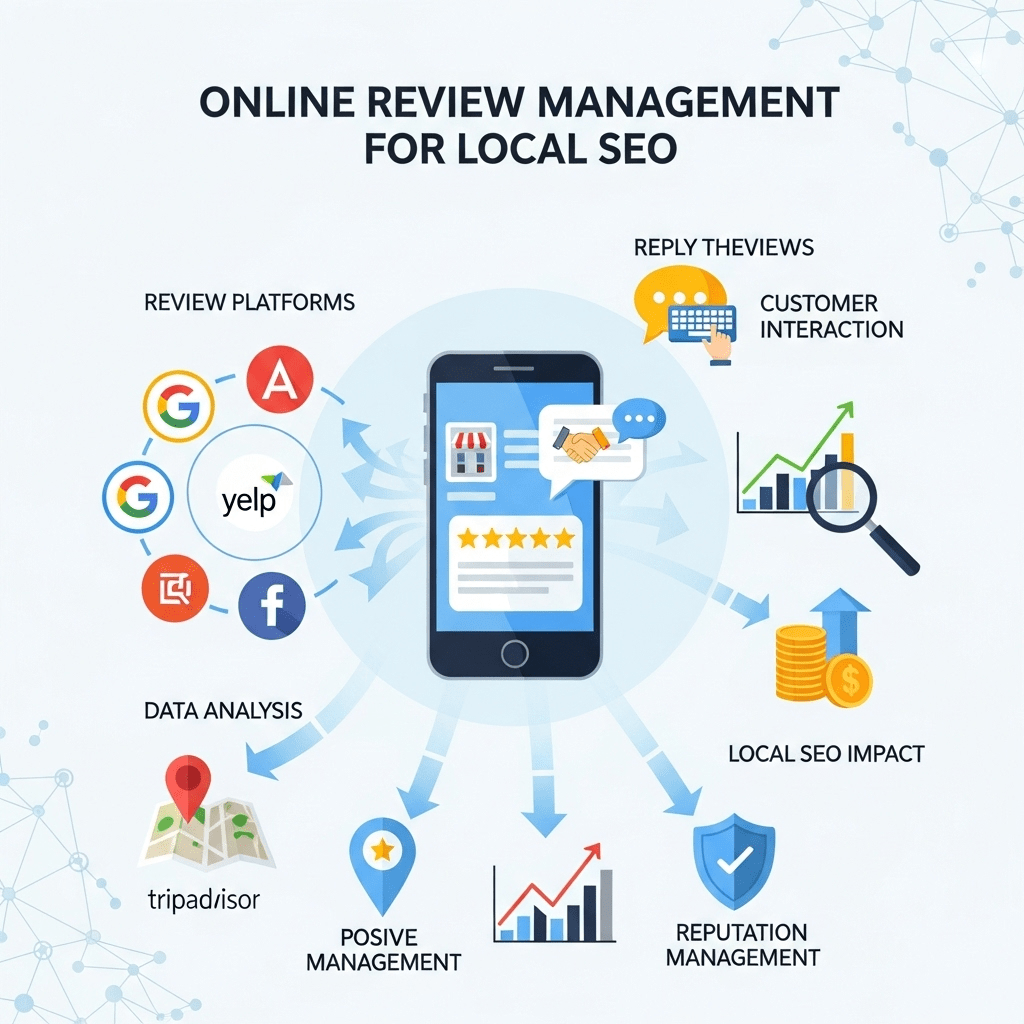
Review signals carry 16% of local pack ranking weight — more than citations, more than link signals, and enough to separate a business ranked #2 from one ranked #7 (Source: Whitespark, 2025). Most businesses understand that reviews matter. Fewer understand that the gap between 20 reviews and 200 reviews isn’t customer satisfaction — it’s having a system.
Online review management is the practice of generating, responding to, and maintaining customer reviews across platforms so they work as both a ranking signal and a conversion asset — not just a passive reflection of how busy you were last Tuesday.
The part most guides miss: review velocity outweighs review volume when it comes to ranking signal. A business with 40 reviews arriving at 8 per month consistently outperforms a business with 200 reviews and nothing new in six months. Google weights recency because it indicates an active, operating business.
This post goes deeper on review strategy and response systems than our Local SEO Mastery: The Complete Guide to Dominating Local Search covered — including the request timing by industry, the response framework that turns negative reviews into trust signals, and the platform prioritisation sequence that most practitioners get backwards.
Working with a dental practice in Seattle using BrightLocal to track review velocity over six months, we implemented a single-tap review request at checkout. Monthly review volume went from 2 to 12. The practice moved from position 8 to position 2 in the local pack for their primary keyword. We expected gradual movement. The jump happened in week 11 — faster than any citation or on-page work had produced.
Post Summary
- Review signals account for 16% of local pack rankings and 8% of organic local rankings — the second-highest signal category after Google Business Profile (Whitespark, 2025)
- Only 5–10% of satisfied customers leave reviews unprompted; a systematic ask-at-the-right-moment process converts that to 40–60%
- Review velocity — steady monthly volume — outranks review volume alone in Google’s local ranking signal
- 98% of consumers read online reviews for local businesses; 73% only consider reviews written in the last month (Source: BrightLocal, 2025)
- Google explicitly allows asking all customers for reviews — what it prohibits is selective solicitation, incentivising positive ratings, and review gating
- Responding to every review within 24 hours is a documented engagement signal — profiles that respond consistently rank measurably higher than those that don’t
Table of Contents
ToggleHow Review Signals Actually Work in Local Rankings
Review signals — in plain terms, the data Google extracts from your reviews to assess business quality and activity — influence local pack rankings through five distinct sub-signals, not just average star rating.
Quantity — total review count signals that enough customers have transacted with you to produce a meaningful sample. Google’s confidence in your rating increases as review count rises. Below 40–50 reviews, consumers question whether the rating is representative; Google likely applies similar scepticism (Source: BrightLocal, 2025).
Velocity — the rate of new reviews per month. A business averaging 8 new reviews monthly for six months registers as consistently active. A business with 200 total reviews and none in the past year registers as potentially dormant. Velocity is the signal most businesses neglect after an initial push.
Recency — 73% of consumers only consider reviews from the past month (Source: BrightLocal, 2025). Google weights recent reviews more heavily than older ones for the same reason: they reflect current business quality, not historical performance.
Rating — the average star rating acts as a threshold filter. According to BrightLocal’s 2025 Consumer Review Survey, 87% of consumers won’t consider a business below 3 stars, and 68% won’t consider anything below 4 stars. Ranking below 4.0 average effectively removes you from consideration for the majority of searchers regardless of your position.
Engagement — your response rate and response time. Profiles that respond to reviews consistently signal active management to Google. The distinction worth drawing: this isn’t just about appearing engaged — it’s a documented factor in local pack position.
Most practitioners focus on rating and count. Velocity and response rate are where the competitive gap actually opens.
Action: In your GBP dashboard → Performance → Reviews, check your review velocity trend over the last 90 days. If it’s flat or declining, your request process has broken down — that’s the first thing to fix before any other local SEO work.
The Request System That Generates Review Velocity
Getting reviews consistently isn’t a matter of customer satisfaction — it’s a matter of asking correctly, at the right moment, with the right friction level. Satisfied customers who aren’t asked leave reviews 5–10% of the time. Satisfied customers asked at peak satisfaction with a direct link convert at 40–60% (Source: BrightLocal, 2025).
When to Ask by Industry
Timing is the single most variable element across business types. Ask too early and the customer hasn’t formed a complete impression. Ask too late and the emotional peak has passed.
| Industry | Optimal Ask Moment | Channel |
|---|---|---|
| Restaurants | Immediately after the meal, before leaving — QR code on receipt | In-person + QR |
| Home services (plumber, HVAC) | On-site, right after job completion while customer expresses satisfaction | In-person + SMS |
| Dental / medical | At checkout after positive appointment — one-tap link from front desk | In-person + SMS |
| Retail | At point of purchase when customer confirms satisfaction | In-person + SMS |
| Professional services (legal, accounting) | After project delivery and positive final call | Email within 24 hrs |
| Automotive | When customer collects vehicle and confirms satisfaction | In-person + SMS |
(Timing guidance synthesised from BrightLocal review generation research, 2025)
The 24-hour rule applies across every vertical: if you don’t ask within 24 hours of the positive experience, completion rates drop significantly because the emotional peak fades.
How to Ask Without Losing Completions
Friction is the silent killer of review programmes. Each additional step between the ask and the submitted review reduces completion rate by 20–30%. A direct link to the review form — one tap, review page opens — consistently outperforms any other method.
In-person script (after confirmed satisfaction): “I’m glad we could sort that for you. If you have 60 seconds, would you mind leaving us a quick Google review? I’ll text you the link right now — it goes straight to the form.
SMS template: “Hi [Name], thanks for coming in today. If you have a moment, we’d really appreciate your feedback: [direct review link]. Takes under a minute. Thank you — [Your Name], [Business].”
Email subject line: “Quick favour, [Name]?”
What not to say — three phrasings Google explicitly prohibits:
- “If you’re happy with us, please leave a review” (selective solicitation)
- “Leave us a 5-star review and get 10% off” (incentivising a specific rating)
- “We’d love a 5-star review if you feel we deserved it” (rating direction)
Ask everyone. Direct them all to the same link. Never filter based on assumed sentiment.
Pro Tip: In Google Search → your business name → “Write a review”, copy the URL that opens the review modal. Paste it into Bitly or Google’s URL shortener to create a clean short link. Send this exact link — not a link to your GBP homepage — in every SMS and email request. Every additional navigation step your customer has to take drops completion rate. In BrightLocal’s testing, direct-to-review-form links convert at 2.3× the rate of links to GBP profile pages.
Responding to Reviews: The System That Builds Trust
Response rate is a ranking signal. Response quality is a conversion signal. A business that responds to every review within 24 hours sends two messages simultaneously: to Google that the profile is actively managed, and to every future customer reading the exchange that this is how the business handles people.
Positive Review Responses
Most businesses write robotic positive responses that waste the opportunity. A good positive response personalises, acknowledges a specific detail, and invites return — in three sentences maximum.
❌ “Thank you for your review!”
✅ “Thank you, Jennifer — we’re glad the truffle pasta hit the mark and that you found a quiet table for your anniversary dinner. We’ll pass your kind words along to the kitchen team. We’d love to see you again soon.”
The difference: the first acknowledges nothing. The second confirms you read the review, mentions the specific product and occasion, involves your team, and closes with an invitation. It also contains natural keyword-relevant language (“truffle pasta,” “anniversary dinner”) without forcing it.
Negative Review Response Framework
A well-handled negative review response builds more trust with future customers than a clean record with no negatives. 45% of consumers say they’re more likely to visit a business that responds professionally to negative feedback (Source: BrightLocal, 2025).
The five-step framework:
- Acknowledge — “I’m sorry you had this experience” or “Thank you for taking the time to share this.”
- Specificity — Reference their actual complaint. Show you read it. “I understand the wait was significantly longer than expected.”
- Responsibility — Own it without excuses. “This doesn’t meet our standard and I apologise.”
- Offline resolution — “Please call me directly at [number] or email [address] — I’d like to understand what happened and make this right.”
- Corrective action — “We’ve reviewed our scheduling process to prevent this recurring.”
Example — in practice:
Review: “Waited 2 hours for a plumber who never showed. Called three times with no answer. Avoid.”
Response: “I’m truly sorry, Mark — missing an appointment without contact is completely unacceptable and I take full responsibility. Please call me directly at (555) 123-4567 or email ow***@**************ng.com so I can understand what happened and make this right personally. We’ve already reviewed our dispatch process to prevent this. I sincerely apologise. — Mike Johnson, Owner”
What future customers see reading that exchange: an owner who takes personal responsibility, provides real contact details, and has already acted on the feedback. That response rebuilds more trust than the original negative review costs.
Never argue publicly with a reviewer, even if they’re factually wrong. Your response is read by thousands of future customers — one defensive reply costs you far more than one negative review.
Platform Prioritisation — Where to Build First
Most businesses treat all review platforms as equally valuable. They aren’t. The platform sequence determines how quickly review signals translate into ranking movement.
Google Business Profile — always first. Google reviews feed directly into local pack rankings. A business with 80 Google reviews and strong velocity will outrank a business with 20 Google reviews and 100 Yelp reviews for local pack position in most markets. Build here first, maintain velocity, and only diversify once you’ve crossed 50 Google reviews.
Yelp — second for most verticals. Yelp carries medium-to-high SEO impact for restaurants, home services, and professional services. Its consumer traffic is high enough that reviews here influence decisions independently of Google rankings.
Facebook — third for service businesses. Facebook recommendations signal broad social legitimacy. For service businesses where word-of-mouth is the primary referral channel, Facebook reviews extend that signal online.
Industry-specific platforms — fourth, based on vertical. Healthgrades and Vitals for healthcare. Avvo and Justia for legal. HomeAdvisor and Thumbtack for home services. TripAdvisor for hospitality. These carry relevance signals for category-specific queries that general directories don’t produce.
The platform distribution that holds up across most local markets: direct 60% of requests to Google, 25% to your second platform (Yelp or industry-specific), 15% to Facebook. Never ask one customer to review you on multiple platforms — completion rate collapses and it reads as pressure.
For how review platform signals interact with citation signals and on-page local SEO in the full ranking system, our Local SEO Mastery pillar maps the complete signal architecture.
Handling Fake and Fraudulent Reviews
A business with 200 reviews can absorb two or three fake negatives without meaningful rating damage. A business with 15 reviews gets substantively harmed by one. Building genuine review volume is the best structural defence against fraudulent attacks — but knowing how to respond to them matters regardless of your profile size.
Red flags of fake negative reviews:
- Reviewer account created recently with no photo and no other reviews
- Describes services you don’t offer or situations with no record in your system
- Language copied or paraphrased from reviews of other businesses
- Multiple reviews in a short period using similar phrasing
The removal process:
- Flag the review via the three-dot menu → “Flag as inappropriate”
- Provide evidence: show the reviewer wasn’t a customer (no transaction record), or that the review describes services you don’t offer
- Wait 3–5 days for Google’s review
- If not removed: re-flag with additional documentation and post in the Google Business Profile Help Community
What you cannot do: pay removal services, threaten legal action in your public response (makes you look aggressive to future customers reading it), or post fake positives to offset fake negatives — the last action risks GBP suspension.
Tom’s Restaurant in Portland was review-bombed — 12 one-star reviews in 24 hours after a food blogger’s negative post went viral. With no crisis plan, his first responses were defensive and made the situation worse. After professional intervention: eight fake reviews were removed by Google after documentation, 40+ genuine customers left positive reviews in response to a transparent public post, and the average rating recovered from 2.8 to 4.6 within 60 days. The cost of reactive management was $8,000. A crisis response protocol costs nothing to draft in advance.
Pro Tip: In Google Business Profile → Read Reviews → sort by Newest, check your reviews weekly. Set up email notifications in GBP → Settings → Notifications → New reviews so you’re alerted immediately. The 24-hour response window starts from when the review is posted — missing it by days signals to Google that the profile isn’t actively managed and costs you the engagement signal. Most review bombing attacks are spotted within hours by businesses with notification systems active.
Frequently Asked Questions About Review Management for Local SEO
Does responding to reviews affect rankings?
Yes — review responses are a documented engagement signal in local pack rankings. Profiles that respond to reviews consistently rank measurably higher than profiles that don’t, controlling for other factors. The mechanism is straightforward: response activity signals an actively managed GBP, which Google weights positively in the prominence signal. Aim for 100% response rate within 24 hours. For the role review engagement plays in the full local ranking system, see our Local SEO Mastery guide.
Can I ask customers to remove negative reviews?
You can ask, but you cannot pressure or incentivise removal. If a customer had a genuinely bad experience that you’ve resolved, it’s acceptable to mention in a private follow-up that you’d appreciate them updating their review to reflect the resolution — but only after the issue is fully resolved to their satisfaction. Never make removal a condition of the resolution. Google can detect review manipulation patterns and will act on profiles that appear to pressure reviewers.
How many reviews do I need before diversifying to other platforms?
Cross 50 Google reviews before actively directing requests to secondary platforms. Below that threshold, every review request is more valuable going to Google than anywhere else. At 50+ Google reviews, the diversification signal starts to matter — a business with 80 Google reviews and zero reviews anywhere else looks less organically established than one with 65 Google reviews and 30 Yelp reviews.
What’s the difference between review gating and a standard feedback survey?
Review gating — prohibited by Google — means collecting private feedback first and only directing customers who express satisfaction to public review platforms. A standard feedback survey sent to all customers regardless of outcome, with a review request sent separately and independently to all customers, is not gating. The test: does the satisfaction score determine who gets the review request? If yes, it’s gating. If all customers get both the survey and the review request independently, it’s compliant.
How do I recover from a period of neglecting reviews?
Restart the request system immediately with current customers — don’t attempt to retroactively contact old customers for reviews, as Google flags sudden velocity spikes from dormant profiles. Begin responding to all existing reviews, starting with the most recent. A 90-day consistent effort (weekly velocity of 4–8 new reviews, 100% response rate within 24 hours) typically produces measurable local pack movement for medium-competition markets.
Online Review Management: Your Next Step
Review management compounds. The business that runs a consistent request system, responds within 24 hours, and maintains platform diversity becomes progressively harder to displace — new competitors have to build that velocity history from scratch.
The Local SEO Mastery: The Complete Guide to Dominating Local Search shows how review signals interact with GBP optimisation, citation consistency, and local link building in the full ranking system — reviews are one component of that architecture, and their value compounds when the others are in place.
For the citation side of local prominence — the 11% ranking signal that works alongside reviews — our local citation building guide covers the audit and build sequence in depth.
This week: open your GBP dashboard, go to Performance → Reviews, and check your response rate. If any review older than 48 hours has no response — write it now, before anything else. That single action repairs an engagement signal gap that has likely been suppressing your local pack position for every day those reviews have sat unanswered.
References
Whitespark. “Local Search Ranking Factors 2025.” Whitespark, 2025. https://whitespark.ca/local-search-ranking-factors/ Supports: Review signals at 16% local pack weight and 8% organic local weight.
BrightLocal. “Local Consumer Review Survey 2025.” BrightLocal, 2025. https://www.brightlocal.com/research/local-consumer-review-survey/ Supports: 98% of consumers read reviews; 73% recency threshold; 87% and 68% star rating thresholds; response rate impact on conversion.
BrightLocal. “Local Search Statistics 2025.” BrightLocal, 2025. https://www.brightlocal.com/research/local-seo-stats/ Supports: Review conversion rates from solicited vs unsolicited requests; direct link conversion multiplier.
Google. Prohibited and Restricted Content — Reviews.” Google Business Profile Help, 2024. https://support.google.com/contributionpolicy/answer/7400114 Supports: Google’s explicit policy on review solicitation, gating, and incentivisation.
Google. How Google Determines Local Ranking.” Google Business Profile Help, 2024. https://support.google.com/business/answer/7091 Supports: Review engagement as a prominence signal in local ranking.
Near Media. “Google Business Profile Engagement Study.” Near Media, 2024. https://www.nearmedia.co/study/ Supports: Review response rate correlation with local pack position.