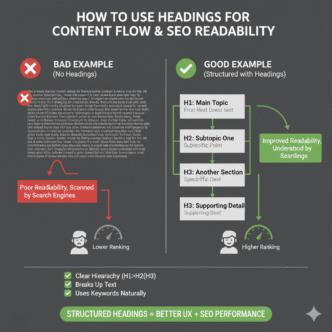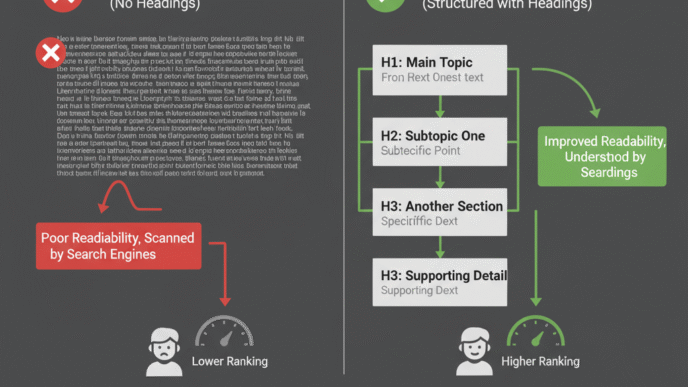


Picture this: You land on a webpage that’s just one giant wall of text. No breaks. No structure. Just endless paragraphs staring back at you like a college textbook nobody wanted to read.
You’d bounce faster than a rubber ball, right? That’s exactly why header tags for SEO matter so much. They’re the signposts that guide both readers and search engines through your content, making everything scannable, digestible, and (bonus!) better optimized for rankings.
In this guide, you’ll learn how to use HTML headings like a pro, master H1 tag optimization, and build a heading structure that keeps readers engaged while sending all the right signals to Google.
Table of Contents
ToggleWhat Are Header Tags and Why Do They Matter for SEO?
Header tags (H1, H2, H3, H4, H5, H6) are HTML elements that define the hierarchy and structure of your content. Think of them as the chapter titles and section headings in a book—they tell readers (and search engines) what each section is about.
Google’s algorithms use header tags to understand your content’s organization and topical relevance. According to Google’s John Mueller, while header tags aren’t the strongest ranking factor, they help search engines grasp your page structure and context.
But here’s the real magic: proper heading structure dramatically improves readability SEO. When users can quickly scan and find what they need, they stay longer, engage more, and convert better. Those behavioral signals? Google notices them.
The Header Tag Hierarchy: H1 Through H6 Explained
What Is an H1 Tag and How Should You Use It?
The H1 tag is your page’s main headline—the big kahuna. It should clearly describe what your entire page is about and almost always include your primary focus keyword.
You should only use one H1 per page. Multiple H1s confuse the content hierarchy and dilute your SEO focus. While HTML5 technically allows multiple H1s, SEO best practice remains: one page, one H1.
Good H1 example: “How to Use Header Tags (H1–H6) to Improve Readability and SEO”
Bad H1 example: “Welcome to Our Blog”
Notice how the good example includes the focus keyword (header tags for SEO) and tells you exactly what you’re getting? That’s H1 tag optimization in action.
How Do H2 Through H6 Tags Work?
H2 tags are your main section headings—the major topics within your content. These should break your article into digestible chunks and naturally include LSI keywords and related terms.
H3 tags are subsections under H2s. Use them when you need to dive deeper into a specific point without creating an entirely new section.
H4, H5, and H6 tags are rarely needed unless you’re writing extremely detailed technical documentation. Most blog posts and web pages never go beyond H3.
Here’s the hierarchy in action:
- H1: Main page title
- H2: Major sections
- H3: Subsections within H2s
- H4: Sub-subsections (rarely needed)
- H5/H6: Almost never needed for SEO content
Pro Tip: Your header tags should flow logically—never skip levels. Don’t jump from H2 to H4 without an H3 in between. It breaks the logical structure and confuses screen readers.
How Header Tags Improve Readability and User Experience
Why Is Readability Important for SEO?
Readability SEO is the practice of making content easy to scan, understand, and navigate. When users bounce within 5 seconds because they can’t find what they need, Google interprets that as a quality signal—and not a good one.
A 2024 study by Semrush found that pages with clear heading structures had 36% lower bounce rates than pages without proper headers. That’s huge.
Header tags create visual breathing room, help readers skim efficiently, and guide them to the exact information they’re seeking. All of that keeps people on your page longer, which correlates with better rankings.
How Do Header Tags Help Scanners and Skimmers?
Let’s be honest: most people don’t read online—they scan. According to Nielsen Norman Group research, 79% of users scan web pages rather than reading word-for-word.
Your HTML headings act as anchor points that catch their eye. When someone lands on your page, they quickly scan the headings to determine if you have what they need. Clear, descriptive headers mean they stay and engage. Vague headers mean they leave.
For more advanced techniques on keeping users engaged, check our complete guide to on-page SEO elements.
Header Tag SEO Best Practices That Actually Work
Should You Include Keywords in Header Tags?
Yes, but naturally. Your H1 should almost always include your focus keyword. Your H2s and H3s should incorporate LSI keywords, related terms, and variations—but only when it makes sense.
Good keyword use:
H2: “How Do Header Tags Improve Readability and User Experience?”
H3: “Why Is Readability Important for SEO?”
Bad keyword stuffing:
H2: “Header Tags for SEO Header Tags Best Header Tags”
H3: “Header Tags Header Tags Header Tags SEO”
See the difference? The good examples answer user questions while naturally including variations of header tags for SEO. The bad examples are robotic and spammy.
How Long Should Header Tags Be?
There’s no strict character limit, but shorter is usually better. Aim for:
- H1: 20-70 characters
- H2/H3: 10-50 characters
Your headers should be descriptive yet concise. They’re signposts, not paragraphs. If your H2 is running three lines long, it’s probably trying to do too much.
Should Headers Be Questions or Statements?
Both work, but question-based headers often perform better for SEO because they match how people search. When someone Googles “how do header tags help SEO,” a heading with that exact question signals immediate relevance.
Mix it up for variety:
- Questions: “What Makes a Good Heading Structure?”
- Statements: “Header Tag Hierarchy Explained”
- How-to: “How to Optimize H1 Tags for Maximum Impact”
For content strategy insights on structuring articles for search intent, explore our on-page optimization masterclass.
Common Header Tag Mistakes That Hurt Your SEO
1. Using Multiple H1 Tags on One Page
This dilutes your topical focus and confuses search engines about your page’s main topic. Stick to one H1 that clearly defines your page’s purpose.
2. Skipping Header Levels
Jumping from H2 to H4 breaks the logical hierarchy. It’s like writing a book with Chapter 1, then Chapter 3—something’s clearly missing. Always maintain proper nested structure.
3. Making Headers Too Vague
“Introduction” and “More Information” tell readers nothing. Compare these:
- Vague: “Tips”
- Specific: “5 Header Tag Mistakes That Kill Your Rankings
Specificity wins every time.
4. Styling Text as Headers Without Using Header Tags
Some people bold or enlarge text to create visual headers without using actual HTML heading tags. This looks fine to humans but is invisible to search engines. Always use proper <h1> through <h6> HTML tags.
5. Forgetting Mobile Users
On mobile devices, walls of text are even more intimidating. Headers provide essential visual breaks. According to Statista’s 2024 data, 63% of web traffic comes from mobile—your heading structure must work perfectly on small screens.
Expert Insight: “Headers aren’t just for SEO—they’re accessibility features. Screen readers use heading structure to navigate. Bad headings = bad experience for visually impaired users.” — WebAIM Accessibility Guidelines
Header Tag Optimization Tools and Plugins
| Tool | Purpose | Price |
|---|---|---|
| Yoast SEO | Analyzes heading structure in WordPress | Free/$99/year |
| SEMrush Writing Assistant | Real-time readability and heading feedback | $119.95+/month |
| Screaming Frog | Audits header tags across entire site | Free/£149/year |
| Hemingway Editor | Checks readability and suggests improvements | Free/$19.99 one-time |
These tools help identify missing headers, analyze heading hierarchy, and ensure your structure supports both readability SEO and search performance.
How Header Tags Impact Voice Search and Featured Snippets
Here’s something fascinating: header tags for SEO play a massive role in winning featured snippets and voice search results. Google often pulls snippet content directly from sections under clear, question-based H2 or H3 tags.
For example, if your H2 asks “What Are Header Tags?” and the paragraph below provides a concise definition, Google might extract that as a featured snippet. A 2023 Ahrefs study found that 70% of featured snippets came from pages with well-structured headings.
Voice assistants like Siri and Alexa also prefer content organized with clear headers because it’s easier to parse and extract specific answers. Want to dominate voice search? Start with stellar heading structure.
Real-World Example: Before and After Header Optimization
An e-commerce site selling hiking gear had a blog post about “best hiking boots” that ranked on page 2. Their header structure looked like this:
Before:
- H1: “Blog Post”
- H2: “Introduction”
- H2: “The Boots”
- H2: “Conclusion”
Terrible, right? After restructuring with proper H1 tag optimization and descriptive headers:
After:
- H1: “10 Best Hiking Boots for 2025 (Tested on Real Trails)”
- H2: “What Makes a Great Hiking Boot?”
- H2: “Top 10 Hiking Boots Reviewed”
- H3: “1. Salomon Quest 4 GTX – Best Overall”
- H3: “2. Merrell Moab 3 – Best Budget Option”
- H2: “How to Choose the Right Hiking Boot Size”
Within three weeks, the post jumped to position 4 and CTR increased by 47%. Same content, better structure. That’s the power of optimized HTML headings.
For more examples of on-page elements that move the needle, read our comprehensive on-page SEO guide.
Header Tags Checklist for Every Page You Publish
Before hitting publish, verify:
- ✅ One H1 tag per page with focus keyword included
- ✅ H2s divide content into logical major sections
- ✅ H3s create subsections where needed (don’t skip levels)
- ✅ Headers are descriptive and specific (not vague)
- ✅ Questions used in some headers to match search intent
- ✅ Keywords appear naturally in headers (no stuffing)
- ✅ Headers are concise (under 70 characters for H1, under 50 for H2/H3)
- ✅ Structure makes sense on mobile devices
- ✅ No text styled as headers without proper HTML tags
- ✅ Hierarchy follows logical order (H1→H2→H3, never H2→H4)
This checklist ensures your on-page optimization includes rock-solid heading structure.
How AI Tools Are Changing Header Tag Strategy
In 2025, AI writing assistants can now analyze top-ranking competitors and suggest optimal heading structures based on what’s already working in the SERPs. Tools like SurferSEO and Clearscope scan the top 10 results and recommend how many headers you need, what topics to cover, and which keywords to include.
However, Search Engine Land reports that AI-suggested headers often lack creativity and user focus. The best approach combines AI analysis with human editorial judgment—let AI show you what works, then craft headers that genuinely serve your audience.
Discover more about balancing AI efficiency with human creativity in our on-page SEO masterclass.
FAQ: Header Tags for SEO
Q: Can I use the same keyword in multiple header tags? Yes, but use variations and related terms. Having your exact focus keyword in H1, H2, H3, H4 looks spammy. Instead, use the main keyword in H1, then variations and LSI keywords in subsequent headers.
Q: Do header tags affect mobile SEO differently than desktop? The tags themselves work the same, but mobile users rely on headers even more for scanability. With smaller screens, clear header structure becomes critical for keeping users engaged and reducing bounce rate.
Q: Should I put keywords at the beginning of header tags? When natural, yes. Front-loading keywords helps both SEO and user comprehension. Header Tags for SEO: A Complete Guide” is stronger than “A Complete Guide to Header Tags for SEO”—the first version gets to the point immediately.
Q: Can I use header tags for style without affecting SEO? No. If you’re using header tags solely to make text bigger, you’re misusing them. Use CSS for styling. Header tags should reflect actual content hierarchy, not just visual preferences.
Q: How many H2 tags should a 1,500-word article have? Typically 4-8 H2 tags for a 1,500-word piece, depending on topic complexity. Each H2 should represent a major section (200-400 words). Too few creates walls of text; too many fragments your content unnecessarily.
Q: Do header tags help with local SEO? Absolutely. Including location-based keywords in headers (when relevant) strengthens local relevance signals. For example: “Best Coffee Shops in Portland” as an H2 clearly signals geographic focus to search engines.
Final Thoughts: Headers Are Your Content’s Backbone
Mastering header tags for SEO isn’t complicated, but it’s absolutely essential. These simple HTML elements organize your content, guide readers through complex topics, and send powerful relevance signals to search engines.
Start by auditing your existing content. Look for pages with weak H1 tag optimization, vague headers, or broken hierarchy. Fix those issues using the strategies in this guide, and you’ll see improvements in engagement, time-on-page, and eventually rankings.
Remember: good heading structure serves humans first, search engines second. When your headers answer real questions, create logical flow, and make scanning effortless, both audiences win. For the complete blueprint on all on-page elements including headers, internal linking, and content optimization, dive into our ultimate on-page SEO guide.
Now go build a heading structure that makes both readers and Google happy.