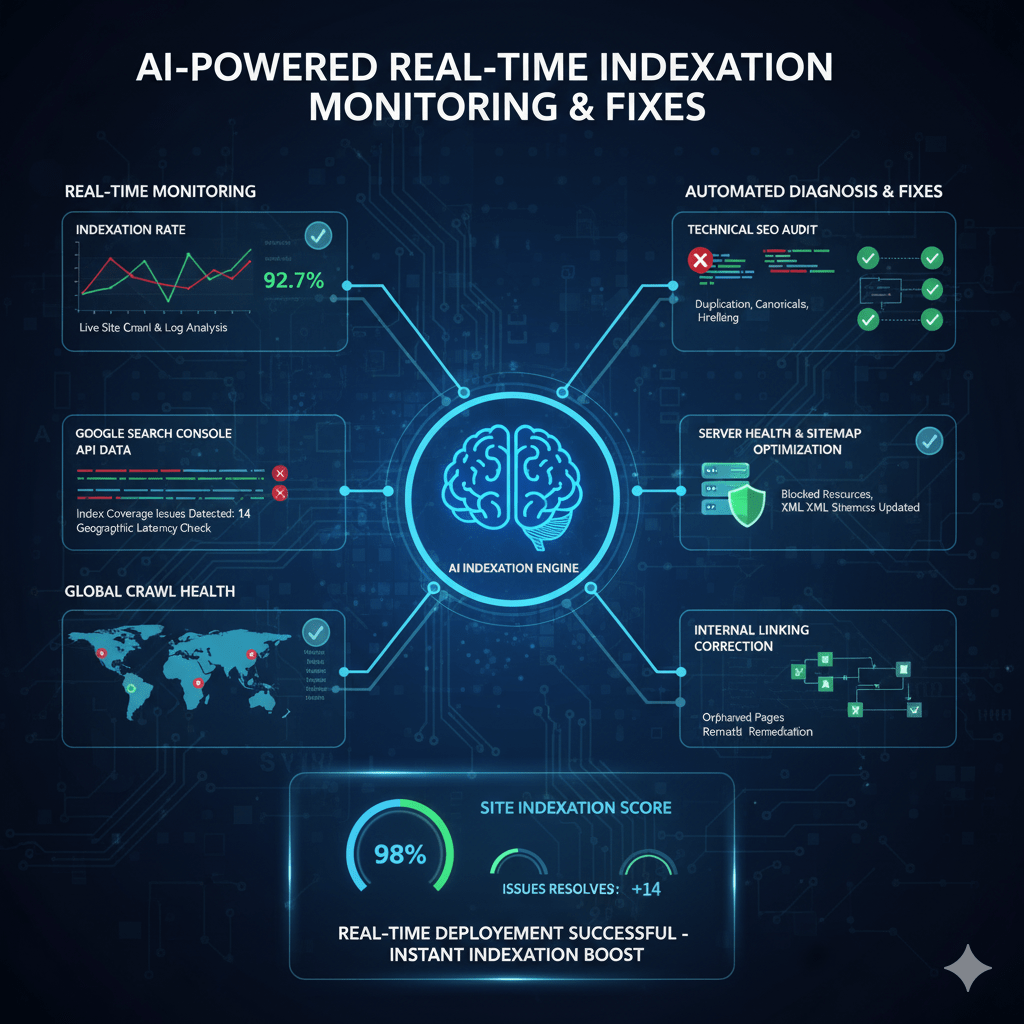
Your best content isn’t ranking because Google can’t find it. Indexation issues hide silently—pages blocked by robots.txt, noindex tags added by mistake, canonical errors pointing nowhere. By the time you notice organic traffic dropping 40%, weeks of potential revenue are gone. AI indexation monitoring changes this equation completely, detecting crawl errors, index coverage problems, and technical issues within minutes of occurrence, then alerting you before rankings suffer.
Table of Contents
ToggleWhy Manual Indexation Monitoring Fails
Traditional SEO relies on weekly or monthly Google Search Console checks. You log in, spot problems, and fix them—days or weeks after they started damaging your visibility.
The delay kills results. A noindex tag accidentally deployed on product pages sits undetected for 12 days while Google deindexes 1,200 pages. An XML sitemap breaking during deployment goes unnoticed for a week while new content stays undiscovered.
Automated index monitoring works differently. AI continuously checks indexation status, crawl patterns, and coverage issues—alerting you within minutes when problems emerge, not weeks later during your next manual audit.
The Cost of Delayed Detection
Numbers tell the story. An e-commerce site accidentally blocked their entire blog section via robots.txt during a routine update. Manual monitoring would catch this during their monthly technical audit—30 days later.
Real-time SEO monitoring caught it in 18 minutes. Alert triggered, block removed, indexation restored. Estimated traffic loss prevented: $28,000 in organic revenue that would’ve vanished during those 30 days.
Speed matters because indexation problems compound. One day of blocked pages becomes one day of lost crawling. Google’s next crawl cycle finds pages still blocked, pushing them lower in crawl priority. By the time you notice manually, Google has deprioritized your content for weeks.
Pro Tip: The ROI of real-time indexation monitoring isn’t in the subscription cost—it’s in the six-figure traffic losses you prevent from a single critical error caught within minutes instead of weeks.
How AI Detects Indexation Issues Automatically
AI crawl tracking operates continuously, not just during scheduled audits. Machine learning monitors multiple signals to identify problems before they destroy rankings.
Continuous Crawl Monitoring
AI tools maintain persistent connections to your site, simulating Googlebot behavior to detect changes that affect crawlability. Unlike manual checks every few weeks, automated systems verify critical pages every few hours.
Real-time crawl error alerts trigger when AI detects:
- Status code changes (200 OK suddenly returning 404, 403, or 500 errors)
- Robots.txt modifications blocking previously crawlable sections
- Noindex tag additions on pages that should be indexed
- Canonical URL changes pointing to wrong destinations or creating loops
- Redirect chains or loops preventing Googlebot from reaching content
- Slow server response times exceeding Google’s crawl budget tolerance
A SaaS documentation site had 4,200 help articles. During a CMS update, their staging robots.txt file accidentally deployed to production—blocking all documentation from crawling. AI monitoring detected the robots.txt change within 8 minutes and sent emergency alerts. Manual monitoring would’ve missed this until their weekly Wednesday check—5 days and significant traffic loss later.
The system works by maintaining a “known good state” baseline. When crawl behavior deviates from baseline patterns (sudden 404 increase, crawl rate dropping, blocked pages appearing), machine learning algorithms identify anomalies and investigate root causes.
Google Search Console Integration
Advanced AI tools for index coverage monitoring connect directly to Google Search Console API, pulling real-time data about how Google sees your site.
This integration provides immediate alerts when:
- Index coverage errors increase (excluded pages, crawl errors, noindex issues)
- Valid indexed page counts drop significantly (mass deindexing event)
- Crawl rate changes (Google suddenly crawling less frequently)
- Manual actions applied (Google penalty affecting site or sections)
- Core Web Vitals deteriorate (performance issues affecting mobile indexation)
Machine learning establishes normal patterns for your site’s index coverage—typical error rates, expected indexed page counts, standard crawl frequency. When actual metrics deviate significantly from expected patterns (sudden 15% drop in indexed pages, 300% increase in excluded URLs), AI flags these anomalies instantly.
A news publisher normally maintained 18,000-19,000 indexed pages with 2-3% fluctuation. AI monitoring detected indexed count dropping to 16,400 over 48 hours—an 8.4% decline triggering immediate investigation. Root cause: pagination tags misconfigured during site update, causing Google to drop paginated content from index. Fixed within 6 hours versus weeks of continued deindexing.
Content Change Detection
Automated indexation issue detection monitors on-page elements that affect indexing, alerting when critical tags change unexpectedly.
AI tracks:
- Meta robots tags (noindex, nofollow additions to previously indexed pages)
- Canonical tags (self-referencing canonicals changing to point elsewhere)
- XML sitemap changes (URLs removed from sitemaps, sitemap errors)
- Structured data errors (schema markup breaking or becoming invalid)
- hreflang tags (international targeting configurations changing)
These monitors catch problems humans miss. A single typo in a template (changing <meta name="robots" content="index,follow"> to noindex,follow) affects thousands of pages instantly. Manual review would eventually notice ranking drops, but AI detects the tag change within minutes of deployment.
An international e-commerce site had proper hreflang tags across 12 language versions. A developer accidentally deleted the hreflang include file during a code cleanup. AI indexation monitoring detected 8,400 pages losing hreflang tags within 22 minutes, before Google’s next crawl of those pages. Restoration took 45 minutes instead of discovering the problem weeks later through international traffic reports.
Expert Insight: “The most valuable indexation alerts aren’t about problems you caused—they’re about problems you didn’t cause. Server failures, CMS bugs, CDN issues, hosting problems. Real-time monitoring catches these external problems as fast as internal mistakes.” — Technical SEO Director, managing 40+ enterprise sites
Real-Time Indexation Monitoring Tools
Several platforms now offer real-time SEO monitoring with automated indexation alerts and intelligent issue detection.
ContentKing: Real-Time SEO Auditing
ContentKing pioneered continuous monitoring, checking your site 24/7 and alerting within minutes when indexation issues appear.
The platform monitors every page on your site continuously, detecting changes to crawlability, indexability, and content. Best for: Sites making frequent updates where timing matters—e-commerce, news publishers, enterprise sites with multiple teams deploying changes.
Pricing starts at $199/month for 10,000 URLs. The real-time alerts catch problems before Google’s next crawl, preventing indexation damage rather than reacting to it.
Key features include instant alerts for robots.txt changes, noindex tag additions, canonical changes, and content modifications affecting hundreds of pages simultaneously.
Sitebulb Cloud: Automated Crawl Monitoring
Sitebulb Cloud offers scheduled automated crawls with intelligent comparison of results over time, identifying indexation issues through pattern analysis.
The AI compares each crawl against previous results, highlighting pages that changed status codes, became blocked, or developed new indexability issues. Best for: Agencies managing multiple client sites needing systematic monitoring without real-time requirements.
Plans start at $35/month for 5 projects. While not true real-time (crawls run on schedules like daily or weekly), the automated comparison and prioritized issue reporting provides faster detection than manual audits.
OnCrawl: Log File + Crawl Analysis
OnCrawl combines server log analysis with crawl data, using AI to detect when Google stops crawling pages that previously received regular bot visits.
This unique approach identifies indexation problems by analyzing Googlebot’s actual behavior, not just site crawlability. Best for: Large sites (50,000+ pages) where understanding Google’s crawl patterns matters as much as detecting technical issues.
Custom enterprise pricing (typically $500+/month). The log file analysis provides insights manual crawlers miss—pages Google stopped crawling despite being technically crawlable often indicate content quality or duplication issues.
Ahrefs Site Audit: Scheduled Monitoring
Ahrefs Site Audit runs automated crawls on schedules (daily, weekly, monthly) with email alerts when critical issues appear or worsen.
The tool tracks issue counts over time, alerting when blocked pages increase, indexable pages decrease, or new critical errors emerge. Best for: SEOs needing comprehensive technical audits with automated scheduling rather than real-time monitoring.
Pricing from $129/month (includes full Ahrefs suite). The monitoring covers indexation alongside 100+ other technical SEO factors, providing broader context than indexation-specific tools.
Google Search Console Insights API Tools
Several specialized tools build on Google Search Console API to provide enhanced monitoring beyond GSC’s native interface.
Tools like SEO Monitor, seoClarity, and Conductor pull GSC data continuously, applying machine learning to detect anomalies in index coverage, impressions, and crawl stats that indicate emerging problems.
These enterprise platforms typically start at $1,000+/month but provide unified dashboards combining GSC data with other monitoring sources for comprehensive visibility.
Comparison: AI Indexation Monitoring Tools
| Tool | Monitoring Frequency | Key Feature | Pricing | Best For |
|---|---|---|---|---|
| ContentKing | Real-time (continuous) | Instant change detection | $199/month | E-commerce, high-update sites |
| Sitebulb Cloud | Scheduled (daily/weekly) | Automated comparison | $35/month | Agencies, multiple sites |
| OnCrawl | Daily + log analysis | Googlebot behavior tracking | Custom ($500+/mo) | Enterprise (50K+ pages) |
| Ahrefs | Scheduled (configurable) | Comprehensive technical audit | $129/month | All-in-one SEO monitoring |
| GSC API Tools | Continuous API polling | Anomaly detection | $1,000+/month | Enterprise multi-site |
Common Indexation Issues AI Catches Automatically
Automated index monitoring excels at identifying specific technical problems that harm indexation before they damage rankings.
Accidental Noindex Tags
The most common indexation disaster: noindex tags added to pages that should rank. This happens during migrations, template updates, or CMS configuration changes.
AI monitoring detects noindex tags appearing on previously indexed pages within minutes. A financial services site deployed a template update that accidentally added noindex to all blog posts—2,400 pages. Real-time monitoring caught this 14 minutes post-deployment. Manual discovery would’ve taken days or weeks while Google deindexed valuable content.
The alert triggered before Google’s next crawl of most affected pages, allowing immediate rollback that prevented indexation loss entirely.
Robots.txt Blocking Critical Sections
Robots.txt changes during deployments frequently block important site sections. One wrong directive blocks thousands of pages from crawling.
AI crawl tracking monitors robots.txt file continuously, alerting when:
- New Disallow directives added
- Wildcards blocking more than expected (Disallow: /blog becomes Disallow: /b accidentally)
- Sitemap directives removed or broken
- User-agent specific blocks affecting Googlebot
A retail site updated robots.txt to block staging subdirectories. A typo caused the rule to also block their product category pages—8,000+ URLs. AI detected robots.txt modification and flagged blocked URLs within 5 minutes. Developer fixed the typo before Google’s hourly product crawl occurred, preventing massive indexation loss.
Canonical Tag Errors
Canonical tags pointing to wrong URLs, creating loops, or being removed entirely cause major indexation problems. Pages with canonical errors often get deindexed or consolidate incorrectly.
Real-time crawl error alerts identify:
- Self-referencing canonicals changing to point elsewhere
- Canonical chains (Page A→B→C instead of A→C directly)
- Canonical loops (A→B→A preventing indexation)
- HTTPS pages canonicaling to HTTP versions (or vice versa)
- Canonicals pointing to 404 or redirected URLs
An enterprise SaaS site’s CMS update changed how canonical tags generated. Instead of self-referencing canonicals, all pages suddenly pointed to homepage. AI detected 12,000 pages with homepage canonicals within 30 minutes. Without real-time monitoring, this error would’ve caused Google to deindex most of the site over the following weeks.
XML Sitemap Failures
Broken sitemaps prevent Google from discovering new content and recrawling updated pages. AI monitors sitemap health continuously.
Monitored issues include:
- Sitemap returning errors (404, 500, timeout)
- Invalid XML formatting (breaking Google’s ability to parse)
- URLs in sitemap returning errors (listing pages that 404)
- Sitemap not updating (last modified date frozen)
- Sitemap size violations (exceeding 50MB or 50,000 URL limits)
A news publisher’s sitemap generation script failed during a server migration. New articles stopped appearing in sitemaps for 36 hours before automated indexation issue detection flagged the static sitemap. Manual monitoring wouldn’t have caught this until weekly checks—losing a week of rapid indexing for time-sensitive news content.
Server Response Problems
Server errors, slow response times, and timeout issues prevent Googlebot from crawling pages, eventually leading to deindexing.
AI monitoring tracks server performance from Google’s perspective:
- 5xx server errors (500, 502, 503 indicating server problems)
- 4xx client errors (404, 410, 403 blocking access)
- Response time degradation (pages loading slower than Google’s tolerance)
- DNS resolution failures (preventing any access)
- SSL certificate issues (HTTPS errors blocking secure crawling)
A high-traffic blog experienced database performance degradation during peak hours. Pages returned 500 errors for 15-20% of requests. AI indexation monitoring detected the error rate spike and alerted within 8 minutes. Manual discovery would’ve waited until users complained or organic traffic reports showed problems—hours or days of intermittent deindexing.
Pro Tip: Configure different alert thresholds for different page types. A few 404 errors on old blog posts might be acceptable, but a single 404 on your homepage or key landing pages deserves immediate emergency alerts.
How AI Prioritizes and Triages Indexation Alerts
Not all indexation issues deserve equal urgency. AI tools for index coverage monitoring use machine learning to prioritize problems by business impact.
Traffic-Based Priority Scoring
AI analyzes which pages actually drive traffic, then prioritizes indexation issues affecting high-value pages over problems on zero-traffic content.
A technical error affecting 100 pages sounds serious. But if 95 of those pages receive zero organic visits, while 5 receive 5,000 monthly visits, the priority is clear—fix the 5 valuable pages first.
Automated indexation issue detection calculates impact scores considering:
- Organic traffic volume to affected pages
- Keyword rankings for pages with issues
- Conversion rates (e-commerce sites prioritize product pages)
- Backlink profiles (pages with external links get higher priority)
- Page freshness (recently published content matters more)
A media company received alerts about 1,200 pages developing indexation issues. AI triage identified 40 pages driving 78% of organic traffic to the affected section. Those 40 got “Critical” priority with emergency alerts, while the remaining 1,160 low-traffic pages got “Medium” priority for normal business hours review.
Pattern Recognition for Root Causes
Individual page errors might indicate small problems. Hundreds of pages developing identical issues simultaneously suggests systematic failures requiring immediate attention.
AI recognizes patterns like:
- Template-level problems: Same error across all pages using specific templates
- Category-wide issues: Entire site sections affected simultaneously
- Time-based patterns: Problems appearing after deployments or scheduled tasks
- Third-party failures: Issues caused by CDN, hosting, or external services
When ContentKing detected 800 product pages losing structured data markup within 10 minutes, machine learning recognized this as a template-level problem (not 800 individual issues). Alert flagged the likely cause (recent template deployment), letting developers fix one template file instead of investigating 800 individual pages.
False Positive Filtering
Early indexation monitoring tools generated constant alerts, training SEOs to ignore notifications. Modern AI systems learn to suppress false positives while ensuring real problems get attention.
Machine learning identifies patterns that look like issues but aren’t:
- Temporary server blips (single 500 error that immediately resolves)
- Expected blocking (correctly blocked admin pages, search results, filters)
- Intentional noindex (tag archives, author pages deliberately not indexed)
- Development/staging leaks (staging URLs briefly appearing then disappearing)
AI learns your site’s normal behavior. If staging URLs typically appear for 20-30 minutes post-deployment before getting blocked, the system learns not to alert on this pattern. But if staging URLs stay accessible for hours, that deviates from normal and triggers alerts.
A retail site regularly published product previews with noindex tags 2-3 days before public launch, then removed noindex on release day. AI monitoring learned this pattern and stopped alerting on the pre-launch noindex tags while still alerting if noindex remained after expected launch times.
Automated Fixes: AI Tools That Resolve Issues
Some advanced platforms go beyond detection to automated resolution of common indexation problems.
Auto-Generated Fixes for Common Issues
Certain technical problems have standard solutions. AI tools can implement fixes automatically with your approval:
Missing canonical tags: AI suggests and implements self-referencing canonicals on pages without them
Broken internal links: Automatically fixes internal links pointing to 404 pages by redirecting or updating links to correct URLs
Image alt text: Generates descriptive alt text for images missing this indexation signal
Meta descriptions: Creates unique meta descriptions for pages using duplicate or missing descriptions
These features require careful configuration. You don’t want AI automatically changing live site elements without oversight. Best practice: Configure AI to suggest fixes, then implement them via approval workflows rather than fully automated.
Integration with CDN and Hosting
Enterprise AI indexation monitoring platforms integrate with infrastructure providers to fix some issues at the network level:
Cloudflare integration: Automatically adjust firewall rules blocking legitimate Googlebot crawls
AWS/Google Cloud: Trigger scaling when server response times degrade from traffic spikes
Content delivery networks: Clear CDN caches when stale content prevents Google from seeing updates
These integrations allow AI to resolve certain problems without developer intervention—particularly valuable for after-hours emergencies.
Deployment Rollback Triggers
The most powerful automated fix: recognizing that recent deployments caused indexation problems and triggering automatic rollbacks.
Configure monitoring to:
- Track all deployments with timestamps
- Correlate indexation issues with recent deployments
- Alert when deployment likely caused problems
- Offer one-click rollback to previous working version
A SaaS company deployed CMS updates that accidentally added noindex tags to documentation. AI detected the issue within 12 minutes, correlated it with the deployment 8 minutes prior, and offered automated rollback. Total downtime: 20 minutes versus hours or days with manual discovery.
Integrating AI Monitoring Into SEO Workflows
Real-time SEO monitoring works best when integrated into existing processes and communication channels.
Alert Configuration Best Practices
Don’t send every alert to everyone. Configure intelligent routing:
Critical alerts (homepage down, mass deindexing, robots.txt blocking site): Immediate emergency notifications via SMS, Slack, and email to on-call team
High priority (product pages with issues, key landing pages affected): Email and Slack during business hours to SEO team
Medium priority (blog posts with problems, minor technical issues): Daily digest email summarizing issues
Low priority (expected errors, low-traffic pages): Weekly reports for review during routine maintenance
Alert fatigue kills monitoring effectiveness. If your team gets 50 daily alerts, they’ll ignore all of them—including the critical ones. Start with conservative thresholds, then adjust based on actual issue patterns.
Slack and Communication Platform Integration
Modern teams live in Slack, Teams, or similar platforms. AI crawl tracking tools integrate directly:
Dedicated SEO monitoring channel receives automated alerts with:
- Problem description and severity
- Affected URLs (or count if many)
- Detected time and potential cause
- Suggested fixes with documentation links
- Direct links to investigate in monitoring tool
Conversational AI interfaces let teams interact: “Show me all critical indexation issues” or “What caused the 3pm alert?” and get instant responses within Slack.
Google Analytics and Ranking Correlation
Connect indexation monitoring with traffic and ranking data to measure actual business impact:
When AI detects indexation issues, automatically check:
- Have organic sessions to affected pages changed?
- Did keyword rankings drop for these URLs?
- Are conversions from affected pages declining?
This correlation helps distinguish between technical issues that matter (affecting traffic) versus issues that don’t impact actual performance.
A global site had persistent indexation warnings about hreflang errors on 2,000 international pages. AI correlation showed these pages maintained steady traffic and rankings despite the errors. Priority: low. Meanwhile, 50 product pages with minor technical issues showed 25% traffic decline—priority: critical despite fewer affected URLs.
Pro Tip: Configure separate alert profiles for different stakeholders. Developers need technical details, SEO teams need business impact context, executives need high-level summaries. One alert message doesn’t work for all audiences.
Measuring ROI from Real-Time Indexation Monitoring
Proving value requires connecting automated index monitoring to prevented losses and recovered traffic.
Calculating Prevented Loss Value
Document incidents where real-time alerts prevented indexation disasters:
Incident: Robots.txt misconfiguration blocked product category Pages affected: 8,000 URLs Average monthly traffic per URL: 45 visits Total monthly traffic at risk: 360,000 visits Average conversion rate: 2.1% Average order value: \$78 Prevented monthly loss: \$589,680
Even one prevented incident often justifies years of monitoring costs. Track and quantify these saves.
Recovery Speed Metrics
Measure how much faster you resolve indexation issues with AI monitoring versus manual discovery:
Before AI monitoring:
- Average time to detect issues: 8-14 days (next scheduled audit)
- Average resolution time: 2-3 days after detection
- Total impact duration: 10-17 days
After AI monitoring:
- Average time to detect issues: 15 minutes
- Average resolution time: 2-4 hours after detection
- Total impact duration: 2-4 hours
The 40-100x faster detection dramatically reduces traffic loss from any indexation problem.
Traffic Recovery Documentation
Track organic traffic recovery after fixing indexed identified by AI:
An e-commerce site’s AI monitoring caught canonical tag errors on 1,200 product pages within 30 minutes of deployment. After fixing:
- Week 1: Traffic to affected pages recovered 40% (as Google recrawled)
- Week 2: 75% recovery (most pages recrawled and reindexed)
- Week 4: 94% recovery (full indexation restored)
Compare this to similar incidents discovered manually (documented before AI monitoring adoption):
- Week 1: Problem still undetected, traffic continuing to decline
- Week 2: Problem discovered, fix deployed, traffic bottomed at -67%
- Week 6: 50% recovery (Google slowly recrawling)
- Week 12: 85% recovery (still incomplete months later)
The difference: Real-time detection allowed fixing before major damage occurred. Manual detection meant fixing after weeks of compounding problems.
Advanced AI Monitoring Strategies
Beyond basic alerting, sophisticated AI indexation monitoring strategies provide competitive advantages.
Competitive Indexation Tracking
Monitor competitors’ indexation patterns to identify opportunities and threats:
- Indexed page counts: Track when competitors add or lose indexed pages
- Site structure changes: Detect when competitors restructure sites (opportunity to outrank during disruption)
- Indexation issues: Identify when competitors have technical problems affecting rankings
- Content velocity: Monitor how quickly competitors get new content indexed
AI tracks these patterns automatically, alerting when competitors make significant changes that create ranking opportunities.
Predictive Issue Detection
Machine learning analyzes patterns leading to indexation problems, predicting issues before they occur:
- Crawl rate declining: Predicts potential deindexing if trend continues
- Server response degrading: Alerts before reaching critical failure thresholds
- Sitemap stagnation: Flags when sitemaps haven’t updated in expected timeframes
- Seasonal pattern breaks: Detects when normal cyclical patterns don’t occur (e.g., holiday traffic surge doesn’t happen)
A news site’s AI monitoring noticed Google’s crawl rate declining 15% over 10 days despite publishing frequency remaining constant. Predictive analysis flagged this as early warning of potential content quality concerns or technical issues. Investigation revealed CDN configuration slowly degrading response times—fixed before major indexation impact occurred.
Multi-Site Portfolio Monitoring
Agencies and enterprises managing dozens or hundreds of sites need portfolio-level visibility:
AI provides unified dashboards showing:
- Which sites have critical issues requiring immediate attention
- Overall portfolio health scores and trends
- Comparative analysis (sites performing above/below portfolio average)
- Shared issues affecting multiple sites (suggesting platform or service-wide problems)
This portfolio view prevents critical issues on one site from going unnoticed while teams focus on other properties.
The Future of AI-Powered Indexation Monitoring
Machine learning capabilities for indexation monitoring continue evolving rapidly.
Predictive indexation modeling: AI will predict how long new content takes to get indexed based on your site’s patterns, alerting when actual indexation deviates from predictions.
Automated Google communication: Tools will automatically file reconsideration requests, communicate with Google about indexation issues, and track resolution progress without human intervention.
Cross-platform integration: Future systems will monitor indexation across Google, Bing, Yandex, and other search engines simultaneously—critical for international SEO.
Voice and visual search indexation: As search diversifies beyond text, AI will monitor indexation for images (Google Lens), videos (YouTube), and voice queries (featured snippets, voice answers).
Self-healing infrastructure: The most advanced implementations will detect indexation issues and automatically fix them at infrastructure level—adjusting server resources, clearing caches, modifying configurations—without human involvement.
The sites winning in search aren’t manually checking Google Search Console weekly—they’re using AI to monitor indexation continuously, catch problems within minutes, and fix issues before rankings suffer. Every day you wait to implement real-time monitoring is another day a critical indexation error could destroy months of SEO progress without you knowing.
Indexation monitoring is no longer optional for serious SEO programs. The question isn’t whether to implement AI-powered detection, but how quickly you can deploy it before the next technical disaster strikes.
FAQ: AI Indexation Monitoring
How quickly do AI indexation monitoring tools detect problems?
Real-time AI indexation monitoring tools like ContentKing detect issues within minutes—typically 5-20 minutes depending on the problem type. Critical changes like robots.txt modifications, noindex tag additions, or site-wide errors trigger immediate alerts. Scheduled monitoring tools (running daily or weekly crawls) detect issues during their next crawl cycle, offering faster detection than manual audits but not true real-time capabilities. The detection speed depends on monitoring frequency and integration depth—tools connected directly to your server or CDN detect infrastructure problems fastest, while tools relying on external crawling detect issues during their next site check.
Can AI monitoring tools automatically fix indexation issues without human intervention?
Most AI indexation tools focus on detection and alerting rather than automated fixes, though capabilities are evolving. Some platforms offer automated fixes for simple issues (generating missing alt text, suggesting canonical tags) with approval workflows requiring human confirmation before implementation. Enterprise tools with infrastructure integrations can automatically resolve certain problems (clearing CDN caches, adjusting firewall rules blocking Googlebot). However, best practice involves human oversight for most fixes since incorrect automated changes could worsen problems. The most valuable automation is deployment rollback—detecting that recent code changes caused indexation issues and automatically reverting to previous working versions.
What’s the cost difference between real-time versus scheduled monitoring tools?
Real-time indexation monitoring (continuous checking) typically costs $200-2,000+/month depending on site size and features, with tools like ContentKing starting at $199/month for 10,000 URLs. Scheduled monitoring tools cost $35-200/month for similar site sizes, offering daily or weekly crawls rather than continuous monitoring. Enterprise tools with advanced features (log file analysis, multi-site dashboards, API integrations) range from $500-5,000+/month. The cost difference reflects infrastructure requirements—real-time monitoring requires persistent connections and continuous processing, while scheduled tools batch their analysis. ROI usually favors real-time for high-value sites where hours of indexation problems cost more than the price difference between monitoring tiers.
Do AI indexation monitoring tools work for JavaScript-heavy single-page applications?
Yes, modern AI indexation tools support JavaScript rendering, though capability varies by platform. Tools like ContentKing, OnCrawl, and enterprise platforms render JavaScript to analyze client-side content as Googlebot sees it. However, rendering adds complexity and cost, so ensure your chosen tool explicitly supports JavaScript crawling and compare how accurately it replicates Googlebot’s rendering capabilities. Some tools offer both “raw HTML” and “rendered” crawling modes, letting you monitor both server-rendered and client-rendered content. For SPA sites, real-time monitoring becomes even more valuable since rendering issues or JavaScript errors can prevent all content from being indexable—problems that must be caught immediately.
How do AI tools distinguish between intentional noindex tags and accidental ones?
AI indexation monitoring learns your site’s normal patterns through baseline training. During initial setup, the tool crawls your site and establishes which pages legitimately have noindex tags (admin areas, search result pages, staging environments, duplicate content variations). When new noindex tags appear on pages that were previously indexed, AI flags these as potential issues. Advanced systems use context clues—if noindex appears on 1,200 product pages simultaneously after a deployment, machine learning recognizes this as likely accidental. If noindex gradually appears on user-generated content pages over time, AI recognizes this as intentional spam prevention. You can also configure rules defining which page types should never have noindex (product pages, blog posts) versus pages where noindex is expected.
Should small websites under 1,000 pages invest in AI indexation monitoring?
Small sites benefit less from real-time monitoring than enterprise sites but can still gain value depending on update frequency and business criticality. If your site changes infrequently (updates monthly), manual Google Search Console checks may suffice. However, if you deploy updates weekly, run e-commerce operations where downtime costs significant revenue, or lack in-house technical expertise to catch issues quickly, AI monitoring provides insurance against costly mistakes. Budget-friendly options like Sitebulb Cloud ($35/month) offer scheduled automated monitoring without requiring real-time features. Consider monitoring if you’ve experienced indexation problems in the past—one prevented disaster often justifies years of monitoring costs, regardless of site size.
Final Thoughts
Indexation issues destroy SEO progress silently. Rankings drop, traffic declines, conversions decrease—and by the time you notice in your weekly reports, weeks of damage have already occurred. Manual monitoring caught these problems eventually, but “eventually” meant losing thousands or hundreds of thousands in organic revenue.
AI indexation monitoring transforms this reactive model into proactive protection. Machine learning detects problems within minutes, alerts teams immediately, and often identifies root causes automatically. The technology isn’t perfect—false positives occur, and human judgment remains essential for complex situations—but it catches critical issues exponentially faster than manual processes.
The business case is straightforward. One prevented indexation disaster—a robots.txt misconfiguration blocking your site, a template error adding noindex to thousands of pages, a canonical tag mistake deindexing your best content—typically saves more revenue than years of monitoring costs. Sites using AI indexation monitoring report 40-100x faster issue detection and resolution compared to manual auditing.
Start by connecting your Google Search Console to an AI monitoring platform, configuring critical alerts for your highest-value pages, and establishing workflows for investigating and fixing flagged issues. Test the system by intentionally introducing a minor indexation problem on a test page and verifying you receive alerts as expected.
The sites ranking consistently aren’t just building great content and earning backlinks—they’re protecting their technical foundation with continuous AI monitoring that catches problems before Google penalizes them. Every hour without real-time indexation monitoring is another hour a critical error could be destroying your organic visibility without your knowledge.
Manual indexation audits made sense when sites updated monthly and technical changes happened slowly. Modern sites deploy updates constantly, content publishes hourly, and technical complexity creates countless failure points. You can’t manually check everything fast enough anymore. Let AI handle the constant vigilance while you focus on strategy and growth.
SEOProJournal.com
Real-Time AI Indexation Monitoring Insights
AI Indexation Monitoring: Performance Data
Verified statistics from industry research and authoritative sources (2024-2025)
Data sources: SEOClarity Enterprise Survey, Semrush Annual Report, HubSpot State of AI (2024)
🎯 Key Finding: Enterprise AI Adoption
83% of SEO professionals at companies with 200+ employees report improved performance after adopting AI tools for monitoring and automation. This high success rate demonstrates that AI-powered indexation monitoring and crawl tracking have reached enterprise-grade maturity with measurable business impact.
Additionally, 82% of these enterprise teams plan to invest more in AI SEO tools, indicating sustained confidence in the technology's ROI and effectiveness for large-scale operations.
Source: SEOClarity Enterprise SEO Survey 2024
Sources: SEOClarity, Semrush 2024
Sources: HubSpot, Forbes 2024
Sources: SEOClarity, HubSpot 2024
Data sources: Semrush Report 2024, SEOClarity Survey, Forbes Analysis
📊 Detailed Performance Statistics
▼| Performance Metric | Percentage | Source |
|---|---|---|
| SEO professionals using AI strategy | 86.07% | SEOClarity 2024 |
| Enterprise teams seeing improvements (200+ employees) | 83% | SEOClarity 2024 |
| Planning to invest more in AI SEO | 82% | SEOClarity 2024 |
| Reduce time on manual SEO tasks | 75% | HubSpot 2024 |
| Improved content marketing ROI | 68% | Semrush 2024 |
| Improved content quality with AI | 67% | Semrush 2024 |
| Better overall SEO results | 65% | Semrush 2024 |
| On-page SEO performance improvement | 52% | SEOClarity 2024 |
| Worker productivity increase (across 16 industries) | Up to 40% | Forbes 2024 |
| Use AI for SEO-driven content strategies | 35% | HubSpot 2024 |
💡 Productivity Impact
86% of marketers who use AI for creative ideation and SEO tasks save approximately 1 hour per day. Based on a standard 5-day work week and 7-hour work day, this translates to 37 working days saved annually per team member—equivalent to more than 7 full work weeks of recovered productivity.
This time savings allows SEO teams to focus on strategic initiatives, advanced analysis, and high-value activities rather than repetitive manual monitoring and data collection tasks.
Source: HubSpot State of AI Report 2024
🚀 Market Growth & Investment
▼Source: Verified Marketer Reports
Source: SEOClarity Survey
86% of AI users save 1 hour daily = 37 work days annually (HubSpot State of AI 2024)
SEOProJournal.com
Advanced AI SEO Monitoring & Indexation Insights
All statistics verified from authoritative sources: SEOClarity, Semrush, HubSpot, Forbes