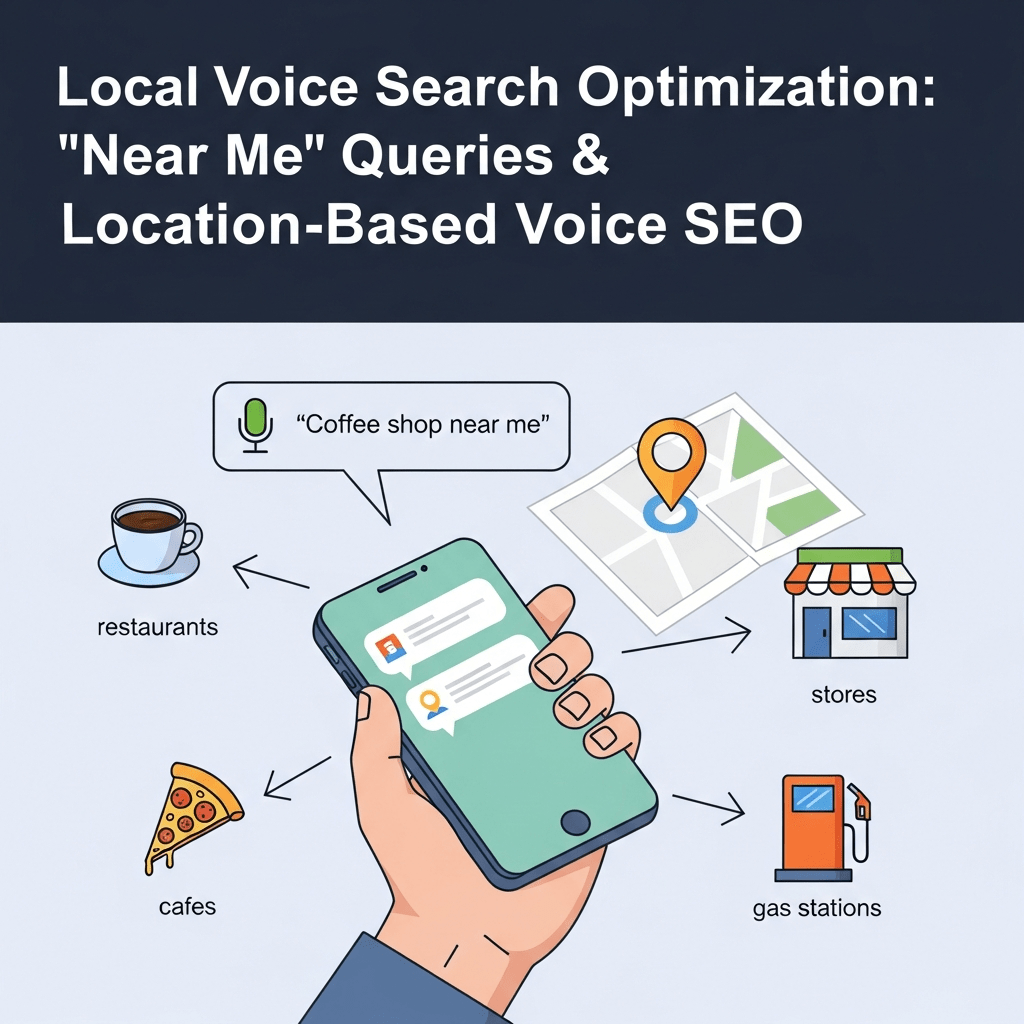
Your perfect customer is driving past your business right now asking Siri “where’s the nearest coffee shop?” If you’re not optimized for local voice search, they just went to your competitor across the street.
Local voice search optimization isn’t just important—it’s survival. With “near me” searches growing 900% over two years according to Google’s data, and 58% of consumers using voice to find local businesses per BrightLocal research, voice has become the dominant discovery channel for location-based services.
This guide reveals exactly how to dominate “near me” queries and capture customers at the exact moment they’re ready to visit your business.
Table of Contents
ToggleWhy Does Voice Search Dominate Local Discovery?
Mobile devices and voice search create perfect synergy for local intent. When people search on-the-go, speaking is easier than typing—especially while driving, walking, or multitasking.
Near me voice search represents the highest-intent queries possible. Someone asking “Hey Google, find a plumber near me open now” is experiencing an emergency and ready to hire immediately. These aren’t research queries—they’re transaction queries.
According to Search Engine Land analysis, 76% of people who search for something nearby on their smartphone visit a business within 24 hours. For voice searches, this number climbs even higher because voice indicates immediate need.
Location-based voice search also benefits from contextual awareness. Smart assistants know your current location and can provide hyper-relevant results without you specifying city names. “Coffee shop near me” automatically means “within walking distance of my current GPS coordinates.”
How Do Voice Assistants Handle “Near Me” Queries?
Understanding the technical mechanisms behind local voice SEO informs better optimization strategies.
Google Assistant Local Search Process
When someone asks Google Assistant about nearby businesses:
- Detect location intent in the query
- Access device GPS coordinates
- Query Google Maps database for matching businesses
- Filter by proximity, relevance, and prominence
- Prioritize businesses with complete Google Business Profiles
- Consider ratings, reviews, and hours
- Return top 3 results (the “local pack”)
Google Assistant reads the closest, highest-rated, currently-open business first. Second place might as well be invisible in voice results.
Amazon Alexa Local Discovery
Alexa pulls local business data from Yext, Yelp, and other aggregators:
Process flow:
- Parse local intent from query
- Check Alexa’s local business database
- Cross-reference with Yelp ratings
- Prioritize proximity and reviews
- Return single best match
Alexa’s more limited local capabilities make Yext and Yelp optimization critical for Amazon ecosystem visibility.
Apple Siri Location Search
Siri defaults to Apple Maps for location queries:
Ranking factors:
- Apple Maps listing completeness
- Proximity to user location
- Yelp ratings and reviews
- Business category relevance
- Real-time open/closed status
Unlike Google, Siri heavily weights Yelp data—making Yelp optimization essential for iOS users.
For comprehensive platform-specific strategies, see our complete voice search guide.
What Are the Core Elements of Local Voice Search Optimization?
Local business voice optimization requires mastering interconnected elements. Weakness in one area undermines everything else.
Google Business Profile Mastery
Your Google Business Profile (formerly Google My Business) is the foundation of local voice visibility. Incomplete profiles dramatically reduce voice search appearance.
Complete optimization checklist:
Basic Information (mandatory):
- Exact business name (match your real signage)
- Accurate address with suite/unit numbers
- Local phone number (not toll-free)
- Primary business category (choose carefully—this is critical)
- Secondary categories (all relevant options)
- Business hours including special holiday hours
- Website URL
Enhanced Information (highly recommended):
- Detailed business description with keywords
- Service areas for businesses without storefronts
- Products with descriptions and pricing
- Services with detailed explanations
- Booking/appointment links
- Menu (restaurants)
- Attributes (wheelchair accessible, outdoor seating, etc.)
Engagement Elements (update regularly):
- High-quality photos (minimum 10, update monthly)
- Videos showcasing business/products
- Google Posts (2-3 weekly minimum)
- Prompt review responses (within 24 hours)
- Questions & Answers section management
According to Moz’s Local Search Ranking Factors, Google Business Profile signals account for 36% of local pack ranking factors—the dominant influence on voice search results.
NAP Consistency Across the Web
NAP (Name, Address, Phone) consistency tells voice assistants your business information is trustworthy.
Critical consistency rules:
Exact name matching: “Joe’s Pizza” vs “Joe’s Pizza Restaurant” creates confusion Format consistency: “123 Main St” vs “123 Main Street” should match everywhere Phone format uniformity: (555) 123-4567 vs 555-123-4567 vs 555.123.4567 pick one Suite/unit numbers: Include consistently or omit consistently
Inconsistent NAP data across platforms confuses entity matching algorithms, reducing voice assistant confidence in returning your business.
Where NAP must match:
- Google Business Profile
- Your website (footer, contact page, schema markup)
- Facebook business page
- Yelp listing
- Apple Maps
- Bing Places
- Industry directories
- Citation sites (Yellowpages, Superpages, etc.)
Use tools like Moz Local or BrightLocal to audit NAP consistency across hundreds of directories simultaneously.
Local Schema Markup Implementation
Structured data tells voice assistants exactly what your business is and where you’re located.
Essential LocalBusiness schema:
{
  "@context": "https://schema.org",
  "@type": "LocalBusiness",
  "name": "Your Business Name",
  "image": "https://yoursite.com/logo.jpg",
  "address": {
    "@type": "PostalAddress",
    "streetAddress": "123 Main Street",
    "addressLocality": "Your City",
    "addressRegion": "ST",
    "postalCode": "12345",
    "addressCountry": "US"
  },
  "geo": {
    "@type": "GeoCoordinates",
    "latitude": "40.7128",
    "longitude": "-74.0060"
  },
  "url": "https://yoursite.com",
  "telephone": "+15551234567",
  "priceRange": "$$",
  "openingHoursSpecification": [
    {
      "@type": "OpeningHoursSpecification",
      "dayOfWeek": ["Monday", "Tuesday", "Wednesday", "Thursday", "Friday"],
      "opens": "09:00",
      "closes": "17:00"
    }
  ],
  "aggregateRating": {
    "@type": "AggregateRating",
    "ratingValue": "4.5",
    "reviewCount": "87"
  }
}
Add geo-coordinates for precise location matching. Include opening hours so assistants know when you’re available. Show aggregate ratings building trust.
Validate implementation with Google’s Rich Results Test before publishing.
Review Generation and Management
Geographic voice queries heavily weight ratings and reviews when ranking businesses.
Review optimization strategy:
Generate consistent reviews:
- Ask satisfied customers immediately after positive experiences
- Make review requests easy (direct links, QR codes)
- Request reviews across platforms (Google, Yelp, Facebook)
- Never incentivize reviews (violates terms of service)
Respond to all reviews:
- Thank positive reviewers within 24 hours
- Address negative reviews professionally and constructively
- Offer solutions publicly, move details to private channels
- Never argue or become defensive
Maintain quality metrics:
- Target 4.0+ star average (minimum for competitive visibility)
- Aim for review recency (recent reviews weight heavier)
- Diversify review sources across platforms
- Monitor competitor review profiles
According to BrightLocal’s consumer survey, 77% of consumers “always” or “regularly” read reviews when browsing local businesses. Voice assistants mirror this behavior algorithmically.
Our voice search fundamentals guide covers advanced review strategies.
How Do You Optimize for Different “Near Me” Query Types?
How to optimize for near me voice search queries requires understanding the variety of local intent patterns.
Immediate Need Queries
Pattern: “[Service] near me open now”
These represent emergency or urgent needs—plumbers, locksmiths, pharmacies, urgent care.
Optimization tactics:
- Ensure real-time hours accuracy in Google Business Profile
- Indicate 24/7 availability if applicable
- Add “emergency” or “24-hour” in business description
- Use schema markup for opening hours
- Create content targeting “open now” variations
- Respond to calls/messages immediately during business hours
Example queries:
- “Pharmacy near me open now”
- “24 hour locksmith near me”
- “Emergency plumber available tonight”
Service + Location Combinations
Pattern: “[Service] in [neighborhood/city]”
Users specify areas rather than using “near me” when planning ahead.
Optimization tactics:
- Create neighborhood-specific landing pages
- Include neighborhood names naturally in content
- Build local backlinks from neighborhood sites
- Target “in [neighborhood]” keywords
- Add service areas in Google Business Profile
- Create location-specific schema markup
Example queries:
- “Best sushi in Brooklyn Heights”
- “Pediatric dentist in Downtown Austin”
- “Wedding photographer in Orange County”
Superlative + Location Queries
Pattern: “Best/top/highest rated [service] near me”
Quality-focused users seeking premium options.
Optimization tactics:
- Maintain excellent review ratings (4.5+ stars)
- Earn awards and recognition badges
- Showcase credentials and certifications
- Create “best of” award content
- Highlight differentiators and unique value
- Display trust signals prominently
Example queries:
- “Best Italian restaurant near me”
- “Top rated auto mechanic nearby”
- “Highest rated divorce lawyer in Dallas”
Attribute-Specific Local Searches
Pattern: “[Attribute] [service] near me”
Users with specific requirements or preferences.
Optimization tactics:
- Add all relevant attributes in Google Business Profile
- Create content around specialty attributes
- Use attributes in page titles and headings
- Implement schema for specific offerings
- Highlight specialty features in photos/videos
Example queries:
- “Vegan restaurant near me”
- “Pet-friendly hotel nearby”
- “Wheelchair accessible gym in Miami”
- “Gluten-free bakery near me”
What Content Strategies Work for Local Voice Search?
Ranking in location-based voice searches requires content optimized for conversational local queries.
Local FAQ Pages
Create comprehensive FAQ pages answering common location-specific questions customers ask voice assistants.
Structure:
<h2>Do you serve [neighborhood name]?</h2>
<p>Yes, we provide [service] throughout [neighborhood], [adjacent neighborhoods], and all of [city]. Our [location] office is conveniently located at [address], just minutes from [local landmarks].</p>

<h2>What are your hours in [city]?</h2>
<p>Our [city] location is open Monday through Friday from 9 AM to 6 PM, and Saturday from 10 AM to 4 PM. We're closed Sundays. For after-hours emergencies, call our 24/7 helpline at [phone].</p>

<h2>Do you offer same-day service in [area]?</h2>
<p>Yes, we offer same-day [service] for [area] residents when you call before 2 PM. Emergency service is available 24/7 with arrival typically within 2 hours.</p>
Implement FAQ schema markup on these pages for enhanced voice visibility.
Neighborhood-Specific Landing Pages
Multi-location businesses or those serving large areas need individual pages for each neighborhood.
Page elements:
- Unique, valuable content (not duplicated)
- Neighborhood-specific keywords naturally integrated
- Local landmarks and references
- Embedded Google Map centered on neighborhood
- Testimonials from neighborhood customers
- Photos from that specific area
- LocalBusiness schema with neighborhood address
- Local backlinks pointing to this page
Example title/heading structure:
H1: [Service] in [Neighborhood] | [Business Name]
H2: Why [Neighborhood] Residents Choose Us for [Service]
H2: Serving [Specific Streets/Areas] in [Neighborhood]
H3: [Landmark] Area Specialists
Never duplicate content across location pages. Google penalizes thin, repetitive content severely.
Voice-Optimized Service Pages
Structure service pages answering questions voice users ask.
Question-based headings:
- “Where can I find [service] in [city]?”
- “Who offers the best [service] near [landmark]?”
- “How much does [service] cost in [city]?”
- “When should I schedule [service] in [area]?”
Answer each question in 40-60 words immediately after the heading, then elaborate with details.
Local Blog Content
Regular blog posts targeting local + service combinations build topical authority.
Content themes:
- “[Service] Tips for [City] Residents”
- “Best Times for [Service] in [Area]”
- “[City] [Service] Regulations and Requirements”
- “Neighborhood Guides: [Service] in [Different Areas]”
- “Local Case Studies and Success Stories
This content captures informational queries while demonstrating local expertise and community connection.
For advanced content strategies, see our main voice optimization resource.
How Do Citations and Directory Listings Impact Voice Search?
Local citations—mentions of your NAP across the web—build trust signals voice assistants use for ranking.
Core Citation Sources
Ensure presence and accuracy on these platforms:
Major Data Aggregators (distribute to hundreds of sites):
- Data Axle (formerly Infogroup)
- Neustar Localeze
- Foursquare
- Factual
Essential Directories:
- Google Business Profile (obviously)
- Bing Places for Business
- Apple Maps Connect
- Yelp
- Better Business Bureau
- Yellowpages
- Superpages
- Citysearch
Industry-Specific Directories:
- Healthgrades (healthcare)
- Avvo (legal)
- Zillow (real estate)
- TripAdvisor (hospitality)
- OpenTable (restaurants)
- Houzz (home services)
Local Directories:
- Chamber of Commerce
- Local business associations
- Neighborhood-specific sites
- Local news sites with business listings
- Community forums and resources
Citation Building Strategy
Systematic approach:
- Audit existing citations: Use BrightLocal, Moz Local, or Whitespark to find existing listings
- Claim and verify: Take ownership of all listings
- Correct inconsistencies: Update NAP to exact matching format
- Complete profiles: Add photos, descriptions, categories, hours
- Build new citations: Target missed opportunities systematically
- Monitor regularly: Check quarterly for new inconsistencies or errors
According to Whitespark’s citation research, businesses with 50+ citations rank significantly higher in local pack results—the primary source for voice search responses.
What Technical SEO Elements Matter for Local Voice Search?
Beyond content and listings, technical optimization ensures voice assistants can find and extract your local information.
Mobile Page Speed
Local voice searches happen on mobile devices. Slow sites kill visibility regardless of other optimization.
Speed optimization priorities:
- Achieve sub-3-second load times on 4G
- Optimize images (compress, lazy load, modern formats)
- Minimize JavaScript and CSS
- Enable browser caching
- Use CDN for asset delivery
- Implement AMP for content pages
Test with Google PageSpeed Insights and GTmetrix. Aim for green scores across mobile metrics.
According to Google’s mobile speed research, 53% of mobile users abandon sites taking over 3 seconds. Voice users are even less patient.
HTTPS Security
Google confirmed HTTPS as a ranking signal. Voice search amplifies this—assistants prefer secure sites.
Implement SSL certificates across your entire site (not just checkout pages). Free options like Let’s Encrypt make this accessible for all businesses.
Mobile-Friendly Design
Essential mobile UX elements:
- Responsive design adapting to all screen sizes
- Touch targets minimum 48×48 pixels
- Readable text without zooming (16px minimum)
- Click-to-call phone numbers
- Tap-to-navigate address links
- No intrusive interstitials
- Fast, accessible forms
Test mobile usability with Google’s Mobile-Friendly Test.
Structured Data Implementation
Beyond LocalBusiness schema, implement additional markup:
Service schema for multi-service businesses:
{
  "@type": "Service",
  "serviceType": "Emergency Plumbing",
  "provider": {
    "@type": "LocalBusiness",
    "name": "Your Plumbing Company"
  },
  "areaServed": {
    "@type": "City",
    "name": "Austin"
  }
}
Review schema (if displaying reviews on site):
{
  "@type": "Review",
  "itemReviewed": {
    "@type": "LocalBusiness",
    "name": "Your Business"
  },
  "author": {
    "@type": "Person",
    "name": "John Smith"
  },
  "reviewRating": {
    "@type": "Rating",
    "ratingValue": "5"
  }
}
How Do You Handle Multi-Location Voice Search Optimization?
Franchises and businesses with multiple locations need systematic approaches.
Individual Location Pages
Create unique landing pages for each location:
URL structure: yoursite.com/locations/[city-name]
Required elements per page:
- Unique H1 with city/neighborhood name
- Specific address and phone number
- Unique LocalBusiness schema
- Embedded Google Map for that location
- Location-specific photos and team members
- Customer reviews from that location
- Parking and accessibility information
- Public transit directions
- Nearby landmarks and businesses
- Local service area description
Location Finder/Locator
Implement user-friendly location finders:
Best practices:
- Auto-detect user location (with permission)
- Search by ZIP code, city, or address
- Display distance from user
- Show hours, phone, directions for each
- Filter by services offered
- Mobile-optimized interface
This helps both users and search engines discover all locations.
Managing Multiple Google Business Profiles
Each location needs its own verified profile:
Management system:
- Use Google Business Profile Manager for bulk management
- Designate location managers for local updates
- Maintain consistent brand information
- Allow location-specific photos and posts
- Track performance by location
- Respond to reviews from appropriate location
Never create duplicate listings for the same physical location—Google will penalize or merge them unpredictably.
What Common Local Voice Search Mistakes Hurt Rankings?
Even experienced local SEOs stumble. Avoid these costly errors.
Inconsistent Business Information
Different addresses, phone numbers, or names across platforms confuse voice assistants.
Poor:
- Google: “Joe’s Pizza Restaurant”
- Yelp: “Joe’s Pizza”
- Website: “Joseph’s Pizza Restaurant”
Better: “Joe’s Pizza” everywhere, exactly.
Conduct quarterly NAP audits fixing any discrepancies immediately.
Keyword-Stuffed Business Names
Tempting though it is, stuffing keywords in your business name violates platform policies and looks spammy.
Poor: “Joe’s Pizza Best NYC Pizza Delivery Restaurant” Better: “Joe’s Pizza”
Use categories, descriptions, and content for keywords—keep your name clean.
Ignoring Apple Maps and Yelp
Many businesses obsess over Google while ignoring Apple and Yelp—critical for Siri and Alexa respectively.
iOS users represent 58% of US smartphone market share according to Statista. Half your potential customers might be using Siri, not Google.
Optimize across all platforms, not just your favorite.
Neglecting Review Responses
Unanswered reviews signal neglect. Voice assistants may interpret this as poor customer service.
Respond to every review—positive or negative—within 24-48 hours. This improves ratings, demonstrates engagement, and provides fresh content Google indexes.
Incomplete Google Business Profiles
Partial profiles reduce visibility dramatically. Complete every possible section.
According to Google’s own guidance, businesses with complete information are 2.7x more likely to be considered reputable and 70% more likely to attract location visits.
Pro Tip: According to Search Engine Land research, complete Google Business Profiles receive 7x more clicks than incomplete profiles. For voice search, this advantage multiplies since assistants prefer confident matches.
How Do You Measure Local Voice Search Performance?
Tracking local voice SEO requires different metrics than traditional SEO.
Google Business Profile Insights
Profile Insights show how customers find your business:
Key metrics:
- Discovery searches: How customers found your listing (direct vs discovery)
- Actions: Calls, direction requests, website visits
- Photo views: Engagement with your imagery
- Popular times: When customers visit
- Phone calls: Track call volume trends
Compare metrics month-over-month to identify optimization impact.
Local Pack Rankings
Track your visibility in Google’s local 3-pack for target keywords:
Tools:
- BrightLocal Local Search Grid: Shows rankings across different locations
- Whitespark Local Rank Tracker: Monitors local pack positions
- SEMrush Position Tracking: Includes local pack monitoring
- Local Falcon: Visualizes rankings across neighborhoods
Voice searches pull predominantly from local pack results—monitor these positions obsessively.
Call Tracking
Implement call tracking to attribute phone calls to voice search:
Implementation:
- Use dynamic number insertion on website
- Track Google Business Profile call button clicks
- Analyze call times (voice searches often happen immediately before calls)
- Monitor mobile vs desktop call sources
- Track conversion rates from calls
Services like CallRail or CallTrackingMetrics provide detailed attribution.
Direction Requests
Google Business Insights shows direction request volumes—a direct indicator of local discovery success.
Monitor trends correlating with:
- Local content publication
- Review acquisition
- Profile completeness improvements
- Seasonal patterns
Direction requests often precede in-person visits within hours.
Real-World Local Voice Search Success Stories
A three-location dental practice implemented comprehensive local voice optimization: completed Google profiles, built 150+ citations, generated 200+ reviews, and created neighborhood-specific landing pages.
Result: “Near me” voice search visibility increased 340% in 6 months. Direction requests from Google Business Profile grew 89%. New patient acquisition from local search increased 67%.
Their strategy: Systematic citation building, aggressive review generation with follow-up systems, and unique content for each neighborhood they served.
A regional plumbing company optimized for emergency “near me” queries with 24/7 hour updates, emergency service content, and rapid review responses.
They captured top positions for “emergency plumber near me,” “24 hour plumber,” and related urgent queries. Emergency service calls increased 125% year-over-year with 43% attributed to voice search according to their call tracking data.
Frequently Asked Questions About Local Voice Search Optimization
How quickly can I improve local voice search rankings?
Basic optimizations (completing Google Business Profile, fixing NAP consistency) show results within 2-4 weeks. Comprehensive strategies including citation building, review generation, and content creation typically require 60-90 days for significant voice search visibility improvements. Competitive markets may take 6+ months of consistent optimization.
Do I need different strategies for Google, Alexa, and Siri?
Yes—each platform prioritizes different data sources. Google uses Google Business Profile, Alexa pulls from Yext and Yelp, Siri relies on Apple Maps and Yelp. Optimize across all platforms for maximum coverage. Core tactics (NAP consistency, reviews, quality content) benefit all platforms simultaneously.
How important are reviews for local voice search?
Critical—reviews impact 15% of local search ranking factors (Moz) and voice assistants heavily prioritize businesses with 4.0+ star ratings. Review recency, volume, and response rates all influence voice search selection. Businesses with 50+ reviews and active response patterns significantly outperform competitors with fewer reviews.
Should I create separate pages for each neighborhood I serve?
Yes, if you genuinely serve those areas and can create unique, valuable content for each. Thin, duplicated neighborhood pages hurt more than help. Create neighborhood pages only when you can provide location-specific information, photos, testimonials, and relevance. Quality over quantity always wins.
How do I optimize for “open now” voice searches?
Ensure absolutely accurate real-time hours in Google Business Profile, including special holiday hours and temporary closures. Update immediately when hours change. Use schema markup for opening hours on your website. Create content targeting “open now” and “24 hour” keywords if applicable. Enable messaging for off-hours contact.
Can voice search help brick-and-mortar stores compete with online retailers?
Absolutely—voice search favors local, immediate availability over distant shipping. “Near me” queries indicate ready-to-buy intent and preference for in-person shopping or service. Optimize for local discovery, showcase in-stock availability, offer convenient pickup/appointment options, and emphasize immediate gratification advantages over online alternatives.
Final Thoughts on Local Voice Search Optimization
Local voice search represents the highest-intent traffic source available to location-based businesses. The 900% growth in “near me” searches continues accelerating as voice becomes the default mobile search method.
Local voice search optimization success requires systematic execution across multiple channels: Google Business Profile mastery, NAP consistency, review generation, local content creation, citation building, and technical optimization.
Start with quick wins: complete your Google Business Profile completely, fix NAP inconsistencies across top platforms, and implement LocalBusiness schema. These foundational elements deliver measurable results within weeks.
The businesses dominating local voice search share common traits: complete, accurate listings across all platforms, excellent review profiles, location-specific content, and relentless focus on mobile user experience.
Your customers are asking for businesses like yours right now. Make sure voice assistants are recommending you.
For comprehensive strategies covering all voice search aspects beyond local optimization, explore our complete voice search optimization framework.
Citations & Sources
- Google Think with Google – “Near Me Searches Growth” – https://www.thinkwithgoogle.com/consumer-insights/consumer-trends/near-me-searches/
- BrightLocal – “Voice Search for Local Business Study” (2024) – https://www.brightlocal.com/research/voice-search-for-local-business-study/
- Search Engine Land – “Near Me Search Statistics” – https://searchengineland.com/near-me-searches-grew-500-over-2-years-262666
- Moz – “Local Search Ranking Factors” – https://moz.com/local-search-ranking-factors
- BrightLocal – “Local Consumer Review Survey” – https://www.brightlocal.com/research/local-consumer-review-survey/
- Google – “Mobile Page Speed Benchmarks” – https://www.thinkwithgoogle.com/marketing-strategies/app-and-mobile/mobile-page-speed-new-industry-benchmarks/
- Statista – “US Smartphone Market Share” – https://www.statista.com/statistics/266572/market-share-held-by-smartphone-platforms-in-the-united-states/
- Google Support – “Business Profile Completeness Benefits” – https://support.google.com/business/answer/7107242
- Search Engine Land – “Complete GMB Listings Benefits” – https://searchengineland.com/google-my-business-complete-listings-get-7x-more-clicks-270219
- Whitespark – “Local Citation Research & Tools” – https://whitespark.ca/local-citation-finder/
Related posts:
- Featured Snippet Optimization for Voice Search: Position Zero Strategy
- Google Assistant SEO: Voice Search Optimization for Android & Google Home
- Natural Language Patterns in Voice Search: Understanding How People Speak to Devices (Visualization)
- Device-Specific Voice Search Tactics: Smart Speakers vs Mobile vs Car Systems