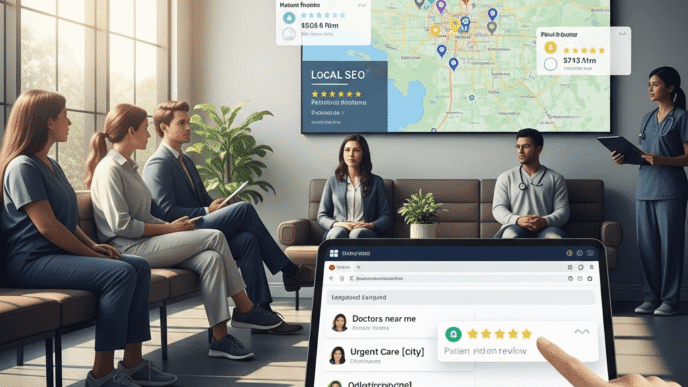



Telehealth SEO is local SEO without a waiting room. You still need to be found for the right condition and the right place. But you may have no storefront for Google to show, and your readers are making a health decision. That changes what you can claim and how you build trust.
This guide covers the parts that differ: how Google treats businesses without a place to visit, what trust signals to add, and how to keep patient privacy intact. It is general information, not medical or legal advice.
Key takeaways
- Google Business Profile rules depend on a real location that customers can visit, or a service area. A virtual office does not qualify [1].
- Health pages are held to a higher bar. Google says trust matters most, and gives extra weight to strong E-E-A-T for topics that affect health [2].
- Name the clinicians, show their credentials and say when each page was last reviewed.
- Do not put patient data into analytics. Read our HIPAA, analytics and SEO guide first.
Table of Contents
ToggleWhat is different about telehealth SEO?
A normal clinic can rely on its address. A telehealth service often cannot. Google’s Business Profile guidelines say eligibility depends on a precise, real-world address where customers can be met, or on a business that travels to customers. They say a virtual office does not qualify, and they do not directly address fully online-only businesses [1].
So do not fake a location. If your practice has a real clinic that patients can visit, a profile for it may be possible. If it does not, put your effort into your website, your content and your reputation off Google Maps.
Watch out: Listing a virtual office, a mailbox or a borrowed address to get a Maps listing breaks Google’s rules. It can get the profile suspended. Read the current guidelines before you set anything up.
What does Google’s guidance say about each situation?
These points come from Google’s Business Profile guidelines [1]. Read the live page before you act. It can change.
| Situation | What the guidelines say |
|---|---|
| A virtual office or rented mailing address | Not eligible for a profile [1] |
| An office in a co-working space | Eligible only with clear signage, customers received there during business hours, and your own staff present [1] |
| A business with no storefront that travels to customers | May have one service-area profile. Service-area businesses should hide their address [1] |
| Hours for an appointment-only service | Businesses that operate only by appointment should not provide hours [1] |
| A fully online-only practice | The guidelines do not directly address it (as this guide says above) |
Read the workflow as text
- Question 1: do you have a real clinic that patients can visit? If yes, a profile may be possible. Google asks for a precise, real-world address where customers can be met. Read the guidelines first.
- If no, question 2: does a clinician travel to patients? If yes, a business that travels to customers may have one service-area profile.
- If no to both: no profile. Put your effort into your site, content and reputation off Google Maps.
- Never list a virtual office, a mailbox or a borrowed address to get a Maps listing.
How should you structure service pages?
Write one page per condition or service you treat by video or phone. Each page should answer the questions a patient has before booking:
- What you treat, and what you do not treat.
- How a visit works: video, phone, or messages, and how long it takes.
- Who sees the patient, with name, role and credentials.
- Where you can treat. Rules about where a clinician may treat vary, so state your service area plainly and have your compliance team check it.
- What it costs, or how billing and insurance work.
- What to do in an emergency. Say clearly that telehealth is not for emergencies.
- A clear way to book, and a way to reach someone if booking fails.
Keep the page accessible too. Our healthcare accessibility guide covers the rules and the first fixes.
What should a service page say, and not say?
These are example sentences, not quotes from any site.
| Risky sentence (example) | Why | Safer version |
|---|---|---|
| We are here for any emergency, day or night. | Telehealth is not for emergencies. | Telehealth is not for emergencies. If you need urgent help, [local emergency instruction]. |
| We treat patients anywhere. | Rules about where a clinician may treat vary. | We see patients in [service area]. Our compliance team has checked this. |
| Our doctors will fix it. | A promise of an outcome. | [Clinician, credentials] will talk through your options. Outcomes vary. |
| Book in seconds. [no other way to book] | No way to reach someone if booking fails. | Book here: [link]. If booking fails, contact us: [contact page]. |
Type what you know. The tool builds a page outline from the points in this guide and leaves a [placeholder] wherever you have not typed anything. It writes no medical claims, checks no rules and stores nothing. Nothing leaves this page.
Which trust signals matter for health pages?
Google describes E-E-A-T as experience, expertise, authoritativeness and trust. It says E-E-A-T is not a specific ranking factor. Its systems use a mix of signals to find content that shows these qualities, and trust is the most important [2]. It also says strong E-E-A-T carries extra weight for topics that affect health, financial stability, safety or well-being [2].
In practice, that means:
- A named author or reviewer with real credentials, and a page that explains who they are.
- A “last reviewed” date that you keep honest. Update it only when someone has actually reviewed the page.
- Sources for medical claims, linking to primary guidance.
- Real contact details and a clear company name.
- Real patient reviews collected within each platform’s rules. Never write or buy them.
You can mark a page as medical information with the Schema.org type MedicalWebPage. It is a kind of WebPage for medical information, with properties for lastReviewed and reviewedBy [3]. Only add those values if they are true.
What if Google Maps is not an option?
Many telehealth services cannot have a profile. That is fine. Work in this order.
- Build one strong service page for the condition you treat most. Use the builder above.
- Show real trust signals. Name the clinician, show credentials and keep the review date honest. Our guide to showing expertise and trust on health pages explains how.
- Collect real reviews on platforms that allow them, within each platform’s rules. Never write or buy them. Our local SEO guide covers what Google’s policy allows.
- Measure what you can. Use Search Console, as below.
How do you keep patient privacy safe while tracking SEO?
Be careful with analytics and ad tags on pages where a patient may be identified, such as booking and portal pages. The rules on this are strict and have changed in recent years. We cover them in HIPAA, analytics and SEO: what healthcare websites can and cannot track. For the wider trust picture, see our healthcare SEO guide.
How do you measure results?
Use Search Console to see which queries bring people to each service page. Count bookings through a method your compliance team has approved. Review the pages that get impressions but few clicks, and improve their titles and opening answers. Set no timeline promises. Results depend on your competition, your market and your site.
Worth knowing: We rewrote this article in November 2026. The earlier version quoted market-size and mobile-usage statistics, a “success story” about a named psychiatrist, and an ROI formula. We could not verify those, so we removed them.
From our own site: In our November 2026 audit of the Specialized section, we found that all 10 healthcare posts cited no outside source. That is why we have rewritten the healthcare pillar, the HIPAA analytics post, the accessibility guide and this article from primary sources, and removed invented figures and stories. On 9 November 2026 we recounted the sources listed on our nine healthcare guides. Five now list six or more (6, 6, 7, 6 and 14). This one listed three before today’s rewrite, and three others still list three. This counts listed sources. It does not judge their quality.
A simple Search Console check
The Performance report shows clicks, impressions, click-through rate and average position [4]. Use it like this.
- Open the Pages table and pick your service page. (Google lets you filter by URL [4].)
- Switch to the Queries table for that page. Note the queries that bring impressions.
- Find queries with many impressions but few clicks. Improve the page title and the opening answer for those.
- Compare two periods, such as this week against last week. Google recommends weekly or monthly granularity when you compare, to avoid day-of-week effects [4].
- Remember that the newest data is preliminary and can change within hours [4].
Frequently asked questions
Can a telehealth practice get a Google Business Profile?
Only if it meets Google’s eligibility rules: a real location customers can visit, or a business that travels to customers. A virtual office does not qualify. Check the current guidelines.
What is the most important trust signal for health content?
Google says trust is the most important part of E-E-A-T. Show who wrote or reviewed the page, their credentials, your sources and when it was last reviewed.
Should I use MedicalWebPage schema?
You can. It is a Schema.org type for medical information, with lastReviewed and reviewedBy properties. Only add values that are true.
Is it safe to use standard analytics on booking pages?
Be careful. Pages where patients can be identified need extra care. Read our HIPAA and analytics guide and ask your compliance team.
How long does telehealth SEO take?
There is no reliable figure. It depends on your market, your competition and your site. Track Search Console data and judge by trend.
Can a telehealth practice list opening hours on its profile?
Check Google’s guidelines first. They say businesses that operate only by appointment should not provide hours. If you do not have a profile, show your booking and contact details clearly on your site.
What should a telehealth page say about emergencies?
Say clearly that telehealth is not for emergencies, and tell patients what to do if they need urgent help.
What should you do next?
Write one service page for the condition you treat most. Add the clinician’s name and credentials, a review date and a clear booking path. Then read our HIPAA and analytics guide before you add any tracking.