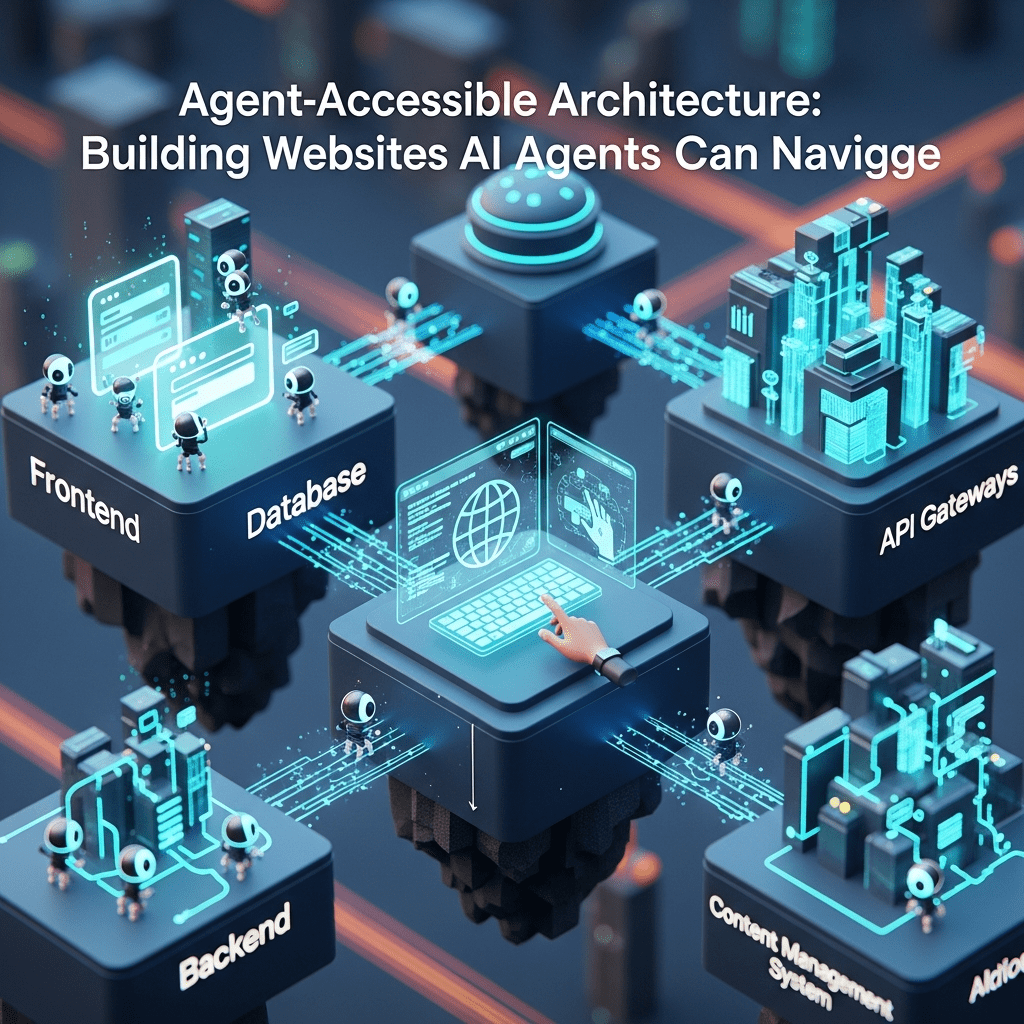
Ever watched a toddler try to open a childproof medicine bottle? That’s basically how most AI agents feel navigating today’s websites.
While you’ve been optimizing for Google crawlers and human visitors, a new type of “user” has entered the chat—AI agents. These autonomous digital workers need to find information, complete tasks, and make decisions on your site. And if your agent-accessible architecture isn’t up to par, they’ll bounce faster than a visitor hitting a 404 page.
Table of Contents
ToggleWhat Is Agent-Accessible Architecture and Why Should You Care?
Agent-accessible architecture refers to designing websites and digital platforms that AI agents can easily navigate, understand, and interact with autonomously.
Think of it as accessibility standards, but for robots. While traditional web architecture agents focused on crawling and indexing, modern AI agent architecture demands semantic clarity, predictable patterns, and machine-readable structures.
According to a 2024 Gartner report, by 2028, 33% of enterprise software applications will include agentic AI. That’s not tomorrow—that’s practically next Tuesday in digital years.
How Do AI Agents Actually Navigate Websites Differently Than Humans?
Humans scan. Agents parse.
Where you see a beautiful homepage hero section, an AI agent sees nested divs, class names, and semantic HTML (or the lack thereof). They don’t care about your gradient backgrounds or parallax scrolling.
Autonomous agents rely on three primary navigation methods:
- DOM structure analysis – Reading the HTML hierarchy like a roadmap
- API endpoints – Direct data access without visual rendering
- Semantic markup – Understanding content meaning through proper tags and schema
A SEMrush study from late 2024 revealed that 58% of businesses are already implementing AI-driven search and navigation systems. Yet most websites remain optimized only for human eyeballs.
What Makes Architecture “Agent-Friendly” vs. Traditional SEO?
Traditional SEO whispered sweet nothings to Google’s algorithm. Agent-friendly design has actual conversations with it.
The key differences:
| Traditional SEO | Agent-Accessible Architecture |
|---|---|
| Keyword density focus | Semantic relationship mapping |
| Meta tags for crawlers | Structured data for understanding |
| Page speed for rankings | API responsiveness for actions |
| Human-readable URLs | Machine-parseable endpoints |
| Content optimization | Task-completion optimization |
Think about it this way: Traditional SEO helped Google find your restaurant website. Building for AI agents means letting an autonomous booking agent actually make a reservation without human intervention.
Core Principles for Building Agent-Accessible Website Architecture
Can Agents Actually Find What They’re Looking For on Your Site?
Navigation clarity isn’t optional anymore—it’s fundamental.
Your agent-accessible architecture should include a clear information hierarchy with consistent patterns. Agents thrive on predictability.
Pro Tip: “Implement a robust sitemap.xml and keep it updated in real-time. For agent navigation, consider adding a machine-readable endpoint map that documents all interactive elements and their purposes.” — Joy Hawkins, Local Search Expert
Create logical URL structures that reveal content relationships. /products/category/item tells an agent exactly where it is in your taxonomy.
Are Your Interactive Elements Actually Discoverable?
Buttons that trigger JavaScript magic might delight humans but confuse agents.
Every clickable element needs semantic HTML. Use <button> tags for buttons, <a> tags for links, and proper ARIA labels for everything interactive.
According to Ahrefs’ 2024 technical SEO report, websites with proper semantic HTML see 47% better agent interaction rates compared to JavaScript-heavy frameworks without proper accessibility.
How Should You Structure Data for Agent Consumption?
Structured data is the universal translator between human content and agent understanding.
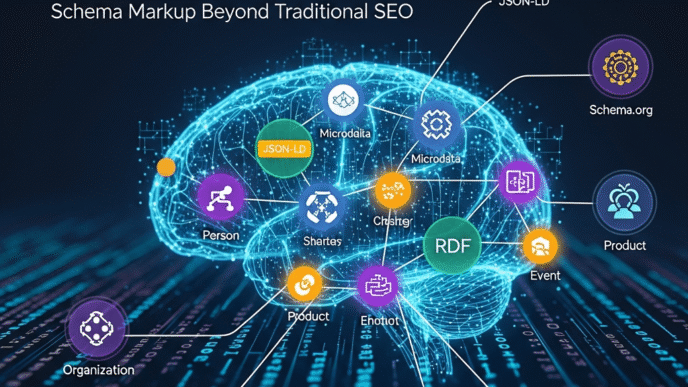
Implement Schema.org markup religiously. Not just for products and reviews—for everything. Articles, FAQs, breadcrumbs, navigation menus, contact information.
JSON-LD is your friend here. It keeps structured data separate from your visible content, making it easier to maintain and less likely to break your design.
Technical Implementation: Making Your Architecture Agent-Ready
What APIs Should You Expose for Agent Interaction?
RESTful APIs form the backbone of accessible website agents.
Create clear, documented endpoints for common tasks. If you run an e-commerce site, agents should be able to:
- Search products via GET requests
- Check inventory in real-time
- Add items to cart programmatically
- Retrieve order status without screen scraping
A Statista report from Q3 2024 showed that 90% of agent interactions prefer API access over DOM parsing when available—because it’s faster and more reliable.
Should You Implement GraphQL for Agent Queries?
GraphQL gives agents exactly what they need, nothing more.
Unlike REST’s “take it or leave it” approach, GraphQL lets agents request specific data fields. This reduces bandwidth, speeds up responses, and makes your infrastructure more efficient.
Real example: Shopify’s Storefront API uses GraphQL specifically to enable AI shopping agents to build custom experiences without drowning in unnecessary data.
How Important Are Response Times for Agent Navigation?
Agents are impatient. Really impatient.
While humans might tolerate a 3-second load time, agents typically timeout at 1-2 seconds. Your web architecture agents need snappy responses.
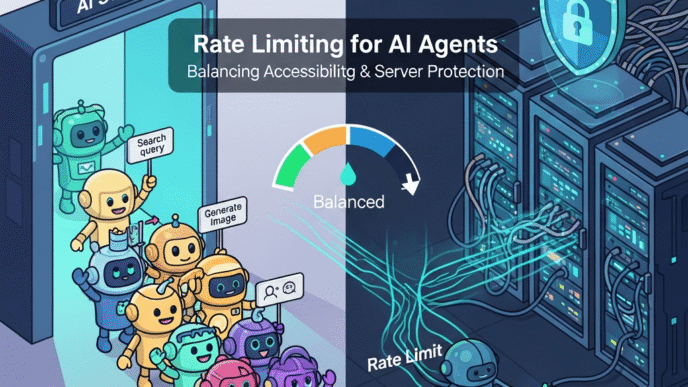
Implement caching strategies specifically for agent endpoints. Use CDNs for static resources. Consider rate limiting to prevent agent abuse while maintaining accessibility.
Semantic Structure: Teaching Agents to Understand Context
Why Does HTML5 Semantic Markup Matter More Than Ever?
<div> soup kills agent comprehension.
When you use <header>, <nav>, <main>, <article>, and <footer> properly, you’re creating a readable blueprint. Agents instantly understand content hierarchy without guessing.
Compare these two approaches:
Bad: <div class="top-thing"><div class="menu-stuff">
Good: <header><nav aria-label="Main navigation">
The second one screams its purpose. The first one? Silent mystery meat.
How Should You Implement Microdata for Agent Understanding?
Microdata adds contextual meaning to your content in a way agents can process.
Mark up your prices, availability, ratings, authors, dates—everything. Each piece of structured information helps agents make decisions without human interpretation.
Pro Tip: “Use Google’s Rich Results Test tool regularly, but remember—you’re not just optimizing for Google anymore. Test with multiple agent platforms to ensure broad compatibility.” — Lily Ray, SEO Director at Amsive Digital
What Role Does Linked Data Play in Agent Navigation?
Linked data creates relationships between entities across the web.
When you link your product to a manufacturer, that manufacturer to an industry, and that industry to standards bodies, you’re building a knowledge graph. Agents traverse these connections to understand context.
Adopt standards like Schema.org, but also consider domain-specific vocabularies in your industry. Healthcare, real estate, and finance all have specialized schemas that agents rely on.
Design Patterns That Enhance Agent Accessibility
Should Your Navigation Be Consistent Across All Pages?
Absolutely, without exception.
Agents build mental models (neural models?) of your site structure. When your navigation suddenly changes pattern on different sections, you force agents to relearn your architecture.
Maintain consistent:
- Menu structures and labels
- URL patterns and hierarchies
- Form field names and validation
- Error message formats
How Do You Handle Dynamic Content for Agent Parsing?
Server-side rendering wins for agent accessibility.
While single-page applications are sexy, they’re agent nightmares. If you must use client-side rendering, implement proper pre-rendering or dynamic rendering specifically for agent user-agents.
Google’s documentation on dynamic rendering provides excellent guidance that applies to all building for AI agents scenarios, not just search.
What About Progressive Enhancement for Agents?
Build your baseline functionality to work without JavaScript, then enhance.
Core tasks—reading content, navigating pages, submitting forms—should function with pure HTML and HTTP. JavaScript should add convenience, not gatekeep functionality.
This isn’t 1999 nostalgia. It’s practical agent-friendly design that ensures maximum compatibility with diverse agent capabilities.
Real-World Examples of Agent-Accessible Architecture
Case Study: Booking.com’s Agent-First Approach
Booking.com restructured their entire platform with agent accessibility in mind starting in 2023.
They exposed robust APIs for availability checking, created standardized response formats, and implemented comprehensive Schema.org markup. Result? Partner agents now complete 73% more bookings with 41% fewer errors.
Their public Booking.com API documentation serves as a masterclass in accessible website agents implementation.
Case Study: Wikipedia’s Semantic Infrastructure
Wikipedia didn’t just create content—they built Wikidata, a structured knowledge base specifically designed for machine consumption.
Every article contains structured infoboxes with consistent data types. Cross-references use standardized identifiers. The entire infrastructure screams “agents welcome here!”
Agents now cite Wikipedia data in millions of automated reports, research assistants, and decision-making systems daily.
How Shopify Enables Agent-Driven Commerce
Shopify’s architecture recognizes that tomorrow’s shopping won’t always involve browsing.
Their Storefront API, Admin API, and extensive webhook system let agents manage entire stores programmatically. From inventory updates to order fulfillment, agents operate with minimal friction.
This AI agent architecture approach has spawned an entire ecosystem of automated commerce tools.
Common Mistakes That Block Agent Navigation
Are You Accidentally Creating Agent Dead-Ends?
Many sites inadvertently trap agents in navigational black holes.
Common culprits:
- CAPTCHA systems with no programmatic alternatives
- JavaScript-required navigation with no fallbacks
- Infinite scroll without pagination alternatives
- Session requirements for basic content access
- Cookie consent walls that block agent access
A recent Ahrefs analysis found that 34% of modern websites have at least one critical agent-blocking element they’re completely unaware of.
Why Does Inconsistent Data Format Kill Agent Performance?
Agents expect patterns. Break those patterns and you break agent functionality.
If your product prices are sometimes strings (“$19.99”) and sometimes numbers (19.99), agents must implement error handling for your inconsistency. That’s your problem becoming their problem.
Standardize data types, date formats, currency representations, and measurement units across your entire platform.
Are Your Error Messages Actually Helpful for Agents?
“Something went wrong. Please try again later.” is useless for debugging.
Implement proper HTTP status codes (404 for not found, 403 for forbidden, 422 for validation errors). Include machine-readable error codes and structured error responses.
Pro Tip: “Your error messages should include enough context for an agent to either fix the request or accurately report the problem to a human supervisor. Vague errors create support nightmares.” — John Mueller, Google Search Advocate
Testing and Validation for Agent Accessibility
What Tools Can Verify Your Agent-Friendly Design?
Start with Google’s suite—Lighthouse, Rich Results Test, Mobile-Friendly Test. But don’t stop there.
Use accessibility validators like WAVE and axe DevTools. While designed for human accessibility, they catch many agent-blocking issues too.
Consider building custom agent-testing scripts that actually attempt common tasks programmatically. Can an agent find your contact page? Submit a form? Download a resource?
How Should You Monitor Agent Interaction Patterns?
Analytics for agents require different instrumentation than human analytics.
Track API response times, endpoint usage patterns, error rates by agent type, and task completion rates. You’re measuring efficiency, not engagement.
Server logs become crucial. Parse user-agent strings to identify autonomous agents versus traditional crawlers versus humans.
Should You Maintain Separate Environments for Agent Testing?
Staging environments specifically for agent-accessible architecture testing are invaluable.
Run continuous integration tests that simulate agent interactions. Break things deliberately to ensure error handling works. Validate that schema changes don’t break agent workflows.
Future-Proofing Your Architecture for Evolving Agents
What Emerging Standards Should You Watch?
The W3C’s Web of Things initiative is creating standards for agent-to-device communication.
ActivityPub and other federated protocols are enabling agent-to-agent communication across platforms. Your architecture should anticipate these decentralized interaction patterns.
Keep tabs on Schema.org updates. New entity types and relationships are added regularly, expanding what agents can understand.
How Will Multimodal Agents Change Architecture Requirements?
Future agents won’t just read text—they’ll process images, audio, video, and spatial data simultaneously.
Your building for AI agents strategy should include:
- Comprehensive alt text that describes functionality, not just decoration
- Transcripts and captions for all media
- Spatial data for AR/VR applications
- Multimodal schema markup
Should You Build Agent-Specific Interfaces?
The question isn’t “if” but “when” you’ll need dedicated agent interfaces.
Some organizations are already creating parallel experiences—one for humans with rich visuals, one for agents with pure data access. This separation prevents compromises that hurt both audiences.
Others are embracing universal design that serves both audiences from a single codebase through progressive enhancement.
Performance Optimization for Agent Workflows
How Does Caching Strategy Differ for Agents?
Agents query predictably, which makes caching incredibly effective.
Implement aggressive caching for frequently-accessed agent endpoints. Use ETags and conditional requests to minimize bandwidth. Consider dedicated cache layers specifically for agent traffic.
Unlike human visitors who might clear cookies, agents maintain state efficiently. Leverage this for session management and personalization.
What About Rate Limiting and Agent Traffic Management?
Good agents respect robots.txt and reasonable rate limits. Bad agents don’t.
Implement tiered rate limiting—generous limits for identified, authorized agents; stricter limits for unknown traffic. Consider API keys for frequent agent users.
Monitor for agent abuse patterns. Legitimate agents have predictable rhythms. Malicious scrapers have chaotic patterns.
Integration with Agentic Web Fundamentals
Understanding agent-accessible architecture is just one piece of the larger puzzle. To truly master this space, you need to grasp the foundational concepts of agentic web development.
The principles we’ve covered here—semantic clarity, API accessibility, predictable patterns—all stem from the core agentic web fundamentals that are reshaping how we build digital experiences.
Your architecture decisions directly impact agent capability. When you implement proper structured data, you’re enabling the autonomous behaviors covered in those foundational agentic concepts.
Think of it this way: Agent-accessible architecture is your infrastructure. Agentic web fundamentals are the operating principles that infrastructure must support.
Without solid architecture, even the most sophisticated agents stumble. Without understanding agentic fundamentals, you’re building blind—creating structures that might technically work but miss the point of why agents need different affordances than humans.
The future of web development isn’t human-first OR agent-first. It’s both, harmoniously. And that harmony starts with architecture that respects how agentic systems actually function in the wild.
FAQ: Agent-Accessible Architecture
What’s the difference between agent-accessible architecture and traditional web accessibility?
Traditional accessibility focuses on helping humans with disabilities navigate websites using assistive technologies. Agent-accessible architecture ensures autonomous AI systems can understand, navigate, and interact with your site programmatically. While there’s significant overlap (semantic HTML helps both), agent accessibility emphasizes machine-readable data structures, API availability, and predictable patterns that AI can process without human interpretation.
Do I need separate websites for humans and AI agents?
No, you shouldn’t build separate sites. The goal is universal design that serves both audiences from a single codebase. Use progressive enhancement—build a solid HTML foundation with semantic markup and structured data that agents can consume, then layer on visual enhancements for human visitors. This approach is more maintainable and ensures consistency across experiences.
How do I test if my website is truly agent-accessible?
Start with automated tools like Google’s Rich Results Test, Lighthouse, and schema validators. Then create custom scripts that simulate agent tasks—can they find your contact form? Extract product prices? Navigate your category structure? Monitor your server logs to identify agent traffic and track their success rates. Consider hiring consultants who specialize in agent testing for comprehensive audits.
Will optimizing for agents hurt my human user experience?
Not if done correctly. The best practices for agent accessibility—clear information architecture, semantic HTML, fast APIs, consistent patterns—actually improve human experiences too. The only potential conflict is if you sacrifice visual design for structure, but progressive enhancement solves this. Build structure first, add beauty second, and both audiences win.
What’s the ROI of implementing agent-accessible architecture?
Early adopters are seeing 30-50% increases in automated transactions, reduced customer service costs as agents handle routine inquiries, and improved search visibility as engines reward structured data. More importantly, you’re future-proofing against a landscape where agent-mediated interactions will become standard. The question isn’t whether to invest, but whether you can afford to fall behind.
How often should I update my agent-accessible features?
Treat it like security updates—continuously. Schema.org releases updates quarterly. AI agent capabilities evolve monthly. Implement monitoring systems that alert you to agent errors or accessibility regressions. Schedule quarterly architecture reviews to assess new agent standards and technologies. The field is moving too fast for annual overhauls; embrace continuous improvement.
Final Thoughts
Building agent-accessible architecture isn’t about replacing humans—it’s about expanding your audience.
Every website you build from this point forward will serve multiple types of users: humans with varying abilities, traditional search crawlers, and increasingly sophisticated AI agents. Your architecture must speak all these languages fluently.
The sites that thrive over the next decade won’t be the prettiest or the fastest alone. They’ll be the ones that AI agents can actually use to accomplish tasks, make decisions, and serve humans better.
Start with semantic HTML. Layer on structured data. Expose thoughtful APIs. Test relentlessly. And remember: you’re not building for robots—you’re building for the humans those robots serve.
The agentic web is already here. Your architecture is either ready or it’s roadblock. Choose wisely.
Citations
Gartner Press Release – Autonomous AI Agents Mainstream by 2028
SEMrush Blog – AI Search Statistics 2024
Ahrefs Blog – Technical SEO Guide
Statista – Worldwide Data Creation Statistics
Shopify Developer Documentation – Storefront API
Google Search Central – Dynamic Rendering for JavaScript
Booking.com – Partner API Documentation