

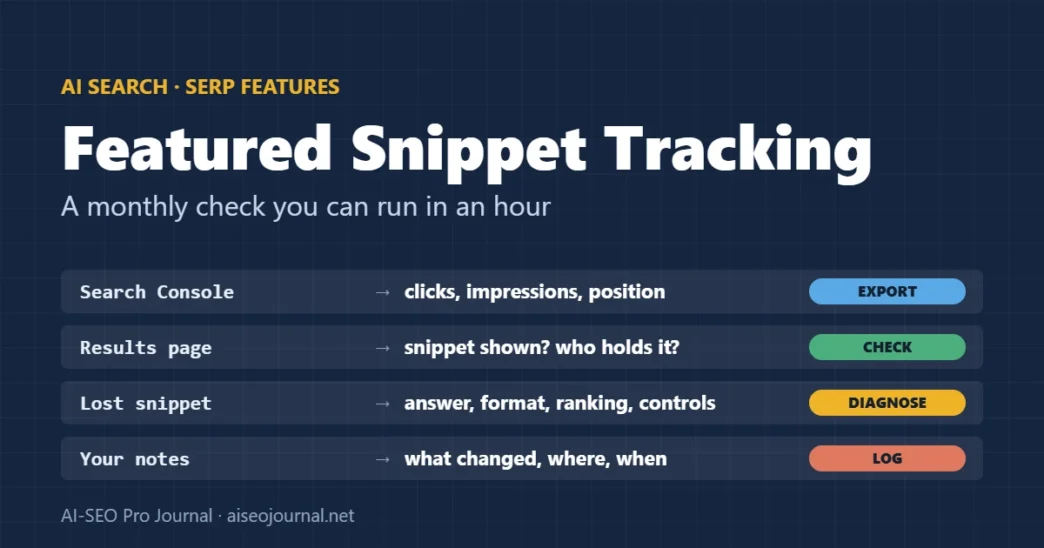
Featured snippets change hands without warning. A competitor rewrites an answer, Google tests a different format, or an AI Overview appears above everything. If nobody is checking, the first sign is a fall in clicks weeks later. Tracking featured snippets means knowing three things for the queries that matter to you: whether a snippet is shown, who holds it, and what holding it does to your traffic.
This guide sets out a monthly routine for all three, using Search Console and a manual or tool-based results check. It also covers what to do when you lose a snippet. It is part of our featured snippets guide.
Key takeaways
- Search Console counts a featured snippet under the standard position rules, so a page holding one typically shows as position 1 for that query.
- To see whether a snippet is shown and who holds it, check the results page or use a rank tracker that records SERP features.
- Measure the effect on clicks, not just positions: in Ahrefs’ 2017 study, a snippet earned fewer clicks than a normal first result.
- Your page is not repeated in the first page of regular results while it is the snippet, so losing the snippet can mean dropping to a lower regular position.
- Most lost snippets come back by improving the answer, not by adding markup.
Table of Contents
ToggleWhat should you track for featured snippets?
Track a fixed list of queries, not every query you rank for. For each one, record whether a featured snippet is shown, whose page it quotes, its format, and your page’s clicks, impressions and average position over the same period.
| Column | Where it comes from | Why it matters |
|---|---|---|
| Query | Search Console, Performance report | The question you want the snippet for |
| Snippet shown? / format | Results page or rank tracker | Paragraph, list, table or video; tells you how to answer |
| Holder | Results page or rank tracker | Your URL, a competitor, or none |
| Your position | Search Console | Typically 1 while you hold the snippet [1] |
| Clicks and impressions | Search Console | Whether holding the snippet sends visits |
| AI Overview shown? | Results page | An AI Overview above the snippet changes the click picture |
| Date checked and changes made | Your notes | Links cause and effect |
How does Search Console report featured snippets?
Search Console treats a featured snippet like other results: standard position rules apply, and the worked example in Google’s help shows the featured snippet typically occupying position 1 [1]. Average position uses the topmost result from your site for each query [2]. An AI Overview occupies a single position of its own, and every link inside it shares that position [1].
This has two consequences. A jump from around position 3 to position 1 for a question query is often a snippet win, and a drop from 1 to 4 or lower is often a loss. You still have to look at the results page to confirm it, because a normal first place produces the same number.
Professional tip: Filter the Performance report to one page and one query, compare the 28 days before and after a change, and record the dates. Smaller date ranges make the position average noisy for low-volume queries.
A monthly featured snippet tracking routine
Once a month, work through the same steps for your tracked query list. With 20 to 30 queries this is a short manual job; beyond that, a rank tracker that records SERP features saves time.
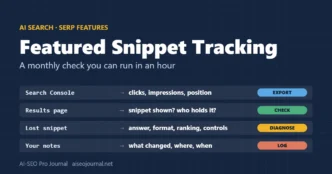
Monthly featured snippet check
- ExportClicks, impressions and position per query
- Check SERPsSnippet shown, holder, format, AI Overview
- Mark changesHolder changed since last month
- DiagnoseAnswer, format, ranking or snippet control
- Log editsWhat changed, where and when
- Export the numbers. In Search Console, export clicks, impressions and position for each tracked query for the last 28 days.
- Check each results page. Search each query in a private window, or read your rank tracker’s SERP feature column. Record whether a snippet is shown, its format and its holder, and whether an AI Overview appears.
- Mark the changes. Highlight every query where the holder changed since last month.
- Diagnose losses. For each snippet you lost, compare your answer with the new one (see below).
- Log every edit. Write down what you changed on which page and when, so next month’s numbers can be read against it.
How do you know if a featured snippet is worth keeping?
Compare clicks for the query before and after you gained (or lost) the snippet, over equal periods. A snippet can raise impressions and lower clicks at the same time. In Ahrefs’ 2017 click-through test, the featured snippet took about 8.6% of clicks, while the regular result directly below it took about 19.6% and a first result with no snippet about 26% [3].
Since January 2020 your page is not repeated in the first page of regular results while it is the featured snippet, because the snippet counts as one of the ten listings [4]. So the right comparison is “snippet” against “the regular position you would otherwise hold”, not snippet plus a regular listing.
For short factual answers, a snippet may mean many impressions and few clicks. That can still be worthwhile for brand visibility, but it should be a conscious choice. If you decide to limit it, the max-snippet and nosnippet controls apply to the whole page and also to how its content is used in AI Overviews and AI Mode [5].
From our own site: The two older posts this guide replaces quoted figures such as “67% of lost snippets can be recovered within 30 days” and “snippet CTR ranges from 2% to 42%”, credited to Moz and Ahrefs. When we checked in November 2026, the Moz page cited returned “not found”, and the Ahrefs study linked contains no such range; it reports the 8.6% figure above. We removed the claims, along with an unverifiable case study. The routine above uses only numbers you can see in your own Search Console account.
What should you do when you lose a featured snippet?
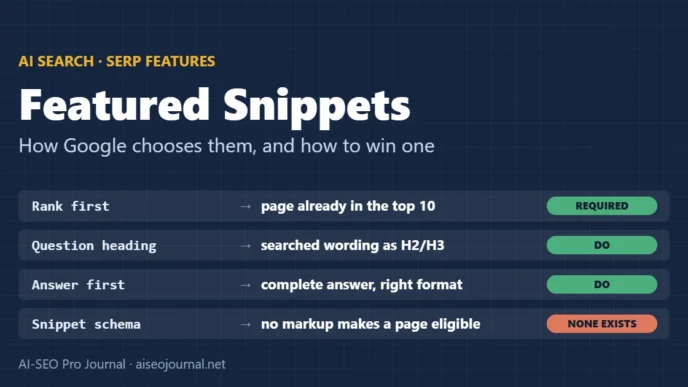
Compare your answer with the one that replaced it, then fix the gap. There is no markup that wins a snippet back [6], so the fix is always in the content or the ranking.
- Same format, better answer? If the new snippet answers more precisely or more completely, rewrite your opening lines to match that standard.
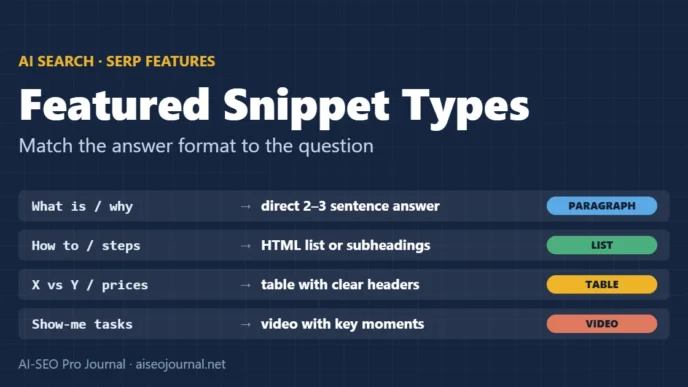
- Different format? If Google switched from a paragraph to a list or table, the query may need that shape. Add it under the question heading.
- Lost ranking? If your page fell out of the top results, the snippet went with it. Almost all snippets come from top-10 pages [3], so work on the ranking problem first.
- Accidentally blocked? Check for a new
nosnippettag,max-snippetvalue ordata-nosnippetwrapper added by a theme or plugin update [5]. - No snippet at all now? Google sometimes stops showing a snippet for a query, or shows an AI Overview instead. There may be nothing to win back.
To compare your answer with a competitor’s in a structured way, see our guide to competitive snippet analysis.
Below is my featured snippet tracking sheet for two months (columns: query, snippet shown, holder, format, my position, clicks, impressions, AI Overview shown, changes made).
1. List every query where the snippet holder changed between the two months.
2. For each, say what changed in my clicks and position, and which of my logged changes (if any) happened in between.
3. Suggest what to check first for each lost snippet: answer quality, format, ranking, or a snippet control.
Only use the data in the sheet. Do not estimate search volumes or traffic I have not given you.

[paste both months]
Frequently asked questions
Does Search Console show featured snippets?
Search Console counts a featured snippet under its standard position rules, so a page holding one typically shows as position 1 for that query. To confirm a snippet and see who holds it, check the results page or use a rank tracker that records SERP features.
How often should I check featured snippets?
Monthly is enough for most sites. Check more often only for a handful of queries that drive significant traffic, or straight after you change a page targeting a snippet.
Why did my featured snippet disappear?
Usually because another page answered better, Google switched format, your page lost ranking, or a snippet control was added by mistake. Sometimes Google stops showing a snippet for the query altogether.
Do featured snippets always increase traffic?
No. In Ahrefs’ 2017 study, a featured snippet received fewer clicks than a normal first result on a page without one. The effect depends on whether the box answers the question completely.
Set up your tracking sheet this month
Choose 20 question queries that matter to your site, add the columns from the table above, and fill in the first month from Search Console and the results pages. Repeat next month and look only at what changed. To build the query list, start with our guide to featured snippet keywords.
Sources
- Search Console Help — What are impressions, position and clicks?
- Search Console Help — Performance report (Search results): overview
- Ahrefs (Tim Soulo) — Study of 2 million featured snippets, 29 May 2017
- Search Engine Journal — Google: webpages with featured snippets won’t appear twice on page 1, 22 January 2020
- Google Search Central — Robots meta tag, data-nosnippet and X-Robots-Tag specifications
- Google Search Central — Featured snippets and your website