

The Google small business hub is a single starting page at business.google.com that links to Google’s main tools for small firms. Google announced it on 24 September 2025 [1]. It does not replace any tool. It points you to Business Profile, Merchant Center, Google Ads, YouTube Ads and Analytics from one place [2].
A year on, the bigger change for small businesses has come from somewhere else. In 2026 Google built a second small-business hub, inside the Gemini app [5]. This report covers both, in date order.
Updated 18 November 2026: rebuilt from Google’s announcements and the live hub page. We removed an unattributed “expert quote” and an unsourced statistic, corrected the launch date, and added what Google has launched since.
Table of Contents
ToggleWhat is the Google small business hub?
Google framed the launch around 25 years of Google Ads. Selin Song is President of Google Customer Solutions. She wrote that Google was celebrating small business owners “with a new hub with resources to help them grow online” [1].
Search Engine Journal described what is on the page. You can claim a Business Profile, list products in Merchant Center, start Google Ads or YouTube Ads and set up Analytics. The page also highlights Workspace’s AI features, beginner training and starter website options [2].
SEJ’s Matt G. Southern summed it up plainly: “It’s a navigational layer over tools you already use.” [2] In other words, nothing new to learn. The value is having one link instead of six.
Expert quote: “technology democratizes access to faster and smarter ways of working” — Selin Song, President, Google Customer Solutions [1]
Google small business hub: the timeline
Here is what happened, from the hub’s launch to today. Each date comes from the source beside it.
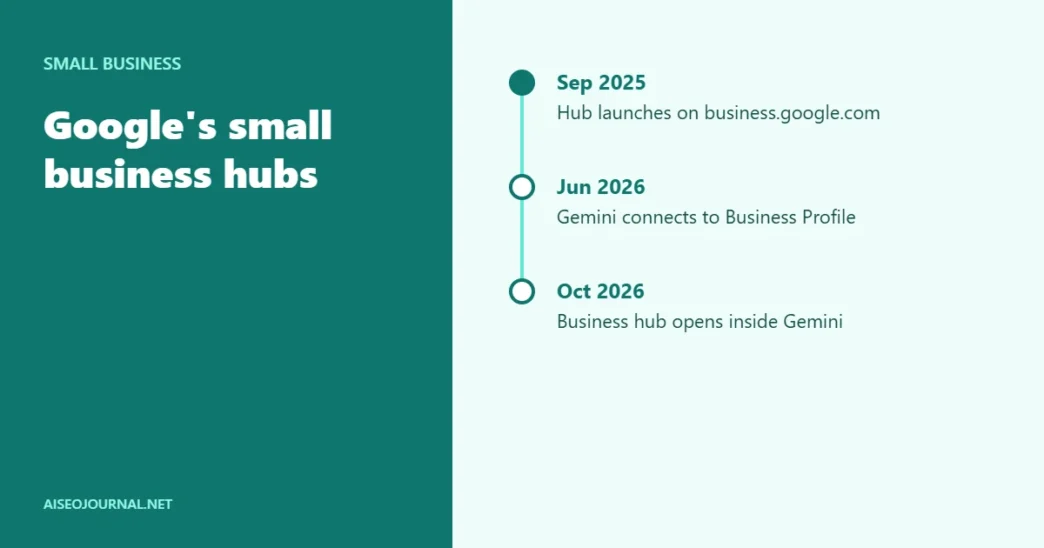
- 24 September 2025Google announces a new small business resource hub, linked from g.co/smallbusiness. [1]
- 29 September 2025Search Engine Journal reports the hub at business.google.com/us/essentials: Business Profile, Merchant Center, Ads, YouTube Ads, Analytics. [2]
- 10 June 2026Gemini can connect to a Business Profile, draft review replies and keep Business notebooks. [4]
- 20 October 2026Google launches a business landing page in Gemini, with connected apps such as Shopify, Canva and Xero. [5]
- 18 November 2026The hub page is still live; the g.co short link now opens a Google Ads sign-up page (our check). [3]
What does the Google small business hub offer today?
We opened the hub page on 18 November 2026. It is still live at business.google.com/us/essentials, under the line “A resource to help your business stand out online” [3].
The menu now lists more than the launch coverage did. Alongside Business Profile, Merchant Center and Analytics, it links to Performance Max, Demand Gen and Local Services Ads. It also links to Ask Advisor, which Google describes as an “AI marketing agent” [3]. The page also carries customer stories, including the three businesses Google featured in its launch post [1] [3].
Google’s launch post also included two figures. It said 82% of small businesses attribute revenue growth to digital ads. It added that 79% say these tools help them compete with larger firms [1]. The post gives no survey details, so treat them as Google’s own claims.
What is the new small business hub in Gemini?
The second hub lives inside the Gemini app. Google added it in two steps in 2026.
First, on 10 June 2026, Google let owners connect their Business Profile to Gemini. Once connected, Gemini can read reviews, customer questions and performance data. Owners can ask it how the business did this month, or to draft a reply to a review. Google also added Business notebooks, which collect chats, sources, the Business Profile and the website in one place [4].
Then, on 20 October 2026, Google launched a business landing page in Gemini [5]. From there, owners can work on branding, finances and customer insights. Gemini can connect to Business Profile, Google Ads and Workspace, and to apps such as Adobe, Canva, Dropbox, Shopify, Wix, Zoho and Xero. Owners can upload a brand kit so images stay on brand [5].
Google listed more Business Profile tasks for Gemini. Owners can ask it to update opening hours, post seasonal updates or find gaps in the profile [4]. Business notebooks also raise alerts, such as an unanswered customer question or holiday hours that have not been set [4].
The October update added finance and image tools. Gemini can turn spreadsheets, receipts and purchase records into charts and summaries. With a stored brand style, Google’s Nano Banana 2.1 image model can produce campaign visuals that match the brand [5]. Google also says tens of millions of small business owners already use Gemini, though it gives no breakdown [5].
Both Gemini posts were written by Vishnu Sivaji, Senior Director of the Gemini app [4] [5]. Google said the October features would roll out globally to all Gemini app users [5].
| Hub on business.google.com (2025) | Business hub in Gemini (2026) | |
|---|---|---|
| Where it lives | business.google.com/us/essentials [3] | Inside the Gemini app [5] |
| What it does | Links you to Google's business tools and guides [2] | Works with your data: branding, finances, customer insights [5] |
| Business Profile | Link to claim and manage your profile [3] | Connect it so Gemini can read reviews and performance data [4] |
| Other apps | Google tools only [2] | Google tools plus Adobe, Canva, Dropbox, Shopify, Wix, Zoho, Xero [5] |
| Best for | Onboarding and finding the right tool | Day-to-day tasks for owners who use Gemini |
Who is affected?
The audience is large. The US Small Business Administration counts 36,207,130 small businesses in the US, 99.9% of all firms [6]. The same report says 7.6% of businesses used AI between September 2024 and August 2025 [6]. So most small firms are still new to tools like Gemini.
Agencies gain the most from the 2025 hub. SEJ’s point was that you can send a new client one link for onboarding, instead of a list of separate Google sites [2].
Owners who manage their own Business Profile gain most from the 2026 Gemini features. They put the profile’s data in the same place as the tools for acting on it [4].
Our analysis: helpful packaging, with a catch
This is our view. The 2025 hub is good packaging, but it is still packaging. It does not change how any tool works, and it does not change rankings.
The Gemini features matter more for local SEO, because they touch the Business Profile directly. Faster replies to reviews and fewer forgotten holiday hours can only help a listing. But an AI draft is still a draft. A reply in the wrong tone, or hours set wrongly, is public within minutes.
There is a commercial angle too. Both hubs sit next to Google Ads. And as we found on 18 November 2026, the hub’s old short link now leads to an Ads sign-up page. That is normal for Google, but it means “start here” also means “start spending” for some owners. Free tools such as Business Profile come first, and it is worth weighing SEO against PPC before you spend.
Professional tip: If you onboard clients, put the business.google.com/us/essentials link in your welcome email. Then add the direct Business Profile link as step one, before any Ads page.
What should small businesses do now?
- Start with the free tools. Claim and complete your Business Profile from the hub before anything paid. Our Business Profile guide walks through it [3].
- Bookmark the right link. Use business.google.com/us/essentials, not the old short link.
- Try the Gemini connection carefully. Connect your Business Profile, then check every AI-drafted reply or change before you publish it [4].
- Measure what changes. Watch calls, direction requests and website clicks in your Business Profile performance data. Our guide to local SEO analytics shows what to track.
What is still unknown?
- Whether the two hubs will merge. Google has not said how the business.google.com hub and the Gemini landing page relate.
- Effect on visibility. Google has not claimed that using either hub affects rankings, and we would not expect it to.
- Availability by country. The hub page we checked is the US version [3]. Google says the Gemini features roll out globally [5], but access can vary.
Frequently asked questions
What is the Google small business hub?
It is a page at business.google.com that links to Google’s main tools for small firms, including Business Profile, Merchant Center, Google Ads, YouTube Ads and Analytics. Google announced it on 24 September 2025.
Does the hub replace Google Business Profile or Google Ads?
No. Search Engine Journal described it as a navigational layer over tools you already use. Each tool works as before.
What is the Gemini small business hub?
It is a business landing page inside the Gemini app, launched on 20 October 2026. It connects Gemini to Business Profile, Google Ads, Workspace and apps such as Shopify, Canva and Xero.
Can Gemini reply to my Google reviews?
Since June 2026 you can connect your Business Profile to Gemini and ask it to draft a reply to a review. You should check each draft before posting it.
Is the hub still at g.co/smallbusiness?
Not when we checked on 18 November 2026. That short link redirected to a Google Ads page. The hub was at business.google.com/us/essentials.
Where to go next
Start with our local SEO guide. Then read how Google rewrote its local ranking factors page and whether to add Bing Places for Business. For AI in local search, see Google Maps gets Gemini and AI Overviews for local businesses.
Sources
How we checked this: on 18 November 2026 we read Google’s three announcements, SEJ’s launch report, the live hub page and the SBA’s 2026 figures, and followed the g.co short link. We have no commercial relationship with Google.
- Google — Helping small businesses thrive online, Selin Song, 24 September 2025
- Search Engine Journal — Google Launches New Small-Business Resource Hub, Matt G. Southern, 29 September 2025
- Google — Business essentials hub (read 18 November 2026)
- Google — Save time and grow your business with new Gemini tools, Vishnu Sivaji, 10 June 2026
- Google — New Gemini tools for small business owners, Vishnu Sivaji, 20 October 2026
- US SBA Office of Advocacy — Frequently Asked Questions About Small Business 2026, February 2026