You optimized for featured snippets. You followed the rules. You added perfect 50-word answers under question headers.
But Google gave the snippet to someone else. Why?
Because you optimized for the wrong featured snippet types. Google doesn’t award snippets based on answer quality alone—it matches format to query intent. A brilliant paragraph answer loses to a mediocre list when the query demands steps.
Understanding snippet formats isn’t academic—it’s the difference between position zero and invisibility. According to Moz’s 2024 featured snippet analysis, 82% of snippets use paragraph format, 11% use lists, 5% use tables, and 2% use video. Each type serves different search intents and requires unique optimization approaches.
Let’s decode all four types of featured snippets so you can match format to opportunity and actually win position zero.
Table of Contents
ToggleWhat Are the Four Main Featured Snippet Types?
Google displays featured snippets in four distinct formats, each designed for specific query types and user intents.
Paragraph snippets answer direct questions with text blocks, typically 40-60 words. They dominate “what is,” “who is,” and definition queries.
List snippets display information as numbered or bulleted lists, perfect for “how to,” “steps,” and ranking queries.
Table snippets organize data in rows and columns, ideal for comparisons, pricing, specifications, and statistics.
Video snippets showcase YouTube content with thumbnails and timestamps, answering visual or procedural queries.
Each format triggers for specific query patterns. Matching your content format to query intent is the secret to snippet capture.
What Are Paragraph Snippets and How Do They Work?
Paragraph snippets are text-based answer boxes containing 40-60 words extracted from web pages. They’re the most common format, representing 82% of all featured snippets according to Moz’s research.
Google pulls these from content that directly answers questions in a concise, complete manner. The snippet includes the text excerpt, page title, URL, and sometimes an accompanying image.
What Queries Trigger Paragraph Snippets?
Question-based searches generate paragraph snippets most frequently. Think “what is,” “who is,” “why does,” “when did,” and “where is” queries.
Definition queries almost always return paragraphs: “what is entity SEO,” “who is the CEO of Apple,” “why do cats purr.
Explanation queries work similarly: “how does photosynthesis work,” “what causes inflation,” “why is the sky blue.”
According to SEMrush’s 2024 SERP features data, definition and explanation queries trigger paragraph snippets 89% of the time.
How Long Should Paragraph Snippet Content Be?
The sweet spot is 40-60 words. Backlinko’s analysis of 5.2 million featured snippets found that 92% of paragraph snippets fall within this range.
Under 40 words feels incomplete or oversimplified. Google questions whether you’ve fully answered the query.
Over 60 words means Google truncates your answer mid-sentence. This damages comprehension and reduces click appeal—users see “…” and feel the answer is incomplete.
Structure your snippet-target paragraph precisely: Direct answer (15-20 words) + supporting detail (20-35 words) + elaboration prompt (5-10 words).
What’s the Perfect Paragraph Snippet Structure?
Place your snippet-worthy paragraph immediately under a question-format H2 or H3 header that matches the search query exactly.
First sentence: State the direct answer clearly and completely. Entity SEO is the practice of optimizing content for semantic search by establishing your brand as a recognized entity in Google’s Knowledge Graph.
Second sentence(s): Provide essential context or qualification. Unlike traditional SEO focusing on keywords, entity optimization builds relationships between your brand, topics, and other recognized entities.
Final sentence: Create curiosity or indicate deeper information exists. This approach increases visibility in AI-powered search results and voice assistants.”
This structure delivers complete value while encouraging clicks for full explanation.
Real Example: Winning Paragraph Snippet
Search “what is schema markup” and you’ll find a paragraph snippet from Schema.org or a major SEO site.
The winning answer typically follows this exact structure: “Schema markup is code that helps search engines understand your content better by providing explicit clues about page meaning. It uses a standardized vocabulary from Schema.org to structure data in ways algorithms can easily process. Implementing schema can enhance search results with rich snippets and improve visibility.
Notice: 54 words. Direct answer first sentence. Context second sentence. Benefit statement final sentence. Perfect structure.
How Do List Snippets Differ from Paragraph Snippets?
List snippets present information as numbered or bulleted sequences extracted from web content. They appear for procedural, ranking, or multi-point queries.
Google either pulls existing HTML lists from your content or generates lists by extracting information from your text. Proper semantic markup dramatically increases capture probability.
What Search Queries Trigger List Snippets?
Process queries generate numbered lists: “how to bake bread,” “steps to start a business,” “process to apply for passport.”
Ranking queries produce ordered lists: “best SEO tools,” “top marketing strategies,” “most effective exercises for abs.
Collection queries create bulleted lists: “types of coffee beans,” “symptoms of flu,” “benefits of meditation.”
According to research from Ahrefs’ featured snippet study, queries containing “how to,” “steps,” “ways,” or “tips” trigger list snippets 73% of the time.
Should You Use Numbered or Bulleted Lists?
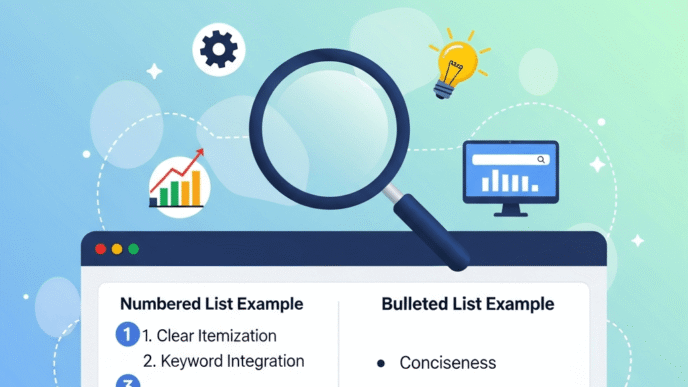
Use numbered lists (<ol> tags) when sequence matters: steps, processes, rankings, chronological events.
Use bulleted lists (<ul> tags) when order doesn’t matter: benefits, features, types, options, symptoms.
Wrong choice reduces snippet chances. Google’s algorithm expects numbered lists for sequential information and bullets for non-sequential collections.
What’s the Ideal List Length for Snippets?
Target 5-8 items for optimal snippet capture. Shorter lists feel incomplete. Longer lists get truncated with “More items…” which actually increases clicks to your page.
Each list item needs 10-20 words of explanation. Too brief (1-5 words) and Google questions value. Too verbose (30+ words) and you lose list format in favor of paragraphs.
Search Engine Journal’s list snippet research found that 8-item lists achieve 34% higher snippet capture rates than 3-item or 15-item lists.
How Do You Format Lists for Maximum Snippet Probability?
Use actual HTML list tags—<ol> for numbered, <ul> for bulleted. Don’t fake lists with styled paragraphs or manual numbering.
Structure each item consistently:
<ol>
<li><strong>Header:</strong> Brief explanation of the step or point.</li>
<li><strong>Header:</strong> Another clear explanation.</li>
</ol>
Google’s extraction algorithm specifically searches for proper list markup. Visual styling matters less than semantic HTML structure.
Real Example: Capturing List Snippets
Search “how to make cold brew coffee” and you’ll find a numbered list snippet showing the step-by-step process.
The winning content typically structures like this:
- Grind coffee coarsely: Use a coarse grind similar to sea salt texture for optimal extraction
- Combine coffee and water: Mix at 1:4 ratio in a large container or French press
- Steep for 12-24 hours: Let mixture sit at room temperature or in refrigerator
- Filter the grounds: Strain through fine mesh or coffee filter twice for clarity
- Dilute and serve: Mix concentrate with water, milk, or ice to taste
Notice proper HTML structure, clear headers, 10-20 word explanations, and sequential numbering.
What Makes Table Snippets Unique and Valuable?
Table snippets organize data into rows and columns, displaying comparisons, pricing, specifications, or statistics. They’re the rarest format but often have the highest commercial intent value.
These require actual HTML <table> markup. Google won’t create tables from regular text—you must structure data properly in your content.
What Queries Generate Table Snippets?
Comparison searches trigger tables almost exclusively: “iPhone 15 vs Samsung S24,” “WordPress vs Shopify,” “Python vs JavaScript.”
Pricing queries often display tables: “web hosting costs,” “CRM pricing comparison,” “cable TV plans.”
Specification searches favor tables: “MacBook Pro specs,” “car comparison,” “vitamin content in vegetables.”
According to SEMrush’s table snippet analysis, comparison queries trigger table snippets 47% of the time—the highest correlation between query type and snippet format.
How Should You Structure Tables for Snippet Capture?
Use semantic HTML with proper <table>, <thead>, <tbody>, <th>, and <td> tags. CSS-styled divs don’t work.
Keep tables to 3-5 columns maximum. Mobile rendering breaks wider tables, and Google favors mobile-friendly formats.
Aim for 5-10 rows of data. Enough to be comprehensive without overwhelming. Google truncates longer tables anyway.
Use descriptive headers in <th> tags. Don’t use “Option 1” or “Product A”—use actual names, brands, or specific identifiers.
What Data Works Best in Table Snippets?
Product comparisons excel: Features, prices, specifications, ratings, availability.
Service comparisons: Pricing tiers, included features, limitations, support levels.
Nutritional data: Calories, protein, carbs, vitamins, minerals.
Technical specifications: Dimensions, weight, performance metrics, compatibility.
The more structured and directly comparable your data, the better it performs in table format.
Real Example: Table Snippet Dominance
Search “project management software comparison” and you’ll find table snippets comparing Asana, Monday, Trello, and others.
The winning table structure:
- Column 1: Software name
- Column 2: Starting price
- Column 3: Free plan availability
- Column 4: Key features
- Column 5: Best for (use case)
Clear headers. Comparable data. Proper HTML. 4-6 products compared. Perfect table snippet.
How Do Video Snippets Work Differently?
Video snippets display YouTube thumbnails with suggested timestamps, answering queries requiring visual demonstration or procedural guidance.
These have grown 47% year-over-year according to Search Engine Journal’s video snippet research, making them the fastest-growing snippet type.
What Queries Trigger Video Snippets?
Visual “how to” queries generate video snippets: “how to tie a tie,” “how to change oil,” “how to apply makeup.”
Product demonstrations: “iPhone 15 unboxing,” “Tesla Model 3 review,” “KitchenAid mixer demonstration.”
Tutorial queries: “guitar chords for beginners,” “Photoshop tutorial,” “yoga poses.”
Entertainment or educational content: “solar eclipse explanation,” “how do airplanes fly,” “origami instructions.”
Video snippets appear when visual demonstration adds value that text can’t provide.
How Do You Optimize for Video Snippets?
Create 3-8 minute videos answering specific questions. Longer videos get truncated; shorter ones may lack depth.
Use the exact question as your video title. “How to Change a Flat Tire” works better than “Tire Changing Tips.”
Include detailed descriptions with key timestamps marked. “0:35 – Loosen lug nuts, 1:15 – Jack up vehicle, 2:40 – Remove wheel.”
Upload complete transcripts. YouTube auto-generates these, but manual refinement improves accuracy and keyword targeting.
Implement VideoObject schema markup with contentUrl, duration, thumbnail, and uploadDate properties.
What Makes Video Snippets Click-Worthy?
High-quality thumbnails with clear visuals. Avoid clickbait or text-heavy images—show the actual content.
Specific timestamp suggestions. Google highlights relevant sections, so users jump straight to answers.
Strong engagement metrics. High watch time, likes, and comments signal quality to Google’s algorithm.
Channel authority. Established channels with verification and consistent uploads get preference.
Real Example: Video Snippet Success
Search “how to change a car battery” and you’ll find a video snippet from ChrisFix or similar automotive channel.
The winning video includes: Clear title matching the query, detailed description with timestamps for each step, high-quality thumbnail showing the process, 5-8 minute duration covering the complete process, and strong engagement metrics (100K+ views, 95%+ like ratio).
Google displays the thumbnail, channel name, video duration, and a key timestamp where the main answer begins.
How Do You Choose the Right Snippet Format for Your Content?
Matching format to query intent is critical. A perfectly optimized paragraph loses to a mediocre list when the query demands sequential information.
What’s the Query Intent Analysis Process?
Search your target keyword and examine the existing snippet (if one appears). Google already determined optimal format through billions of data points.
If a list snippet appears, create list-format content. If a table shows, build comparison tables. Don’t fight Google’s format preference.
For queries without existing snippets, analyze the question structure:
- “What is” or “who is” → Paragraph
- “How to” or “steps to” → List
- “X vs Y” or “compare” → Table
- “How do I” (with visual component) → Video
Intent determines format. Format determines snippet capture probability.
Can One Page Capture Multiple Snippet Types?
Absolutely. Comprehensive content can win multiple snippets with different formats for related queries.
A guide on “email marketing” might capture:
- Paragraph snippet for “what is email marketing”
- List snippet for “how to write marketing emails”
- Table snippet for “email marketing software comparison”
This is called snippet stacking—capturing multiple position zero placements from one page. According to SEMrush’s research, pages ranking for 10+ snippets receive 3.7x more organic traffic than single-snippet pages.
What If You’re Targeting Multiple Query Types?
Create sections optimized for each format. Your comprehensive guide should include:
- Paragraph sections answering “what” and “why” questions
- List sections providing steps, tips, or processes
- Table sections comparing options, products, or approaches
- Embedded videos demonstrating complex procedures
Each section targets different snippet opportunities while maintaining content cohesion.
What Are Common Mistakes with Featured Snippet Types?
Even experienced SEOs make format-related errors that kill snippet chances.
Using the Wrong Format for Query Intent
Optimizing a paragraph for a “how to” query wastes effort. Google wants lists for procedural content, not text blocks.
Search your target query first. See what format Google currently displays. Match that format precisely.
Don’t assume your preferred format is correct. Google’s format choice reflects user preference patterns across billions of searches.
Fake Lists Using Styled Paragraphs
Creating “lists” with manually numbered paragraphs instead of HTML <ol> tags eliminates snippet eligibility.
Google’s extraction algorithm specifically searches for semantic list markup. It doesn’t recognize styled paragraphs as lists even if they visually appear identical.
Use proper HTML: <ol> for numbered sequences, <ul> for bulleted collections. No exceptions.
Tables Built with CSS Instead of HTML
Designing tables with styled divs instead of <table> markup prevents Google from recognizing the data structure.
Google needs semantic <table> tags with proper <th> headers and <td> data cells. CSS grid layouts don’t work for snippet extraction.
If your table isn’t built with actual table HTML, it’s invisible to snippet algorithms.
Video Content Without Proper Metadata
Uploading videos without detailed descriptions, timestamps, or transcripts reduces snippet probability by 80%+ according to Search Engine Journal.
Google can’t extract relevant segments without timestamp markers. Users can’t jump to answers without clear navigation.
Every video targeting snippet capture needs: descriptive title matching target query, detailed description with timestamp markers, complete transcript (manual or auto-generated), VideoObject schema markup, and thumbnail showing actual content.
Mixing Multiple Formats in One Answer
Trying to answer one query with a paragraph AND a list AND a table confuses Google’s extraction algorithm.
Each query deserves one optimal format. If you’re targeting “how to start a podcast,” commit to list format throughout that section.
You can use multiple formats on one page for different queries, but each query-answer pair should maintain format consistency.
Featured Snippet Types Comparison: When to Use Each Format
| Snippet Type | Best For | Query Examples | Optimal Length | Key Success Factor |
|---|---|---|---|---|
| Paragraph | Definitions, explanations | “What is X,” “Who is Y,” “Why does Z” | 40-60 words | Direct answer in first sentence |
| List | Processes, rankings, collections | “How to X,” “Best Y,” “Types of Z” | 5-8 items | Proper HTML <ol> or <ul> tags |
| Table | Comparisons, pricing, specs | “X vs Y,” “Compare Z,” “A pricing” | 3-5 columns, 5-10 rows | Semantic HTML <table> structure |
| Video | Visual demos, tutorials | “How to X” (visual), “Y review” | 3-8 minutes | Timestamps + transcript + schema |
Choose format based on query intent, not content preference. Google’s algorithm matches format to user expectation patterns.
How Do Featured Snippet Types Connect to AI Search?
Different snippet types serve different roles in AI-powered search results and voice assistants.
Which Formats Work Best for Voice Search?
Paragraph snippets dominate voice responses. When you ask Alexa or Google Assistant a question, they read paragraph snippets verbatim.
Lists work for multi-step voice queries but get abbreviated: “Here are the steps to change a tire. First, loosen the lug nuts. Second, jack up the vehicle…” Voice assistants rarely read complete lists.
Tables don’t translate to voice well. Audio doesn’t support row-column data formats.
Videos can trigger on smart displays but voice-only devices can’t utilize them.
For voice optimization, prioritize paragraph snippets with natural, conversational language.
How Do AI Overviews Use Different Snippet Types?
Google’s AI Overviews aggregate information from multiple sources, but they prioritize content already formatted as snippets.
Paragraph snippets get directly quoted in AI summaries. Lists get reformatted into AI-generated bullet points. Tables sometimes appear as-is in AI results. Videos get referenced with links to specific timestamps.
According to Search Engine Land’s AI search research, content appearing in featured snippets is 4.2x more likely to be cited in AI Overviews than content not in snippets.
Optimize for snippets, and you’re automatically positioning for AI visibility.
Pro Tips for Mastering Featured Snippet Types
Expert Insight from Cyrus Shepard: “The biggest snippet mistake I see is optimizing format before verifying query intent. Search your target keyword first. Google has already tested every format with billions of users and selected the optimal one. Match that format precisely.”
Pro Tip: For list snippets, lead with a brief paragraph introduction before your list. This satisfies both paragraph and list extraction opportunities. Google might pull your intro paragraph as a snippet for “what is X” while using your list for “how to do X.”
Strategy from Lily Ray, SEO Director: “Table snippets have the highest commercial intent but lowest competition. If you’re in e-commerce or SaaS, creating comparison tables captures high-value snippets competitors overlook.”
Optimization Insight: Video snippets require different optimization than text snippets. Focus on engagement metrics (watch time, likes) more than keyword density. YouTube’s algorithm feeds Google’s snippet selection for video results.
FAQ: Featured Snippet Types Questions Answered
Can one query trigger multiple snippet types?
Rarely. Google typically displays one snippet type per query based on intent analysis. However, “People Also Ask” boxes below snippets may show different formats for related queries. Your content can win multiple snippet types across different queries, but individual queries usually trigger one format.
Which snippet type is easiest to capture?
Paragraph snippets have most opportunities (82% of all snippets) but also most competition. List snippets for niche “how to” queries often have lower competition. Table snippets have least competition but require more work to create proper comparisons. Start with list snippets for procedural content in your niche.
Do snippet types affect click-through rates differently?
Yes. Table snippets have highest CTR (often 40%+) because comparisons require deeper analysis. Paragraph snippets sometimes reduce clicks if the answer is complete in the SERP. List and video snippets typically increase clicks by creating curiosity about remaining steps or full demonstration.
How often should you update snippet-optimized content?
Quarterly for competitive queries. Add fresh data to tables, update list items with new best practices, refresh paragraph statistics, and upload new videos for evergreen topics. According to research, content updated quarterly maintains 89% snippet retention versus 52% for static content.
Can you optimize for video snippets without creating videos?
No. Video snippets require actual YouTube content. You can’t win video snippets with text-only pages. However, you can embed relevant videos on your pages while optimizing surrounding text for paragraph or list snippets, capturing multiple snippet types from one page.
What happens if you use the wrong format?
Google simply won’t select your content for the snippet, regardless of answer quality. Format mismatch is a disqualifying factor. A perfectly optimized paragraph loses to a mediocre list when query intent demands sequential information. Always verify format before optimizing content.
Final Thoughts: Mastering All Featured Snippet Types
Understanding featured snippet types isn’t about memorization—it’s about matching format to intent systematically.
Paragraph snippets answer “what” and “why.” Lists explain “how” and “steps.” Tables compare options and specs. Videos demonstrate visual procedures. Each format serves specific user needs.
Your competitive advantage comes from analyzing query intent before creating content. Search your target keyword. See what format Google displays. Match that format exactly.
Don’t optimize randomly. Don’t assume your preferred format is correct. Let Google’s billions of data points guide your formatting decisions.
The businesses winning multiple snippets in 2025 aren’t creating the most content—they’re creating the right format content for each query type.
Start with format analysis. Build content matching that format precisely. Track results weekly. Adjust based on what works.
Featured snippet mastery requires understanding all four types and knowing exactly when to deploy each one. Now you have that knowledge. Time to capture position zero.
Citations and References
- Moz – Featured Snippets Analysis 2024: https://moz.com/blog/featured-snippets
- SEMrush – Featured Snippets and SERP Features Study: https://www.semrush.com/blog/featured-snippets-study/
- Backlinko – Featured Snippets Length Study: https://backlinko.com/featured-snippets-study
- Ahrefs – Featured Snippets Research: https://ahrefs.com/blog/featured-snippets-study/
- Search Engine Journal – Featured Snippets Optimization Guide: https://www.searchenginejournal.com/featured-snippets-optimization/
- Search Engine Journal – Video Snippets Growth Report: https://www.searchenginejournal.com/video-snippets-growth/
- Search Engine Land – AI Search User Behavior Study: https://searchengineland.com/ai-search-user-behavior-study
Related posts:
- What Are Featured Snippets? Understanding Position Zero in AI Search
- Featured Snippets in the AI Era: Optimization Strategies for Position Zero
- Mastering On-Page SEO Elements: Meta Tags, HTML, and Image Optimization Explained (Visual guide)
- Paragraph Snippet Optimization: Winning Definition & Answer Snippets