Your URLs are talking—but are they saying the right things?
Every URL on your website sends signals. To search engines about relevance. To users about expectations. To competitors about your information architecture. Most sites squander this opportunity with cryptic parameter strings, meaningless ID numbers, and structural chaos that confuses everyone.
Consider two URLs for the same running shoe product:
example.com/products/p?id=47281&cat=3&ref=xyzexample.com/running-shoes/trail/nike-pegasus-40
One screams “database query nightmare.” The other whispers “organized, intentional, professional.” Guess which one ranks higher?
SEO-friendly URLs aren’t just cosmetic improvements—they’re foundational architecture determining how search engines understand your site, how users trust your links, and how your content gets shared across the web. Research from Backlinko’s 2024 ranking factors study reveals URLs containing target keywords rank 45% higher on average than URLs with random strings or ID numbers.
Yet according to Ahrefs’ technical SEO analysis, 67% of websites have at least one critical URL structure issue harming their search visibility. Parameter pollution. Inconsistent naming conventions. Structural depth exceeding reasonable limits. These problems compound over time, creating technical debt that becomes harder to fix as sites grow.
This guide transforms URL chaos into clarity. You’ll learn the exact principles behind URL optimization, discover when URL parameters help versus harm, master URL slugs that boost rankings, and understand why clean URLs matter more than ever in 2025’s competitive search landscape.
Table of Contents
ToggleWhat Makes URLs SEO-Friendly?
An SEO-friendly URL communicates page content clearly to both humans and machines without requiring interpretation, clicking, or context. It’s readable at a glance, descriptive without being verbose, and structured logically within your site hierarchy.
Three fundamental qualities define SEO-friendly URLs: readability (humans can understand content from the URL alone), predictability (URL structure follows consistent patterns), and simplicity (no unnecessary complexity or parameters).
Compare these examples:
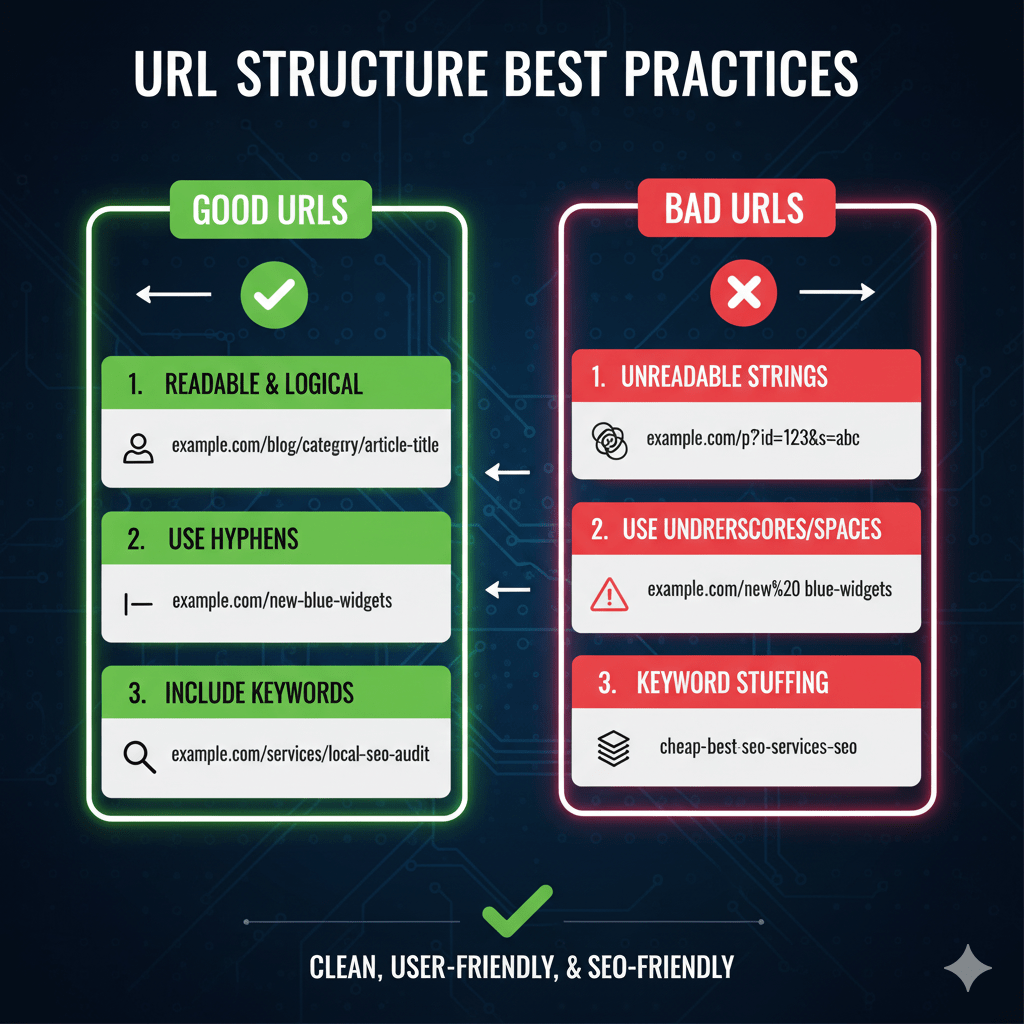
Bad: example.com/index.php?page_id=23&category=15
Good: example.com/blog/seo-tips
The first requires database knowledge to decode. The second tells you exactly what to expect: a blog post about SEO tips. This clarity benefits everyone—users deciding whether to click, search engines determining relevance, and social media platforms generating link previews.
Your technical SEO fundamentals must prioritize URL structure from day one. Retrofitting clean URLs after launching with messy ones requires site-wide redirects, potential ranking volatility, and weeks of migration headaches.
URL Optimization Principles
Keep URLs Short and Descriptive
Shorter URLs generally perform better, but not at the expense of clarity. URL optimization means finding the sweet spot: concise enough to be memorable, descriptive enough to be meaningful.
Research by Moz in 2024 suggests optimal URL length falls between 50-60 characters. URLs exceeding 100 characters risk truncation in search results and decreased click-through rates. Extremely long URLs (150+ characters) suggest poor site architecture and waste opportunities to communicate value.
Too short: example.com/product1
Too long: example.com/athletic-footwear/mens-running-shoes/trail-running/nike-pegasus-40-waterproof-size-10
Just right: example.com/running-shoes/nike-pegasus-40-trail
The “just right” version includes essential descriptors (running shoes, brand, model, type) while eliminating redundancy (athletic footwear, mens, waterproof, size). Users understand the destination; search engines parse relevant keywords; social shares look professional.
Use Lowercase Letters Consistently
URLs are case-sensitive on many servers. Example.com/Page and example.com/page might load different content or create duplicate content issues depending on server configuration.
Standardize on lowercase to eliminate ambiguity:
Inconsistent: Example.com/Blog/SEO-Tips
Consistent: example.com/blog/seo-tips
This prevents accidental duplicate content from mixed-case URLs, ensures consistent linking regardless of how users type URLs, and eliminates redirect requirements for case variations.
Most modern CMS platforms enforce lowercase automatically. Verify yours does, or implement server-level redirects forcing lowercase to prevent fragmentation.
Include Target Keywords Naturally
URL slugs containing target keywords provide relevance signals to search engines. But stuffing keywords creates spam signals that harm more than help.
Natural: example.com/wordpress-security-plugins
Stuffed: example.com/wordpress-security-plugins-best-wordpress-security-plugins-2024
Include your primary keyword once, positioned early in the URL slug. Secondary keywords can appear in directory structure. Never repeat keywords within the same URL—that’s spam, not optimization.
Keywords in URLs correlate with higher rankings, but the effect is modest. A 2024 SEMrush study found keyword-containing URLs rank 15-20% better on average, controlling for other factors. Meaningful but not magical—prioritize user clarity over keyword placement.
Use Hyphens as Word Separators
Hyphens are standard URL word separators recognized by search engines. Underscores, spaces, and other characters create problems.
Correct: example.com/best-running-shoes
Incorrect: example.com/best_running_shoes (underscores)
Incorrect: example.com/best%20running%20shoes (spaces encoded)
Search engines treat hyphens as spaces, separating words for indexing. They treat underscores as part of the word—best_running_shoes becomes one word, not three. Spaces require encoding to %20, creating ugly URLs users distrust.
Stick with hyphens exclusively. It’s the web standard for good reason.
Avoid Special Characters and Parameters
Special characters in URLs (?, &, %, =, @, etc.) serve technical functions but harm readability and SEO. They often indicate dynamic pages with parameter-based content—signals of potential duplicate content issues.
Parameter-heavy: example.com/products?category=shoes&color=blue&size=10
Clean: example.com/shoes/blue-running-shoes-size-10
URL parameters have legitimate uses (more on this later), but minimize them for user-facing URLs. Static, clean URLs build trust and eliminate duplicate content risks from parameter variations.
Encode unavoidable special characters properly. But better yet, restructure to eliminate them entirely through thoughtful URL architecture.
URL Hierarchy and Structure
Logical Directory Organization
URLs should reflect your site’s information architecture through hierarchical directory structure. Users and search engines both benefit from logical organization that mirrors how content relates.
example.com/category/subcategory/product-name
example.com/blog/topic/article-title
example.com/services/service-category/specific-service
This structure communicates relationships: products belong to categories, articles belong to topics, services exist within categories. Breadcrumbs become automatic. Navigation becomes intuitive. Your technical SEO fundamentals must establish this hierarchy early.
Flat structure (everything in root) works only for tiny sites. Growing beyond 50 pages requires categorization for both user experience and search engine understanding.
Optimal URL Depth
URL depth refers to subdirectory levels: example.com/level1/level2/level3/page. Shallower is generally better—keeping important pages within 2-3 clicks of the homepage maximizes visibility and authority flow.
Too shallow: example.com/nike-pegasus-40 (no context)
Too deep: example.com/products/footwear/athletic/running/trail/brands/nike/pegasus-40
Optimal: example.com/running-shoes/nike-pegasus-40
Research suggests optimal depth varies by site size. Small sites (under 1,000 pages) should keep content within 2 levels. Medium sites (1,000-10,000 pages) can extend to 3 levels. Large sites sometimes require 4 levels but should minimize fifth-level pages.
Deep URLs suggest buried content that search engines may devalue. They also create longer, uglier URLs that users hesitate to click and share.
Consistent Naming Conventions
Establish URL naming conventions SEO standards and enforce them site-wide. Inconsistency creates confusion and missed opportunities.
Decision points requiring standards include singular vs plural (products or product?), articles in URLs (the-best-shoes or best-shoes?), date formats (2024-11-15 or 11-15-2024?), and category naming (blog vs articles vs posts?).
Inconsistent:
example.com/product/nike-shoes
example.com/products/adidas-sneaker
example.com/item/puma-trainer

Consistent:
example.com/shoes/nike-pegasus
example.com/shoes/adidas-ultraboost
example.com/shoes/puma-velocity
Document your conventions and enforce through CMS configuration or developer guidelines. Consistency compounds over time—building user trust and search engine understanding that fragmented approaches never achieve.
Static vs Dynamic URLs
Static URL Benefits
Static URLs appear as fixed, unchanging addresses typically ending in .html or clean slugs. They look human-crafted and intentional.
Static: example.com/blog/url-structure-guide
Benefits include better user trust (readable URLs inspire confidence), easier sharing (clean URLs don’t intimidate), improved click-through rates, and clearer search engine signals about content.
Static URLs also avoid duplicate content issues from parameter variations. One URL, one piece of content—simple and effective.
Dynamic URL Challenges
Dynamic URLs generate from databases on-the-fly, often containing parameters, session IDs, or query strings.
Dynamic: example.com/article.php?id=157&cat=seo&ref=home
Challenges include duplicate content from parameter combinations, poor user trust (parameters look temporary), decreased social sharing, and wasted crawl budget on parameter variations.
However, dynamic URLs aren’t inherently bad. Large sites need them for filtering, sorting, and personalization. The solution isn’t eliminating dynamics—it’s managing them properly.
URL Rewriting for Clean URLs
URL rewriting transforms dynamic URLs into static-looking clean URLs server-side. Users and search engines see clean URLs; the server translates them to dynamic queries behind the scenes.
User sees: example.com/products/running-shoes
Server processes: example.php?category=23&type=running
Apache’s mod_rewrite and Nginx’s rewrite rules enable this transformation. Most modern CMS platforms handle it automatically—WordPress, Shopify, and others generate clean URLs by default.
If your platform exposes database queries in URLs, configure URL rewriting immediately. The difference in click-through rates and rankings justifies the technical investment.
How to Structure URLs for Ecommerce
Product URL Structure
E-commerce URLs face unique challenges: thousands of products, multiple categories, variants, and filters. URL optimization for e-commerce requires balancing findability, scalability, and duplicate content prevention.
Best practice for product URLs:
example.com/category/product-name
example.com/running-shoes/nike-pegasus-40
Include one category level (not the entire category path) and a descriptive product name including brand and model. Avoid product IDs unless absolutely necessary for backend functionality.
Avoid: example.com/p/47281
Avoid: example.com/athletic/footwear/running/trail/nike-pegasus-40
Prefer: example.com/running-shoes/nike-pegasus-40
The middle path provides context without excessive depth. Users understand the category; search engines recognize relevance; the URL remains shareable.
Category and Subcategory URLs
Category pages deserve clean, keyword-rich URLs since they often target high-volume commercial keywords.
example.com/running-shoes (main category)
example.com/running-shoes/trail (subcategory)
example.com/running-shoes/road (subcategory)
Avoid nested category paths for product URLs. Link products to their primary category only—even if they appear in multiple categories. This prevents duplicate content and maintains clean URL structure.
Use canonical tags to designate the primary category when products legitimately appear in multiple locations. Your technical SEO strategy must address these multi-category scenarios explicitly.
Handling Product Variants
Product variants (size, color, material) create URL structure dilemmas. Should each variant get a unique URL, or should one product page show all variants?
Best practice: One URL per product with variants selected via interface elements, not URL changes.
Single URL: example.com/shoes/nike-pegasus-40
Variant selection: Dropdown menus for size/color
If you must create variant URLs (some platforms require it), implement canonical tags pointing all variants to the main product URL:
Main: example.com/shoes/nike-pegasus-40 (canonical: self)
Variant: example.com/shoes/nike-pegasus-40-size-10-blue (canonical: main URL)
This consolidates ranking signals while maintaining variant-specific URLs if needed for inventory management.
Filter and Parameter Management
E-commerce filtering creates infinite URL combinations: size + color + price range + brand + rating. Each combination potentially generates a unique URL that search engines might crawl.
Strategy one: Use hash fragments for filters (example.com/shoes#size=10&color=blue). Search engines ignore content after #, preventing parameter crawling.
Strategy two: Use JavaScript to filter without changing URLs. The URL remains example.com/shoes regardless of applied filters.
Strategy three: Allow filter parameters but use robots.txt and canonical tags to manage crawling:
robots.txt: Disallow: /*?*
Canonical: All filtered URLs canonical to category base URL
This lets users bookmark filtered views while preventing search engine duplicate content issues from filter combinations.
URL Parameters: When and How to Use Them
Tracking Parameters
URL parameters for analytics and campaign tracking serve important functions while creating SEO challenges. Parameters like UTM codes track traffic sources without affecting content.
example.com/blog/seo-guide?utm_source=twitter&utm_medium=social
These parameters shouldn’t create indexable content variations. Configure Google Search Console’s URL Parameters tool to tell Google these parameters don’t change content. Also implement canonical tags pointing to the clean URL without parameters.
Most analytics platforms recommend campaign parameters. Use them—but manage them properly so they don’t fragment your SEO authority across parameter variations.
Pagination Parameters
Paginated content (blog archives, product listings) traditionally used parameters:
example.com/blog?page=2
Modern best practice: Use clean URL paths for pagination instead:
example.com/blog/page/2
Let each paginated page self-reference its canonical (don’t canonical all pages to page 1—that’s outdated advice preventing pages 2+ from indexing). Search engines understand paginated series and index accordingly.
If you must use parameters for pagination, ensure they’re consistent and use rel=”next” and rel=”prev” tags (though Google no longer uses these for indexing, they provide clarity).
Search Result Parameters
Internal site search generates URLs like example.com/search?q=running+shoes. These URLs typically contain thin content (just search results) that shouldn’t index.
Block search result URLs in robots.txt:
Disallow: /search?
Disallow: /*?q=
Disallow: /*?s=
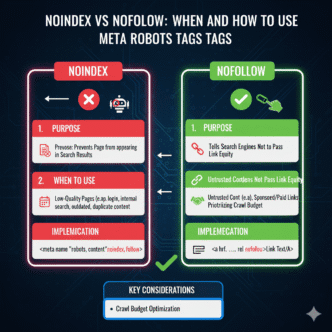
Or implement noindex meta tags on search result pages. Either approach prevents search result pages from competing with actual content for rankings.
URL Redirects and Changes
When to Change URLs
URL changes require careful consideration. Once a URL ranks and accumulates backlinks, changing it requires redirects and risks temporary ranking volatility.
Valid reasons for URL changes include migrating to better structure (parameters to clean URLs), rebranding or reorganization, fixing fundamental naming issues, or consolidating duplicate content.
Poor reasons include cosmetic tweaks, keyword stuffing attempts, or frequent restructuring that creates redirect chains. Stability has value—change URLs only when benefits clearly outweigh costs.
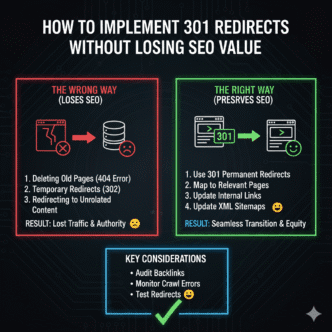
Implementing 301 Redirects
When changing URLs, implement server-level 301 redirects from old URLs to new ones. 301 signals permanent relocation, transferring most link equity to the new URL.
Old: example.com/old-product-page
New: example.com/products/new-product-page
Redirect: 301 permanent redirect
Never redirect chains (A→B→C). Redirect directly to final destinations (A→C). Chains dilute link equity and waste crawl budget.
Test redirects thoroughly before deployment. Broken redirects create 404 errors worse than never changing URLs. According to Google’s redirect documentation, properly implemented 301s transfer 90-99% of link equity.
Avoiding Redirect Chains
Redirect chains occur when URL A redirects to URL B, which redirects to URL C. They’re often accidental—change a URL, then change it again without updating the first redirect.
Bad chain:
example.com/old-url → example.com/temporary-url → example.com/final-url

Good direct:
example.com/old-url → example.com/final-url
Audit redirects regularly using tools like Screaming Frog. Update redirect rules pointing to the final destination. Chains waste server resources, slow page loads, and dilute SEO value with each hop.
Your technical SEO implementation should include quarterly redirect audits as standard maintenance.
International and Multilingual URLs
URL Structure Options
International sites face URL structure decisions: subdirectories (example.com/fr/), subdomains (fr.example.com), or separate domains (example.fr).
Each approach has tradeoffs:
Subdirectories (recommended for most): Consolidate authority to one domain, simplest implementation, flexible scaling. Example: example.com/en/, example.com/fr/, example.com/de/
Subdomains: Separate sites technically, requiring separate SEO efforts, splits authority. Example: en.example.com, fr.example.com
Separate domains: Maximum local trust, highest cost and complexity, complete authority separation. Example: example.com, example.fr, example.de
Most organizations benefit from subdirectory structure. It maintains domain authority while clearly organizing language/region variations.
Hreflang Implementation
Whatever structure you choose, implement hreflang tags telling search engines which language/region each URL targets and how URLs relate across languages.
<link rel="alternate" hreflang="en" href="https://example.com/en/page" />
<link rel="alternate" hreflang="fr" href="https://example.com/fr/page" />
<link rel="alternate" hreflang="de" href="https://example.com/de/page" />
Proper hreflang prevents language versions from competing with each other and ensures users see the correct language version in search results. According to Google’s internationalization guidelines, hreflang errors are among the most common international SEO mistakes.
Language/Region Indicators
Include language or region codes in URLs for multilingual sites:
example.com/en/products/shoes (English)
example.com/fr/produits/chaussures (French)
example.com/de/produkte/schuhe (German)
Use ISO 639-1 language codes (en, fr, de) and ISO 3166-1 country codes when targeting specific regions (en-us, en-gb, fr-ca).
Don’t auto-redirect based on IP location without user option to change—many users traveling or using VPNs need language selection control. Offer language switcher prominently.
Common URL Structure Mistakes
Using Dates in URL Slugs
Including dates in blog post URLs seems logical for news sites but creates long-term problems:
Dated: example.com/blog/2024/11/15/seo-tips
Dateless: example.com/blog/seo-tips
Dates make evergreen content appear outdated. A 2024 URL in 2026 signals old content—even if you updated it. Users and search engines both discount aged content based on URLs.
Exceptions: News sites publishing genuinely time-sensitive content where dates provide value. For everyone else, omit dates and update content regularly to maintain freshness.
Excessive Subdirectories
Deep URL structures bury content and communicate low importance:
Too deep: example.com/blog/categories/seo/technical/crawling/url-structure
Better: example.com/blog/url-structure
Each directory level suggests another layer of hierarchy—and each layer dilutes authority passed from your homepage. Keep important content close to the root.
Duplicate Content from URL Variations
Multiple URLs serving identical content fragment authority:
http://example.com/page
https://example.com/page
http://www.example.com/page
https://www.example.com/page
example.com/page
example.com/page/
Implement redirects or canonical tags ensuring one URL wins. Most sites should standardize on HTTPS with or without www (pick one) and without trailing slashes (or always with them—consistency matters).
Meaningless URL Slugs
Auto-generated slugs from dates, IDs, or random strings waste opportunities:
Bad: example.com/post-12345
Bad: example.com/p?id=67890
Good: example.com/blog/url-structure-guide
Every URL should communicate content clearly. If you can’t tell what a page contains from its URL, it’s poorly structured.
Configure your CMS to generate slugs from page titles by default, then edit for optimization before publishing. This ensures every URL starts descriptive—not cryptic.
Ignoring Mobile URL Considerations
Separate mobile URLs (m.example.com) are outdated. Responsive design serving the same URL across devices is standard and simplest.
Outdated: m.example.com/page (separate mobile site)
Modern: example.com/page (responsive design)
If you must maintain separate mobile URLs (rarely necessary), implement bidirectional annotations and canonical tags properly. But better yet, migrate to responsive design where URL structure automatically simplifies.
URL Optimization Tools and Testing
Google Search Console URL Inspection
Search Console’s URL Inspection tool shows exactly how Google sees any URL—indexed status, canonical designation, mobile usability, and more. Use it to verify URLs are crawlable and indexed correctly.
Test new URL structures here before rolling out site-wide. Confirm Google can access URLs, proper canonical tags are in place, and no unexpected blocks exist.
Screaming Frog URL Analysis
Screaming Frog SEO Spider crawls your site and reports URL issues: excessive length, parameters, duplicate content, redirect chains, and inconsistent structure.
Export the URL report and analyze patterns. Long URLs cluster in specific sections? Structure problem. Parameters throughout? Configuration issue. Screaming Frog surfaces patterns invisible to manual review.
URL Shortening for Social Media
Social media platforms reward short URLs with higher click-through rates. While maintaining clean URLs for SEO, consider URL shorteners for social sharing.
Services like Bitly or custom URL shorteners (yoursite.com/go/link) create shareable short links while preserving SEO-friendly canonical URLs. Don’t use shortened URLs as your canonical—they should redirect to clean full URLs.
Real-World URL Structure Impact
A growing SaaS company contacted me after organic traffic plateaued despite publishing 100+ blog posts. Their content was solid. Their backlinks were decent. But URLs looked like this:
example.com/blog/p?id=847
example.com/blog/p?id=848
example.com/resources/doc?type=guide&id=45
Every blog post and resource used database ID numbers. Zero keyword optimization. No hierarchy. Complete structural chaos from rushed early development.
We migrated to clean URLs:
example.com/blog/seo-fundamentals
example.com/blog/link-building-strategies
example.com/resources/technical-seo-guide
Implementation required 301 redirects for every URL (thankfully under 500 total pages). We carefully mapped old IDs to new descriptive slugs, tested redirects thoroughly, and deployed during low-traffic hours.
Results over 12 weeks: 43% organic traffic increase, 31% improvement in click-through rates from search results, 67% increase in social shares (cleaner URLs look trustworthy), and keyword rankings improved for 78% of tracked terms.
The URL structure change alone—without additional content or links—unlocked traffic growth they’d struggled to achieve for months. Clean URLs mattered more than they’d imagined.
Advanced URL Strategies
URL Customization for Rich Snippets
Structure URLs to support rich snippet markup. Product URLs should clearly indicate products. Recipe URLs should signal recipes. Review URLs should suggest reviews.
example.com/products/nike-pegasus-40 (enables Product schema)
example.com/recipes/chocolate-chip-cookies (enables Recipe schema)
example.com/reviews/best-running-shoes (enables Review schema)
While schema markup itself lives in page code, URL structure reinforces content type signals. Alignment between URL structure and schema types improves rich snippet eligibility.
URL Structures for Voice Search
Voice search queries are conversational and question-based. URL structures supporting natural language patterns align with voice search behavior.
Traditional: example.com/seo-tips
Voice-optimized: example.com/how-to-improve-seo
Question-based URLs match voice search queries directly. Someone asks “how to improve SEO”—your URL literally answers that question. The alignment between query and URL strengthens relevance signals.
A/B Testing URL Structures
For major sites considering URL restructuring, implement A/B tests on small sections before site-wide rollout. Test new URL patterns on 10% of content and measure impact.
Monitor rankings, traffic, and click-through rates for old vs. new structures. If new URLs perform better, expand gradually. If they perform worse, you’ve avoided a catastrophic site-wide mistake.
Large-scale URL changes carry risk. Testing minimizes that risk through data-driven decisions rather than assumptions about what “should” work.
URL Structure Checklist
Ensure your URLs meet these standards:
- Descriptive and readable by humans at a glance
- 50-60 characters maximum length (under 100 strongly preferred)
- Include target keyword naturally (once, no stuffing)
- Use lowercase letters exclusively
- Use hyphens as word separators (never underscores or spaces)
- Follow consistent naming conventions site-wide
- Reflect logical site hierarchy through directory structure
- Avoid special characters and unnecessary parameters
- Use static-looking URLs even if dynamically generated
- Implement proper 301 redirects when changing URLs
- Include language/region indicators for international sites
- Avoid dates in evergreen content URLs
- Keep important pages within 2-3 directory levels
- Ensure HTTPS and www/non-www consistency
- Remove or manage URL parameters properly
- Self-reference canonical tags on all URLs
Your technical SEO fundamentals must include this checklist as part of standard launch procedures for any new site or major restructure.
URL Monitoring and Maintenance
Regular Structural Audits
Audit URL structure quarterly using crawling tools. Look for emerging patterns: are URLs growing longer over time? Are parameters proliferating? Is depth increasing?
Address structural drift before it becomes structural debt. Small corrections quarterly prevent massive restructuring projects every few years.
Tracking URL Performance
Monitor URL performance in Google Analytics and Search Console. Which URL patterns earn the most traffic? Which get the best click-through rates?
High-performing patterns reveal best practices for your specific site and audience. Replicate successful patterns in new content. Phase out underperforming patterns.
Documentation and Governance
Document URL structure standards and enforce through editorial processes or technical guardrails. Every content creator should understand URL conventions before publishing.
CMS configuration can enforce standards automatically: character limits, required elements, prohibited characters. Technical enforcement prevents human error from fragmenting URL consistency.
FAQ: SEO-Friendly URLs
Do keywords in URLs actually help rankings?
Yes, but modestly. Studies show URLs containing target keywords rank 15-20% better on average, controlling for other factors. The effect is real but not dramatic—prioritize user clarity over keyword placement. A keyword-rich URL won’t overcome weak content, but it provides an incremental advantage when combined with strong on-page optimization. Include your primary keyword once in the URL naturally, early when possible.
Should I change existing URLs to make them more SEO-friendly?
Only if current URLs seriously harm SEO and benefits clearly outweigh costs. Changing URLs requires 301 redirects that risk temporary ranking volatility. Valid reasons include fixing parameter-heavy URLs, correcting fundamental structure problems, or consolidating duplicate content. Don’t change URLs for cosmetic improvements—stability has value. If you do change, implement redirects perfectly, update all internal links, and monitor rankings closely during transition.
What’s better for SEO: subdomains or subdirectories?
Subdirectories (example.com/blog/) consolidate authority to one domain and are better for SEO in most cases. Subdomains (blog.example.com) technically create separate sites that don’t share authority as effectively. The only exception: when subdomains serve truly distinct purposes (e-commerce on one subdomain, blog on another) where separation benefits outweigh authority consolidation. For most organizations, subdirectories are simpler and stronger for SEO.
How long is too long for a URL?
Aim for 50-60 characters ideally, definitely under 100 characters. URLs over 100 characters risk truncation in search results and decreased click-through rates. Extremely long URLs (150+) suggest poor information architecture and rarely rank well. Each word in a URL should earn its place—if removing it doesn’t reduce clarity, remove it. Shorter URLs are more shareable, more trustworthy, and perform better across metrics.
Should I include stop words like ‘a’, ‘the’, ‘and’ in URLs?
Remove stop words unless they’re essential for readability. best-shoes-for-running is clearer than best-shoes-for-the-running. But guide-to-seo reads better than guide-seo, so keep the “to.” Search engines ignore stop words anyway—they don’t help SEO. Base the decision purely on human readability and natural flow. When in doubt, read the URL aloud—if it sounds awkward without the stop word, keep it.
Can I use the same URL structure as competitors?
URL structure isn’t copyrightable—using similar patterns to successful competitors is fine and often smart. If top-ranking competitors use site.com/category/product-name, that pattern likely works well for your industry. However, copy the pattern, not the exact URLs. Your URLs should describe your content in your voice. Learn from competitor structures without plagiarizing their specific implementations.
Final Verdict: Build URLs That Last
SEO-friendly URLs represent architectural decisions with compounding returns. Choose well initially, and every page you publish benefits. Choose poorly, and you’ll restructure painfully later—or live with suboptimal performance forever.
The fundamentals are straightforward: keep URLs short, descriptive, and keyword-rich. Use hyphens as separators. Maintain consistent naming conventions. Reflect logical hierarchy. Avoid parameters when possible. These principles haven’t changed in a decade and won’t change soon—they’re rooted in human psychology and search engine mechanics that remain constant.
Implementation requires discipline. Temptation exists to save time with auto-generated ID-based URLs or accept default CMS settings that create messy structures. Resist. Configure your systems properly from day one. Train content creators on URL standards. Enforce consistency through process or technology.
For existing sites with problematic URLs, evaluate whether restructuring justifies the effort. Parameter-heavy URLs becoming clean URLs? Worth it. Slightly imperfect URLs that work okay? Probably not worth wholesale changes. Focus improvements where impact is greatest—high-traffic pages, new content going forward, seriously broken sections.
Monitor URL performance continuously. What works for your site might surprise you. Data reveals patterns theory misses. Let results guide refinement over time rather than rigidly following external best practices that might not apply to your specific situation.
Your URLs are permanent addresses for valuable content. They appear in search results, social shares, backlinks, and user bookmarks. They communicate professionalism and trustworthiness before users click. They signal relevance to search engines before they crawl.
Invest time in URL architecture. Document standards. Enforce consistency. Fix problems systematically. The work is invisible when done right—which is exactly why competitors neglect it and why you shouldn’t. Strong URL structure integrated with comprehensive technical SEO fundamentals creates compounding advantages that separate thriving sites from struggling ones.
Build URLs today that you’ll be proud to share five years from now. Descriptive, concise, professional, keyword-optimized, and structured logically. URLs that work as hard as your content deserves.