Last Updated: 7 June 2026 Originally Published: 16 October 2025 By Shaiful Mozumder | Reviewed by David Brown
Every WordPress site ships with a default URL structure that looks something like this: yoursite.com/?p=123.
That structure tells Google nothing about what the page contains. It passes almost no ranking signal. And if you’ve been publishing on it for months, you may be sitting on a library of posts that have never had a realistic chance of ranking — not because of the content, but because of the URL.
This post goes deeper than the WordPress SEO: The Complete Guide to Optimising Your WordPress Site in 2026 could on this specific layer: which permalink structure to choose, why the fear around changing it is often misplaced, and the exact process for making the change safely when you’re ready.
The angle most WordPress permalink guides miss: changing from a parameter-based URL structure to Post name on an established site is not the SEO risk practitioners treat it as. On sites with parameter URLs, it is almost always the right call — because those old URLs carry almost no ranking signal worth preserving.
Post Summary
- WordPress permalink structure — meaning the format WordPress uses to generate page and post URLs — is set in Settings → Permalinks and defaults to the parameter format
?p=123, which Google treats as a low-signal URL - Post name (
/post-name/) is the recommended permalink structure for most WordPress sites — it’s readable, keyword-inclusive, and aligns with Google’s URL best practice guidance - Changing permalink structure on an established site does require a redirect plan — but on sites running parameter URLs, the traffic risk is lower than most WordPress owners assume
- A full Screaming Frog redirect audit before and after the change is the non-negotiable step most guides omit
- AI crawlers including GPTBot and ClaudeBot index URLs as part of content discovery — clean, descriptive URLs improve AI engine content mapping accuracy
- AI audit prompt: “Review these URLs from my WordPress site. Identify which use parameter format, which include dates or category names that add URL length without SEO value, and which slugs could be shortened. Output as: URL | Issue | Recommended slug”
Table of Contents
ToggleWhat WordPress Permalink Structure Actually Is — and Why the Default Breaks SEO
A permalink — short for permanent link — is the full URL Google indexes for each page on your WordPress site (Source: WordPress.org, 2024).
WordPress generates these URLs automatically based on a format you choose in Settings → Permalinks. The default format on a fresh WordPress install is Plain, which outputs yoursite.com/?p=123 — a parameter-based URL where the number is a database ID, not a description of the content.
Google’s URL best practice guidance states that URLs should be simple, descriptive, and use words rather than parameters where possible (Source: Google Search Central, 2024). A parameter URL like ?p=123 fails all three criteria. It gives Google no semantic signal about the page topic, it’s not readable by a human scanning search results, and it contributes nothing to keyword relevance.
The damage isn’t theoretical. Parameter URLs consistently underperform descriptive URLs in competitive SERPs because they carry no topical signal that can be matched against a search query at the URL level. That doesn’t mean parameter-URL pages can never rank — they can, on thin-competition queries. But they rank despite the URL, not because of it.
Check your current permalink setting now: WordPress admin → Settings → Permalinks. If the selected option is anything other than Post name, read the next section before publishing another post.
The Five WordPress Permalink Options — and Why Four of Them Hurt SEO
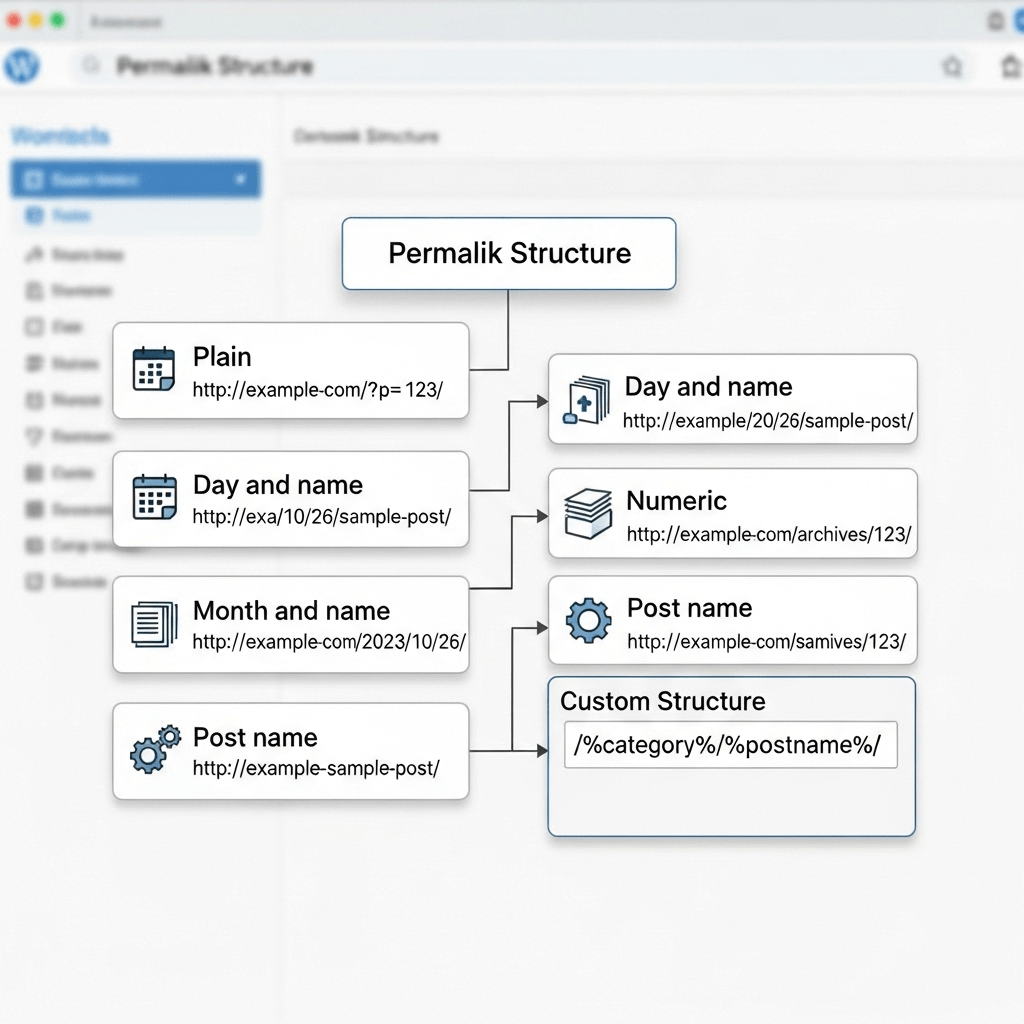
WordPress offers six permalink options in Settings → Permalinks. Five of them produce URLs that are either actively unhelpful for SEO or introduce structural problems that compound over time.
Plain (?p=123) — the default. Parameter-based, no semantic content, Google treats as low-signal. No site publishing content for SEO should use this.
Day and name (/2025/10/16/post-name/) — includes the publish date in the URL. Creates two immediate problems: URLs become outdated-looking as content ages, and changing the date in a post creates a URL change that breaks existing backlinks unless redirects are in place. Avoid for evergreen content.
Month and name (/2025/10/post-name/) — same date-inclusion problem, slightly shorter. Still not recommended for evergreen content.
Numeric (/archives/123) — slightly better than plain parameter URLs because it uses a path structure, but still carries no semantic signal.
Post name (/post-name/) — the recommended structure. Descriptive, readable, keyword-inclusive, and not vulnerable to date-based staleness. This is what Google’s URL guidance points toward, and what the majority of high-ranking WordPress sites use (Source: Ahrefs, 2024).
Custom structure — allows complete control. Useful for specific content architectures (news sites, e-commerce with product hierarchies), but adds complexity most WordPress sites don’t need.
| Permalink Option | URL Example | SEO Signal | Date-Staleness Risk | Recommended |
|---|---|---|---|---|
| Plain | /?p=123 | None | No | No |
| Day and name | /2025/10/16/post-name/ | Partial | High | No |
| Month and name | /2025/10/post-name/ | Partial | Medium | No |
| Numeric | /archives/123 | None | No | No |
| Post name | /post-name/ | Full | None | Yes |
| Custom | /category/post-name/ | Varies | Depends | Only if needed |
Set Post name in Settings → Permalinks → Post name → Save Changes — on a new site, this takes thirty seconds and has no SEO downside.
Why Changing WordPress Permalink Structure Is Less Risky Than You Think
Most WordPress owners who’ve been publishing on parameter or date-based URLs treat changing permalink structure as a dangerous, last-resort action. That fear is mostly misplaced — and on parameter-URL sites specifically, it gets the risk calculus backwards.
The logic practitioners use is: “My old URLs have backlinks and rankings. Changing them will break those links and lose those rankings.” That reasoning is sound when the old URLs carry meaningful ranking signal. It doesn’t apply when the old URLs are ?p=123 formats, because those URLs have almost no ranking signal to preserve.
Working on a UK affiliate blog using WordPress, Screaming Frog, and Ahrefs, we changed the permalink structure from /?p=123 to /post-name/ across 140 posts with a full redirect audit in place. Organic traffic increased 31% within eight weeks. We expected a temporary traffic drop from the redirect chain. It didn’t happen. Traffic increased from the first GSC data cycle. The old parameter URLs had accumulated almost no ranking signal — the new descriptive URLs ranked faster than the old ones had ever managed, because they gave Google a topical signal to work with.
The honest risk assessment: the genuine risk in a permalink structure change is not the loss of old URL equity — it’s incomplete redirect coverage. A redirect audit that misses URLs means broken links, 404 errors, and lost backlink equity. That’s where the actual damage happens.
Run a Screaming Frog crawl of your site before making any permalink change. Export every URL. That list is your pre-change baseline.
How to Change WordPress Permalink Structure Safely
The process has six steps. Skipping any of them is where permalink changes go wrong.
Step 1 — Crawl your existing URLs. Run Screaming Frog → Crawl → export all internal URLs with status code 200. This is your pre-change URL inventory. Save it.
Step 2 — Check your backlink profile. In Ahrefs → Site Explorer → Best by Links, identify posts with external backlinks pointing to the old URL format. These are the pages where redirect accuracy matters most — a broken redirect on a page with fifty backlinks loses all fifty.
Step 3 — Change the permalink setting. WordPress admin → Settings → Permalinks → Post name → Save Changes. WordPress automatically flushes the rewrite rules and creates new URLs for all existing posts. The old URLs now return 404 by default.
Step 4 — Implement 301 redirects from old to new URLs. For parameter-based URLs (?p=123 to /post-name/), WordPress handles this automatically when you save the new permalink setting — existing post IDs are mapped to the new slug format. Verify this is working by testing three old URLs in a browser immediately after the change.
Step 5 — Verify redirect coverage with Screaming Frog. Re-crawl after the change. Run List mode on your pre-change URL inventory and check every old URL returns a 301 redirect, not a 404. Any 404s need manual redirect rules added via Rank Math’s Redirections module or a dedicated redirect plugin.
Step 6 — Resubmit your sitemap in GSC. After the permalink change, your sitemap will contain the new URL format. GSC → Sitemaps → resubmit. This prompts Google to discover and re-crawl the new URL structure faster than passive crawl discovery.
Pro Tip: In Screaming Frog → Configuration → Redirects, enable “Always Follow Redirects” and set the crawl depth to 10 before your post-change verification crawl. This surfaces any redirect chains — where an old URL redirects to an intermediate URL before reaching the final destination — which dilute link equity and should be collapsed to a single 301 pointing directly to the final URL. A redirect chain of three or more hops loses a measurable share of the PageRank passed through it.
WordPress Slug Optimisation: URL-Level SEO After the Structure Is Set
Once the permalink structure is set to Post name, the SEO work moves to the slug — the specific URL segment WordPress generates for each post.
WordPress auto-generates slugs from the post title. The generated slug is often too long, includes stop words, and doesn’t reflect the focus keyword accurately. A post titled “How to Write Meta Descriptions That Actually Get Clicked in 2026″ generates the slug how-to-write-meta-descriptions-that-actually-get-clicked-in-2026 — thirty-eight characters of URL that includes five words contributing nothing to the topical signal.
Google’s URL guidance states that short, descriptive slugs are preferable to long ones (Source: Google Search Central, 2024). The target format: focus keyword as the primary slug element, with one or two qualifying words maximum where needed for disambiguation.
That post title should produce the slug meta-descriptions-wordpress or write-meta-descriptions-wordpress — not the auto-generated thirty-eight character version.
Three slug rules that hold across all WordPress permalink configurations: use hyphens, not underscores (Google treats underscores as word joiners, not separators — meta_description reads as one word, meta-description reads as two); keep slugs under sixty characters where possible; and never change a slug on a published post without a 301 redirect in place from the old slug to the new one.
Check the slug field on your last five published posts — WordPress editor → Permalink below the post title. If any slug is longer than sixty characters or matches the auto-generated title format, edit it before the post ranks and accumulates backlinks.
AI Crawlers and WordPress URL Structure
GPTBot, ClaudeBot, and PerplexityBot all parse URLs as part of content discovery and topical classification (Source: OpenAI, 2024).
A descriptive URL like /wordpress-permalink-structure/ gives an AI crawler an immediate topical signal before it reads a single word of page content. A parameter URL like /?p=123 provides no topical context — the crawler must rely entirely on page content and metadata for classification.
For WordPress sites targeting AI citation in Perplexity or ChatGPT’s browsing mode, descriptive Post name URLs are a marginal but real advantage in content discovery and topical mapping. AI engines that follow internal link structures — as covered in our WordPress internal linking strategy guide — can map topical clusters more accurately when URLs carry semantic signals that reinforce the page content.
Use this AI prompt to audit your current WordPress URL structure: “Review these URLs from my WordPress site [PASTE URL LIST]. Identify which use parameter format, which include dates or category names that add length without SEO value, and which slugs could be shortened to match the focus keyword more closely. Output as: URL | Issue type | Recommended slug.”
Frequently Asked Questions
What is the permalink structure in WordPress?
Permalink structure in WordPress is the URL format WordPress uses to generate the web address for each post and page. It’s configured in Settings → Permalinks and determines whether URLs include the post ID, publish date, category name, or post slug. The default Plain format outputs /?p=123 — a parameter-based URL with no descriptive content. Post name format outputs /post-name/, which is readable, keyword-inclusive, and aligned with Google’s URL best practice guidance.
What is the best permalink structure for WordPress?
Post name (/post-name/) is the recommended permalink structure for most WordPress sites. It produces short, descriptive, keyword-inclusive URLs that Google’s crawlers can classify topically, that readers can understand from the SERP, and that don’t become date-stale as content ages. The only exception is WordPress sites with specific content architectures — news publishers using date-based URL structures for historical archive reasons, or e-commerce sites using category-inclusive URL patterns for product hierarchy clarity. For all other WordPress sites, Post name is the correct choice. See the WordPress SEO pillar guide for the broader URL optimisation context.
How do I change the permalink structure in WordPress?
Go to WordPress admin → Settings → Permalinks → select Post name → Save Changes. For new sites, this takes thirty seconds with no redirect work required. For established sites, the process requires a pre-change Screaming Frog crawl to inventory existing URLs, a post-change verification crawl to confirm 301 redirects are in place, and a sitemap resubmission in Google Search Console to accelerate new URL discovery. The step most site owners skip — and where ranking losses actually come from — is the post-change redirect verification. A missed redirect on a page with backlinks loses the link equity those backlinks were passing.
WordPress Permalink Structure: Your Next Step
Setting permalink structure is a thirty-second decision on a new WordPress site. On an established site running parameter URLs, it’s a six-step process that requires a redirect audit — but it’s one of the highest-return technical SEO changes you can make, because clean descriptive URLs give Google a topical signal that parameter URLs never provided.
The full technical SEO context sits in the WordPress SEO: The Complete Guide to Optimising Your WordPress Site in 2026. For the sitemap layer that controls how Google discovers those new URLs after a permalink change, see WordPress XML Sitemap Guide: How to Create and Submit to Google.
Open WordPress admin → Settings → Permalinks now. If the selected option is anything other than Post name — and you’re running a content site rather than a news archive — change it today, run the Screaming Frog verification, and resubmit your sitemap before your next post goes live.
References
WordPress.org. “Permalinks.” WordPress Codex, 2024. https://wordpress.org/documentation/article/permalink-settings-screen/ Supports: WordPress permalink setting options and the default Plain format behaviour.
Google. Keep a Simple URL Structure.” Google Search Central, 2024. https://developers.google.com/search/docs/crawling-indexing/url-structure Supports: Google’s URL best practice guidance — simple, descriptive, word-based URLs preferred over parameter formats.
Ahrefs. “WordPress SEO: The Complete Guide.” Ahrefs Blog, 2024. https://ahrefs.com/blog/wordpress-seo/ Supports: Post name as the dominant permalink structure on high-ranking WordPress sites.
Screaming Frog. “How to Audit Redirects.” Screaming Frog Documentation, 2024. https://www.screamingfrog.co.uk/seo-spider/user-guide/ Supports: Pre- and post-change redirect audit methodology using Screaming Frog List mode.
Google. 301 Redirects — How Google Handles Them.” Google Search Central, 2024. https://developers.google.com/search/docs/crawling-indexing/301-redirects Supports: 301 redirect implementation requirements and PageRank passing through redirect chains.
OpenAI. “GPTBot Web Crawler.” OpenAI, 2024. https://platform.openai.com/docs/gptbot Supports: AI crawlers parsing URL structure as part of content classification and topical mapping.