

Last Updated: 27 November 2026 | Originally Published: 14 February 2026
On 27 November 2026 we ran 21 Google UK searches for topics we were writing about. A People also ask box appeared on 19 of them. That is the most reliable SERP feature opportunity for most sites: questions Google has already decided searchers ask next.
This guide shows how to find the SERP features you can realistically win, what Google says controls each one, and where AI tools such as Perplexity fit in.
In short
Search your target query, note which features appear, and work only on the ones you can influence: People also ask and featured snippets with clear question-and-answer sections, rich results with structured data, image and video results with good media. Google chooses the rest, including AI Overviews, from pages that are simply indexed and clear.
Table of Contents
ToggleSERP feature opportunities in our own searches
Here is what we saw. Press Replay to count it up.
Read the figures as text
- Searches we checked: 21, on Google UK, 27 November 2026.
- Showed People also ask: 19, the most common feature we saw.
- Showed no People also ask: 2, both about search intent mapping.
What you control and what Google controls
Google’s documentation describes the main parts of a results page: text results with title, snippet, sitelinks and images; rich results, which typically rely on structured data; image and video results; and exploration features such as related searches and the related questions group, People also ask[1].
| Feature | What you control | What Google controls |
|---|---|---|
| People also ask, featured snippets | A clear question heading and a direct answer | Whether and which page is shown; you can’t request one[2] |
| Rich results | Correct structured data matching the page | Whether the rich result appears[3] |
| Image and video results | Crawlable media, alt text, watch pages | Ranking among other media |
| AI Overviews and AI Mode | Indexable pages eligible for a snippet | Everything else; no extra requirements[4] |
| Sitelinks | Clear site structure | Whether sitelinks show |
Which feature can your page win?
Pick the feature you see, and the tool tells you what to do.
Pick the feature you see for your search.
Do: Put the question as a heading and answer it in the first one or two sentences below it.
Know: You can't request a featured snippet; Google chooses automatically.
Based on: Google: featured snippets
Do: Add the structured data type for that feature, matching visible content, and test it.
Know: Valid markup makes a page eligible; it guarantees nothing.
Based on: Google: intro to structured data
Do: Use descriptive filenames and alt text, and put the image near related text.
Know: Images must be crawlable and in a supported format.
Based on: Our multimodal SEO guide
Do: Give each video its own watch page where the video is the main content.
Know: Videos that need a click to load may not be found.
Based on: Our multimodal SEO guide
Do: Nothing special: be indexed, eligible for a snippet, and answer clearly.
Know: Google says there are no extra requirements.
Based on: Google: AI features
Professional tip
When you write answers for People also ask, open each question in the box: Google shows a featured snippet for it. That snippet is the answer you need to beat, and it tells you the length and format Google is already using.
Where Perplexity and other AI tools fit
Where Perplexity fits. Perplexity searches the web in real time and answers with numbered citations to its sources[5]. That makes it useful for one job: seeing which sources an answer engine cites for your question, and what those sources cover that you don’t. It cannot show you Google’s results page or its features, so check those in Google itself.
Frequently asked questions
What are SERP features in SEO?
Elements on a search results page beyond the standard blue link, such as People also ask, featured snippets, rich results, image and video results, sitelinks and AI Overviews.
How do I find SERP feature opportunities?
Search your target queries, note which features appear, then keep the ones you can influence: question boxes, rich results that need markup, and media results.
Can you give some examples of SERP features?
People also ask, featured snippets, review stars and other rich results, image packs, video results, sitelinks and related searches.
What is SERP vs SEO?
The SERP is the search engine results page. SEO is the work of making your pages appear and perform well on it.
Check your ten main queries
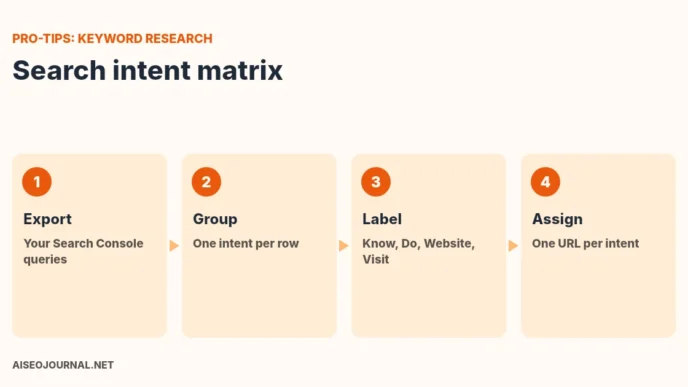
Related guides: schema markup guide, multimodal SEO tools and search intent matrix.
Search your ten most important queries today and write down the features each one shows. For every People also ask box, check whether your page answers those questions in its own sections.
How we checked this: we rewrote this guide on 27 November 2026. We opened every source below that day and read the “People also ask” box and top results for “serp feature opportunities” on Google UK. We did not run lab tests beyond what is described. Our counts come from our own Google UK searches on 27 November 2026.
Sources
- Google Search Central — Visual elements gallery of Google Search (updated 4 Feb 2026). Read on 27 November 2026.
- Google Search Central — Featured snippets and your website (updated 10 Dec 2025). Read on 27 November 2026.
- Google Search Central — Introduction to structured data markup (updated 10 Dec 2025). Read on 27 November 2026.
- Google Search Central — AI features and your website (updated 10 Dec 2025). Read on 27 November 2026.
- Perplexity Help Center — How does Perplexity work?. Read on 27 November 2026.