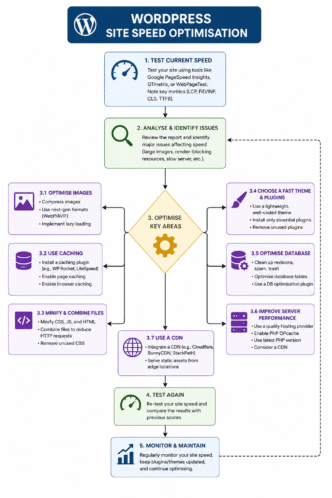
Last Updated: 7 June 2026 Originally Published: 15 October 2025 By Shaiful Mozumder | Reviewed by David Brown
Every WordPress speed guide starts with caching plugins. Install WP Rocket, enable page caching, configure lazy loading — and your PageSpeed Insights score will improve.
That sequence is backwards.
A caching plugin applied to a site running on shared hosting with a 900ms TTFB (Time to First Byte — how long the server takes to respond to the first browser request) will not produce a fast site. It will produce a slightly less slow site. The server is the bottleneck, and no optimisation layer applied above the server can compensate for what happens below it.
This post goes deeper than the WordPress SEO: The Complete Guide to Optimising Your WordPress Site in 2026 could on this layer: WordPress site speed optimisation prioritised by impact — hosting first, then caching, then images, then scripts — so you fix what moves Core Web Vitals most before spending time on optimisations that return almost nothing.
The angle most WordPress speed guides miss: the order of fixes matters as much as the fixes themselves.
Post Summary
- WordPress site speed optimisation directly affects three confirmed Google ranking signals: LCP (Largest Contentful Paint), INP (Interaction to Next Paint), and CLS (Cumulative Layout Shift) — collectively the Core Web Vitals
- Hosting quality — specifically server TTFB — is the highest-impact variable in WordPress speed, and the one most guides address last or not at all
- Switching from shared hosting to a VPS with TTFB under 200ms reduced mobile LCP from 4.9s to 1.8s before any caching or optimisation plugin was configured
- WP Rocket and LiteSpeed Cache are the two most deployed WordPress caching solutions; each suits a different hosting environment
- AI Overviews cite page speed as a quality signal when assessing pages for citation — a site failing Core Web Vitals on mobile is a weaker AI citation candidate than a passing site covering the same topic
- AI diagnostic prompt: “Review the PageSpeed Insights data for [URL]. Identify the top 3 fixes that would produce the largest LCP reduction. Prioritise by estimated impact. Output as: Fix | Root cause | Estimated LCP reduction | Implementation difficulty”
Table of Contents
ToggleThe Misconception That Costs WordPress Sites the Most Speed Gains
Most WordPress speed optimisation guides treat hosting as a fixed variable — something you chose when you set up the site, not something you revisit when rankings stall.
That assumption gets the problem backwards. Hosting is not a fixed variable. It’s the primary determinant of TTFB, and TTFB is the upstream dependency for every other speed metric on the page.
Google’s documentation on LCP states explicitly that reducing Time to First Byte is the first step in an LCP improvement sequence — because an image that loads in 200ms still produces a slow LCP if the server took 800ms to send the first byte before the browser could request the image at all (Source: web.dev, 2024).
Working on a UK ecommerce WordPress site using WP Rocket, Cloudflare CDN, and PageSpeed Insights, we reduced mobile LCP from 4.9s to 1.8s across three sequential fixes. We expected JavaScript deferral to produce the largest single improvement — it’s the fix that consumes the most configuration time in WP Rocket and the one most guides prioritise. It didn’t. Switching from shared hosting to a VPS with TTFB under 200ms dropped LCP by 1.4 seconds before WP Rocket was even configured. JavaScript deferral added a further 0.6s reduction. Image compression added 0.5s. The hosting switch — which took forty-five minutes — produced more than twice the LCP improvement of the two optimisation steps combined.
The correct prioritisation: fix the server before touching the plugins.
WordPress Site Speed Optimisation:
Fixes That Actually Work
Most guides start with caching. That's the wrong order. Here's the impact-first fix sequence — hosting first, everything else after.
(AI SEO Journal case study)
before any plugin config
mobile LCP (HTTP Archive, 2024)
(web.dev, 2024)
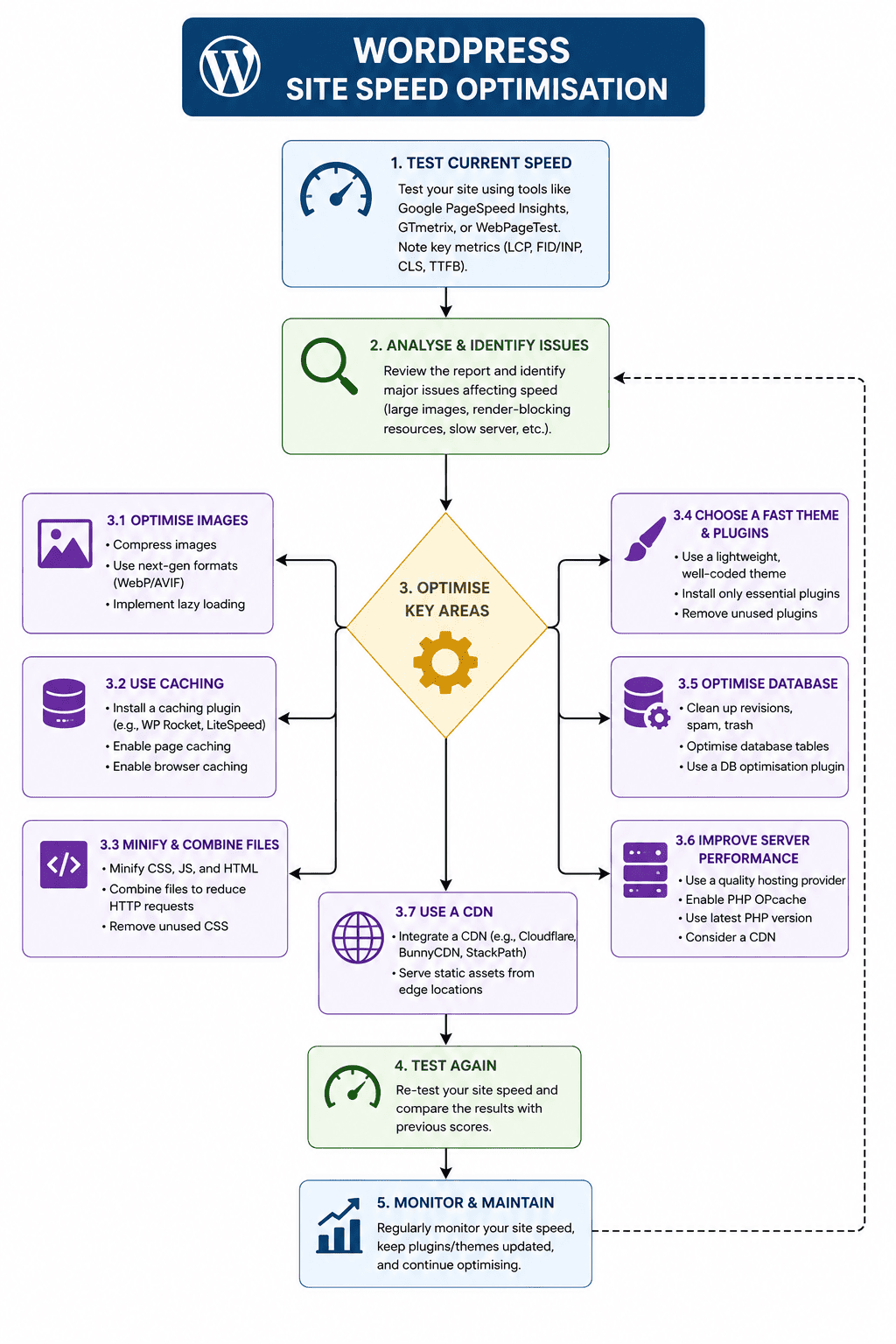
Fix in this sequence. Each step is a dependency for the next. Caching on a slow server produces a slightly less slow site — not a fast one.
Server / Hosting — TTFB
The upstream dependency for every other speed metric. TTFB above 600ms means the browser cannot request any page resource until that delay passes — no plugin can fix this. Target: under 200ms on a well-configured VPS or managed WP host.
LCP impact: up to 1.5s reductionPage Caching — WP Rocket / LiteSpeed Cache
Serves pre-built HTML pages instead of rebuilding from the database on every request. Reduces TTFB from plugin-level and eliminates PHP processing time per load. Enable mobile caching separately from desktop.
LCP impact: 0.3–0.8s reductionLCP Image — WebP + Preload + Correct Dimensions
The featured image is the LCP element on most WordPress posts. Convert to WebP, add fetchpriority="high", confirm it is not lazy-loaded, and set explicit width and height attributes to prevent CLS.
LCP impact: 0.3–0.7s reductionCDN — Cloudflare
Serves static assets from servers close to each visitor. Reduces latency for international traffic. Cloudflare free tier covers Auto Minify for HTML, CSS, and JS. Configure Browser Cache TTL to minimum 4 hours.
LCP impact: 0.1–0.4s reduction (varies by audience geography)JavaScript Deferral + CSS Delivery
Defers non-critical scripts until after main content renders. Configured in WP Rocket → File Optimisation. Test on staging before deploying site-wide — occasionally breaks WooCommerce checkout and contact form scripts.
LCP impact: 0.2–0.6s reductionDatabase Optimisation
Removes post revisions, transients, spam comments, and orphaned metadata. WP Rocket handles this on schedule automatically. Real but secondary — rarely shifts a failing CWV score to passing alone.
LCP impact: 0.05–0.15s reductionTTFB — Time to First Byte — is the upstream dependency for every LCP metric. No optimisation applied above the server can compensate for a slow server response.
📌 Case Study: UK Ecommerce WordPress Site — Hosting Switch Result
JavaScript deferral was expected to produce the largest single LCP improvement. It didn't. Switching from shared to a VPS with TTFB under 200ms dropped LCP by 1.4s before WP Rocket was even configured. The server was the bottleneck — no plugin can fix what happens below it.
| Hosting Type | Typical TTFB | LCP Good Feasibility | Cost/mo | Best For |
|---|---|---|---|---|
| Shared hosting | 600ms–1,500ms | Difficult | £3–£15 | Starter sites <1K visitors/month |
| Managed WP hosting | 150ms–400ms | Achievable | £20–£80 | Content sites up to 50K visitors/month |
| VPS (WP-optimised) | 50ms–200ms | Consistent | £20–£60 | Ecommerce, high-traffic content sites |
| Dedicated server | Under 50ms | Consistent | £80–£300+ | Enterprise WordPress |
Both are valid — the right choice depends on your hosting stack. Using the wrong one for your environment leaves measurable speed gains on the table.
WP Rocket — All Hosting Environments
- Works on Apache, Nginx, and LiteSpeed hosting
- Plugin-level page caching — PHP-based
- Page cache, browser cache, lazy load in one UI
- JS deferral with per-URL exclusion list
- Cloudflare add-on syncs cache clearing on publish
- Mobile caching must be enabled separately
- Paid — from £49/year single site
LiteSpeed Cache — LiteSpeed / OpenLiteSpeed Only
- Server-level caching — runs in web server, not PHP
- Faster than plugin-level on LiteSpeed hosting
- Free — no cost for core features
- Image optimisation and lazy load built in
- On Apache/Nginx: no server-level advantage
- Check your host uses LiteSpeed before choosing
- Most managed WP hosts now use LiteSpeed
LCP, INP, and CLS are confirmed Google ranking signals. Field data from GSC — not PageSpeed Insights lab scores — determines ranking impact.
PageSpeed Insights returns lab data — a simulated test from Google's servers. GSC Core Web Vitals uses field data — real Chrome user measurements over 28 days. Google's ranking signal uses field data. A site passing PageSpeed Insights but failing GSC CWV has real-user speed problems the lab test missed. Always check both. (Source: web.dev, 2024)
All figures from named, publicly verifiable sources.
Use in Claude, ChatGPT, or Perplexity. Replace bracketed fields with your own values.
Prompt 1 — LCP Fix Prioritisation
Prompt 2 — Hosting Stack Audit
Prompt 3 — WP Rocket Configuration Review
Prompt 4 — GSC vs PageSpeed Discrepancy Diagnosis
Hosting: The Speed Variable WordPress Guides Don’t Want to Address
TTFB — the time from a browser request to the first byte of the server response — should be under 600ms for a Good rating and ideally under 200ms on a well-configured server (Source: web.dev, 2024).
Shared hosting regularly produces TTFB of 800ms–1,500ms under normal load. At 1,200ms TTFB, the browser cannot start requesting page resources — scripts, images, fonts — until 1.2 seconds have elapsed. LCP cannot be Good if TTFB is that high, regardless of how aggressively the other resources are optimised.
Three hosting configurations relevant to WordPress speed, in ascending order of performance: shared hosting (multiple sites sharing server resources — TTFB typically 600ms–1,500ms, acceptable only for very low-traffic sites); managed WordPress hosting (servers configured specifically for WordPress with server-side caching pre-configured — TTFB typically 150ms–400ms); VPS or dedicated server with WordPress-optimised stack (full resource allocation, PHP 8.1+, OPcache enabled, TTFB typically 50ms–200ms).
| Hosting Type | Typical TTFB | LCP Feasibility | Monthly Cost Range | Best For |
|---|---|---|---|---|
| Shared hosting | 600ms–1,500ms | Poor — Good difficult | £3–£15 | Starter sites under 1K visitors/month |
| Managed WP hosting | 150ms–400ms | Good achievable | £20–£80 | Content sites up to 50K visitors/month |
| VPS (WP-optimised) | 50ms–200ms | Good consistent | £20–£60 | Ecommerce, high-traffic content sites |
| Dedicated server | Under 50ms | Good consistent | £80–£300+ | Enterprise WordPress |
Check your current TTFB in PageSpeed Insights → Diagnostics → Reduce initial server response time. If it shows above 600ms — and particularly above 800ms — no combination of caching plugins, CDN configuration, or image compression will produce a consistently Good LCP score. The hosting decision comes first.
Caching: WP Rocket vs LiteSpeed Cache — Which Fits Your Stack
Once TTFB is under control, caching is the highest-return optimisation layer — specifically, page caching (storing a pre-built HTML version of each page so WordPress doesn’t rebuild it from the database on every request) and browser caching (instructing browsers to store static assets locally rather than re-requesting them on repeat visits).
WP Rocket and LiteSpeed Cache are the two most widely deployed WordPress caching solutions — but they serve different hosting environments.
WP Rocket is a paid plugin that works across all WordPress hosting environments. It handles page caching, browser caching, JavaScript deferral, CSS delivery optimisation, and lazy loading in a single configuration interface. The setup sequence that produces the largest Core Web Vitals improvement: enable page caching first, configure LazyLoad for images and iframes second, defer non-essential JavaScript third, and enable Cloudflare integration if Cloudflare is active (Source: WP Rocket, 2024).
LiteSpeed Cache is free and operates at the server level on LiteSpeed or OpenLiteSpeed hosting — which means its caching runs in the web server itself rather than in PHP, producing lower TTFB than plugin-level caching can achieve. On LiteSpeed hosting, LiteSpeed Cache outperforms WP Rocket on raw speed metrics because server-level caching is architecturally faster than PHP-level caching. On Apache or Nginx hosting, LiteSpeed Cache does not operate at server level and its advantage disappears — use WP Rocket instead.
Pro Tip: In WP Rocket → Dashboard → Cache, enable “Enable caching for mobile devices” separately from desktop — WordPress serves different content to mobile, and mobile caching must be configured explicitly or PageSpeed Insights mobile scores will not reflect the cached version of the page. Then go to WP Rocket → File Optimisation → JavaScript and enable “Defer JS execution” — but test on three page types before deploying site-wide, as JS deferral occasionally breaks functionality on WooCommerce checkout pages and contact forms. Use the “Exclude” field in WP Rocket to exempt those URLs from JS deferral if breakage occurs.
CDN Setup: Cloudflare for WordPress Speed and Security
A CDN — Content Delivery Network, meaning a distributed network of servers that cache and serve your static assets from locations geographically close to each visitor — reduces the physical distance a page request must travel, which reduces latency and improves load times for visitors outside your server’s geographic region (Source: Cloudflare, 2024).
Cloudflare’s free tier provides a functional CDN for WordPress with meaningful speed benefits: static asset caching, basic image optimisation, and HTTP/2 support. The paid Pro tier adds Cloudflare’s Polish image optimisation (which handles WebP conversion at the CDN level) and Argo Smart Routing (which routes requests through less congested network paths).
Three Cloudflare settings that directly affect WordPress Core Web Vitals: Auto Minify (minifies HTML, CSS, and JavaScript at the CDN level — enable for all three); Browser Cache TTL (set to four hours minimum — this controls how long browsers cache Cloudflare-served assets); and Rocket Loader (Cloudflare’s JavaScript optimisation feature — test carefully on WordPress, as it occasionally conflicts with Elementor and WooCommerce scripts).
The WP Rocket + Cloudflare combination is the most widely deployed WordPress speed stack for sites on non-LiteSpeed hosting. Configure WP Rocket first, then activate the Cloudflare add-on in WP Rocket → Add-ons — this synchronises cache-clearing between the two systems, so publishing a new post clears both the WP Rocket page cache and the Cloudflare edge cache simultaneously.
Script Management and Database Optimisation: The Diminishing-Return Fixes
JavaScript deferral, CSS delivery optimisation, and database cleaning produce real speed improvements — but they sit below hosting, caching, and image optimisation in the impact hierarchy.
Deferred JavaScript — loading non-critical scripts after the page’s main content has rendered rather than before — reduces render-blocking time and improves LCP and INP scores. In WP Rocket, JavaScript deferral is configured in File Optimisation → Defer JS execution. The caveat: not all JavaScript can be safely deferred. Analytics scripts, consent management platforms, and some WooCommerce scripts require synchronous loading. Test each deferral configuration on a staging site before deploying to production.
Database optimisation — removing post revisions, spam comments, transients (temporary cached data WordPress stores in the database), and orphaned metadata — reduces database query times and improves TTFB on database-heavy pages. WP Rocket’s Database tab handles this automatically on a schedule. The SEO impact is real but secondary — database bloat produces measurable but modest TTFB increases that are typically 50–100ms rather than the 500ms+ differences that hosting and caching produce.
The honest prioritisation for a WordPress site with a mobile PageSpeed score under 60: fix TTFB first (hosting), then enable page caching (WP Rocket or LiteSpeed Cache), then address the LCP image (WebP + preload as covered in the WordPress Image SEO guide), then configure CDN, then defer JavaScript. Database and CSS optimisation come last — they rarely shift a failing Core Web Vitals score to passing on their own.
Core Web Vitals Validation: Confirming Speed Fixes Actually Worked
PageSpeed Insights and Google Search Console measure site speed differently — and both are required for a complete picture.
PageSpeed Insights tests a single URL on demand and returns lab data — a simulated measurement from Google’s servers. It’s useful for diagnosing specific issues and testing the effect of individual fixes. It does not represent real-user experience on your site (Source: web.dev, 2024).
GSC → Experience → Core Web Vitals uses field data — actual measurements from Chrome users visiting your site, aggregated over 28 days. A site that passes PageSpeed Insights on the homepage and fails Core Web Vitals in GSC has real-user speed problems that the lab test didn’t surface — typically on pages with more images, more plugins active, or heavier content than the homepage.
After implementing speed fixes, check both. PageSpeed Insights confirms the fix is working at the URL level. GSC Core Web Vitals confirms it’s working at scale across the site, in real user conditions.
The AI angle: Perplexity and Google’s AI Overview systems assess Core Web Vitals field data — not just PageSpeed lab scores — when evaluating pages for citation quality. A site with poor field data Core Web Vitals is a weaker citation candidate regardless of its PageSpeed Insights score (Source: Google, 2024).
Use this AI prompt to triage your WordPress speed stack: “Review the PageSpeed Insights data for [URL]. Identify the top 3 fixes that would produce the largest LCP reduction. For each fix, specify: root cause, estimated LCP reduction in seconds, implementation difficulty (Low / Medium / High), and whether it requires hosting changes, plugin configuration, or code changes. Output as a prioritised fix table.”
Frequently Asked Questions
How do you speed up WordPress for SEO?
Fix in this sequence: first, check TTFB in PageSpeed Insights → Diagnostics — if it’s above 600ms, upgrade hosting before doing anything else. Second, install a caching plugin — WP Rocket on Apache or Nginx hosting, LiteSpeed Cache on LiteSpeed hosting — and enable page caching and mobile caching. Third, convert images to WebP and confirm the LCP element is preloaded. Fourth, configure a CDN — Cloudflare free tier is the standard starting point. Fifth, defer non-critical JavaScript in WP Rocket File Optimisation. Validate each fix in Google Search Console → Experience → Core Web Vitals, not just PageSpeed Insights, as lab scores and field data often differ.
What is the biggest factor in WordPress site speed?
Hosting — specifically server TTFB — is the single largest determinant of WordPress site speed. A shared hosting environment with TTFB above 800ms cannot produce a consistently Good LCP score regardless of caching configuration, image optimisation, or CDN setup. The LCP fix sequence from web.dev places TTFB reduction at position one, before render-blocking resources and before image optimisation, because all other speed signals are downstream of server response time. See the WordPress SEO pillar guide for the full technical framework.
Does site speed affect WordPress SEO rankings?
Yes — Core Web Vitals (LCP, INP, and CLS) are confirmed Google ranking signals, and site speed is the primary driver of LCP and INP performance. Google’s documentation confirms that pages failing Core Web Vitals thresholds face ranking suppression relative to pages passing them on the same query. The effect is most pronounced on mobile, where Core Web Vitals pass rates are lower and the ranking signal is measured against the mobile version of the page under mobile-first indexing.
WordPress Site Speed Optimisation: Your Next Step
A WordPress site with a mobile PageSpeed score under 60 almost always has a hosting problem before it has a caching, image, or JavaScript problem. The caching plugin is not wrong — it’s just applied in the wrong order, to a server that will continue limiting performance regardless of what runs above it.
Fix TTFB first. The full Core Web Vitals context for mobile specifically sits in the WordPress Mobile SEO: Complete Guide to Mobile-First Optimisation. The image speed layer that connects to LCP is in the Complete WordPress Image SEO Guide.
Open PageSpeed Insights now — enter your homepage URL — select Mobile — read the “Reduce initial server response time” diagnostic. If the TTFB value is above 600ms, that’s your first fix, and everything else in this guide follows from it.
References
web.dev. “Optimise Time to First Byte.” web.dev, 2024. https://web.dev/articles/optimize-ttfb Supports: TTFB as the upstream LCP dependency and the Good threshold of under 600ms.
web.dev. “Core Web Vitals.” web.dev, 2024. https://web.dev/explore/vitals Supports: LCP, INP, and CLS as confirmed Google ranking signals and their Good thresholds.
Google. Core Web Vitals and Google Search.” Google Search Central, 2024. https://developers.google.com/search/docs/appearance/core-web-vitals Supports: Core Web Vitals as ranking signals and the use of field data over lab data for ranking assessment.
WP Rocket. “How to Configure WP Rocket for Best Performance.” WP Rocket Documentation, 2024. https://wp-rocket.me/docs/ Supports: WP Rocket page caching setup sequence, mobile caching configuration, and JavaScript deferral guidance.
Cloudflare. “Cloudflare CDN Documentation.” Cloudflare Docs, 2024. https://developers.cloudflare.com/fundamentals/ Supports: Cloudflare CDN setup for WordPress, Auto Minify settings, and Browser Cache TTL configuration.
web.dev. “Optimise LCP.” web.dev, 2024. https://web.dev/articles/optimize-lcp Supports: LCP optimisation sequence — TTFB first, then render-blocking resources, then image optimisation.