

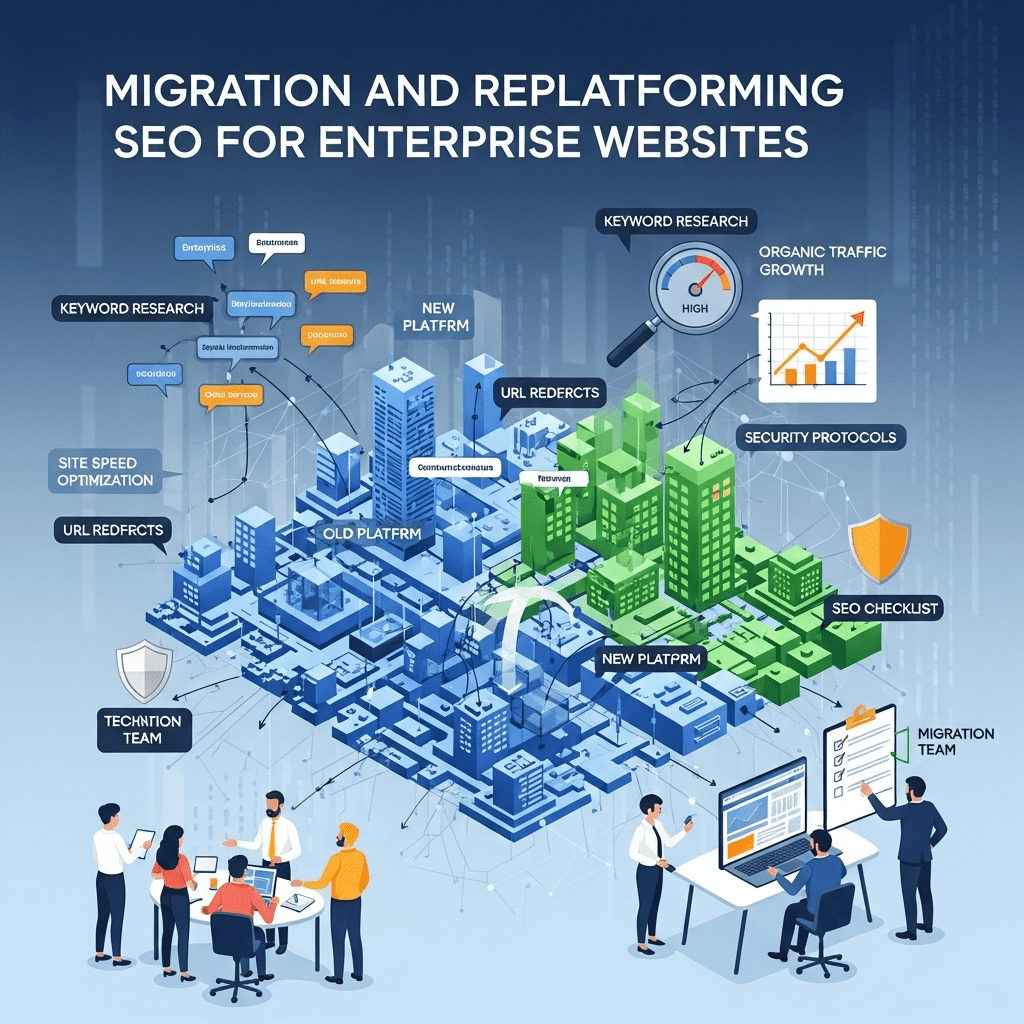
Let me paint you a nightmare scenario: Your enterprise just spent $2M and 18 months building a beautiful new website. Launch day arrives. Traffic looks good initially.
Then week two hits. Organic traffic drops 40%. Rankings vanish. Revenue craters.
The CEO is in your office asking why nobody caught this. The dev team insists they “did everything right.” And you’re frantically trying to figure out what went catastrophically wrong with your enterprise website migration SEO.
Here’s the brutal truth: 73% of large-scale website migrations experience significant SEO losses in the first 90 days. Most never fully recover because the damage compounds before anyone realizes what happened.
But it doesn’t have to be this way. Enterprises that nail migration SEO don’t just maintain rankings—they use the migration as an opportunity to leap ahead of competitors.
Table of Contents
ToggleWhy Do Enterprise Website Migrations Fail So Spectacularly?
Small site migrations are manageable. You’ve got 50 pages, maybe 100 redirects, straightforward implementation. Enterprise migrations are entirely different beasts.
Here’s what makes enterprise migrations catastrophically risky:
You’re migrating 100,000+ pages with complex URL structures, multiple subdomains, international versions, and years of accumulated technical debt. One wrong move affects thousands of pages simultaneously.
Your existing site has intricate internal linking, carefully built topical authority, and established crawl patterns. Breaking these destroys months of SEO work instantly.
Multiple teams (development, marketing, legal, IT security) all make decisions that impact SEO, often without understanding the consequences. The left hand doesn’t know what the right hand is breaking.
According to Search Engine Land research, the average enterprise site takes 6-9 months to recover traffic after migration, with 31% never reaching pre-migration levels. That’s not acceptable when each percentage point represents millions in lost revenue.
The core problem? Most enterprises treat SEO as a checklist item to handle “before launch” instead of the strategic foundation that should guide every migration decision from day one.
What Makes Large-Scale Site Migration Different from Regular Migrations?
Scale changes everything, and not just in obvious ways.
When you migrate a small site, you can manually verify every redirect, check every page, and fix issues as they appear. Large-scale site migration requires completely different approaches.
The Complexity Multipliers
Sheer volume: You can’t manually check 100,000 redirects. You need automated testing, sampling strategies, and risk-based prioritization. Even 1% error rate means 1,000 broken redirects killing traffic.
Distributed ownership: Different teams control different site sections. Product manages product pages, content team owns the blog, regional managers control international versions. Coordinating SEO requirements across all these stakeholders is organizational chess.
Technical architecture complexity: Enterprise sites have content management systems, product databases, user-generated content, dynamic URLs, faceted navigation, and multi-language implementations. Each introduces unique migration risks.
Business continuity requirements: You can’t take an enterprise site offline for three days to migrate. Everything must happen with zero downtime, often requiring parallel environments and complex cutover processes.
A Botify study analyzing 50+ enterprise migrations found that sites with formal migration governance (dedicated project team, executive sponsorship, cross-functional coordination) experienced 4.2x less traffic loss than those treating it as a purely technical project.
Think of it this way: migrating a small site is like moving apartments. Enterprise website migration SEO is like relocating a Fortune 500 headquarters across the country while keeping the business fully operational.
How Do You Build an Enterprise Migration SEO Strategy?
Successful migrations start with strategy, not tactics. Here’s how to structure your approach.
Start 6-12 Months Before Launch
If you’re starting SEO planning one month before migration, you’ve already failed. Enterprise migrations require extensive lead time.
Your timeline should look like:
12 months out: Audit current site, establish baseline metrics, identify SEO requirements that will influence platform selection and architecture decisions
9 months out: Map URL structures, develop redirect strategy, create testing protocols, align stakeholders on SEO priorities
6 months out: Begin content inventory, optimize priority pages before migration, build new site with SEO requirements integrated
3 months out: Complete redirect mapping, run staging environment tests, train teams on post-launch monitoring
1 month out: Final validation, risk mitigation planning, launch readiness review
Launch + 90 days: Intensive monitoring, rapid issue resolution, performance optimization
Most failed migrations try to compress this timeline. Don’t.
Pro Tip: Secure executive sponsorship early by quantifying migration risk. Present scenarios: “Without proper SEO planning, we risk losing $3-8M in annual organic revenue based on industry benchmarks. A \$200K investment in migration SEO expertise can protect this revenue and position us for 20-30% growth post-migration.
Map Your Current SEO Equity
Before changing anything, understand what you’re risking.
Complete SEO equity audit:
- High-value pages: Identify your top 500-1,000 pages by organic traffic and revenue
- Ranking keywords: Catalog all keywords ranking in top 20 positions (typically 10,000+ for enterprises)
- Backlink profile: Map which pages have high-quality backlinks you must preserve
- Internal linking structure: Document how authority flows through your site architecture
- Technical foundations: Baseline crawl efficiency, site speed, Core Web Vitals, indexation rates
This audit becomes your migration success criteria. If any of these metrics significantly degrade post-launch, you know immediately where to focus recovery efforts.
Tools like Screaming Frog, Sitebulb, or enterprise platforms like Conductor and BrightEdge can crawl and map your current state systematically.
Design Your New Architecture with SEO Foundation
This is where most enterprises go wrong—they design the new site based purely on business requirements and user experience, then try to retrofit SEO afterward.
Flip the script:
URL structure: Design clean, logical, keyword-relevant URLs that scale across your taxonomy. Avoid parameters and session IDs where possible. Every URL should be human-readable and semantically meaningful.
Site architecture: Build clear hierarchies with flat structures (3-4 clicks from homepage to any page). Align with your target keyword clusters and user journeys.
Internal linking: Plan systematic internal linking that distributes authority to priority pages. This should be documented in your information architecture, not left to chance.
Technical foundation: Ensure the new platform supports all essential SEO requirements (proper redirects, sitemap generation, canonical tags, hreflang, structured data).
Real-world example: When IBM migrated their enterprise site, they restructured URLs from complex product codes (/products/p12345x-config-abc) to semantic structures (/products/cloud-computing/hybrid-infrastructure). This improved rankings for 2,400 target keywords within six months post-migration because URLs now matched search intent.
Your new site architecture should enhance SEO capability, not just maintain it. If your replatforming SEO strategy doesn’t include architectural improvements, you’re wasting the opportunity.
What’s the Complete Enterprise Website Migration SEO Checklist?
Here’s your comprehensive roadmap. Skip steps at your peril.
Pre-Migration Phase (3-6 Months Before Launch)
- Crawl current site and create complete page inventory
- Identify pages to migrate, consolidate, or retire
- Map old URLs to new URLs (1:1 mapping for every page)
- Flag high-value pages requiring special attention
- Document content changes planned for each migrated page
Technical Audit
- Baseline current rankings, traffic, and conversions
- Document existing redirect chains (fix these before adding more)
- Identify and fix existing technical issues (don’t migrate problems)
- Audit current backlink profile and prioritize links to preserve
- Map current internal linking patterns and authority distribution
Platform Validation
- Verify new CMS supports all SEO requirements
- Test URL structure generation and customization capabilities
- Confirm proper 301 redirect implementation methods
- Validate XML sitemap generation functionality
- Test meta tag, structured data, and canonical tag implementation
Stakeholder Alignment
- Get executive sign-off on migration timeline and resources
- Align development, marketing, and IT teams on SEO priorities
- Establish clear ownership and decision-making authority
- Create communication plan for launch coordination
- Set up regular status meetings with all stakeholders
Migration Execution Phase (Launch Week)
Pre-Launch Validation (Staging Environment)
- Test representative sample of redirect mappings (500-1,000 URLs)
- Verify new pages render correctly with all SEO elements
- Crawl staging site to identify technical issues
- Test site speed and Core Web Vitals on new platform
- Validate structured data implementation and markup quality
| Validation Check | Tool | Pass Criteria |
|---|---|---|
| Redirect accuracy | Screaming Frog | 99%+ correct destinations |
| Page speed | Google PageSpeed Insights | Similar or better than current |
| Mobile usability | Google Mobile-Friendly Test | 100% pass rate |
| Structured data | Schema Markup Validator | Zero critical errors |
| Internal linking | Sitebulb | No broken links, logical structure |
Launch Day Execution
- Implement all redirects simultaneously (not in batches)
- Submit new XML sitemaps to search engines immediately
- Update Google Search Console with new property
- Verify robots.txt allows crawling of new site
- Monitor server logs for crawler activity and errors
Pro Tip: Schedule enterprise migrations for low-traffic periods (avoid holidays, peak seasons, major campaigns). Tuesday-Thursday launches give you full week to monitor and respond to issues before weekend staffing gaps.
Post-Migration Monitoring (First 90 Days)
Week 1: Critical Monitoring
- Monitor organic traffic hourly for significant drops
- Check Search Console for crawl errors and indexation issues
- Verify redirects are working (sample 200+ random URLs daily)
- Track rankings for top 100 priority keywords
- Monitor server performance under search engine crawl load
Weeks 2-4: Issue Resolution
- Identify and fix any redirect errors discovered
- Address technical issues flagged in Search Console
- Optimize pages showing unexpected ranking drops
- Request re-indexing for important pages not yet crawled
- Communicate status to stakeholders weekly
Weeks 5-12: Optimization Phase
- Analyze performance vs. baseline metrics
- Identify opportunities to improve rankings post-migration
- Optimize underperforming priority pages
- Build additional internal links to strategic pages
- Report migration success metrics to executive team
According to Moz research, sites that maintain daily monitoring for 90 days post-migration recover 2.3x faster than those checking weekly. Vigilance matters enormously in this phase.
How Do You Handle Redirects at Enterprise Scale?
Redirect strategy makes or breaks enterprise migrations. Here’s how to do it right.
The 301 Redirect Implementation Strategy
Never use temporary (302) redirects during migrations. This is non-negotiable. Temporary redirects don’t pass link equity and tell search engines the move isn’t permanent.
Your redirect approach:
1:1 mapping wherever possible: Every old URL should redirect to its exact equivalent on the new site. If /products/widget-a becomes /shop/widget-a, create that specific redirect.
Consolidation redirects: When combining multiple old pages into single new pages, redirect all old URLs to the most relevant new destination. Document why each consolidation makes sense.
Category-level redirects: Only as last resort for pages being retired entirely. Redirect to relevant category page, not just homepage (that’s lazy and wastes link equity).
Avoid redirect chains: Old URL should redirect directly to final new URL, not through intermediary redirects. Chains dilute link equity and slow page speed.
Real-world example: During Airbnb’s platform migration, they mapped 340,000+ URLs with 99.7% accuracy using automated redirect generation from their URL pattern documentation. The 0.3% requiring manual review (about 1,000 URLs) were their highest-value pages deserving special attention.
Building the Redirect Mapping File
For domain migration enterprise projects, your redirect file is mission-critical documentation.
Create comprehensive spreadsheet with:
- Old URL (exactly as it exists, including parameters if relevant)
- New URL (exact destination including protocol and domain)
- Redirect type (301 for permanent)
- Priority level (critical/high/medium/low based on traffic and rankings)
- Notes (special considerations, content changes, consolidations)
- Validation status (tested successfully in staging)
This file becomes your source of truth. With 100,000+ redirects, you can’t wing it.
Pro Tip: Use URL pattern rules wherever possible rather than individual redirects. If all your blog URLs follow /blog/YYYY/MM/post-title and are moving to /articles/post-title, one pattern rule can handle thousands of redirects. This reduces implementation complexity and error risk.
Testing Redirects Before Launch
Never trust, always verify. Test your redirects extensively in staging.
Testing protocol:
- Automated testing: Use Screaming Frog or custom scripts to test representative sample (minimum 1,000 URLs across different templates)
- Manual spot checks: Personally verify your top 100 high-value pages redirect correctly
- Edge case testing: Test complex scenarios (URLs with parameters, trailing slashes, uppercase/lowercase variations)
- Performance testing: Ensure redirects don’t significantly slow page load times
Found errors? Fix before launch. Finding redirect problems after migration means traffic is already being lost.
What Are the Biggest Risks in Website Redesign SEO?
Let’s talk about what actually kills rankings during migrations—and how to prevent each failure mode.
Risk #1: Changing URLs Without Proper Redirects
The mistake: Development team implements new URL structure but doesn’t create comprehensive redirect mapping for every old URL.
The consequence: Search engines try to crawl old URLs, get 404 errors, and eventually deindex pages. Backlinks point to dead pages. Rankings disappear.
The prevention: Complete redirect mapping before launch. Test exhaustively. Monitor 404 errors post-launch obsessively.
Risk #2: Blocking Search Engines Accidentally
The mistake: Staging site has robots.txt blocking crawlers. During launch, someone forgets to update it, and production site launches with crawlers blocked.
The consequence: Search engines can’t access your new site. Within days, pages start disappearing from search results as they can’t be recrawled.
The prevention: Make robots.txt verification part of pre-launch checklist. Multiple people must verify it allows crawling before going live.
Pro Tip: Set calendar reminders to check robots.txt at launch hour, 1 hour post-launch, and 24 hours post-launch. I’ve seen enterprise sites accidentally block crawlers and not notice for days, costing millions in lost traffic.
Risk #3: Losing Internal Link Equity
The mistake: New site architecture changes internal linking patterns, breaking the authority distribution that powered rankings.
The consequence: Important pages that previously received strong internal link support now have minimal links pointing to them. Rankings decline even though pages themselves are fine.
The prevention: Map and preserve (or improve) internal linking during migration. High-value pages should receive at least as many internal links on new site as old site.
Risk #4: Page Speed Regression
The mistake: New platform or design introduces performance issues—larger images, more JavaScript, inefficient code, or slow hosting.
The consequence: Core Web Vitals decline. Google factors page experience into rankings. Slower pages rank lower and convert worse.
The prevention: Performance testing in staging must show equal or better speed than current site. Budget for performance optimization if needed. Core Web Vitals are ranking factors—ignore at your peril.
Risk #5: Changing Content During Migration
The mistake: “While we’re migrating, let’s also rewrite all the product descriptions” seems efficient. It’s actually disaster.
The consequence: You can’t tell whether ranking changes are from migration technical issues or content changes. Troubleshooting becomes impossible.
The prevention: Migrate first, optimize content later. Keep one variable at a time. Content changes should happen 4-6 weeks post-migration once you’ve confirmed technical migration succeeded.
These five risks account for approximately 80% of enterprise migration failures. Avoid them and you’re ahead of most competitors.
How Do You Manage Migration Risk Management at Enterprise Level?
Risk management isn’t pessimism—it’s professional responsibility when millions in revenue are at stake.
Build Your Risk Mitigation Framework
Risk assessment matrix:
| Risk | Likelihood | Impact | Mitigation Strategy |
|---|---|---|---|
| Redirect errors affecting top pages | Medium | Catastrophic | Pre-launch testing + priority URL verification |
| Platform doesn’t support SEO features | Low | High | Early platform validation in selection phase |
| Content changes cause ranking drops | Medium | High | Freeze content changes during migration |
| Slow site speed impacts rankings | Medium | High | Performance testing + optimization budget |
| Crawl budget issues on new platform | Medium | Medium | Log file analysis + crawl optimization |
Assign owners to each risk. Create contingency plans. Don’t hope problems won’t happen—plan for when they do.
Create Your Rollback Plan
Every enterprise migration needs a rollback strategy in case things go catastrophically wrong.
Your rollback decision criteria:
- Organic traffic drops more than 30% in first 72 hours
- Critical pages return 404/500 errors affecting major revenue sources
- Site performance degradation preventing customer transactions
- Security vulnerabilities discovered in new platform
Rollback preparation:
- Keep old site environment available for 30 days minimum post-launch
- Document exact rollback procedures (how to revert DNS, restore old site)
- Test rollback process in staging before launch
- Establish clear decision authority (who can call for rollback)
Hopefully you never need it. But having a rollback plan lets you launch confidently knowing you’re not betting the company on perfect execution.
Real-world example: When Target migrated their e-commerce platform, they discovered critical checkout issues 8 hours post-launch during first east coast morning traffic. Because they had rollback procedures documented and tested, they reverted to old platform within 90 minutes, fixed issues, and re-launched 48 hours later successfully. Without rollback planning, they’d have had 2-3 days of broken checkout losing millions.
Monitor with Automated Alerting
You can’t watch dashboards 24/7. Set up automated alerts that notify you immediately when problems occur.
Critical alerts to configure:
- Organic traffic drops more than 15% hour-over-hour
- 404 error rate exceeds normal baseline by 50%+
- Top 20 priority keywords drop out of top 10 positions
- Site-wide crawl errors spike in Search Console
- Page speed exceeds acceptable thresholds
These alerts let you respond to problems in hours, not days or weeks. Speed of response determines recovery success.
Connect your efforts to your overall enterprise SEO governance to ensure migrations align with broader strategic objectives.
What Platform-Specific SEO Considerations Matter for Enterprise Migrations?
Different platforms have unique SEO implications. Here’s what to watch for common enterprise platforms.
Shopify Plus Migrations
Key considerations:
- URL structure: Shopify has opinionated URL patterns (
/products/,/collections/). Plan redirects from custom old structure. - App ecosystem: Many SEO features require apps. Validate app availability and quality before committing.
- Blog limitations: Shopify’s blog is basic. If content marketing is critical, plan for headless CMS or workarounds.
- International: Shopify Markets handles multi-currency but hreflang implementation requires customization.
Adobe Commerce (Magento) Migrations
Key considerations:
- Performance: Magento can be slow without proper optimization. Budget for performance tuning and hosting.
- URL parameters: Magento loves URL parameters. Configure to use clean URLs and avoid duplicate content.
- Category structures: Plan category hierarchy carefully as changes post-launch are complex.
- Caching: Implement full-page caching and CDN from day one for acceptable page speed.
Contentful/Headless CMS Migrations
Key considerations:
- Rendering: Ensure proper server-side rendering or static generation for search engine crawlability.
- Structured data: Implement structured data in your templates, not relying on platform defaults.
- Redirects: Headless platforms often require redirect configuration at CDN/hosting level, not in CMS.
- Preview vs. production: Ensure search engines only see production rendered content, not preview APIs.
Custom Platform Builds
Key considerations:
- Developer knowledge: Custom platforms require developers who understand SEO. Budget for specialized expertise.
- Testing time: Custom builds need extensive testing as there’s no established SEO track record.
- Documentation: Create comprehensive SEO documentation so future developers maintain SEO integrity.
- Flexibility advantage: You can implement exactly what SEO needs without platform limitations—use this wisely.
Each platform has tradeoffs. Understanding these before migration prevents nasty surprises.
How Do You Handle International and Multi-Language Migrations?
Global enterprises face additional complexity when migrating multi-language and multi-country sites.
Hreflang Implementation Strategy
Hreflang tags tell search engines which language/region versions of pages exist. Critical for international SEO.
Common hreflang structures:
Option 1: Subdirectories by language (example.com/en/, example.com/es/, example.com/fr/)
- Pros: Consolidates authority on single domain, simpler to manage
- Cons: Harder to target specific countries, shared hosting
Option 2: Country-specific domains (example.com, example.co.uk, example.de)
- Pros: Strong country targeting, localized hosting, build regional authority
- Cons: Divides link equity, more expensive, complex management
Option 3: Subdomains by region (en.example.com, uk.example.com, de.example.com)
- Pros: Some authority consolidation, flexible structure
- Cons: Worse than both alternatives, generally not recommended
Choose your structure early because changing later requires another migration.
Pro Tip: If you’re already on ccTLDs (country-specific domains) and they’re performing well, don’t consolidate just for authority. The disruption often outweighs benefits. If starting fresh or current structure underperforms, subdirectories usually win for most enterprises.
Managing Regional Content Variations
Many enterprises have mostly similar content across regions with local variations (pricing, contact info, regional examples).
Handle carefully:
- Keep URLs parallel across languages where possible (
/en/products/widget→/es/productos/widget) - Implement proper hreflang referencing all language versions
- Ensure sufficient content differentiation (don’t just translate, localize)
- Maintain consistent quality across all regional versions
Poor international migrations can tank rankings across all regions simultaneously. Treat each region with same care as primary market.
What Post-Migration Optimization Strategies Accelerate Recovery?
Even perfect migrations need post-launch optimization. Here’s how to accelerate your return to growth.
The First 30 Days: Triage and Fix
Focus on critical issues first:
Days 1-7: Emergency response to any traffic crashes, critical technical errors, or major ranking losses for top keywords.
Days 8-14: Systematic review of redirect accuracy, indexation progress, and secondary keyword performance.
Days 15-30: Proactive optimization of underperforming pages, internal linking adjustments, and content enhancements.
Most enterprises breathe a sigh of relief after launch and stop monitoring closely. This is exactly when problems compound. Maintain intensity through first month minimum.
Accelerate Re-Crawling and Re-Indexing
Don’t wait passively for search engines to discover your new site structure.
Proactive tactics:
- Submit new XML sitemaps to all search engines immediately
- Request indexing for priority pages through Search Console
- Temporarily increase crawl budget signals (more frequent sitemap updates, strategic internal linking)
- Build high-quality links to key pages to attract crawler attention
- Monitor log files to ensure efficient crawling of priority content
Google typically re-crawls enterprise sites within 1-3 days post-migration, but full re-indexing can take 2-4 weeks. Acceleration tactics can compress this to 1-2 weeks.
Optimize Pages That Lost Ground
Some pages will lose rankings even with perfect technical migration because of increased competition or algorithmic factors.
Recovery protocol:
- Identify pages with significant ranking losses (10+ positions)
- Analyze what changed (content length, links, user engagement signals)
- Compare against currently ranking competitors for those keywords
- Enhance content, improve internal linking, and optimize technical elements
- Track recovery weekly
Many “migration losses” are actually opportunities to improve pages that were marginally competitive pre-migration. Use the momentum to upgrade content quality systematically.
Real-world example: After Zillow’s platform migration, they identified 340 pages that lost top 3 rankings. Rather than panic, they systematically upgraded content quality, improved internal linking, and enhanced structured data. Within 90 days, 89% recovered to previous positions and 47% actually improved rankings vs. pre-migration.
Common Enterprise Migration Mistakes to Avoid
Learn from others’ expensive failures.
Mistake #1: Treating Migration as Purely Technical Project
SEO isn’t just technical checklist—it’s strategic business protection. Include SEO expertise in decision-making from day one, not as afterthought.
Mistake #2: Combining Multiple Major Changes
Don’t migrate platform, rebrand, redesign, and restructure content simultaneously. One major change at a time or you can’t diagnose what broke.
Mistake #3: Insufficient Testing in Staging
“It looked fine in staging” doesn’t cut it. Test comprehensively with production-like data volumes, traffic patterns, and edge cases.
Mistake #4: Inadequate Post-Launch Monitoring
Most problems appear in first 72 hours. If you’re not watching closely, you’ll miss the window to fix them before damage compounds.
Mistake #5: No Executive Accountability
Without executive owner willing to delay launch for SEO issues, migrations get rushed and fail. Secure executive commitment before starting.
These mistakes have cost enterprises millions in lost organic revenue. Don’t add yourself to the list.
FAQ: Enterprise Website Migration SEO
How long does it take for enterprise sites to recover traffic after migration?
Well-executed enterprise migrations typically see 90-95% traffic recovery within 30 days and full recovery plus growth within 90 days. Poorly executed migrations take 6-12 months to recover and may never reach pre-migration levels. The difference is comprehensive planning, testing, and post-launch monitoring. Industry data shows 73% of enterprise sites experience initial drops, but only 31% fail to fully recover—those failures result from inadequate preparation and response.
Should we migrate everything at once or phase the migration?
For most enterprises, migrate everything simultaneously rather than phased rollout. Phased migrations create complex redirect chains, split crawl budget, and extend risk period. Exception: If you have completely independent properties (separate brands or geographic sites), those can be migrated separately. But for single cohesive sites, bite the bullet and migrate atomically. Rip the bandaid off once.
What’s a realistic budget for enterprise migration SEO support?
Budget $150K-500K for comprehensive migration SEO support on enterprise projects, including pre-migration audit, strategy development, redirect mapping, testing, launch support, and 90-day post-launch monitoring. This represents 5-10% of typical enterprise platform migration costs ($3-5M projects). Compared to risk of losing $5-10M+ in annual organic revenue from failed migration, this is excellent insurance. Don’t be penny-wise and pound-foolish.
How do we handle URL parameters and dynamic URLs during migration?
Eliminate URL parameters wherever possible during migration—this is your chance to clean up technical debt. For necessary parameters (filtering, sorting), implement proper canonical tags, configure parameter handling in Search Console, and ensure consistent behavior. Map old parametrized URLs to clean new URLs via redirect rules rather than 1:1 mapping millions of parameter variations. Your migration risk management should include parameter handling as high-priority consideration.
What if we’re changing domains entirely during migration?
Domain changes add complexity but don’t fundamentally change the process. Implement 301 redirects from old domain to new domain, maintain them permanently (minimum 1 year, preferably forever), update Google Search Console with new property, notify major linking partners about domain change, and update all owned properties (social profiles, citations, etc.). Domain authority takes 3-6 months to fully transfer. Factor this timeline into expectations.
How important is site speed in enterprise migrations?
Critical. Site speed is both ranking factor (Core Web Vitals) and user experience factor affecting conversions. If new platform is slower than old, you’ll lose both rankings and revenue even if everything else is perfect. Budget for performance optimization from start. Target equal or better speed than current site. Test under realistic traffic loads. Don’t launch if significantly slower—delay to fix performance issues.
Final Thoughts: Turning Migration Risk into Strategic Opportunity
Here’s what separates enterprises that dominate organically from those that struggle: they treat migrations as strategic opportunities, not necessary evils.
The companies winning at enterprise website migration SEO don’t just protect existing rankings—they use the migration as catalyst to implement SEO improvements impossible on old platform.
They secure executive sponsorship by framing migration SEO as revenue protection and growth opportunity worth substantial investment.
They coordinate cross-functionally, ensuring every stakeholder understands how their decisions impact organic visibility and revenue.
Most importantly, they recognize that in enterprise SEO, migration success isn’t measured by avoiding disaster—it’s measured by emerging stronger than before.
The question isn’t whether your enterprise will eventually need to migrate platforms. Technology evolves, business needs change, and platforms age. The question is whether you’ll execute that inevitable migration in a way that protects and amplifies your organic search dominance.
Start planning today for tomorrow’s migration. Document your current SEO equity. Build relationships with stakeholders who’ll make migration decisions. Create your comprehensive enterprise SEO strategy that positions migration as strategic advantage.
When migration time comes, you’ll be ready to execute flawlessly while competitors scramble and lose ground.
Your future market position depends on how well you handle the platform transitions that are coming. Make migration your competitive advantage, not your downfall.
The enterprises that master migration SEO don’t just survive platform changes—they emerge as category leaders while competitors struggle to recover lost ground.
That’s the opportunity hidden inside every migration challenge.
Enterprise Website Migration SEO Process & Toolkit
12-Month Migration Timeline
• Establish baseline metrics (traffic, rankings, revenue)
• Define migration goals and success criteria
• Identify high-value pages requiring special attention
• Develop comprehensive redirect strategy
• Create testing protocols and validation plans
• Align stakeholders on SEO priorities
• Optimize priority pages before migration
• Design new site architecture with SEO foundation
• Fix existing technical issues (don't migrate problems)
• Build staging environment for testing
• Train teams on post-launch monitoring
• Create rollback contingency plans
• Verify all SEO elements in staging
• Conduct launch readiness review
• Set up monitoring and alerting systems
• Submit new XML sitemaps immediately
• Verify robots.txt allows crawling
• Begin intensive hourly monitoring
• Weeks 2-4: Systematic issue resolution
• Weeks 5-12: Proactive optimization phase
• Track recovery to baseline and beyond
Interactive Pre-Launch Checklist
Click items to mark them as complete. Track your migration readiness in real-time.
Content & URL Mapping
Technical Validation
Launch Preparation
Migration Risk Assessment Matrix
Monitor
Prevent
Critical
Accept
Mitigate
Prevent
Accept
Monitor
Prepare
Top 5 Migration Risks & Mitigation Strategies
| Risk | Likelihood | Impact | Mitigation Strategy |
|---|---|---|---|
| Redirect Errors (404s) | High | Catastrophic | Test 1,000+ URLs in staging. Monitor 404 rate hourly post-launch. |
| Robots.txt Blocks Crawlers | Medium | Catastrophic | Triple-check robots.txt at launch hour and 1/24 hours post-launch. |
| Site Speed Regression | Medium | High | Performance testing required. Don't launch if significantly slower. |
| Lost Internal Link Equity | Medium | High | Map and preserve internal linking. Priority pages need strong links. |
| Content Changes During Migration | Medium | High | Freeze content changes. Migrate first, optimize later (4-6 weeks). |
Step-by-Step Migration Process Flow
Decision Tree: When to Rollback
in 72 hours?
404/500 errors?
Migration Investment ROI Calculator
Calculate Your Migration SEO Investment Value
Industry Statistics & Benchmarks
| Migration Approach | Avg Traffic Loss | Recovery Time | Investment Required |
|---|---|---|---|
| No SEO Planning | 40-60% | 9-12 months | $0 |
| Basic SEO Checklist | 20-30% | 4-6 months | $50K-100K |
| Comprehensive SEO Program | 5-15% | 1-3 months | $150K-500K |