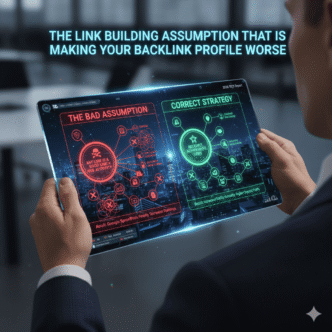

The most common advice on toxic backlinks is to pull your Ahrefs or Semrush toxicity report, filter for anything below a score threshold, and submit the lot to Google’s Disavow Tool. That approach produces a long disavow file, a false sense of security, and — frequently — the removal of links Google was already ignoring or had already neutralised.
Disavowal is not a routine maintenance task. It’s a targeted response to a specific, documented problem. Most sites with legacy link profiles don’t need to disavow anything. Some do — but the trigger isn’t a tool score. It’s evidence of a manual action, a clear pattern of paid or spammy links at scale, or a confirmed negative SEO attack.
This cluster covers how to audit a backlink profile correctly, how to identify the links that genuinely warrant disavowal, and how to construct a disavow file without over-removing. It’s the defensive link building layer the Link Building in 2026: Digital PR, Entity Authority & AI Citation Strategies pillar delegates here.
Taking over SEO for a UK e-commerce client that had inherited a link profile from a previous agency, the first audit in Ahrefs flagged 340 links as toxic based on toxicity scores. The instinct was to disavow the batch immediately. We didn’t — and that pause was the right call. Cross-referencing against Google Search Console showed no manual action, no ranking suppression pattern aligned to those links, and no velocity spike. SpamBrain had already neutralised the majority. Submitting a 340-link disavow file would have been redundant — and in one case, we identified a legitimate DA 52 link that had been incorrectly flagged by the tool’s pattern matching.
Post Summary
- Toxic backlinks are links that actively harm rankings — not links that score poorly in a third-party tool’s toxicity model
- The three conditions that actually warrant disavowal: a confirmed manual action, a documented paid or spammy link pattern at scale, or a confirmed negative SEO attack
- Ahrefs and Semrush toxicity scores are pattern-matching estimates — they flag suspicious links, not confirmed harmful ones; manual review is always required before disavowal
- Google’s Disavow Tool is a last resort — SpamBrain neutralises the majority of low-quality links automatically without disavowal
- Over-disavowal — submitting links Google is already ignoring — is a common audit error that can remove legitimate links and produce no ranking benefit
Table of Contents
ToggleWhy Tool Toxicity Scores Are the Wrong Disavowal Trigger
Third-party toxicity scores — Ahrefs’ Domain Rating context flags, Semrush’s Toxicity Score, Moz’s Spam Score — are pattern-matching systems. They evaluate links against signals associated with historically spammy domains: low DA, high outbound link counts, thin content, and network patterns. They don’t evaluate whether a specific link is actively harming a specific site.
That distinction matters enormously in practice.
Most links flagged as toxic by these tools are links SpamBrain has already neutralised. Google’s December 2022 link spam update confirmed that SpamBrain identifies unnatural links and removes their effect — the ranking credit those links may have previously passed is simply lost (Source: Google Search Central, 2022). A link SpamBrain has neutralised is not harming your site. It’s inert. Disavowing it produces no benefit and carries the risk of collateral removal — where a neighbouring legitimate link in a batch submission gets caught in the file.
The correct mental model: a toxic score is a flag for further investigation, not a disavowal instruction. Every flagged link needs a manual review before the disavow file gets touched.
Pro Tip: In Ahrefs Site Explorer, pull the Referring Domains report and filter by “Domain Rating 0–10” combined with “Dofollow.” Export the list. This is your manual review queue — not your disavow queue. Open each domain individually. Check: does the domain have real content? Is it part of a link network? Has it linked to multiple unrelated sites in bulk? Only domains where the answer to the last two questions is yes warrant further disavowal consideration.
Visual guide to link building audit: identifying and disavowing toxic backlinks, with verified 2026 statistics
Link Building Audit: Toxic Backlinks & Disavow Guide
A data-driven visual guide to identifying genuinely harmful backlinks, when to use Google's Disavow Tool, and the 5-stage audit process — based on verified 2026 survey data.
- Linked to 20+ unrelated sites
- Thin or auto-generated content
- DR 0–5
- Bulk exact-match anchors
- Low DR, thin content
- No network pattern evident
- Single link only
- No bulk anchor pattern
- Flagged by tool score only
- Real editorial content
- Domain has genuine history
- Tool pattern-match error
The Three Conditions That Actually Warrant Disavowal
Disavowal is warranted in three specific scenarios — and only these three. Everything else is noise.
Condition 1 — A confirmed Google manual action
A manual action notification in Google Search Console’s Manual Actions report is the clearest trigger for disavowal. It means a Google reviewer has assessed the link profile and found evidence of unnatural link building that SpamBrain’s automated system didn’t neutralise. The manual action notification specifies the type of violation — “unnatural links to your site” — and disavowal is the documented remediation path (Source: Google Search Central, Disavow Links documentation).
Without a manual action notification — no disavowal file is required.
Condition 2 — A documented pattern of paid or spammy links at scale
If the site’s link profile contains clear evidence of a past paid link campaign — dozens of links from the same network of low-quality sites, all acquired within a short window, all using exact-match anchor text — and those links have not yet been neutralised by SpamBrain, disavowal is appropriate. The evidence threshold is pattern, not individual links: 10 links from 10 unrelated spammy domains over 3 years is not a pattern. 80 links from 15 clearly networked domains acquired over 2 months is.
Condition 3 — A confirmed negative SEO attack
Negative SEO attacks — where a competitor builds low-quality links to a target site at scale to trigger a SpamBrain flag — are rare but documented. The signal is a sudden velocity spike in new referring domains, primarily from low-quality or foreign-language sites with no topical relevance, over a 2–4 week window. Cross-reference against rankings: if the velocity spike coincides with a ranking drop not explained by content or algorithm changes, negative SEO is a plausible cause.
If none of these three conditions are present — close the disavow tool. There’s nothing to submit.
How to Run a Backlink Audit: The Manual Review Process
A backlink audit that informs a disavow decision has five stages. The first four are diagnostic. Only the fifth produces a disavow file — and only when one of the three conditions above is confirmed.
Stage 1 — Pull the full referring domain list
In Ahrefs Site Explorer, export all referring domains: domain, DR, first seen date, dofollow/nofollow status, anchor text. In Semrush Backlink Audit, run the full audit and export the flagged list. Use both tools where possible — their toxicity models overlap but don’t match exactly, and comparing flags across tools reduces false positives.
Stage 2 — Check Google Search Console
Before reviewing a single link, open Google Search Console. Check the Manual Actions report. If it’s clean — no manual action — note that. Check the Search Performance report for ranking drops: is there a date-aligned drop that correlates with a link velocity spike? If no manual action and no ranking drop pattern, the probability that the link profile needs disavowal is low.
Stage 3 — Categorise flagged links
Sort the flagged referring domains into three buckets:
| Category | Characteristics | Action |
|---|---|---|
| Confirmed spam network | Linked to 20+ unrelated sites, thin or auto-generated content, DA 0–5, bulk exact-match anchors | Flag for disavowal if pattern confirmed |
| Suspicious but isolated | Low DR, thin content, but no network pattern, single link | Monitor — do not disavow |
| False positive | Flagged by tool but content is real, domain has editorial history | Remove from consideration entirely |
Stage 4 — Manual domain review
Open every domain in the “Confirmed spam network” bucket. Verify: does the domain have real content? Is the link placed editorially or in a footer/sitewide? Does the domain link to dozens of unrelated sites? A domain failing all three checks is a genuine disavowal candidate.
Stage 5 — Construct the disavow file
Only domains passing the manual review in Stage 4 go into the disavow file — and only at domain level, not URL level, unless the problem is isolated to specific pages on an otherwise legitimate domain. Submit at domain level using domain:example.com syntax in a plain .txt file through Google Search Console’s Disavow Links tool (Source: Google Search Central, Disavow Links documentation).
Over-Disavowal: The Audit Error That Costs Legitimate Links
Over-disavowal is the most common outcome of tool-score-based audits. It’s also the one practitioners least expect — because the instinct is that removing links can only help, not hurt.
It can hurt in two ways.
First, a batch disavowal file submitted at domain level covers every link from that domain — including any that are legitimate. A DA 52 publication that also hosts a link network on a subdomain gets caught if the domain is submitted in bulk rather than reviewed at URL level.
Second, removing a link Google has already neutralised produces no ranking benefit. The link was inert. Disavowing it accomplishes nothing — but it adds the domain to a permanent disavowal record that can suppress future links from the same domain if the publication improves over time.
The part most practitioners miss is that SpamBrain’s neutralisation is ongoing. By the time a practitioner runs a backlink audit, the majority of links a toxicity tool flags on a legacy profile have already been neutralised. The audit finds the record of past problems, not active ranking suppression.
Check the manual action report first. Check the ranking pattern second. Only then open the disavow tool — and only if one of the three conditions is confirmed.
For how a clean backlink profile interacts with entity authority signals and topically relevant link acquisition, see Entity Authority Backlinks: How to Build Links That Strengthen Knowledge Graph Presence.
Maintaining a Clean Link Profile After the Audit
A disavow file is not a set-and-forget document. Submitted disavow files persist indefinitely in Google Search Console — and an outdated disavow file that includes domains which have since improved can suppress legitimate future links.
Three maintenance practices keep the profile clean after the initial audit:
Practice 1 — Quarterly referring domain review Pull new referring domains in Ahrefs monthly. Flag any new domains in the DR 0–10 dofollow category for manual review. Most will be SpamBrain candidates — but a new velocity spike from a coordinated source network warrants investigation.
Practice 2 — Annual disavow file review Every 12 months, review the existing disavow file against current Ahrefs DR data for the listed domains. Domains that have moved from DR 5 to DR 40 with real editorial content should be removed from the disavow file — their links may now carry positive signal.
Practice 3 — Manual action alert monitoring Set up Google Search Console email alerts. A manual action notification is the one signal that requires an immediate response — audit, disavow file construction, and reconsideration request within 30 days.
The Link Building in 2026: Digital PR, Entity Authority & AI Citation Strategies pillar covers how a clean, entity-relevant backlink profile feeds into the broader authority-building strategy. This cluster covers the defensive layer that makes that foundation sound.
Frequently Asked Questions
What are toxic backlinks and do they always harm rankings? Toxic backlinks are links from spammy, low-quality, or manipulative sources that actively suppress rankings — but not every link flagged as toxic by a tool is actively harmful. Google’s SpamBrain system neutralises most low-quality links automatically, removing their effect without requiring disavowal. A link is genuinely harmful only when it has contributed to a manual action, is part of a confirmed paid or spammy link pattern, or is part of a negative SEO attack.
When should I use Google’s Disavow Tool? Only in three scenarios: a confirmed manual action notification in Google Search Console, a documented pattern of paid or spammy links at scale that SpamBrain hasn’t neutralised, or a confirmed negative SEO attack with a date-aligned ranking drop. Using the Disavow Tool as routine maintenance — submitting links based on tool toxicity scores alone — is over-disavowal and produces no ranking benefit.
How do I know if my site has been hit by negative SEO? Check for a sudden velocity spike in new referring domains in Ahrefs, primarily from low-DR, foreign-language, or topically irrelevant sites, over a 2–4 week window. Cross-reference against Google Search Console rankings: if the spike coincides with a ranking drop not explained by a content change or algorithm update, negative SEO is worth investigating. A manual action in Search Console confirms it.
What is the difference between a nofollow and a disavowed link? A nofollow link carries an attribute instructing Google not to pass PageRank — but Google still processes and evaluates the link. A disavowed link is one you’ve formally asked Google to ignore via the Disavow Tool. SpamBrain’s neutralisation is a third state: the link is followed, but its ranking credit has been removed automatically. Most low-quality links on legacy profiles are in the SpamBrain-neutralised state — not the nofollow or disavowed state.
Can over-disavowal hurt my rankings? Yes — in two ways. A batch domain-level disavowal can catch legitimate links from a domain alongside the problematic ones. A disavow file covering domains SpamBrain has already neutralised achieves nothing, but persists indefinitely — potentially suppressing future links from those domains if the publications improve. Review every domain manually before adding it to the disavow file.
What to Do Next
The default position on a legacy link profile is: do nothing until one of the three conditions for disavowal is confirmed. Open Google Search Console’s Manual Actions report first. If it’s clean, check the ranking performance report for a date-aligned drop. If neither signals a problem, close the disavow tool — SpamBrain is doing the work.
For sites where a manual action or confirmed negative SEO attack does warrant action, the five-stage audit process above produces a defensible disavow file. Stage 4 — manual domain review — is the gate that prevents over-disavowal. Every domain in the “Confirmed spam network” bucket gets opened and verified before it goes into the .txt file.
Open Google Search Console now. Go to Manual Actions. If the report is clean, your backlink profile doesn’t need a disavow file today — run the quarterly referring domain review in Ahrefs instead and flag any new DR 0–10 dofollow domains for monitoring.
References
Google Search Central. Disavow Links to Your Site.” Google Search Console Help, 2024. https://support.google.com/webmasters/answer/2648487 Supports: Three conditions warranting disavowal; disavow file construction at domain level; reconsideration request process.
Google Search Central. December 2022 Link Spam Update.” Google Search Central Blog, 2022. https://developers.google.com/search/blog/2022/12/december-22-link-spam-update Supports: SpamBrain’s automatic neutralisation of unnatural links; why disavowal is redundant for links already neutralised.
Ahrefs. How to Remove Backlinks (And Clean Up Your Link Profile).” Ahrefs Blog, 2024. https://ahrefs.com/blog/remove-backlinks/ Supports: Referring domain export and toxicity flagging workflow; DR filter as a manual review starting point.
Ahrefs. Link Building for SEO.” Ahrefs, 2024. https://ahrefs.com/seo/link-building Supports: Backlink profile health as a foundation for editorial link acquisition strategy.
Search Engine Journal. Ask An SEO: Digital PR Or Traditional Link Building, Which Is Better?” Search Engine Journal, 2025. https://www.searchenginejournal.com/ask-an-seo-digital-pr-or-traditional-link-building-which-is-better/553879/ Supports: Context on link quality evaluation and the distinction between manipulative and editorial link acquisition.